0:54

Introducing Gemini Omni: Create Anything from Anything
Google · AI · May 2026
Miro · Apr 2025 · 0:51 · Full motion · AI-annotated
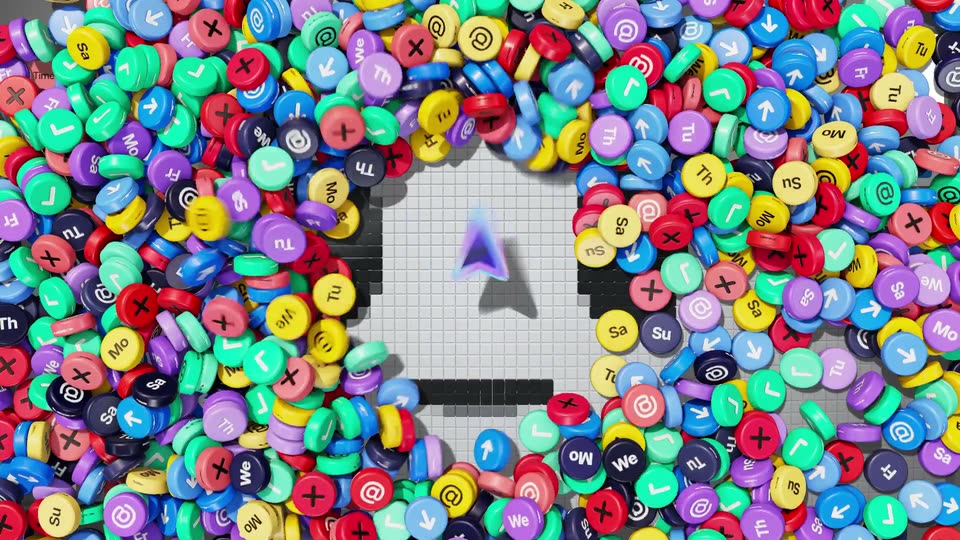
Miro’s 0:51 launch film runs 31 scenes, about 1.6 s each. The product is on screen from the first frame and 1 feature is revealed. There is no explicit call to action. The video is built as a rapid design-language reference: a logo-and-craft montage names Miro Aura, then type, color, 3D motion stickers and four named principles each get a short locked-off beat, closing on a tagline card. Its style is defined by a flat dotted-grid canvas, hard 131 BPM cuts, and a recurring move of 3D glossy objects popping in with name tags and +N counters.
Is this your launch? to your site or press kit.
Google · AI · May 2026
Google · AI · May 2026
Films whose music sounds like this one, voice left out
Oura · Funk, soul, and electronic dance music
DJI · Upbeat electronic
Stripe · Upbeat electronic
A yellow square with a black M and the word miro sits on a white background. The view zooms in on the square, pushing the wordmark off-screen to the right.
On-screen text: “miro”
Camera: Static
A yellow rounded-square icon with a black angular W mark sits on a pale gray rounded square. Numbered callouts 1, 2, 3 mark its corners while dashed blue lines sweep across the frame and a dashed circle outlines one corner.
On-screen text: “1”, “2”, “3”
Camera: Static
A close-up of a vector canvas with a light grid and dashed blue guides. Black bezier curves with square anchor points and handles shift and bend as the path is adjusted, while small Chinese characters slide across the locked-off frame.
On-screen text: “中”, “口”, “中”
Techniques: Morph
Camera: Pull out
A grid of white rounded tiles with dark line icons scrolls down on a pale background. The center tile is highlighted, its icon shifting from a padlock to a paper plane, then to a solid black zero that scales in and holds.
On-screen text: “0”
Camera: Static
A blue paper airplane icon sits in a white rounded square at the center of a faint grid. A lock icon above and a link icon below fade out while the central icon and its square shrink slightly.
Camera: Static
On a blue gradient field, the white title Miro Aura sits inside a thin selection box with white corner handles. Two labeled cursors, a green Jacob and a blue Finn, drag opposite corners outward, enlarging the box while the title scales up and fades to translucent.
On-screen text: “Jacob”, “Miro Aura”, “Finn”
Techniques: Kinetic type
Camera: Push in
On a light dotted grid, the bold headline Miro Aura scales in beneath a still subline, while a green Jacob bubble and a blue Finn bubble drift at opposite corners.
On-screen text: “Meet our design language”, “Miro Aura”
Techniques: Kinetic type
Camera: Pull out
On a light dotted grid, the bold black title Miro Aura sits under the gray line Meet our design language. Green and blue chat bubbles named Jacob and Finn, each with a cursor arrow, scale up in the upper and lower corners while the title grows.
On-screen text: “Meet our design language”, “Miro Aura”
Techniques: Kinetic type
Camera: Static
A light gray background holds oversized black letters of the typeface name. The text scales in a locked-off frame, with the letters cropped at the edges.
On-screen text: “Roobert Pro”
Techniques: Kinetic type
Camera: Pull out
The word Roobert Pro scales in centered on a pale gray field, then the background flips to yellow as the text shifts left and Noto Sans drops in below it. A blue Hello slides into the top line, taking the place of the first word.
On-screen text: “Roobert Pro”, “Noto Sans”, “Hello”
Techniques: Kinetic type
Camera: Static
A flat yellow field fills the frame as a vertical column of black greetings in many languages scrolls steadily upward. Words such as Hello, Ciao, Hej and こんにちは pass the center one after another, each on its own line, with the camera locked off.
On-screen text: “Ciao”, “Hei”, “Hello”, “Hola”, “Aloha”, “Sveiki”, “Tere”, “Salut”, “Halo”, “Szia, Hi, Ahoi, Hej, 你好, こんにちは, 안녕하세요”
Techniques: Kinetic type
Camera: Static
A flat color-palette layout rearranges. Yellow bands with an olive Korean heading give way to a grid of named swatches; a deep purple block labeled Pink 900 slides in from the right, edged by a thin magenta strip and a small teal block.
On-screen text: “Miro-Yellow”, “#FFDD33”, “Sunshine-300”, “#FFF09A”, “Pink 900”, “#55055C”
Camera: Static
A grid of named color swatches with hex codes slides horizontally across a locked-off frame, panning from pink and moss tones into lilac and ocean blue blocks.
On-screen text: “Pink 900”, “#55055C”, “Pink 550”, “#ED72E0”, “Moss 900”, “#02400F”, “Moss 400”, “#6AE08D”, “Lilac 500”, “#8F7FEE”
Camera: Static
Color swatch blocks labeled with names and hex codes slide off the frame, revealing a flat Miro board: white canvas with a Miro AI badge, a shocked emoji, a Finn cursor, and a task card, while an avatar sits bottom left.
On-screen text: “Coral 900”, “#600000”, “Coral 550”, “#EF5959”, “Lilac 500”, “#8F7FEE”, “Ocean 900”, “#001D66”, “Lilac 800”, “#461F98”
Techniques: Masking
Camera: Push in
A collage of floating product fragments drifts on a pale background: a pie chart with a Spin button, a Catch up card, a Miro AI pill, a research report, a backlog list and a task card. A pink 3D blob with heart eyes bounces beside a Maya tag. The camera slowly zooms in as the layers drift at different speeds.
On-screen text: “Finn”
Techniques: Parallax, Particles
Camera: Push in
A blue-to-purple gradient background holds three white four-pointed sparkles. The large central one scales up and down while two smaller ones sit at the upper right and lower left, drifting slightly.
Camera: Static
A white card with a purple sparkle icon sits on a light background. Blurred placeholder bars resolve into a report headline and body copy, the headline scaling into place.
On-screen text: “Beyond feature requests: the Q1 user feedback report”
Techniques: Kinetic type
Camera: Static
A glossy 3D flame icon floats and rotates above a soft drop shadow on an orange gradient. Small detached flame slivers orbit around it while the faint word “Amazing” sits in the background.
On-screen text: “Beyond feature requests: the Q1 user”
Techniques: 3D mockup, Morph
Camera: Static
A glossy 3D pink heart floats center frame on a pink gradient, shifting from striped to solid red as the faint headline 'Looove it' fades in behind it. Small 3D hearts, a cone and a flame drift at the sides, then a burst of tiny hearts pops from the heart's top.
On-screen text: “Looove it”
Techniques: Particles
Camera: Static
A purple 3D party-popper cone tilts and erupts a spray of colorful confetti, ribbons and spheres. Faint oversized purple text reads behind it on a soft gradient background.
On-screen text: “Let's gooo!”
Techniques: 3D mockup, Particles
Camera: Static
Four circular profile photos with colored rings and emoji-style flame, thumbs-up, heart, and party popper icons drift upward across a light dotted grid. The popper bursts into confetti and small dots trail the thumbs-up as the group rises.
On-screen text: “ond”
Techniques: Particles
Camera: Static
A glossy 3D pink heart with a face bobs in the center of a light dotted background. A green Olivia tag slides in from the left and a purple Jacob tag slides in from the right, while a dark +1 badge pops on the heart and the word Love it! appears beneath it. A small cluster of pink hearts floats top right.
On-screen text: “Love it!”, “Jacob”, “Olivia”
Techniques: Kinetic type
Camera: Static
A glossy 3D pink blob with heart eyes and a smile bobs and tilts in the center of a magenta field, the white 'Amazing!' headline locked to its body. Green and purple name tags, Olivia and Jacob, slide out to the corners while a dark +2 badge pulses beside the blob and small pink spheres drift around it.
On-screen text: “Amazing!”, “Olivia”, “+2”, “Jacob”
Camera: Static
On a flat teal background, a teal blob pops from a dark hole holding a 'Need Feedback' flag. More blobs rise, a badge counts +2 to +4, and name tags 'Jacob,' 'Finn,' 'Olivia' slide in from the edges, ending on a large 'Amazing!' caption.
On-screen text: “Need Feedback”, “+2”, “Jacob”, “Finn”, “+3”, “+4”, “Olivia”, “Amazing!”
Techniques: Kinetic type
Camera: Static
A 3D thumbs-up emoji with a blue sleeve sits on a plain blue field. A tilted blue banner above it reads “Good Idea”, then flips to “Great Idea!” as a star pops out and a counter ticks to +5. Colored name tags for Finn, Olivia and Jason slide in around the center.
On-screen text: “Good Idea”, “Great Idea!”
Techniques: Morph
Camera: Static
A 3D thumbs-up emoji floats on a blue field, ringed by yellow, pink and green name bubbles and a blue ribbon reading Great Idea! with a +5 badge. The hand morphs into a 3D rocket, the ribbon flips to Ship It!, and the badge scales from +5 to +6.
On-screen text: “Great Idea!”, “+5”, “Ship It!”, “+6”
Techniques: Morph
Camera: Static
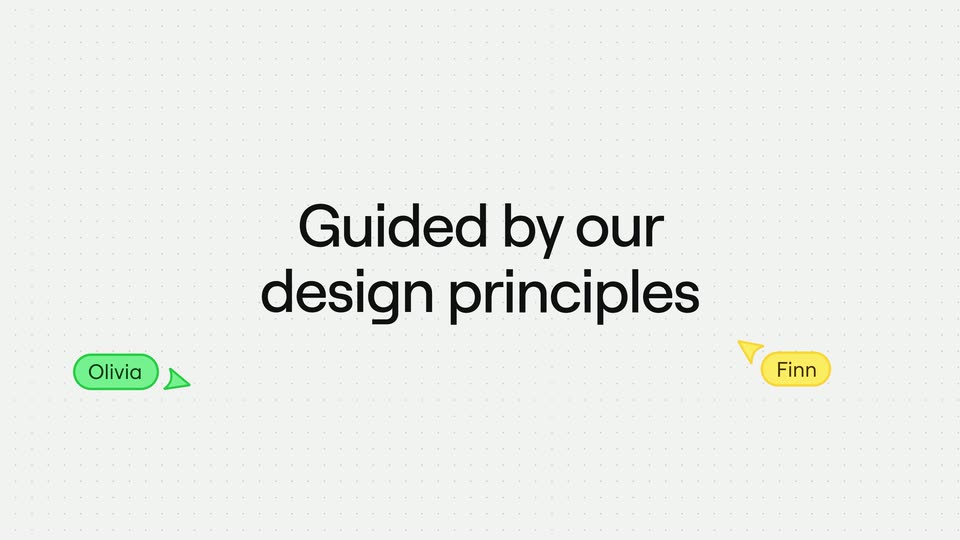
On a pale dotted backdrop, the centered headline “Guided by our design principles” fills in word by word while green and yellow name bubbles (Olivia, Finn, Jason) slide in from the corners and a “+6” badge scales up, ending with a large still “Ship It!”.
On-screen text: “Guided by our”, “design principles”, “Olivia”, “Finn”, “Jason”, “+6”, “Ship It!”
Techniques: Kinetic type
Camera: Static
On a dotted light background, the indigo headline Energize minds sits above three tilted cards: a Sticky Stack note, a five-segment spinner with avatars, and a purple Guess card. Green and yellow name bubbles labeled Olivia and Finn scale up and drift at the edges, then the frame cuts to a solid lavender field with the white line Illuminate moments.
On-screen text: “Energize minds”, “Olivia”, “Finn”, “Illuminate moments”
Techniques: Kinetic type, Masking
Camera: Static
On a purple gradient, the white headline “Illuminate moments” scales in at center as a glowing neon line loops around it. The line then drifts to the lower left and the headline swaps to “Spark enotions,” which holds still.
On-screen text: “Illuminate moments”, “Spark enotions”
Techniques: Kinetic type, Light sweep
Camera: Static
On a dotted canvas, 'Spark emotions' is ringed by emoji stickers that scatter outward; a selection box then highlights the text, which is retyped to 'Feel the pulse' as a backlog table and a sticky note slide in with collaborator tags.
On-screen text: “Spark emotions”, “Feel the pulse”
Techniques: Kinetic type, Particles
Camera: Static
A soft yellow gradient resolves into a flat yellow field with fine grain. The black headline builds word by word to read “Feel what’s possible.”, centered, while the miro logo mark and wordmark sit small at the bottom.
On-screen text: “Feel what’s possible.”
Techniques: Kinetic type
Camera: Static