
0:19
Explore
Milanote Web Clipper
Milanote · Jan 2026 · 1:00 · Full motion · AI-annotated
- Length
- 1:00
- Scenes
- 15 · 4.1 s avg
- Product on screen
- 0:00
- Features shown
- 4
- Voiceover
- No
- Views
- 4K on YouTube
as of November 28, 2026
00:00:00 / 01:00:49
- Length
- 1:00
- Scenes
- 15 · 4.1 s avg
- Product on screen
- 0:00
- Features shown
- 4
- Voiceover
- No
- Views
- 4K on YouTube
as of November 28, 2026
Milanote’s 1:00 launch film runs 15 scenes, about 4.1 s each. The product is on screen from the first frame and 4 features are revealed. There is no explicit call to action. Built as a four part feature reel: a locked black serif title card names each capability, then two screen recording shots show the capture and the drop onto a Milanote board. The signature moves are the fade in serif title cards, the single cursor UI demos, and the closing sans tagline that resolves into the animated M logo.
No filming indicatedEstimated needs: 4 capture groups — your screens or recordings · 1 official logo — reused across the film
Is this your launch? to your site or press kit.
More like this




Similar soundtrack
Films whose music sounds like this one, voice left out
0:55


Decent: launch a9
Decent · Lo-fi hip-hop
0:43

Custom sales demos on your real product | Dessn (4K)
Dessn · Lo-fi hip-hop
4:25

BrowserBook YC Demo
Kilvin · Lo-fi hip-hop / chillhop
Milanote Web Clipper, scene by scene
· 15 scenes as text
01 · Product intro · 0:00–0:02
A black frame holds, then the white title fades in centered and stays locked in place for the rest of the shot.
On-screen text: “Milanote Web Clipper”
Camera: Static
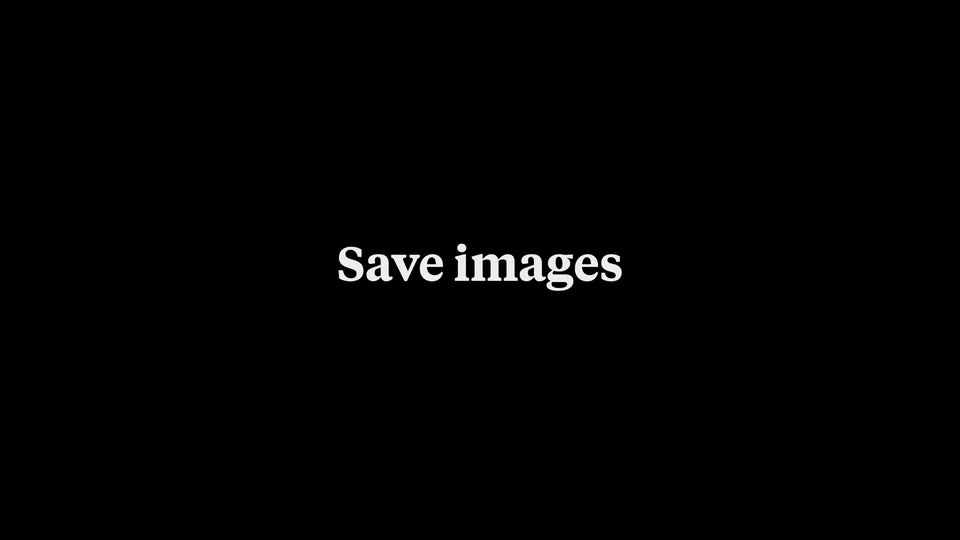
02 · Feature reveal · 0:02–0:04
A plain black background holds the centered white phrase “Save images”. The line fades in from dim to full brightness, then stays locked in place with no motion.
On-screen text: “Save images”
Camera: Static
03 · Feature reveal · 0:04–0:09
A browser window shows a Pinterest pin with an orange striped image. The cursor clicks the Save button, a popover slides in from the right with a Save to Moodboard button, the cursor clicks it, and a green Saved bar flashes before the popover closes.
On-screen text: “Save images”
Techniques: Cursor demo
Camera: Static
04 · Feature reveal · 0:09–0:12
A browser window displays a Milanote moodboard grid of typography and color cards. A cursor drags an orange striped image card from the Unsorted tray on the right into the main board, where it settles into the layout.
Techniques: Cursor demo
Camera: Static
05 · Feature reveal · 0:12–0:15
A black frame holds, then the white serif title “Bookmark links” fades in at center and stays locked off, static, for the rest of the shot.
On-screen text: “Bookmark links”
Camera: Static
06 · Feature reveal · 0:15–0:20
A browser window on a purple background shows a black-and-white photography article. A cursor moves to the toolbar icon, opens a side panel, and clicks the orange Save button, which turns green with a checkmark before the panel closes.
On-screen text: “Bookmark links”
Techniques: Cursor demo
Camera: Static
07 · Feature reveal · 0:20–0:24
A browser window shows a Milanote board of black and white portraits on a purple backdrop. A cursor drags an article card from the right unsorted panel into the main grid, revealing a hand-drawn studio lighting sketch in its place.
Techniques: Cursor demo
Camera: Static
08 · Feature reveal · 0:24–0:26
The frame is black, then the words Clip text appear centered in white and hold still for the rest of the clip.
On-screen text: “Clip text”
Camera: Static
09 · Feature reveal · 0:26–0:36
A browser window on a muted background shows a webpage paragraph. The cursor drags across two lines, highlighting them blue, right-clicks to open a menu, then clicks Save in a top-right popup that flashes green.
Techniques: Cursor demo
Camera: Static
10 · Feature reveal · 0:36–0:42
In a full browser window, a cursor selects a quote card on a Milanote board, opens the text style menu and chooses Quote block, reformatting the text into a large bold serif.
Techniques: Cursor demo
Camera: Static
11 · Feature reveal · 0:42–0:44
A black frame holds still as the words Save videos fade in at the center and remain locked in place.
On-screen text: “Save videos”
Camera: Static
12 · Feature reveal · 0:44–0:49
A dark footage browser shows a grid of architect clips. A white card slides in at the top right with a video preview and an orange button; the cursor clicks it, the button turns green with a check, then the cursor moves to the top-left tab.
Techniques: Cursor demo
Camera: Static
13 · Feature reveal · 0:49–0:54
A browser window shows a Milanote storyboard of cards for Architecture of London. A cursor drags the Architectura Plans video out of the Unsorted tray and drops it into the Shot 1 card, where it starts playing inline.
Techniques: Cursor demo
Camera: Static
14 · Other · 0:54–0:57
A black frame holds a single line of white text centered. The line eases in with a brief horizontal wobble, then locks still for the rest of the shot.
On-screen text: “The easiest way to save inspiration”
Techniques: Kinetic type
Camera: Static
15 · Outro · 0:57–1:00
A white circular logo with a black M mark fades and scales in at the center of a black screen. The word Milanote in white serif type appears beneath it, then the frame holds still as a sign-off.
On-screen text: “Milanote”
Camera: Static