0:57
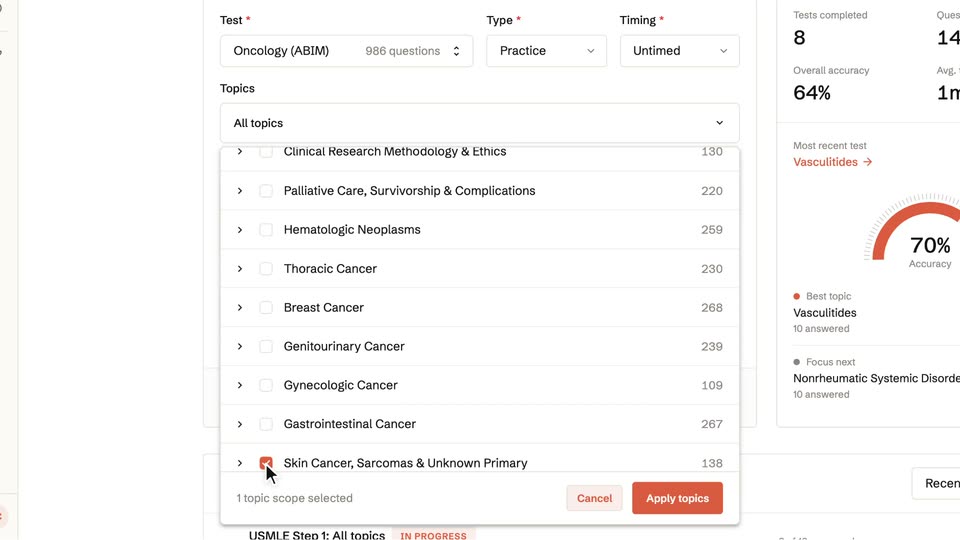
OpenEvidence - Introducing Learn, a free, personalized medical education platform fr
OpenEvidence · Nov 2026
Jinko · 0:19 · AI-annotated
Jinko’s 0:19 launch film runs 9 scenes, about 2.2 s each. The product is on screen from the first frame and 1 feature is revealed. There is no explicit call to action. The video opens with a logo card, then pairs a meadow backdrop with floating frosted UI cards and typed text to demo one feature. Pacing is quick and rhythmic, using typing, underline accents, scrolling price grids, and a checked result card as the main motion language.
Is this your launch? to your site or press kit.
OpenEvidence · Nov 2026
Anthropic · AI · Oct 2026
Cursor · Developer tools · Mar 2026
Over a bright blue sky with thin cirrus clouds, the black Jinko logo and wordmark scale up from the center, then the light-blue word Introduces slides in below.
On-screen text: “Introduces”
Techniques: Kinetic type
Camera: Pan
A bright landscape of green flower-covered hills under a blue sky tilts down and locks. Introduces slides up and out, then Find Dates slides in and settles centered above a thin red underline.
On-screen text: “Introduces”, “Find Dates”
Techniques: Kinetic type
Camera: Pan
A green flower meadow under a blue sky. White text types out word by word with a plane and lightbulb icon, then a white chat input card appears, the prompt is typed, a cursor clicks the red send button, and a Thinking status fades in.
On-screen text: “Your user has a destination in mind,”, “but is not sure when to go.”, “Find the cheapest flight”, “from SF to Japan next summer.”, “Thinking”
Techniques: Kinetic type, Cursor demo
Camera: Static
A white chat bubble on a soft green gradient holds the flight prompt and a Thinking line, then the view cuts to a grid of route cards with pink prices that scrolls.
Camera: Push in
A grid of dark rounded cards fills a light gray screen, each showing a flight route, a red dollar price, and a date range. The grid scrolls vertically while the routes and prices cycle through new values.
Techniques: Kinetic type
Camera: Pan
A grid of black flight cards with red prices slides into alignment on a white background, then the center SFO / Tokyo card snaps to a green outline with a check mark as its price turns green.
Camera: Static
A frosted-glass AI Agent card fades in over a sunlit flower meadow, then fills line by line: a green checkmark, the destination Tokyo, the dates August 4 to 11, and the price $545 on the right.
Techniques: Kinetic type
Camera: Static
On a plain off-white background, two lines of text type out character by character behind a cursor. A red underline and a small red airplane icon land under destination, then a green underline and checkmark close the second line. The word Jinko scales up and the frame fades to white.
On-screen text: “Your user picks the destination.”, “Jinko helps your agent find the best dates.”
Techniques: Kinetic type
Camera: Static
A black rounded-square logo with a peach gradient circle scales in beside the wordmark Jinko on a light gray background, then the tagline types out below with a blinking cursor.
On-screen text: “The Travel Infrastructure”, “for AI Agents”
Techniques: Kinetic type
Camera: Static