0:57

Caretta | Realtime AI for Sales Calls
Caretta · B2B · Feb 2026
Dessn’s 0:43 launch film runs 11 scenes, about 3.9 s each. The product shows up at 0:09 and 3 features are revealed. The call to action lands at 0:39 (92% in). The video alternates screen-accurate UI demos with bold spiral title cards, introducing each feature with a short headline before zooming into the dashboard. Pacing is steady at about seven cuts per minute, with stacked pill text, drag interactions, and quick zoom-ins as the signature moves.
Is this your launch? to your site or press kit.
Films whose music sounds like this one, voice left out
Stytch · Lo-fi hip-hop
Decent · Lo-fi hip-hop
Kimpton · Lo-fi hip-hop, chillhop, jazz fusion
A design-tool canvas displays a design system migration file with token, component, and dashboard frames. The cursor selects the Home frame, the right panel shows its dimensions, then the view zooms into that frame while a notification toast from Dave (Sales) appears at the top.
Techniques: Cursor demo, UI zoom
Camera: Push in
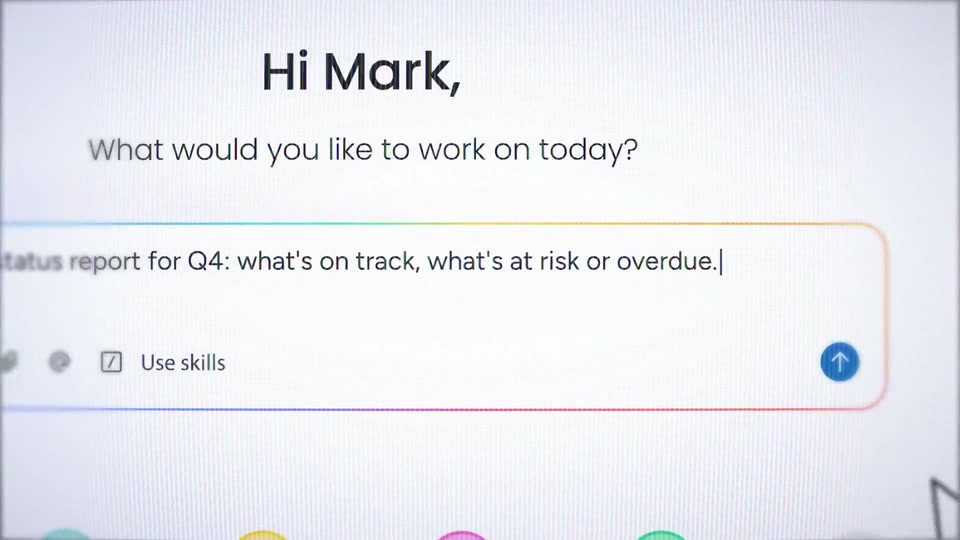
The view opens on the full chat app window, then zooms into the conversation panel. A reply is typed character by character into the message input box at the bottom.
Techniques: UI zoom
Camera: Push in
A teal hand-drawn spiral fills a navy background. A cream pill reading “Introducing:” scales in at the top, then an orange “Custom” pill and a dark “sales demos” pill drop in below it, stacking into a tilted column.
On-screen text: “Introducing:”, “Custom”, “sales demos”
Techniques: Kinetic type
Camera: Push in
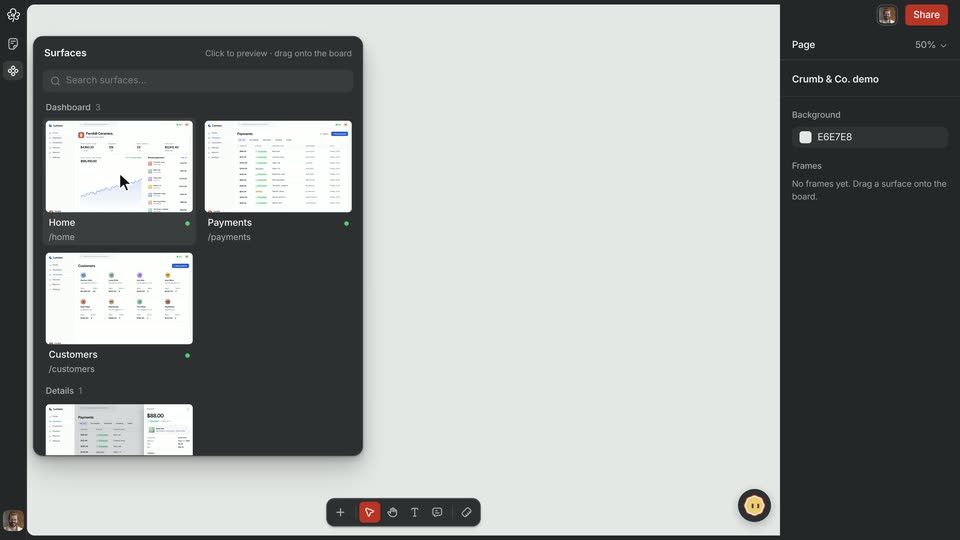
A dark Surfaces panel expands from the left toolbar beside a light demo board. The cursor moves onto the Home dashboard thumbnail, drags it out of the panel and lifts it onto the empty canvas.
Techniques: Cursor demo
Camera: Static
A tilted dashboard mockup on a light canvas scales up and flattens into a full frame as its chart and payment list load in. The frame is selected, a comment prompt slides in from the left, and the camera zooms closer under the headline.
On-screen text: “Pull a page from production”
Techniques: 3D mockup, Morph, Cursor demo, UI zoom
Camera: Push in
A black headline sits at the top. A dark assistant card on the left types a prompt, then shows a spinner and a green built status. On the right, a Lumora dashboard updates, its logo and payments list swapping from a ceramics shop to a bakery.
On-screen text: “Customize it”
Camera: Pull out
On a design canvas, a bakery dashboard mockup sits beside a dark instruction card. A headline appears, the frame is selected and starts a prototype, then the view zooms into the live dashboard as a cursor hovers the chart and clicks the Payments menu.
On-screen text: “Customize it”, “Demo on the real thing”
Techniques: UI zoom, Cursor demo
Camera: Push in
A flat Lumora payments dashboard fills the frame. A cursor rests on the top table row, then the view zooms into it, sliding a detail panel in from the right that shows the $64.00 amount and customer.
Techniques: Cursor demo, UI zoom
Camera: Static
A payments dashboard mockup fills a Figma canvas. A cursor clicks the red Share button at top right, opening a dark share popover with an invite field. The cursor moves to the red Invite button, and a green confirmation toast appears at the bottom of the frame.
Techniques: Cursor demo
Camera: Static
A navy field of teal hand-drawn concentric rings holds three stacked rounded pills that appear in sequence: white 'Don't', orange 'derail', dark 'your day', settling into a centered vertical stack.
On-screen text: “Don't”, “derail”, “your day”
Techniques: Kinetic type
Camera: Push in
A dark stadium-shaped card sits centered on a red-orange spiral that rotates slowly. The white headline and DESSN wordmark fade up from dark gray, and the hand-drawn doodles at either side, flowers and a lightbulb, fill in with teal, orange and purple.
On-screen text: “DESSN”, “One shot your sales demos”, “Free at dessn.com”
Techniques: Kinetic type
Camera: Push in