1:31
Introducing Shire
Shire · Nov 2026
Microsoft · Feb 2026 · 1:05 · Full motion · AI-annotated
studio MotionCue
Microsoft’s 1:05 launch film runs 24 scenes, about 2.7 s each. The product shows up at 0:10 and 5 features are revealed. The call to action lands at 1:02 (94% in), over a voiceover. The video is built as a problem-to-features explainer: a quick icon hook and a blue question card set up the pain, the product promise appears, then each capability (web-like search, acronyms, browser access, built-in surfaces, Search highlights) gets a short self-contained beat, ending on a closing prompt and the Microsoft logo. Stylistically it pairs flat white and blue title cards with 3D-tilted UI mockups, using circle wipes and a magnifying glass as the signature transitions at a calm ~100b
Is this your launch? to your site or press kit.
Films whose music sounds like this one, voice left out
Superserve · Modern electronic
Airtable · Upbeat electronic pop
Sable · Upbeat electronic
Five icons with labels pop in one by one on a white background: Files, People, Acronyms, Messages, and more. The camera then tilts into 3D, revealing a Bing work search page, with the icons floating in perspective above the search bar.
On-screen text: “Files”, “People”, “Acronyms”, “Messages”, “and more”
Techniques: 3D mockup
Camera: Push in
A tilted browser window straightens and zooms into the Bing Work search bar as “files” then “messages from Patti” is typed, and the results below switch from a person card to a chat snippet.
Techniques: 3D mockup, UI zoom
Camera: Push in
A browser window of the Contoso work search displays a chat result. A large blue circle sweeps in from the right edge as a wipe, while the view reframes onto the user's email and circular avatar badge.
Techniques: Masking, UI zoom
Camera: Push in
A flat blue field shows the white question “How do you keep track of everything?” fading in word by word, while small document icons, a yellow folder and a red PDF badge drift in around the edges.
On-screen text: “How do you keep track of everything?”
Techniques: Kinetic type
Camera: Pull out
Flat blue field with file icons (folders, PDF, Word, Excel, cloud) drifting near the frame edges. A large dark blue circle opens from the center as a mask, and the white question line sits inside it.
On-screen text: “How do you keep track of everything?”
Techniques: Masking
Camera: Pull out
On a plain white background, a blue two-line headline sits above a flat search bar with a microphone icon and a blue magnifier button. The block fades in from a soft blur, then holds still, centered in frame.
On-screen text: “Search designed for you”, “and your work”
Camera: Static
A browser new-tab window rises from the bottom and gains full opacity, settling at center, while a blue headline “Search designed for you and your work” fades out above it. The page shows the Microsoft logo, a search field, app icons and a taskbar.
On-screen text: “Search designed for you and your work”
Camera: Pull out
The central search field of a flat browser new-tab page fills with the word Benefits as it is typed. The page shows the Microsoft logo above and a row of app shortcuts below, all on a pale gray backdrop.
Camera: Static
A Microsoft Search results page on a Windows desktop shows a Contoso work card above a list of web links. The results column scrolls up to reveal more entries and an eBenefits portal card on the right, then eases back down.
Camera: Pull out
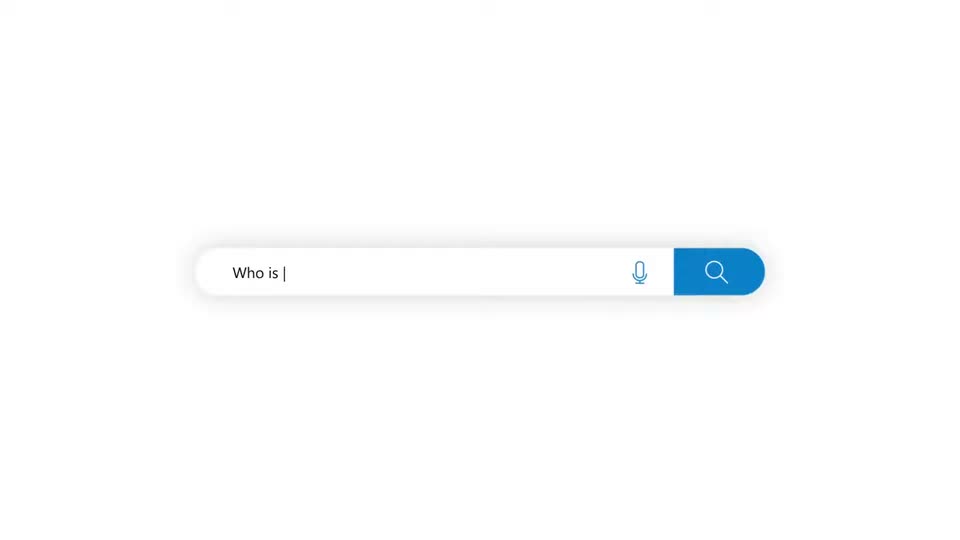
A pill-shaped search bar with a blue magnifier button sits centered on a white field. The placeholder “Search Contoso and the web” gives way to a typed query “company holidays,” then the field clears and “Who is Patti Fernandez?” is typed.
Techniques: Cursor demo
Camera: Static
A white search field with a typed query, a microphone icon and a blue magnifier button sits centered on a pale background. A tilted card with a plus icon slides in diagonally from the bottom right corner as the bar fades.
Camera: Static
A tilted browser window on a white background shows a Bing for Work search. The query What is EOM? fills the search box as the camera pushes in on the results, listing End of month, End of message and Enterprise operation management.
Techniques: 3D mockup, UI zoom
Camera: Push in
A flat Edge browser window on a white background shows a lake new-tab page with the Edge logo and app icons. The view zooms into the address bar as bing.com/work is typed, then a desert new-tab opens. A blue circle magnifies the Teams icon.
Techniques: UI zoom
Camera: Push in
Four white app-icon tiles sit in a row on a flat blue field. A white magnifying glass scales in over the center Edge icon, magnifying it while the surrounding tiles blur and dim.
Techniques: UI zoom, Masking
Camera: Static
A white magnifying glass on a blue field magnifies the Microsoft Edge icon, which stays sharp and centered in its lens. Blurred Teams, Windows and video-camera icons line up behind it. The locked-off frame holds still.
Camera: Static
A Windows desktop shows a search window that resolves from multiple overlapping, blurred layers into a single, centered panel displaying recent files and contacts.
Techniques: UI zoom
Camera: Pull out
A Windows 11 desktop with a blue abstract wallpaper fills the frame. A centered search panel shows a recent apps list on the left and a Today at Cortana feed with rows of avatars on the right. A mouse cursor hovers over the list.
Techniques: Cursor demo
Camera: Static
A Microsoft Office home window fades in centered on a white background, its content shifting from translucent to full opacity. The blue top bar, left sidebar of app icons and two recommended file cards settle into a flat front-on view.
Camera: Static
The Microsoft 365 home window, with its blue header and left app rail, crossfades into a Microsoft Edge new tab page showing a beach dune background, the Edge logo, and a centered search bar.
Camera: Static
A Microsoft Edge new tab page on a light gray backdrop shows a lake wallpaper, a search field, the Edge logo and five app tiles, with a feed bar at the bottom. The window slowly zooms in.
Techniques: UI zoom
Camera: Static
A Windows 11 desktop with the blue ribbon wallpaper. The Start menu opens in the center showing suggested people, while a blue label reading Search highlights slides in from the left edge.
On-screen text: “Search highlights”
Camera: Pull out
A tilted 3D monitor mockup shows the Windows desktop with the search window open over the blue bloom wallpaper. A solid blue banner reading Search highlights sits at left; the search panel reflows into stacked cards, then a query is typed and the results reframe onto a contact card.
On-screen text: “Search highlights”
Techniques: 3D mockup, Morph
Camera: Static
A white pill-shaped search bar sits centered on a light gray background in a locked-off frame. Gray text types in letter by letter to read “What will you search for next?”, with a blinking caret, beside a blue microphone and magnifier button.
On-screen text: “What will you search for next?”
Techniques: Kinetic type
Camera: Static
A white pill search bar with gray placeholder text and a blue search button sits centered on a light gray field, then gives way to the four-square Microsoft logo and gray wordmark.
Camera: Static