0:32
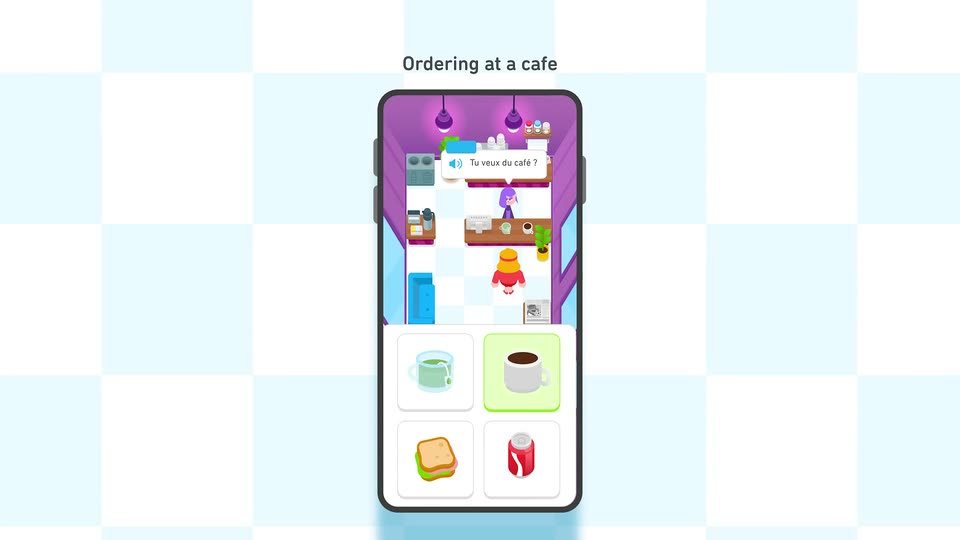

Introducing Duolingo Adventures
Duolingo · Consumer · Sep 2024
Chief · Apr 2026 · 0:45 · AI-annotated
Chief’s 0:45 launch film runs 23 scenes, about 2.0 s each. The product shows up at 0:04 and 3 features are revealed. There is no explicit call to action; a voiceover carries the film. The video alternates pale off-white and near-black fields, moving from inbox chaos into three feature beats (morning briefing, drafting, autonomy) before a gold-accented tagline and a serif wordmark sign-off. Signature moves are 3D-tilted cards with shallow depth of field, rack-focus pulls from a rendered desk, and floating UI chips drifting at different depths on a steady ~118 BPM cut.
Is this your launch? to your site or press kit.
Duolingo · Consumer · Sep 2024
ClickUp · Productivity · Sep 2026
A single highlighted inbox row for Marcus Chen sits centered on a pale background, then more rows stack in and the list scrolls up to fill the frame. The whole list dims, isolating the Marcus Chen row in white.
Camera: Pan
A horizontal inbox bar dissolves in on a dark background, settling on a task for Marcus Chen. The empty checkbox ticks to a blue check as a blue glow flares along the left edge.
Techniques: Light sweep
Camera: Static
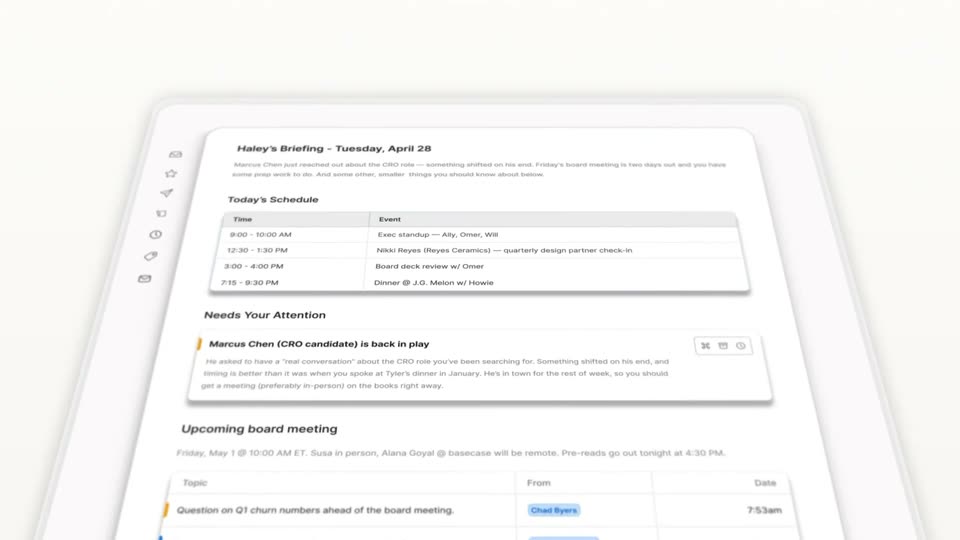
A tilted 3D briefing card resolves from blur to sharp on a pale gray background while its rows slide upward, revealing a schedule table and an upcoming-meeting list. The camera stays locked on the angled document.
Techniques: 3D mockup
Camera: Pull out
A white briefing card titled Haley's Briefing sits in 3D perspective, rotating and pulling into focus from a soft blur into a crisp angled view of the schedule table.
Techniques: 3D mockup
Camera: Pull out
A white briefing card, tilted in 3D on a pale background, scrolls upward: the schedule table slides out the top as the Needs Your Attention section enters the sharp focus band, edges softly blurred.
Techniques: 3D mockup
Camera: Pan
A product interface sits in 3D perspective with shallow depth of field. The Needs Your Attention card stays sharp at center while the schedule list above and the board-meeting block below blur and drift at a different pace, the card settling gently into place.
Techniques: 3D mockup, Parallax
Camera: Static
A desktop monitor on a wooden desk shows an email client with an AI assistant panel on the right. The camera pulls back to reveal a keyboard, mouse, and a vase of dried flowers, with soft window light on the wall.
Techniques: 3D mockup
Camera: Pull out
A 3D-rendered desk with an iMac showing an email thread, keyboard, mouse and a vase of dried flowers holds focus. The focus then racks away, blurring the set while a multicolored app icon and a Thursday calendar card sharpen in the foreground.
Techniques: 3D mockup
Camera: Pull out
Two white app-icon cards, a multicolor dash cluster and a three-face cube, sit left of a white Thu 30 calendar panel with three color-coded events, joined by a dotted line. The peach backdrop fades to white as the cards drift and the calendar snaps from a ghosted duplicate into place.
Camera: Static
On a white field, a calendar card listing Thursday's schedule slides down on the right while a constellation of flat app icons joined by dotted lines drifts downward at varying speeds, a new icon emerging at the bottom.
Techniques: Parallax
Camera: Static
A cluster of floating white UI cards drifts slowly across a plain background: a web-search result for Meridian, a Thursday calendar with colored event rows, a contact profile for Marcus Chen, and two small app icons. The cards slide at slightly different speeds, giving a sense of depth.
Techniques: Parallax
Camera: Pan
White UI cards, including contact profiles with VIP badges, a web search result, a calendar and an email, drift through a pale 3D space at different depths, with the email card sliding in at the bottom.
Techniques: 3D mockup, Parallax
Camera: Pull out
On a plain white field, tilted UI cards drift into a layered 3D layout: an email draft to Marcus Chen, a web search for Meridian, a today calendar, and two contact chips. The cards slide and re-stack, the calendar overlapping the email's corner.
Techniques: 3D mockup
Camera: Static
On a white background, tilted UI mockups float in 3D: two contact cards with VIP tags, an email draft to Marcus Chen, and small app icons. The camera settles on the email as its body text fills in and a blue Send button appears.
Techniques: 3D mockup, Parallax
Camera: Pull out
A white email compose card slides into the center of a pale gray field, showing a To field, subject line and quoted message. The reply body then types out “Hi Marcus, That's great news!” above a blue Send button and attachment and trash icons.
Camera: Static
On a dark background, a 'Send emails' permission row sits center frame. It slides upward as an 'Auto-forward invoices' card with body copy rises into view below it, then the card slides out the top, leaving the row parked at the bottom. The camera is locked off.
Camera: Static
A dark settings panel zooms onto the To field, [email protected], as the gold Always ask button morphs into a green Allow button. The frame then pulls back to a full inbox list, where an Archiving emails bar highlights and rows check off beneath an Archive 15 button.
On-screen text: “To: [email protected]”
Techniques: UI zoom, Morph
Camera: Pull out
A locked-off close-up of a dark interface shows a glowing blue Archive pill whose count ticks down from 137 to 128 as its highlight fades, while message rows with 11:54AM timestamps drift downward.
Camera: Static
A dark email inbox list scrolls upward at high speed with motion blur, the blue Archive button at top right counts up from 38 to 55 as rows pass, against a near-black background. The framing is locked-off and centered.
Camera: Static
A dark list panel sits centered on a near-black background. Its header holds a Select all checkbox and a blue Archive button, the body stays empty, and a footer row lists keyboard shortcuts. The frame is locked off.
Camera: Static
A single sentence builds in the center of a white frame: 'Chief runs your inbox' in dark gray, then 'so your inbox doesn't run your life' fills in gold. The finished line drifts left as a soft yellow glow sweeps across the words.
On-screen text: “Chief runs your inbox so your inbox doesn't run your life”
Techniques: Kinetic type, Light sweep
Camera: Static
A dark frame holds the glowing yellow tail of a tagline at right, then cuts to black as the white serif Chief wordmark scales in at center.
On-screen text: “Chief runs your inbox so your inbox doesn't run your life”
Techniques: Kinetic type
Camera: Static
Black frame holds the white serif wordmark Chief centered, slowly scaling into place. A small white caption fades in at the bottom reading Launching in closed beta today. The camera stays locked off as the sign-off holds.
On-screen text: “Launching in closed beta today.”
Techniques: Kinetic type
Camera: Static