1:31
Introducing Shire
Shire · Nov 2026
Vanish’s 1:02 launch film runs 28 scenes, about 2.2 s each. The product shows up at 0:29 and 3 features are revealed. The call to action lands at 0:53 (86% in), over a voiceover. The video alternates flat typographic cards on a light gray field with 3D phone mockups and flat UI demos, and each feature is announced by a two-line 'Every X, a cue to Y' card before its demo. Signature moves: the dashed selection box framing text, digits that roll and blur into focus, and a soft white circle that wipes across type.
Is this your launch? to your site or press kit.
Shire · Nov 2026
Motionfly · Nov 2026
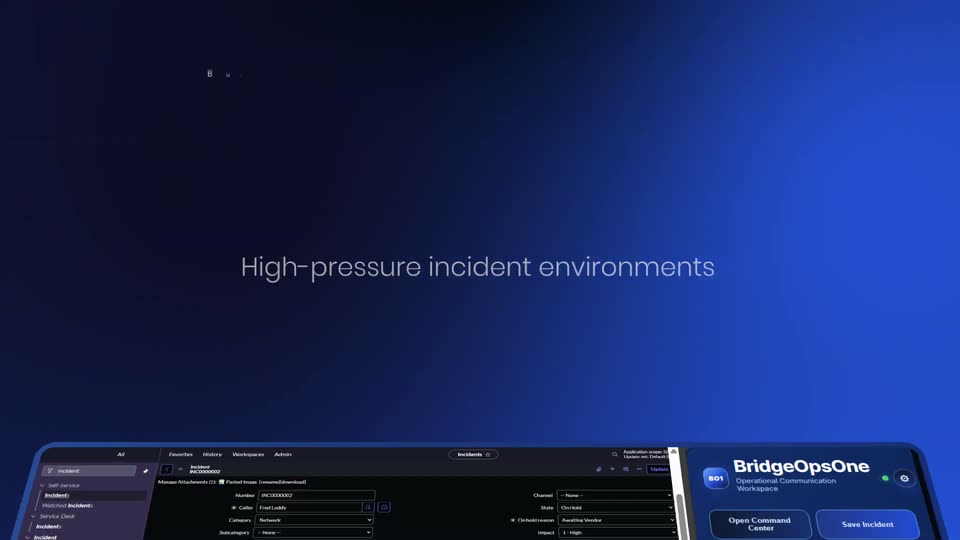
BridgeOpsOne · Jun 2026
Grainy black-and-white archival footage of a steam train arriving at a station platform, onlookers standing at the right. The clip fades in and plays at a slow pace with visible film grain. A large year and a small caption sit static in the lower left.
On-screen text: “1896”, “Arrival of a Train · Lumière”
Camera: Push in
A dashed selection box with corner handles frames a four-digit year on a light gray field. The digits roll from 1918 to 2026, blurring as each flips, while a soft white circle pulses behind the numbers near the end.
On-screen text: “1918”, “2026”
Techniques: Kinetic type
Camera: Static
A young man in a red hoodie spreads his arms wide in a suburban yard, then a white grid of rounded video clips scales in over him. Caption labels fade into the grid cells as his face sits in the center tile.
On-screen text: “Teach a skill.”, “Open a door.”
Techniques: Masking
Camera: Pull out
A panning mosaic of creator clips (vloggers, cameras, ring lights) drifts across a light gray field. Bold black phrases with dashed selection boxes pop in one by one: Teach a skill, Explain an idea, Launch a product, Open a door. A black ink splatter rises from the bottom to close.
On-screen text: “Teach a skill.”, “Explain an idea.”, “Launch a product.”, “Open a door.”
Techniques: Kinetic type
Camera: Pan
A black powder mound on a pale gray field, a thin black streak falling onto its peak. The large digits 2026 resolve from blur into sharp focus above the mound as small specks scatter around the tip.
On-screen text: “Launch a product.”, “Teach a skill.”, “Open a door.”, “2026”
Techniques: Kinetic type
Camera: Static
A black mound with a glitching vertical line and the year 2026 resolves into a light gray frame where 2016 sits above a 3D phone mockup. The phone shows a dark interface with a search bar and a white cursor arrow hovering over it.
On-screen text: “2026”, “2016”
Techniques: 3D mockup, Cursor demo, Morph
Camera: Static
A black iPhone mockup rises from the bottom of a light gray frame beneath a large 2016 label. Its Twitter search for screen recording fills with tweets as a cursor hovers over the tabs.
On-screen text: “2016”
Techniques: 3D mockup, Cursor demo
Camera: Pull out
A phone mockup on the left shows a list of posts about screen recording. On the right, a tilted tweet card floats in 3D space under the heading 2016, with the phrase keeps crashing boxed in white. Both elements sharpen into focus as the clip plays.
On-screen text: “2016”, “What people were asking on X”
Techniques: 3D mockup
Camera: Pull out
A white scene pairs a 3D iPhone on the left, its X feed scrolling through screen-recording tweets, with a tilted black tweet card on the right that drifts and rotates. A bold 2016 headline and a gray caption sit above the card.
On-screen text: “2016”, “What people were asking on X”
Techniques: 3D mockup
Camera: Static
A tilted phone mockup scrolls an X feed on the left. On the right, dark tweet cards swap in 3D beneath a 2023 headline; a white highlight marks one line and a cursor points to the cards.
On-screen text: “2023”, “What people were asking on X”
Techniques: 3D mockup, Cursor demo
Camera: Static
A dark phone mockup of an X feed stands left while stacked tweet cards rotate in 3D on the right. Big year numbers tick from 2023 to 2026 above the caption as the front card swaps to a newer question.
On-screen text: “2023”, “What people were asking on X”, “2024”, “2025”, “2026”
Techniques: 3D mockup
Camera: Push in
A flat phone mockup on the left holds a social feed while a large gray label reads Video editor. The phone slides out, a vertical list of feature names appears on the left with Design bolded to black under a play marker and underline, and the large right label switches to Design.
On-screen text: “Video editor”, “Design”, “Screen recording”, “Slides”, “Spreadsheets”
Techniques: Kinetic type
Camera: Static
A left column of light gray menu labels fades out as the bold dark 'Screen recording' headline slides left and shrinks to the center. It settles inside a dashed selection box with corner handles while a larger dashed canvas frame appears around it.
On-screen text: “Screen recording”
Techniques: Kinetic type
Camera: Static
A video player with a dashed selection marquee and a small thumbnail shows a woman in a black leather jacket, a cursor hovering over her. The interface chrome drops away, the frame zooms into the footage, and the static headline slides off the left edge.
On-screen text: “Take the mark off”, “your own footage.”, “Runs in your browser. Nothing uploads.”
Techniques: Cursor demo, UI zoom
Camera: Pull out
A flat product interface shows a hero video of a woman in a black jacket against a white wall, with a large white headline and a button at lower left. A small preview box sits top right with a tooltip, and a cursor drifts across the right side.
Techniques: Cursor demo
Camera: Static
On a near-black background, the tagline builds word by word in bold white type, then blurs out as a soft white light arc rises from the bottom. A small gray 'Introducing' scales in above the large 'Vanish Cue' title, which lands with a motion-blur trail, ending on a gray flash.
On-screen text: “Maybe it was time for a better cue.”, “Introducing”, “Vanish Cue”
Techniques: Kinetic type, Light sweep
Camera: Static
A plain off-white background holds steady with no text, logo, or graphics. The frame stays static and empty throughout the short clip, serving as a brief blank beat between segments.
Camera: Static
A flat browser window shows a restoration interface with an illustrated backyard canvas and a timeline. The view zooms in toward the right panel, where the Pixelate fill option is selected among four thumbnails, with adjust sliders below.
On-screen text: “(I)”
Techniques: UI zoom
Camera: Push in
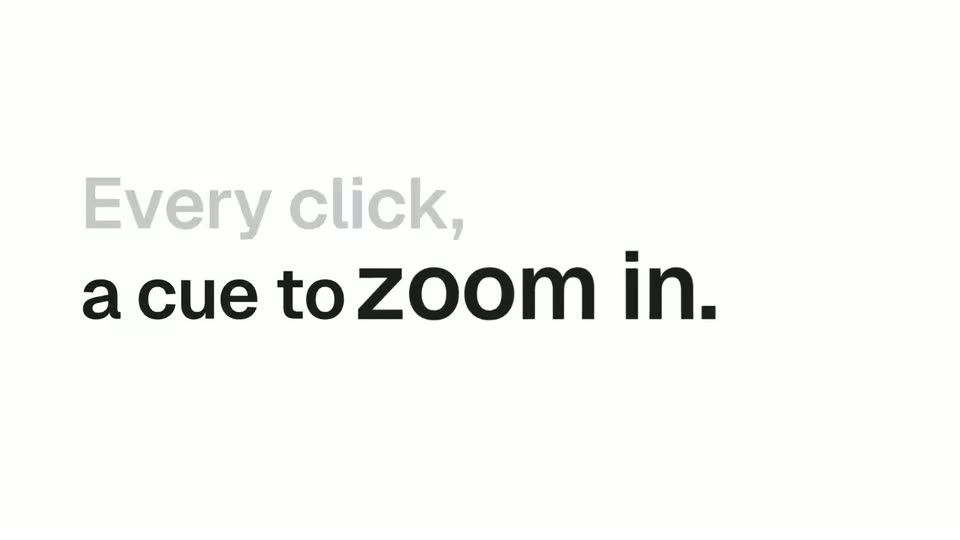
On a plain white field, the line 'Every click,' fades in with 'Every' in dark gray and 'click,' in light gray. Below it, 'a cue to zoom in.' fades in and scales up to full size in dark gray.
On-screen text: “Every click,”, “a cue to zoom in.”
Techniques: Kinetic type
Camera: Static
A video editor interface with a playground illustration on the canvas; the view zooms in on the grass, enlarging the dashed selection box and its 245 x 113 label, while yellow 8 PM 1998 text appears and a caption scales in.
On-screen text: “Every click,”, “a cue to zoom in.”
Techniques: UI zoom, Kinetic type
Camera: Push in
On a plain off-white background, two lines of text sit left-aligned: 'Every move,' above 'a cue to follow.' A third line, 'Every • email,' fades in at the top. Words shift between dark and light gray as the phrase completes.
On-screen text: “Every move,”, “a cue to follow.”, “Every • email”
Techniques: Kinetic type
Camera: Static
A bold black headline reads Every • email above a centered Get Pro dialog over a blurred video editor. The trailing word swaps to API key as the dialog sharpens into focus.
On-screen text: “Every • email”, “Every • API key”
Techniques: Kinetic type
Camera: Push in
A large black headline sits above a flat video-editor mockup showing a paywall modal. The headline swaps from “Every password” to “a cue to blur.” while a dashed selection box draws around the last word. The mockup below blurs out and refocuses to demonstrate the effect.
On-screen text: “Every password”, “a cue to blur.”
Techniques: Kinetic type
Camera: Pull out
Two angled video-editor screens float in 3D space on a white plane, a key-paste modal centered between them. The modal fades out as two caption cards with checkmarks lock in: black at lower left, white at upper right.
On-screen text: “Nothing uploads.”, “No watermark.”
Techniques: 3D mockup
Camera: Static
On a white field, the bold black wordmark Vanish Cue sharpens out of a blur as a soft white circle sweeps across it, while a dashed selection box with corner handles flashes briefly around the type.
On-screen text: “Vanish Cue”
Techniques: Masking
Camera: Static
Black “Vanish Cue” headline sits in a dashed selection box on an off-white field. A tagline and a black “Add to Chrome” button fade in below, a cursor hovers the button, then a CTA line and URL appear, and the whole card fades away.
On-screen text: “Vanish Cue”, “Add to Chrome”, “A better way to record.”, “Try it free today.”, “withvanish.com/cue”
Techniques: Kinetic type, Cursor demo
Camera: Static
On a light gray background, the white 3D wordmark CUE sits centered. A glossy black cursive ribbon writes itself left to right across the letters, spelling Vanish to form the Vanish CUE logo, then the whole mark fades out.
On-screen text: “Vanish CUE”, “withvanish.com/cue”
Techniques: Kinetic type
Camera: Push in
The Vanish lockup, a dashed-rectangle icon beside the bold wordmark, sits centered on a light gray field with faint blurred white shapes drifting at the edges. The URL below it scales in subtly, holding as the sign-off.
On-screen text: “withvanish.com/cue”
Camera: Static