
2:09
Explore
Sales Video Animation | Loom
Loom · Feb 2024 · 0:53 · Full motion · AI-annotated
studio MotionCue
- Length
- 0:53
- Scenes
- 28 · 1.9 s avg
- Product on screen
- 0:00
- Features shown
- 3
- Voiceover
- Yes
- Views
- 319 on YouTube
as of November 27, 2026
00:00:00 / 00:53:14
- Length
- 0:53
- Scenes
- 28 · 1.9 s avg
- Product on screen
- 0:00
- Features shown
- 3
- Voiceover
- Yes
- Views
- 319 on YouTube
as of November 27, 2026
Loom’s 0:53 launch film runs 28 scenes, about 1.9 s each. The product is on screen from the first frame and 3 features are revealed. There is no explicit call to action; a voiceover carries the film. The video alternates flat indigo title cards with 3D-tilted UI mockups on purple gradients, each feature opened by a centered headline under the starburst and then driven by a hand cursor through the interface. Pacing is brisk at about 16 cuts per minute, built on smooth zooms, slide-ins and blur wipes, and anchored by the recurring presenter avatar and emoji bar.
No filming indicatedEstimated needs: 5 capture groups — your screens or recordings · 1 official logo — reused across the film · 1 graphic passage — draw or supply · 2 3D passages — build or supply
Is this your launch? to your site or press kit.
More like this


1:30

FullSeam Launch Video
FullSeam · B2B · Feb 2026
0:55

Announcing Microsoft Lists - a new Microsoft 365 app to track information and organize work
Microsoft · AI · May 2020
Similar soundtrack
Films whose music sounds like this one, voice left out
1:06

Papaya
Papaya · Electronic Dance Music (EDM)
1:12
Meet the new Surface Copilot+ PCs
Microsoft · Electronic dance music
0:28


AvatarFX: Cutting-Edge Video Generation by Character.AI
Character.ai · Upbeat electronic dance
Sales Video Animation | Loom, scene by scene
· 28 scenes as text
01 · Product intro · 0:00–0:00
On a flat dark indigo background, a small violet loading spinner sits in the center. It is built from short radial segments around a hollow ring with a tiny dot at its core, and the segments rotate continuously.
Camera: Static
02 · Product intro · 0:00–0:02
On a deep indigo background, a blue starburst mark assembles at center, then settles into a lavender ring of rays beside the lowercase word “loom” in white with a warm gradient on the “o”. The frame stays locked off.
On-screen text: “loom”
Camera: Static
03 · Demo · 0:02–0:03
A split video player card floats on a purple gradient field, the right half filled with a blurred orange, blue and pink blob. A circular presenter avatar with a small playback pill slides from the center to the left edge while the white headline updates to “New Features Roadmap”. A row of emoji reactions and a white progress bar advance along the bottom.
On-screen text: “New Features”, “Roadmap”
Techniques: Kinetic type
Camera: Push in
04 · Demo · 0:03–0:06
A flat live-stream mockup on a purple gradient: host avatar with a ticking timer, a New Features card with three icon columns, emoji reactions below, and a chat bubble. The title slides from Roadmap to New Features while a cursor clicks the orange Schedule a call button top right.
Techniques: Kinetic type, Cursor demo
Camera: Static
05 · Problem · 0:06–0:06
An email inbox window floats in 3D perspective against a purple backdrop, then the angle flattens and pushes in on the message list while a hand cursor hovers over a row.
On-screen text: “New Features”, “Schedule a call”
Techniques: 3D mockup, UI zoom, Cursor demo
Camera: Pan
06 · Problem · 0:06–0:08
A 3D-tilted email inbox sits on a purple backdrop. A hand cursor glides up the list and taps the top row, and a compose panel slides up from the bottom revealing sender, recipient and subject lines.
Techniques: 3D mockup, Cursor demo
Camera: Static
07 · Problem · 0:08–0:10
A white email card floats over a blurred purple interface. The email body scrolls up inside the card, revealing the feature list and closing lines, then the Reply and Delete buttons. A hand cursor glides down the card and rests on the Delete button.
Techniques: Cursor demo
Camera: Pull out
08 · Feature reveal · 0:10–0:12
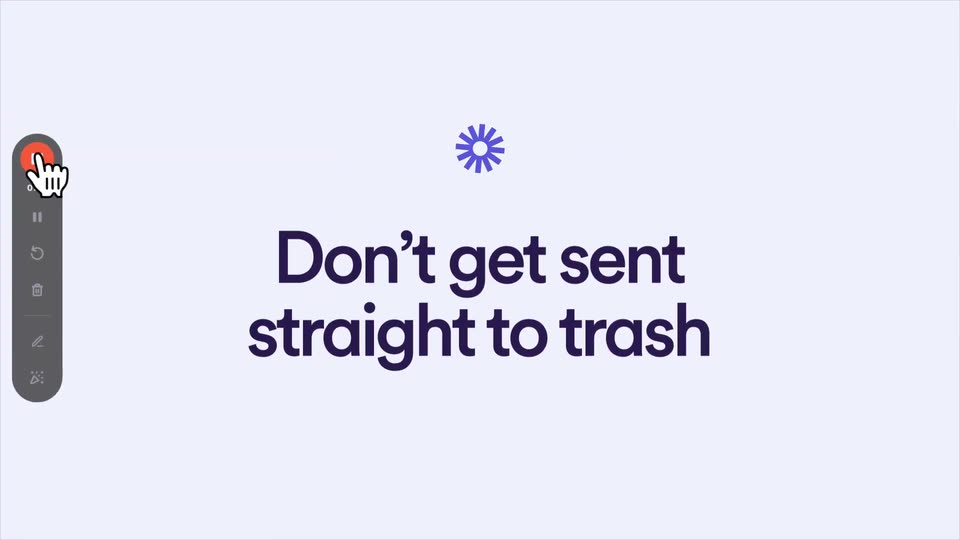
On a pale lavender field, a blue asterisk sits above the dark navy headline. A gray vertical toolbar slides in at left as a hand cursor taps its top icon, turning it orange, then the cursor glides across the words.
On-screen text: “Don't get sent straight to trash”
Techniques: Cursor demo
Camera: Static
09 · Feature reveal · 0:12–0:13
A browser window mockup sits on a purple gradient, split into a white panel reading Product Demo and a 3D scene of spheres and a letter C, with a circular cutout revealing a man in a yellow shirt. The view pulls back to a full landing page where a hand cursor clicks the Personalize button.
On-screen text: “Don't get sent”, “straight to trash”
Techniques: Cursor demo, UI zoom, 3D mockup
Camera: Pull out
10 · Feature reveal · 0:13–0:15
A white card labeled 'Add variable instances' slides in over a 'Getting started for {name}' header, listing names and a purple 'Create 16 rooms' button. A hand cursor moves from 'PERSONALIZE' to the create button above a 3D shape illustration.
Techniques: Cursor demo
Camera: Pull out
11 · Feature reveal · 0:15–0:17
A library view titled Gordon's Library shows a grid of demo cards, each with a product demo thumbnail and a presenter avatar. The view scrolls down as a white hand cursor moves to a card and hovers, revealing a play button.
Techniques: Cursor demo
Camera: Pan
12 · Feature reveal · 0:17–0:18
A grid of video cards sits on a pale lavender background, the central card sharp while the rest blur. The camera zooms into that card, revealing a message header from Gordon Whitaker above a product demo player.
Techniques: UI zoom
Camera: Static
13 · Feature reveal · 0:18–0:19
A messaging card fades in from a soft blur on a pale background. It shows a sender avatar and name, a one-line greeting, and a video thumbnail with a play button, a hand cursor icon, and a small circular speaker video at the top right.
Camera: Static
14 · Feature reveal · 0:19–0:21
A product interface shows a video card on a purple gradient. A browser window inside swaps from a light Product Demo slide to a dark Features Roadmap slide. A circular video of a man plays at center while a hand cursor rests on an orange Schedule a call button.
Techniques: Cursor demo
Camera: Static
15 · Feature reveal · 0:21–0:22
A blue starburst logo shrinks and drifts to the top center as a vertical recording toolbar with a red record button slides in from the left. The large headline 'Loom videos won't' fades in below the logo on the dark indigo background.
On-screen text: “Loom videos won't”
Camera: Static
16 · Feature reveal · 0:22–0:24
A white hand cursor clicks the red record button on the Loom toolbar at left, turning it white, while the centered headline fades in word by word on its second line. Blurred circles then wipe in, the center one revealing a woman's video.
On-screen text: “Loom videos won't slow you down”
Techniques: Kinetic type, Cursor demo, Masking
Camera: Static
17 · Feature reveal · 0:24–0:25
A circular video thumbnail of a woman speaking sits at the center of a dark purple field, with soft glowing orbs drifting around it. A small control bar below the circle shows a timer ticking from 0:01 to 0:02. A locked headline reads “Loom videos won't slow you down”.
On-screen text: “Loom videos won't slow you down”
Camera: Static
18 · Feature reveal · 0:25–0:26
A rounded dashboard mockup sits on a purple background with soft color blobs. A white blur clears to reveal a pink donut chart, metrics 12.2 and 30.0, and skeleton lines beside a circular clip of a smiling woman; an emoji comment bar sits below.
Camera: Static
19 · Feature reveal · 0:26–0:29
A close-up of a dashboard card with a pink donut chart zooms out to the full app window, then a white email panel with a gradient border slides up from the bottom while the dashboard dims behind it.
Techniques: UI zoom
Camera: Pull out
20 · Feature reveal · 0:29–0:31
A white email card with a glowing gradient border sits over a dimmed dashboard. The email types itself line by line: greeting, body, a Loom link highlighted in purple, sign-off, then a Send email button fades in.
On-screen text: “Dashboard Demo”, “12.2”
Techniques: Kinetic type
Camera: Static
21 · Feature reveal · 0:31–0:33
A purple starburst logo shrinks to the top center of a dark purple field. The white headline Use Loom to capture scales in, then every opportunity fades in beneath it.
On-screen text: “Use Loom to capture”, “every opportunity”
Techniques: Kinetic type
Camera: Static
22 · Feature reveal · 0:33–0:34
A Loom video view with a play button and a speaker in a circle sits centered. A white settings panel slides in from the right, dimming the left side, while a cursor hovers over the Integrations tab showing a Salesforce tracking row.
On-screen text: “Use Loom to capture”, “every opportunity”
Techniques: UI zoom
Camera: Push in
23 · Feature reveal · 0:34–0:35
A sharp settings panel on the right shows the Integrations tab with the Salesforce tracking toggle on and a hand cursor at the switch, while a blurred presentation screen with a tablet mockup fills the left. Both layers drift rightward.
Techniques: Cursor demo, Parallax
Camera: Pan
24 · Feature reveal · 0:35–0:36
A Loom page header shows a Salesforce tracking badge that gains a checkmark. Below, a video card holds a dashboard mockup with a play button and a circular webcam of a woman in coral. An emoji reaction bar and Comment and Record a reply buttons sit under the card.
Camera: Static
25 · Feature reveal · 0:36–0:38
A white notification card floats over a blurred CRM dashboard. A party-popper icon and the line about a first view on a product walkthrough are shown, then an avatar and email line fade in beneath. The camera pulls back to reveal the full browser window on a soft lavender gradient.
Techniques: UI zoom
Camera: Static
26 · Feature reveal · 0:38–0:46
A 'Client Handoff Guide' document in a browser window, a circular video bubble of a man in green at top right. The window scales down as an emoji reaction bar with Comment and Record a reply buttons appears, and a views counter counts 0 to 4 with avatars stacking.
Techniques: UI zoom
Camera: Pull out
27 · Feature reveal · 0:46–0:49
A flat calendar list under the title Today's Schedule fills the frame. Colorful dots and squares pop across the rows, then the extra meetings fade out, leaving three entries.
On-screen text: “Today's Schedule”
Techniques: Particles
Camera: Static
28 · Outro · 0:49–0:53
On a pale lavender field, a blue sunburst mark with a white center rotates into place at left, then the dark indigo wordmark loom slides in beside it with a soft trailing echo, holding as a static lockup.
On-screen text: “loom”
Techniques: Kinetic type
Camera: Static