0:48
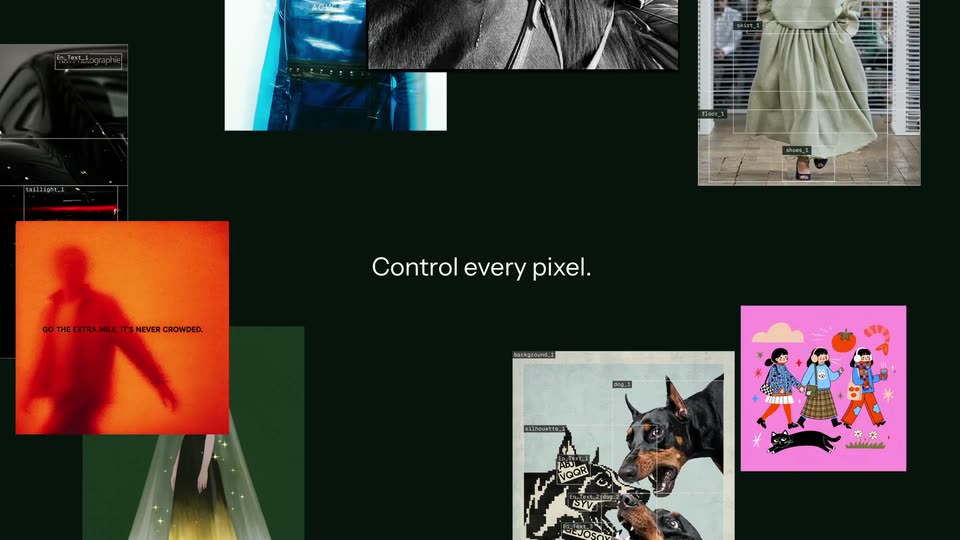
Black Forest Labs - Introducing FLUX 3 Image. Control every pixel. Make precise multi-t
Black Forest Labs · Oct 2026
Genspark · Mar 2026 · 2:09 · AI-annotated
Genspark’s 2:09 launch film runs 51 scenes, about 2.5 s each. The product is on screen from the first frame and 6 features are revealed. There is no explicit call to action; a voiceover carries the film. The video opens with a branded title card, states the message-overload problem, demos Genspark Claw in live action, then a dark title card lists the seven 3.0 features before each feature gets a title card and a fast 3D-tilted UI mockup demo. Pacing runs near 13 cuts per minute, with signature moves like windows rotating from 3D tilt to flat, gradient text accents, and a confetti beat to mark wins.
Is this your launch? to your site or press kit.
Black Forest Labs · Oct 2026
Figma · Design · Oct 2026
FlexDental · Jul 2026
A static title card on a pale background. Black bold italic GENSPARK sits above a blue-to-orange gradient AI WORKSPACE 3.0, with a thin italic tagline flanked by lines and a small logo plus URL at the bottom.
On-screen text: “GENSPARK”, “AI WORKSPACE 3.0”, “INTRODUCING YOUR FIRST AI EMPLOYEE”, “Genspark.ai”
Camera: Static
A woman in a yellow sweater types on a laptop at a bright cafe table, a second person works in the blurred background, a paper bag and branded bottle sit nearby. Static headline text overlays the locked-off shot.
On-screen text: “GENSPARK”, “AI WORKSPACE 3.0”, “INTRODUCING YOUR FIRST AI EMPLOYEE”, “Genspark.ai”
Camera: Push in
A woman with curly hair in a neon-lit room looks up and speaks. A translucent Slack notification card scales in at the lower left, showing the Slack logo, a new message alert, and a timestamp.
On-screen text: “Slack”, “New Message!”, “You have that and other 87 unread messages”, “7m ago”
Camera: Static
A woman laughs at her laptop in a colorful room, then the shot cuts to an office worker as a white Slack notification card scales in at lower left.
On-screen text: “Slack”, “New Message!”, “You have that and other 87 unread messages”, “7m ago”
Camera: Static
A soft white, blue and pink gradient fills the frame as the red claw icon settles left of the bold black wordmark. The tagline fades in below the logo, then everything holds on a locked-off frame.
On-screen text: “Genspark Claw”, “Your First AI Employee”
Camera: Static
A man in a dark long-sleeve shirt sits centered in a bright modern office, gesturing with both hands as he speaks. A laptop, phone, and light-blue mug sit on a small round table in front of him while the camera stays locked off.
On-screen text: “Genspark Claw”, “Your First AI Employee”
Camera: Static
A man with glasses and spiky hair, in a dark sweatshirt, sits in a softly lit living room. He looks down at a phone in his hand and gestures with his other hand as he speaks. A blurred couch with colorful cushions fills the background.
Camera: Static
A man in glasses and a dark sweatshirt sits in a chair, holding a phone in one hand and tapping its screen with the other. The studio set behind him holds a sofa with bright pillows, a side table and neon lights.
Camera: Static
A man in a dark sweatshirt and glasses looks down at his phone on the right, while a chat interface with a bot conversation and keyboard is composited on the left against a blurred purple-lit set. The voice timer ticks and the mic button pulses as he speaks.
Techniques: Split screen
Camera: Static
A man in a black sweatshirt sits in a bright office, holding a phone and looking at it. On the left, a flat phone chat overlay with the Genspark Sales Genius bot shows status messages and a voice recording timer that ticks up, then fills into a typed reply.
Camera: Static
A chat interface on a pink-purple doodle background scrolls down to reveal a dark system bubble, then a list bubble where three green checkmark lines pop in one by one: Connected to HubSpot CRM, Pipeline data synced, 61 active deals loaded.
Camera: Static
A man with glasses and short spiky hair speaks while holding a smartphone in a colorful room. The background is softly blurred with a chair and a curved neon light.
Camera: Static
Close-up of a purple chat UI over doodle line art. A dark bubble reads “your full pipeline loaded and ready to go. What do you need?”. Below, an audio message plays: the waveform bounces and the timer counts down 0:05 to 0:01 as the pause icon flips to play.
Camera: Static
A man in a dark sweatshirt sits in a bright room, holding a phone, a laptop on a side table. A phone-screen overlay on the left shifts from a connecting-to-CRM loading state to a pipeline dashboard with counting stats, then to a scrolling list of leads with dollar values.
Camera: Static
A man with glasses in a black sweatshirt holds a smartphone fitted with a pop socket, gazing at the screen while speaking. He sits in a living room set with a couch, colorful cushions, and purple ambient lighting behind him.
Camera: Static
A man in a dark sweatshirt sits in a color-lit living room, holding a phone above a laptop and mug on a side table. Confetti rains down from the upper left as he checks the phone, then turns his head toward the falling pieces.
Techniques: Particles
Camera: Static
A man in a black long-sleeve shirt sits in an office chair holding a smartphone, looking up as multicolored confetti rains down through the colorful loft. A laptop and mug rest on the side table. The title appears centered over the shot.
On-screen text: “Genspark Claw & Cloud Computer”
Techniques: Particles
Camera: Static
A man in a dark sweater sits in a chair on a colorful studio set, smiling and gesturing as multicolored confetti rains down and piles on the floor. A laptop and a mug rest on a small side table beside him while the title overlay stays centered.
On-screen text: “Genspark Claw & Cloud Computer”
Techniques: Particles
Camera: Static
A man in a dark sweatshirt sits on a couch and talks to the camera, gesturing with his hands. A purple panel with a pixelated pattern and a patterned pillow sit behind him. The shot is static.
On-screen text: “Genspark Claw & Cloud Computer”
Camera: Static
On a dark navy field, the white Genspark wordmark scales down and dissolves, then the white AI Workspace line fades in at center and holds. The camera is locked off; the animated text carries the entire sequence.
On-screen text: “Genspark”, “AI Workspace”
Techniques: Kinetic type
Camera: Static
A large white 3.0 with a soft gray gradient at its base sits centered on a near-black field, a purple glow pooling along the bottom edge. The number sharpens into focus as the clip opens while the Genspark AI Workspace headline slides in.
On-screen text: “Genspark AI Workspace 3.0”
Camera: Static
On a dark purple-to-blue gradient, the white title Genspark AI Workspace 3.0 slides up and settles as seven icon chips (Claw, Cloud Computer, Workflows, Teams, Meeting Bots, Speakly, Chrome Extension) rise into two rows below it. A bright wash then floods the top and the title fades.
On-screen text: “Genspark AI Workspace 3.0”, “Claw”, “Cloud Computer”, “Workflows”, “Teams”, “Meeting Bots”, “Speakly for iOS and Android”, “Chrome Extension”
Techniques: Kinetic type
Camera: Pull out
A centered title card on a soft white-to-lavender gradient. The dark headline reads Genspark AI Workspace 3.0 above a smaller subline, with Genspark Workflows in a blue-to-pink gradient. The text drifts slowly and the subline blurs as the card transitions out.
On-screen text: “Genspark AI Workspace 3.0”, “with Genspark Workflows”
Techniques: Kinetic type
Camera: Static
A three-line headline builds on the left, “favorite apps” and “Genspark tools” in a blue-purple gradient. A scatter of colorful app icons pops in on the right, then the frame defocuses as a white “Custom Workflow” card with a “Describe your workflow” field scales in.
On-screen text: “Build custom workflows”, “with your favorite apps”, “and Genspark tools”, “Describe your workflow”, “Genspark AI Workspace 3.0”
Techniques: Kinetic type
Camera: Static
A flat UI on a soft blue gradient: a bold black headline sits left of a white input card labeled Custom Workflow. A prompt types itself in, a cursor clicks the send button, then the panel blurs and dissolves into a workflow builder showing a Step 1 trigger card.
On-screen text: “Describe your task in natural language”, “Let's get you started”
Techniques: Cursor demo
Camera: Static
On a pale blue-to-lavender gradient, a fixed black headline sits left of a vertical stack of six rounded workflow cards that settle into place on the right, a blue line draws down the connectors and the bottom two cards gain blue outlines.
On-screen text: “Let AI automate your workflow”
Camera: Pull out
A pale gradient backdrop holds a two-line title that scales down from an oversized crop to a centered layout, the lower line rendered in a blue-to-pink gradient.
On-screen text: “Genspark AI Workspace 3.0”, “with Genspark Teams Chat”
Techniques: Kinetic type
Camera: Pull out
A tilted browser window of the Genspark AI Workspace inbox floats in 3D perspective over a pastel gradient with abstract white and blue shapes. It settles from a ghosted double outline into one crisp frame as a small caption scales in.
On-screen text: “with Genspark Teams Chat”
Techniques: 3D mockup
Camera: Pull out
A tilted 3D view of the Genspark workspace interface. A rounded Teams icon with a label lifts out of the left sidebar in sharp focus, while the home screen, search bar and row of app icons sit angled and soft behind. The frame drifts right to center the panel.
Techniques: 3D mockup
Camera: Static
A floating chat-app window resolves from a blurred double image into a sharp front-on view, then the camera pushes into the Product Team thread. A new message with reaction badges pops in as the window tilts into 3D perspective against a soft gradient.
Techniques: UI zoom, 3D mockup
Camera: Pan
A 3D-tilted chat interface panel, showing a sent message with reaction badges, slides left off a soft blue-purple gradient, clearing the frame to reveal a two-line title on the right.
On-screen text: “Genspark AI Workspace 3.0”, “with Genspark Meeting Bots”
Techniques: 3D mockup
Camera: Static
A soft gradient background runs from cream to lavender. A white vertical panel slides out of frame on the left edge. Centered black bold sans reads the title above a subline where the brand phrase carries a blue-to-pink gradient. The text holds still through the shot.
On-screen text: “Genspark AI Workspace 3.0”, “with Genspark Meeting Bots”
Techniques: Masking
Camera: Static
A light calendar week view zooms into a purple event block titled Workspace 3.0 Video TB as the surrounding grid blurs. A cursor slides in and hovers the Join button that appears on the card.
On-screen text: “Genspark AI Workspace 3.0”, “with Genspark Meeting Bots”
Techniques: UI zoom, Cursor demo
Camera: Push in
A white blur clears to reveal a dark Zoom mockup with five participant tiles under the headline “Auto-join scheduled meetings.” A cursor taps Join, a black “Kevin's Meeting Bot” tile fills the last slot, then the tile is pulled forward and enlarged as the window blurs and slides left.
On-screen text: “Auto-join scheduled meetings”
Techniques: Cursor demo, UI zoom, Parallax
Camera: Pan
A white meeting-notes card floats over a blurred video-call grid. Its body text fills in line by line while a bold headline sits on the right. The card then tilts into 3D perspective and drifts left as the headline holds.
On-screen text: “Auto-transcribe”, “and auto-summarize”
Techniques: 3D mockup
Camera: Pull out
On a white-to-lavender gradient, a blue paper-plane icon sits left of the line Auto-email to all participants, its first words in a purple-pink gradient, while faint Auto-transcribe and auto-summarize fades on the right. The lockup recenters, then the title Genspark AI Workspace 3.0 with a gradient subtitle slides in.
On-screen text: “Auto-email to all participants”, “Auto-transcribe”, “and auto-summarize”, “Genspark AI Workspace 3.0”, “with Speakly for iOS & Android”
Techniques: Kinetic type
Camera: Static
On a pale blue and purple gradient, two centered lines of text slide into place and lock. The top line reads in dark gray, the lower line mixes gray, blue and pink.
On-screen text: “Genspark AI Workspace 3.0”, “with Speakly for iOS & Android”
Techniques: Kinetic type
Camera: Static
A 3D phone mockup tilts against a pale background, opening on a tight crop of four dock icons, then pulling back to reveal the full dock. The screen then reframes onto a keyboard, where a dark Click to speak pill and a blue Send button sit above the keys.
On-screen text: “Genspark Al Workspace 3.0”
Techniques: 3D mockup, UI zoom
Camera: Static
A phone mockup tilts in 3D perspective over a pale background with a soft blue edge glow. Its screen shows a keyboard and a gray bar reading Listening... Tap to end with animated audio icons. The device rotates to face the camera.
Techniques: 3D mockup
Camera: Pull out
A 3D iPhone mockup on a pale blue background rotates from a tilted angle to face the camera while text types itself into a note, then the view drops to a low angle over the keyboard.
Techniques: 3D mockup, Kinetic type
Camera: Pull out
A 3D phone mockup with an on-screen keyboard fades out over a light blue background, revealing the centered title “Genspark AI Workspace 3.0” above the subline “with Genspark Chrome Extension.”
On-screen text: “Genspark AI Workspace 3.0”, “with Genspark Chrome Extension”
Techniques: 3D mockup
Camera: Static
A centered title sits on a soft blue-violet gradient, then fades out while a blurred white browser toolbar with small icons enters from the right.
On-screen text: “Genspark AI Workspace 3.0”, “with Genspark Chrome Extension”
Camera: Static
On a soft blue-lavender gradient, the Genspark icon and the headline “Ask Genspark in Chrome” sit at left. A floating dock of five app icons at right rotates into a 3D-tilted Chrome browser window, and the headline darkens from gray to black as it settles.
On-screen text: “Ask Genspark”, “in Chrome”
Techniques: Kinetic type, 3D mockup
Camera: Static
A black Genspark icon and the headline sit left of a tilted 3D Chrome window on a pale blue gradient. The window zooms in toward its empty toolbar while the icon and text drift up and off frame.
On-screen text: “Ask Genspark”, “in Chrome”
Techniques: 3D mockup, UI zoom
Camera: Static
A close-up of a white interface toolbar shows a star outline, a sparkle icon, a gear, a toggle and a dot grid. A black cursor clicks the sparkle icon, which fills into a solid black rounded square. A small black sparkle badge drops in at the top edge.
Techniques: Cursor demo
Camera: Static
A tilted 3D browser mockup of the Genspark chat window floats on a light blue gradient. The camera zooms into the input field as a prompt types itself out, then a cursor moves in and clicks the black send button.
Techniques: 3D mockup, UI zoom, Cursor demo
Camera: Static
A white fade lifts to reveal a browser window showing an X profile, tilted in 3D and settling flat, with the Genspark side panel on the right appending automation steps. A bold black headline, Automate your browser, fades in above.
On-screen text: “Automate your browser”
Techniques: 3D mockup, Kinetic type
Camera: Pull out
A plain light stage holds a browser window mockup open to an X feed, with the Genspark.ai action panel docked on the right. The bold headline sits centered above it while the window eases slightly downward and settles.
On-screen text: “Automate your browser”
Camera: Push in
On a light-blue gradient, a bold dark two-line headline sits at right. At left, a browser window mockup showing a Genspark.ai post slides in from a stacked pair of windows and settles, its body text and blurred result lines filling in.
On-screen text: “Analyze any webpage”
Techniques: Parallax
Camera: Push in
A tilted 3D webpage mockup of a social post rotates flat toward the camera while its article text scrolls upward, set beside a static black headline on a pale blue background.
On-screen text: “Analyze any webpage”
Techniques: 3D mockup
Camera: Pull out
A centered title reads Genspark AI Workspace 3.0 on a soft white gradient with blue and lavender tones. The text begins blurred and sharpens into a locked-off frame, with the version number in blue-purple.
On-screen text: “Genspark AI Workspace 3.0”
Camera: Static