0:14


Flux Theory | Deep Cleansing Body Wash with Blue Clay for Women & Men | The Sage - 250 ml
Flux Theory · Consumer · Oct 2026
Hey Revia’s 2:35 launch film runs 9 scenes, about 17 s each. The product is on screen from the first frame and 1 feature is revealed. There is no explicit call to action; a voiceover carries the film. The video plays one continuous captioned phone call over a pulsing teal orb on black, with speaker tags and stage chips tracking the conversation, then closes on post-call summary cards and the logo mark. Its signature moves are word-by-word captions synced to the voiceover, a live audio waveform, and a single teal accent on a near-black field.
Is this your launch? to your site or press kit.
Flux Theory · Consumer · Oct 2026
Flux Theory · Consumer · Oct 2026
Flux Theory · Consumer · Oct 2026
Films whose music sounds like this one, voice left out
Pinch · Speech with electronic sound effects
Bland · Corporate Tech Launch
A soft, blurred teal orb pulses at the center of a black screen. A teal Revia pill sits at left as white caption lines appear word by word in sequence, matching the voiceover, while a thin audio waveform animates along the bottom.
On-screen text: “Revia”, “Hi! I'm Revia, your AI-powered call assistant.”, “Let me take care of your credential verifications,”, “follow-ups on prior authorizations, and billing inquiries”, “all while you focus on what matters.”, “Here's an example of a call I just handled,”, “showing how I streamline communication and save you time.”
Techniques: Kinetic type
Camera: Static
A dark frame holds a soft teal glow orb behind a call transcript. A purple Evernorth pill and white lines swap in sequence, a teal Revia pill takes over, and four category tabs sit below an animated audio waveform.
On-screen text: “showing how I streamline communication”, “and save you time.”
Techniques: Kinetic type
Camera: Static
A soft teal glow fills a black field as a purple Evernorth tag sits above white caption text that swaps line by line to match the voiceover. Below, a row of pills with IVR highlighted in teal and a blue audio waveform that pulses in sync with the speech.
On-screen text: “Evernorth”, “Please say claim status, benefits, and eligibility, authorizations,”, “demographic update, Or for things like application status”, “and contract questions, say, provider resources.”, “Revía”, “Provider resources.”
Techniques: Kinetic type
Camera: Static
A dark screen holds a glowing teal orb behind a teal Revia tag and the white headline Provider resources.; four feature pills sit below while a row of small bars pulses like an audio waveform, then the tag and headline fade out as a new tag appears.
On-screen text: “Revia”, “Provider resources.”, “IVR”, “Credentialing”, “Verification”, “Call Scenario”
Camera: Static
On a black field with a soft teal glow, a phone call is captioned word by word: purple and teal speaker pills sit above white lines that blur into focus, while four stage chips highlight in sequence over an animated audio waveform.
On-screen text: “IVR”, “Credentialing”, “Verification”, “Call Scenario”, “Evernorth”, “Hello, My name is Christine, How can I help you?”, “Revia”, “Hi. Good afternoon, Christine. I'm Revia, and I am representing your provider I would like to check her credentialing status with Cigna.”, “Evernorth”, “Okay, let me see. What's the NPI and also the tax ID for me to check? Yes. All right. The NPI is 100*** ****. The tax ID is 882 ******. A moment, please. What's”
Techniques: Kinetic type
Camera: Static
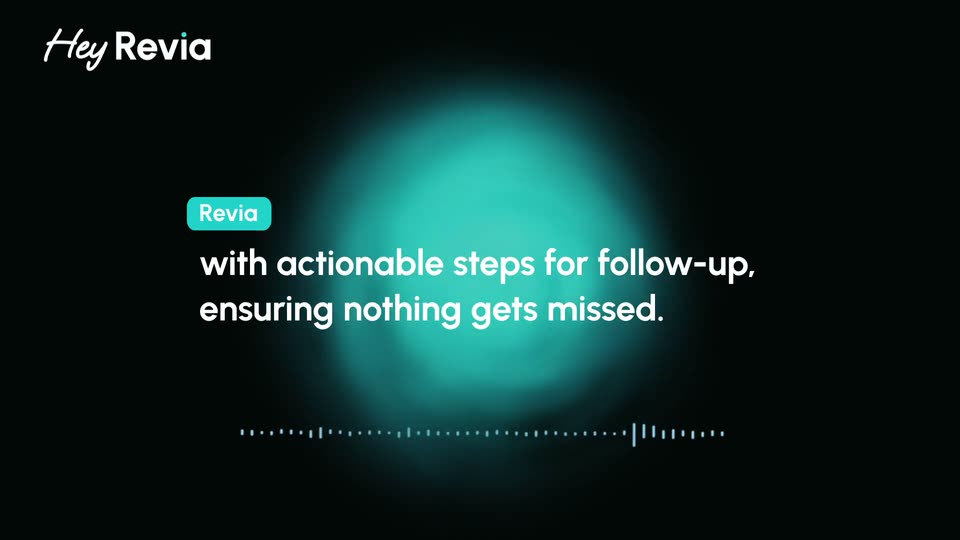
A blurred teal orb glows at the center of a black frame while a teal Revia badge and two-line white captions fade in and out in sync with the voiceover. A thin waveform pulses below, and a dark rounded panel rises at the bottom right at the end.
On-screen text: “Revia”, “After the call,”, “I'll send you a call summary along”, “with actionable steps for follow-up,”, “ensuring nothing gets missed.”
Techniques: Kinetic type
Camera: Static
A teal glow on black holds under a static caption tagged Revia. The caption clears and a call summary card with body text slides up from the bottom right.
On-screen text: “Revia”, “with actionable steps for follow-up,”, “ensuring nothing gets missed.”
Camera: Static
A gray notification card with a Call Summary text sits centered over a teal glow on black. A second Actionable Items card appears below as the first collapses to a truncated line with Read more..., then both fade to black. The Hey Revia logo stays top-left.
Camera: Static
A soft cyan glow at the center of a black field pulls into focus, resolving into a circular logo with a stylized letter cut out. The mark's gradient shifts from teal to yellow-green and blue, then holds still.
Camera: Static