1:00

Announcing 4 new Nitro Perks
Discord · Consumer · Apr 2023
Canva · Oct 2023 · 1:54 · AI-annotated
Canva’s 1:54 launch film runs 65 scenes, about 1.8 s each. The product is on screen from the first frame and 9 features are revealed. The call to action lands at 1:49 (95% in), over a voiceover. The video opens with the Canva wordmark and a promise line, then tours each Magic Studio feature as a centered title card followed by a short UI or live-action demo, and closes with a rapid recap montage and a URL card. Its signature look is a drifting blue-to-purple gradient, a recurring four-pointed sparkle, named collaborator cursors, and bold sans headlines that type or scale in over 3D card fans.
Is this your launch? to your site or press kit.
Discord · Consumer · Apr 2023
Canva · Design · Oct 2023
Films whose music sounds like this one, voice left out
Google · Electronic Dance Music (House, Nu-Disco)
OpenAI · Instrumental funk, disco, and Eurodance with a modern production style.
Figma · Electronic dance music with funk and disco influences
The white Canva script wordmark sits centered on a teal-to-purple gradient, then gives way to the white sans-serif line “Let the power of AI” in the same centered spot. The frame stays locked off and the gradient background is static.
On-screen text: “Let the power of AI”
Camera: Static
On a blue-to-purple gradient, white sans-serif lines appear in sequence at center: “Let the power of AI,” “supercharge your work,” “with,” then “Magic Studio” scales up with a small four-pointed sparkle above the i. The gradient hue shifts between lines; the camera stays locked off.
On-screen text: “Let the power of AI”, “supercharge your work”, “with”, “Magic Studio”
Techniques: Kinetic type
Camera: Static
The white Magic Studio title splits into the corners of a blue-purple gradient as a fan of 3D cards, a teal prompt list, a city image, a photo strip, a red blob card, flies in. The title and cards exit, leaving one pink voice card with a play button centered.
On-screen text: “Magic Studio”
Techniques: Kinetic type, 3D mockup
Camera: Static
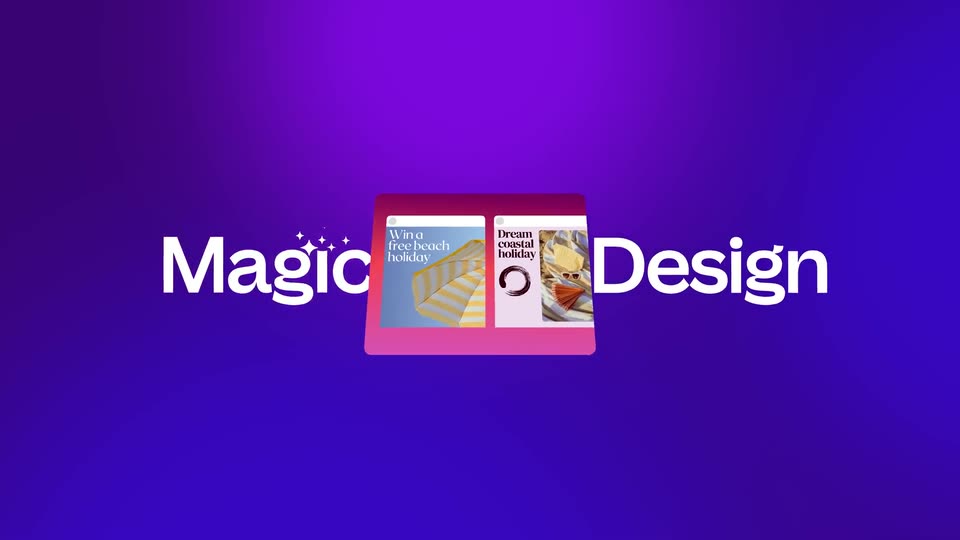
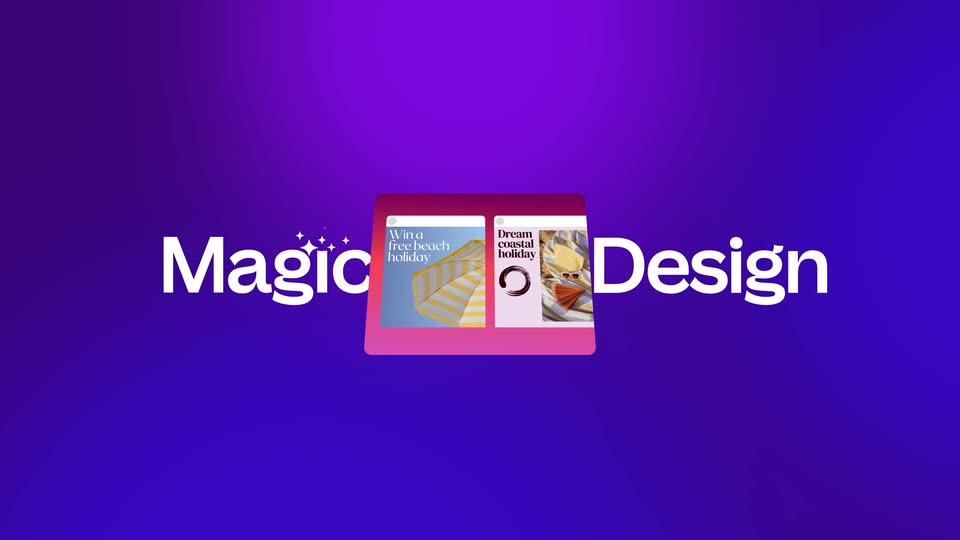
On a purple-to-blue gradient, a pink-framed card holding two beach images scales up from the center. Large white bold text reads Magic on the left and Design on the right, partly hidden behind the growing card, with a small sparkle near the first word.
On-screen text: “Magic Design”
Camera: Static
A flat Canva homepage scrolls up, the purple Meet Magic Studio hero rising as a row of feature cards (Magic Write, Animate, Morph, Grab) slides into view. A collaborator cursor tagged Lily glides over the search field and category icons.
Techniques: Cursor demo
Camera: Pull out
On a purple gradient, a white prompt bar with a blue focus border holds black text that types out left to right behind a blinking caret. A red button labeled Lily with a small pointer slides in from the right at the bar's end.
Techniques: Kinetic type
Camera: Static
A white interface shows a heading and a row of filter buttons above a grid of onboarding template cards. The central purple card, a woman holding up both hands, scales up and lifts forward with a drop shadow, then settles back into the grid.
Camera: Pull out
A purple banner with a filmed person in an orange polka-dot top holds the tagline 'Created just for you' above a horizontal row of presentation cards that scrolls left, revealing new slides. A red 'Lily' chat bubble hops along the row, pointing to each card, while purple sparkles twinkle.
On-screen text: “Created just for you”
Techniques: Particles
Camera: Push in
A flat editing grid with three dog clips, checkmarks and a waveform sits centered on a pink-to-purple gradient, flanked by the large white words Magic and Video with small sparkles.
On-screen text: “Magic”, “Video”
Camera: Static
Three vertical video cards show people tossing confetti against colored backdrops, each with a purple check badge and a duration pill. The cards shift up as a gray 'Magic Video' caption with a camera icon slides in below, and a rounded button outline appears at the bottom.
On-screen text: “Magic Video”
Camera: Pan
A prompt field types a birthday video request beside a red Maia tag, under three labeled video clips. The view cuts to a player with a white parrot and an empty purple loading box.
Camera: Push in
A video editor timeline sits below a preview window. The clip thumbnails fade from gray to full color, the purple audio waveform fills in, and a thin playhead line travels left to right across the waveform while the preview plays.
Camera: Pan
A hand holds a phone upright on a sunlit wooden table. Its screen plays a clip of a woman in a green top blowing pastel confetti, with yellow text at the bottom. A terracotta pot and a coffee cup sit soft-focused behind.
Camera: Push in
A hand holds a phone upright on a wooden desk beside a coffee cup and a potted plant. The screen shows a video of a person covered in confetti inside a rounded card that scales, while yellow text appears above it.
Camera: Push in
A purple-blue gradient holds a flat poster mockup with two smaller thumbnails behind the white headline Magic Switch. The mockup fades out and the line between designs slides in beneath it, leaving the two-line title centered on the moving glow.
On-screen text: “Have a great day”, “Magic Switch”, “between designs”
Techniques: Kinetic type
Camera: Static
A Canva Team Brainstorm board with six labeled columns and several colored collaborator cursors fills the screen, then the view zooms in on the title and the jumping-person illustration.
Techniques: UI zoom
Camera: Push in
A product screen shows the Transform into Doc view with a Team Brainstorm board and a Brainstorm Summary page side by side. A purple collaborator cursor labeled Michelle moves down from the top toolbar and hovers over the right document.
Techniques: Cursor demo
Camera: Pan
A whiteboard app screen shows a six-column board and a Summary document panel; the view pulls back to center a wide purple button, while an outlined cursor hovers at its edge and a purple Michelle tag sits below.
Techniques: UI zoom, Cursor demo
Camera: Pan
A Canva document titled Brainstorm Summary scrolls upward to reveal objectives and deliverables. Three colored name tags in green, orange and purple sit at the left, center and right edges. The caption Transform into Doc slides across the frame.
On-screen text: “Transform into Doc”
Camera: Push in
A purple-to-blue gradient fills the frame while two centered lines of white text, “Magic Switch” and “across languages”, hold still in a locked-off composition.
On-screen text: “Magic Switch”, “across languages”
Camera: Static
A Canva editor screen holds on a blue slide titled Global Campaign with abstract 3D spheres, a left tool rail, and a numbered filmstrip of thumbnails along the bottom. A collaborator cursor hovers over the title while the frame tightens with a slow zoom into the canvas.
On-screen text: “across languages”
Techniques: UI zoom
Camera: Push in
A white Translate panel lists languages that scroll from Arabic to Japanese, then a purple cursor tagged Quadri moves down to the Translate button. To the right, a blue 3D globe sits under the word Global.
On-screen text: “Quadri”
Techniques: Cursor demo
Camera: Pan
The Canva editor fills the frame, with a slide on the canvas showing blue 3D spheres. The headline on the slide switches from English to Japanese, settling on white katakana over the blue background, while a row of slide thumbnails sits along the bottom.
Camera: Static
A wide static shot of a large outdoor LED billboard mounted on a glass building facade. The screen shows a blue field with abstract 3D spheres and ribbed forms, white Japanese text, and a small logo in the top right.
On-screen text: “グローバル”, “キャンペーン”
Camera: Static
Top-down flat lay of a smartphone centered on a green tiled table, flanked by a coffee cup, an avocado toast plate, and a leather notebook with a pen. The phone screen shows a blue abstract wallpaper with a small logo and two lines of white Korean text, all held static.
Camera: Static
A wide blue billboard on a brick wall reads “Global Kampanya” beside abstract blue ribbons, then a hard cut to a vertical station totem showing “Globele Kampagne” in front of a parked train. Both frames are locked off with the CO mark in the corner.
On-screen text: “CO”
Techniques: 3D mockup
Camera: Static
A large blue tile reading Campagne co Mondiale holds center, then the view pulls back to a grid of tiles, each showing the brand name in a different language on laptops, mugs, billboards and bags, and the grid pans across.
Camera: Pull out
On a purple-to-blue gradient, a cyan card of repeated feature names and a white prompt tooltip sit centered, while the white headline Magic Write with a sparkle icon scales up over them.
On-screen text: “Magic Write”
Techniques: Kinetic type
Camera: Static
In the Canva editor, a cursor tagged Quadri types a prompt into the Magic Write field, then clicks Generate. A spinner and floating purple sparkles appear, and the panel fills with the generated job description as the view zooms in.
Techniques: Cursor demo, Particles, UI zoom
Camera: Pull out
A document view with a purple gradient header and body text reframes onto the highlighted passage as a Magic Write toolbar appears at right. It opens a dropdown of writing actions, and the Quadri cursor hovers Apply brand voice, triggering a blue loading spinner.
Techniques: UI zoom, Cursor demo
Camera: Push in
A white job-post card with a purple gradient banner and white headline sits on a light gray background. The camera pulls back from the banner to reveal the full card as body text types in line by line, while small purple sparkles drift near the edges.
Techniques: UI zoom
Camera: Pull out
A warm orange gradient holds a centered rounded panel of six video thumbnails, each with a play button. Large white Magic Media text spans behind the panel, with sparkles beside Magic; the layout stays static.
On-screen text: “Magic”, “Media”
Camera: Static
A dark Magic Media panel with the Videos tab active fills the left. A purple cursor tagged Stephanie hovers over the prompt box as the scene text types in letter by letter. A purple Generate video button sits below, and an empty light dotted canvas fills the right.
On-screen text: “Stephanie”
Techniques: Cursor demo
Camera: Pull out
The Canva Magic Media panel displays a text prompt; the cursor clicks the Generate video button, a loading bar fills, then a generated image of a lush jungle city fades in while the frame zooms in on it.
On-screen text: “Shot 1: close-up”
Techniques: Cursor demo, UI zoom
Camera: Push in
The Canva editor shows a fantasy landscape with palm trees and a river on the canvas. The image scales up to fill the canvas while a named cursor sits at its edge. A caption reads Shot 1: close-up.
On-screen text: “Shot 1: close-up”
Techniques: UI zoom, Cursor demo
Camera: Push in
A purple-to-blue gradient holds a centered photo card showing a woman beside a transparent checkerboard panel, the magic expand demo. White bold text reads Magic on the left and Expand on the right, with small sparkle accents above Magic. The card and text stay locked while the woman's hair moves inside the card.
On-screen text: “Magic”, “Expand”
Camera: Static
A Canva editor window zooms in on the Magic Studio panel, enlarging six tool cards. A purple collaborator cursor labeled Sarah slides from the canvas edge to hover over the Magic Grab card, while a photo of dancers in green and pink sits in the right canvas.
Techniques: UI zoom, Cursor demo
Camera: Push in
A white editor panel on the left switches from the Effects tab, with six Magic Studio tiles, to the Crop tab showing an Expand toggle and a purple Magic Expand button. A purple cursor labeled Sarah moves over the controls beside a framed photo of two people.
Techniques: Cursor demo
Camera: Static
In a Canva editor, a purple cursor labeled Sarah moves from the size options to the Magic Expand button and clicks it. The view then zooms to the framed photo of two people, centered on the canvas with crop handles.
Techniques: Cursor demo, UI zoom
Camera: Push in
A low-angle photo of two people in pink and green, framed by a purple selection box with corner handles, sits on white. The background flips to a transparency checkerboard as the selection box scales outward around the still image.
Techniques: Masking
Camera: Static
Low-angle shot of two people on a rooftop against tall buildings: one in a green blazer crouches, the other in pink stands with arms raised holding a green bag. Large white text 'Go' top left and 'Beyond' bottom right fade and slide in over the footage, framed by a thin purple border.
On-screen text: “Go”, “Beyond”
Techniques: Kinetic type
Camera: Push in
A centered comparison card with two backpack photos, purple top bar and orange bottom bar, sits on a warm orange-to-red gradient. White headline text is split on either side of the card with small white sparkles popping near the left word.
On-screen text: “Beyond”, “Magic Eraser”, “Edit”
Techniques: Kinetic type, Masking
Camera: Static
The Canva editor shows Magic Edit: a purple brush highlights the woman's blouse in the portrait, then the prompt field types 'Professional portrait in a suit jacket' as a cursor moves from Continue to Generate. Small 'Song' and 'Laura' callout badges pop in.
On-screen text: “Song”, “Laura”
Techniques: Cursor demo
Camera: Pull out
A smiling woman in a pink checkered blazer on a pink backdrop scales down into a circular portrait with a coral ring as white star sparkles twinkle, then the words Edit and like a pro fade in on either side.
On-screen text: “Edit”, “like a pro”
Techniques: Masking, Kinetic type, Particles
Camera: Pull out
On a yellow-to-orange gradient, a blue folder icon holds a hot-air balloon image inside a purple selection marquee, a hand cursor grips its corner, and white headline words flank the icon. Sparkle stars pop above the left word as the text scales in.
On-screen text: “Edit”, “like a pro”, “Magic Eraser”, “Grab”
Techniques: Kinetic type
Camera: Static
The Canva Magic Studio panel fills the left, then the view zooms into the canvas. A woman in an orange blazer sits inside a purple selection box tagged Lily. Sparkles flash as her body dissolves into a transparent checkerboard, demonstrating the erase tool.
Techniques: UI zoom, Particles
Camera: Push in
A woman in an orange blazer stands before a wood slat wall, enclosed by a purple selection box with white corner handles. Large white words stack in at the left while a small purple name tag with a cursor slides up the frame's edge.
On-screen text: “Grab”, “and”, “Go”
Techniques: Kinetic type
Camera: Push in
A green-to-blue gradient fills the frame behind a centered green rounded-square icon holding a 3D “Wow” (flat dark W, glossy green ow). White words “Magic” and “Morph” sit either side, reading as one lockup, with small white sparkles by the left word. The whole composition holds still.
On-screen text: “MagicWowMorph”
Camera: Static
Canva's Magic Morph panel occupies the left half, its prompt field typing 'Make it a beautiful glossy green foil balloon with a sharp reflection'. Right, a teal 'POP' word over a photo of a smiling woman sits inside a purple selection box with a Hannah cursor tag.
On-screen text: “Morph”
Camera: Static
The Canva Magic Morph panel loads four glossy balloon letter options after a tagged cursor clicks the button. The cursor selects one, and the flat cyan POP text on the canvas morphs into large 3D blue balloon letters floating in front of the smiling woman, with small sparkles.
Techniques: Cursor demo, Morph, Particles
Camera: Static
A dark chat panel slides off the left edge, leaving a smiling woman holding teal foil balloons shaped like P, a star and D on a blue background. The white headline Make it holds on the left, then swaps to Value it while small white sparkles twinkle.
On-screen text: “Make it”, “Value it”
Techniques: Kinetic type
Camera: Push in
A man in a white shirt leans in and blows a kiss against a coral backdrop. Flat red hearts around him gain glossy 3D shading and white sparkle glints while drifting slightly.
On-screen text: “Make it”, “X”
Techniques: Morph, Particles, Kinetic type
Camera: Push in
On a teal-to-purple gradient, the white headline Safe. Secure. holds center, with a red outline box around Secure. A padlock icon and a small red Tiana tag float above the box, which scales slightly in the locked-off frame.
On-screen text: “Safe. Secure.”, “Tiana”
Camera: Static
A static blue-to-purple gradient holds a white headline reading Safe.Secure., the word Secure boxed in red. Above it a white padlock tile sits beside a red Tiana tag and a red cursor arrow, all locked in place.
On-screen text: “Tiana”, “Safe.Secure.”
Camera: Static
On a blue-to-purple gradient, the headline types itself out letter by letter behind a cursor, while two outlined speech bubbles labeled Koa and Mai slide in from the left and right.
On-screen text: “Koa”, “Mai”, “Built for work”
Techniques: Kinetic type
Camera: Static
A purple-blue gradient background holds a title card: the white words Magic and Design flank a pink rounded app icon showing two book covers. Small white sparkles sit above the first word, and the icon scales in slightly before the frame locks off.
On-screen text: “Magic”, “Design”
Camera: Static
A purple gradient background holds a large white Magic Write headline with a sparkle mark, while a teal panel of scrolling feature names sits behind a white Canva card in the center.
On-screen text: “Magic Write”, “It's all the amazing AI features available with Canva.”
Camera: Static
A warm orange gradient fills the frame. White words Magic and Expand sit left and right of a centered photo of a woman holding a phone and a plant, the photo's left edge showing a transparent checkerboard inside a selection box with handles.
On-screen text: “Magic”, “Expand”
Camera: Static
A red-to-yellow gradient holds the white headline “Magic Media” while a purple-framed grid of six video thumbnails scales up in the center, expanding between the two words. The frame stays locked off.
On-screen text: “Magic”, “Expand”, “Media”
Camera: Static
A flat UI card sits centered on a purple-to-peach gradient, showing a grid of dog video clips with purple checkmarks and a timeline bar whose playhead drifts. Large white words flank the card on either side, with small sparkle stars beside the left word.
On-screen text: “Magic”, “Video”
Camera: Static
A blue folder icon holding a checkered hot-air balloon inside a selection box with a grabbing hand sits centered on a yellow-to-orange gradient, flanked by the white words Magic and Grab. The icon scales up slightly as the labels Video and 8.4s appear.
On-screen text: “Magic”, “Grab”, “Video”, “8.4s”
Camera: Static
A green-to-blue gradient fills the frame behind the white wordmark MagicWowMorph. A rounded green square icon sits over the center, splitting a flat dark shape on the left from a glossy 3D blob on the right along a thin vertical line, the icon morphing between the two states.
On-screen text: “MagicWowMorph”
Techniques: Morph
Camera: Static
A pink gradient backdrop holds a centered 3D mockup of a design card, with two smaller card thumbnails stacked to its right. Large white words flank the mockup, the left word partly hidden behind it, on a locked-off frame.
On-screen text: “MagicWowMorph”, “Switch”
Techniques: 3D mockup
Camera: Static
A white Magic Switch headline sits over a grid of purple feature cards. The headline clears as the matching card lifts into a 3D tile, then the view pulls back to reveal the full grid of feature cards filling the frame.
On-screen text: “Magic Switch”
Techniques: 3D mockup
Camera: Pull out
A blue-to-purple gradient drifts slowly. The white “Magic Studio” wordmark with small sparkles animates in and out, then the Canva script logo draws on above a search pill with the URL and holds.
On-screen text: “Magic Studio”, “Available now”, “canva.com/magic”
Techniques: Kinetic type, Masking
Camera: Static