3:25
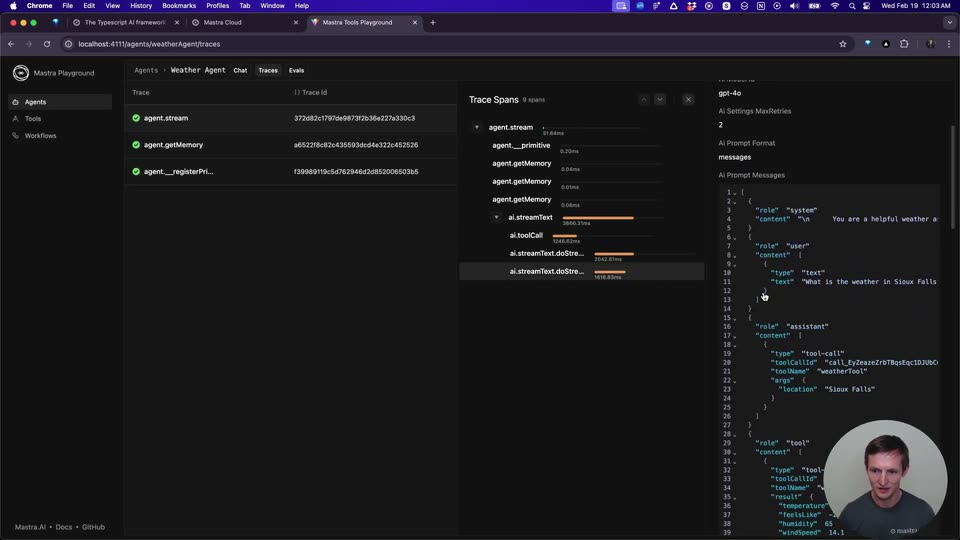

Mastra Demo - The Typescript AI Agent Framework (2024)
Mastra · B2B · Feb 2025
Harbera · Feb 2025 · 2:02 · Full motion · AI-annotated
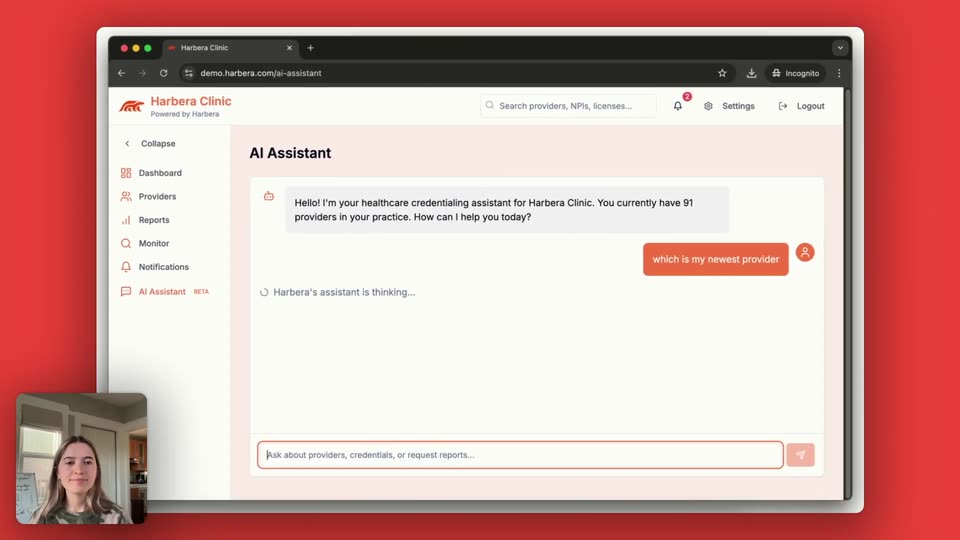
Harbera’s 2:02 launch film runs 23 scenes, about 5.3 s each. The product is on screen from the first frame and 2 features are revealed. There is no explicit call to action. A two-person screen-recording tour that alternates a provider onboarding flow with an admin dashboard, framed by a persistent lower-left webcam inset on a flat warm-red field. Pacing is steady and cut-driven, with signature moves of zooming into form fields, sliding success toasts, and a final crossfade into the dashboard chart.
Is this your launch? to your site or press kit.
Mastra · B2B · Feb 2025
mlop · B2B · Apr 2025
Infera · Healthcare · Jun 2026
Films whose music sounds like this one, voice left out
Cursor · Upbeat electronic and funk-inspired background music with a modern, positive feel
Tensr · Electronic, Corporate
Martian · Corporate Tech Announcement
A browser window shows the Harbera Clinic welcome page over a file list, with a small video-call inset of a woman in the corner. Subtitles appear at the bottom as the cursor moves to the orange button and a Provider Registration form modal zooms in.
On-screen text: “Hi,”, “I'm Sophia.”, “Today I'll be a provider onboarding for the first”, “provider onboarding”, “time with Harbera.”, “Let's begin.”
Techniques: Cursor demo, UI zoom
Camera: Push in
A close crop of the Harbera verification page pulls back to reveal the full browser window beside a dark file manager on a red background, with a webcam inset of a woman in the corner. A light file-list panel pops up over the page, listing PDFs and images.
On-screen text: “Now I'll be able to upload all of my documents”, “I need to upload all of my”
Techniques: UI zoom, Cursor demo
Camera: Pull out
A dark Finder window overlaps a browser open to the Harbera Clinic upload page. The cursor selects a row of PDF files, and the files appear as tags in the portal's upload box. A small webcam feed of a presenter sits in the lower left corner.
On-screen text: “into Harbera's portal.”
Techniques: Cursor demo
Camera: Static
A browser window displays the Harbera Clinic verification page with a spinning loader reading Processing 1 of 6. A dark file explorer sits behind it, and a small webcam feed of a woman appears in the lower left corner. The pointer drifts slightly while the page loads.
Camera: Static
A browser window shows a Verify Information dialog: an insurance certificate PDF on the left, a data form on the right. The view zooms in as fields fill in, a small video call of a woman sits in the corner, and captions appear at the bottom.
On-screen text: “It looks like my insurance looks good.”, “The expiration date matches.”, “Let's continue.”
Techniques: UI zoom, Cursor demo
Camera: Push in
On a red background, a browser window shows a product dialog that transitions from a document-verification view to a 'Verification Documents' panel with a loading spinner. A file-list window slides forward on the left, and a small webcam feed of a presenter stays pinned in the lower-left corner.
Camera: Pull out
A screen capture of the Harbera Clinic upload page sits on a red background, with a file folder and a small webcam self-view layered behind it. A progress bar advances to 2 of 6, a success toast pops in, then a Verify Information modal opens over a scanned license.
Camera: Static
A browser window with a Verify Information dialog shows a DEA document beside a filled form. A cursor clicks Save, a success toast pops up, and a caption bar slides in at the bottom. A small webcam feed of a woman sits in the lower-left corner.
On-screen text: “My DEA matches my professional ID number.”
Techniques: Cursor demo
Camera: Static
A verification screen shows a DEA registration document with a blue selection box, zooming in slightly as form fields on the right fill in. A webcam video of a woman sits in the lower left corner, and a caption appears at the bottom.
On-screen text: “My DEA matches my professional ID number.”
Techniques: UI zoom
Camera: Push in
A close-up of a document verification screen showing a DEA license and a filled form pulls back to reveal the full browser window and desktop on an orange background. A progress bar advances and a save confirmation appears, with a small video feed of a woman in the corner.
On-screen text: “My DEA matches my professional ID number.”
Techniques: UI zoom
Camera: Pull out
A browser window shows a verification form beside a CV preview, with a webcam inset of a woman in the corner. The view zooms into the modal as the form scrolls through work and education entries, while captions appear at the bottom.
On-screen text: “All the information in my CV looks good to me.”, “I will check that off.”
Techniques: Cursor demo, UI zoom
Camera: Push in
A browser window on a red backdrop shows the Harbera Clinic upload page, with a file browser at left and a webcam feed bottom left. The page shifts from a spinner to a saved state, then to a review view with a validation error, as a black caption bar narrates.
On-screen text: “I will check that off.”, “Now I can review and submit.”
Techniques: Cursor demo
Camera: Pull out
A full-screen provider review page flags a work-history gap in a red validation box, then the view reframes to a desktop with a file list behind the browser. A cursor clicks Edit, types a new end date, and saves it, with a webcam inset in the corner.
On-screen text: “I'll notice that things like gaps in my work history will be flagged,”, “and I can go ahead and address those right here.”, “I'll save that.”
Techniques: UI zoom, Cursor demo
Camera: Pull out
A screen recording of the Harbera Clinic review page scrolls down past education and work history, a cursor moves to the orange Attest & Submit button and clicks it, cutting to a submission-complete screen. A small webcam feed of a presenter sits in the lower-left corner.
On-screen text: “I'll save that.”, “I no longer have any issues.”, “Let me attest and submit.”
Techniques: Cursor demo
Camera: Static
A browser window with a green 'Submission Complete' page overlays a dark file explorer, with a small webcam feed of a woman in the lower left. The cursor clicks the blue download button, which reads 'Generating PDF...' before a toast confirms the file. Subtitles run along the bottom.
On-screen text: “Let me attest and submit.”, “And I can keep all of my files in this”, “downloadable submission packet.”, “Let's go ahead and do that.”, “Now,”, “onto the admin side.”
Techniques: Cursor demo
Camera: Static
A browser window on a red background shows the Harbera Clinic dashboard with stat cards and a pie chart, while a small video inset of a woman speaks in the corner and captions roll at the bottom; the cursor drifts and the page scrolls to reveal the chart legend.
On-screen text: “And I'm Veronica.”, “I run the Harbera Clinic.”, “And with Harbera,”, “I'm able to continuously monitor the credentialing”, “statuses of all of my providers.”, “Let's ask the AI assistant for some help.”
Techniques: Cursor demo
Camera: Static
A flat browser window on an orange background shows the AI Assistant chat, with a webcam inset of a presenter in the lower-left. The view zooms into the input field as a question is typed, then back out as the reply appears. The cursor hovers over the View Profile link.
On-screen text: “Let's ask the AI assistant for some help.”, “It looks like Dr.”, “Victor completed his profile,”
Techniques: UI zoom, Cursor demo
Camera: Pull out
A flat dark browser window sits on a red field with a small webcam feed in the lower left. A white caption on a dark bar reads 'Victor completed his profile,' at the bottom, then vanishes as the address bar populates with a provider URL.
On-screen text: “Victor completed his profile,”
Camera: Static
A browser window on a red background shows the Harbera Clinic provider page; the page scrolls down through verifications and documents, then back up, while a face-cam inset sits bottom-left and a cursor drifts to the Reports menu. Subtitle captions run along the bottom.
On-screen text: “can take a look,”, “see all of his documents,”, “and I can kick off a provider enrollment easily”, “here when I get audited.”, “The reports tool is really useful,”
Techniques: Cursor demo
Camera: Static
A browser window on an orange background shows the Harbera reports page. The view zooms into the Custom Roster Export panel while a cursor checks field boxes and opens the format dropdown, then clicks Generate Roster Export to open a save dialog. A presenter's webcam sits in the corner.
On-screen text: “The reports tool is really useful,”, “I'm able to generate custom roster exports on the”, “fly with everything that insurance companies will”, “ask me for.”
Techniques: UI zoom, Cursor demo
Camera: Static
A browser window shows the Harbera Clinic reports page with a provider list and a roster export form; a download popup for providers-report.xlsx hovers top right while a small video inset of a presenter sits bottom left and a caption reads Let's open it up.
On-screen text: “Let's open it up.”
Camera: Static
A locked-off screen recording of a spreadsheet titled providers-report lists provider rows on a red background. A small presenter video sits in the lower left while white subtitles at the bottom switch from Looks great. to This is what they asked me for.
On-screen text: “Looks great.”, “This is what they asked me for.”
Camera: Static
A browser mockup crossfades from a roster export panel to the Dashboard Overview as a cursor hovers the Dashboard menu item. A pie chart sweeps in under the stat cards. A presenter's webcam feed sits bottom left; captions read Thanks. then Harbera.
On-screen text: “Thanks.”, “Harbera.”
Techniques: Cursor demo
Camera: Static