0:26
Input - Stop Googling the people who email you. Get Input to do it for you 🕵
Input Systems · Nov 2026
Google AI’s 1:40 launch film runs 45 scenes, about 2.2 s each. The product shows up at 0:06 and 6 features are revealed. The call to action lands at 1:32 (92% in), over a voiceover. The video alternates one-phrase type cards on pastel gradients with live-action shots of people typing, then simulated UI demos in tilted 3D mockups, each feature opened by a single verb card and a color-coded glow per section. Pacing is quick at about 16 cuts per minute, and the signature move is the search bar typing itself letter by letter behind a blinking caret while skeleton bars resolve into the AI Overview.
Is this your launch? to your site or press kit.
Input Systems · Nov 2026
Character.ai · Apr 2026
Films whose music sounds like this one, voice left out
Google · Electronic dance / Pop
Google Deepmind · Electronic, Funk, Country-Pop, Rock, Metalcore, Pop
Volcano · Upbeat corporate electronic
On a cream background, a faint 'In the next era of Search' gives way to centered words that scale in and out. 'Search' grows, a huge black 'AI' fills the frame, then small lines 'will', 'so you don't have to', 'it will', 'answer' appear, ending on a big 'it'.
On-screen text: “In the next era of Search”, “Search”, “AI”, “will”, “so you don't have to”, “it will”, “answer”, “it”
Techniques: Kinetic type
Camera: Static
A woman in a striped shirt types on a laptop at a wood-paneled table with a lamp and coffee cup. The camera pushes in to a close-up of the screen, showing the Google logo and the typed query about a candle.
Techniques: UI zoom
Camera: Push in
A white pill search bar sits centered on a plain background, a soft orange glow pooling at its right edge. The query types itself out letter by letter behind a blinking caret, with a small gray disclaimer caption below.
On-screen text: “Features simulated and sequences shortened.”
Techniques: Kinetic type
Camera: Static
A flat search bar with the query 'why does my candle burn unevenly' sits centered on white, with a soft red glow at its right edge. An orange four-pointed star and the large gray word 'Corner' slide across the bar in opposite directions and exit the frame.
On-screen text: “Features simulated and sequences shortened.”
Camera: Static
On a white background, an orange four-pointed star sits left of the word Generating in large dark brown type, with three dots cycling to its right. The word scales gently while the dots pulse in sequence.
On-screen text: “Generating”, “Features simulated and sequences shortened.”
Techniques: Kinetic type
Camera: Static
A Google search page fills from pink skeleton bars into an AI Overview answer for the query 'why does my candle burn unevenly'; the view scrolls down to reveal more reasons and source cards. A large 'Generating' word scales in.
On-screen text: “Features simulated and sequences shortened.”, “Generating”
Techniques: Kinetic type, UI zoom
Camera: Pull out
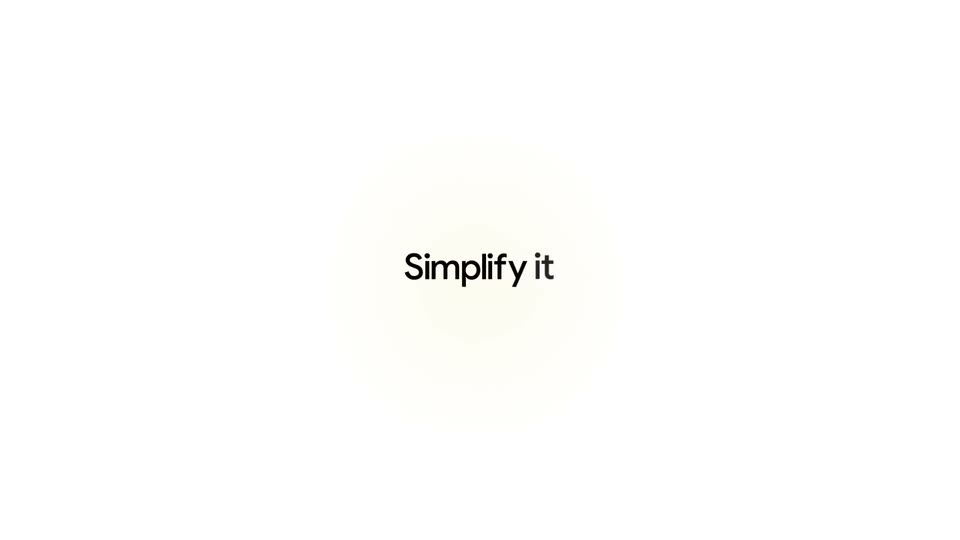
The word Simplify in dark gray sits centered on a white field, soft and blurry, then snaps into focus as it scales up. Near the end the Google logo text blurs in at the upper right while the frame stays locked off.
On-screen text: “Simplify”, “Google”
Techniques: Kinetic type
Camera: Static
A woman in a green sweater sits on a couch, typing on a laptop showing the Google homepage as a “Simplify” caption scales in. The camera pushes in from over the shoulder to a tight view of the screen.
On-screen text: “Simplify”
Techniques: Kinetic type, UI zoom
Camera: Push in
A white search bar with a soft pink glow scales up at center, revealing the query “explain how temperature impacts baking” with a blinking caret, a magnifier icon on the left and a mic and Google logo on the right.
On-screen text: “explain how temperature impacts baking”
Camera: Static
A tilted 3D mockup of a Google results page with an AI Overview block. The camera starts tight on three pill toggles, Original, Simpler, Break it down, then pulls back to the full browser window as the selected toggle cycles and the answer text swaps.
Techniques: UI zoom, 3D mockup
Camera: Pull out
A young woman with long red hair sits on a gray couch with a laptop on her lap, mouth open mid-line. The camera pulls back from a close-up of her face to a wide shot of the living room, revealing a blue wall, framed prints, a leafy plant and a floor lamp.
Camera: Pull out
On a white field, a soft pink radial glow blooms beneath the centered words, which sharpen from a blurred partial letter into full focus. The frame stays locked off.
On-screen text: “Plan it”
Techniques: Kinetic type
Camera: Static
A person types on a laptop at a sunlit café table, the Google homepage on the screen. The framing tightens into a darker close-up of the screen and keyboard as the hands keep typing, while the caption Plan it stays locked in frame.
On-screen text: “Plan it”
Camera: Push in
A white rounded search field with a magnifying glass icon slides in over a soft peach gradient. The search query types out left to right behind a thin blinking caret.
On-screen text: “suggest a 7 day meal plan for a college student living in a dorm”
Techniques: Kinetic type
Camera: Static
A rounded search bar with a soft orange glow sits on a white background. The query 'suggest a 7 day meal plan for a college student living in a dorm' types itself into the field, letter by letter, with a blinking cursor.
On-screen text: “suggest a 7 day meal plan for a college student living in a dorm”
Techniques: Kinetic type
Camera: Static
A white rounded search bar with a soft orange glow sits on a pale background. A magnifying glass icon marks the left edge as the query is typed out line by line, the second line in orange, ending with a blinking cursor.
Techniques: Kinetic type
Camera: Static
A white rounded prompt bar with a search icon on the left and a mic plus multicolor lens icon on the right sits centered on a plain off-white field with a soft orange glow. A query is typed out character by character with a blinking caret, the newest words flashing orange.
Techniques: Kinetic type
Camera: Static
A glowing Google search pill sits on white as a meal-plan query types out letter by letter, then the pill morphs into a results page showing a Generating bar.
Techniques: Kinetic type, Morph
Camera: Static
A Google search page sits tilted in 3D on a peach gradient. The page scrolls down through an AI Overview that builds a 7-day meal plan, revealing recipe cards with food photos for each day, then the interface fades to white as a small black cs logo appears.
Techniques: 3D mockup
Camera: Pull out
The headline “Customize it” assembles on a cream background, letters settling into place, then cross-dissolves into a three-card recipe interface showing a pancake mug, a cheeseburger and a soup with titles, ratings and Replace buttons.
On-screen text: “Customize it”
Techniques: Kinetic type
Camera: Push in
A meal-planning UI shows three recipe cards with ratings and Replace buttons. The view reframes as a search panel labeled Replace 'Microwave Cheeseburger' opens below, with a query field, filter chips, and a result list loading behind gray placeholder cards.
On-screen text: “Customize it”
Techniques: UI zoom
Camera: Pull out
A tilted 3D view of a meal-planning app zooms in on a recipe-replacement panel as the query 'healthy and fresh with veg' types out letter by letter in the search bar.
Techniques: 3D mockup, UI zoom
Camera: Push in
A recipe-planning app UI shows a Replace Microwave Cheeseburger dialog. Pink skeleton cards resolve into four recipe cards with photos, ratings and Add buttons, over a meal-plan background listing Day 6.
Camera: Static
On a plain white background, the dark text Organize it sits centered while stray letters O, g, a, r drift apart and fade, as if the word just assembled itself.
On-screen text: “Organize it”
Techniques: Kinetic type
Camera: Static
A white pill search bar with a soft purple glow sits centered on a plain background. The query kid friendly places to eat in dallas types in letter by letter, then a blurred results list fades in behind the bar.
On-screen text: “kid friendly places to eat in dallas”
Techniques: Kinetic type
Camera: Static
A tilted smartphone mockup shows a Google search results page; the screen scrolls down, then the phone straightens to a flat front view as the interface scrolls to a carousel of restaurant cards.
Techniques: 3D mockup
Camera: Push in
A close-up of a phone screen scrolls down to reveal a section titled Family-friendly dining. The view shows a text summary and a link to an article with a thumbnail image.
Camera: Pan
A tilted search results page on a soft lavender gradient scrolls upward. The family-friendly dining answer and web links move off the top, revealing a row of restaurant cards beneath the healthy kid-friendly fare heading.
Techniques: 3D mockup
Camera: Push in
On a plain off-white background, the dark phrase 'Troubleshoot it' holds still in the center, then gives way to 'from a video', which scales in with a soft violet blur behind the letters.
On-screen text: “Troubleshoot it”, “from a video”
Techniques: Kinetic type
Camera: Static
A person with curly hair in a denim jacket stands on a cobblestone street, holding a small camera and adjusting it as the focus pulls from soft to sharp. A caption reads from a video.
On-screen text: “from a video”
Techniques: Kinetic type
Camera: Push in
A low tilted shot frames a curly-haired man in a denim jacket against a blurred tree and pale sky. He looks down, then raises a white phone into view and studies its screen.
Camera: Static
A phone mockup on a peach gradient shows Google Lens over a video of a hand working a camera lever. The mic button glows below the prompt, then the question appears word by word: why is the lever not moving all the way.
Techniques: Kinetic type
Camera: Static
A white smartphone in 3D perspective floats over a soft peach gradient. The dark screen reads a Google Lens query, then the phone tilts to show a Google search page.
Techniques: 3D mockup
Camera: Static
A tilted phone mockup on a soft peach gradient fades in, showing a Google search results page. The screen scrolls down through the AI Overview and a list of troubleshooting steps, then the phone fades to a blank white screen.
Techniques: 3D mockup
Camera: Pan
A curly-haired person in a denim jacket lifts a white film camera to their eye, smiles, then lowers it and walks down a street lined with pink cherry blossom trees.
Camera: Pull out
Dark gray sans-serif words appear one by one on a pale green gradient background, sliding into the center to read the phrase. The camera stays locked off while the words enter, settle, and exit in sequence.
On-screen text: “It will figure out”, “single”, “step”
Techniques: Kinetic type
Camera: Static
A white rounded search bar with a magnifying glass icon sits on a soft green gradient. A query is typed in letter by letter, the newest word tinted green, while the bar slides left to keep the cursor in frame.
On-screen text: “what are good conditions for a step”
Techniques: Kinetic type, UI zoom
Camera: Static
A white rounded search bar with a soft green glow sits centered on a plain background. A search query types out letter by letter over two lines, finishing with a blinking caret.
Techniques: Kinetic type
Camera: Static
A green-framed phone mockup floats in 3D perspective on a soft green gradient, its Google search screen cycling loading status text above pale green skeleton bars, while the camera pushes in toward the search bar.
Techniques: 3D mockup, UI zoom
Camera: Push in
The words “Without missing a thing” appear one by one on a pale green gradient, “thing” oversized, then a tilted 3D phone mockup of Google search results rotates in, scrolling from the search bar to a Dallas Zoo card.
On-screen text: “Without missing”, “a”, “thing”
Techniques: Kinetic type, 3D mockup
Camera: Pull out
A tilted phone mockup floats on a soft green gradient. Its screen scrolls upward through location cards, bringing a city map with red pins into the center, then a People also ask bar at the bottom.
Techniques: 3D mockup
Camera: Pan
On a warm cream gradient, a soft-focus multicolor Google wordmark sits centered, then sharpens into one line of black text. The frame stays locked and the line holds still.
On-screen text: “Google will do the Googling for you”
Camera: Static
On a soft cream gradient, a centered line of small dark text reads “Google will do the Googling for you,” its outer letters faded. It is then replaced by the large bold word “Just,” which completes to “Just ask.” in the center.
On-screen text: “Google will do the Googling for you”, “Just ask.”
Techniques: Kinetic type
Camera: Static
A warm off-white background with a soft radial glow holds the dark gray wordmark centered and still. A small blue and green spark shape drifts across the letters, pausing inside the “a”.
On-screen text: “Just ask.”, “Features simulated and sequences shortened.”
Camera: Static
On a plain white field, the Google G mark starts small and blurred, then scales up and sharpens to its full color before holding still in the center. A small gray disclaimer line sits at the bottom, and the tagline Just ask. accompanies the sign-off.
On-screen text: “Just ask.”, “Features simulated and sequences shortened.”
Camera: Static