0:59
Explore
Knock - Launch week → Day 5 Introducing Knock guides. Guides enable you to
Knock · May 2025 · 0:36 · AI-annotated
- Length
- 0:36
- Scenes
- 16 · 2.3 s avg
- Product on screen
- 0:00
- Features shown
- 1
- Voiceover
- No
00:00:00 / 00:36:04
Knock’s 0:36 launch film runs 16 scenes, about 2.3 s each. The product is on screen from the first frame and 1 feature is revealed. There is no explicit call to action. A brisk launch film built as a rapid montage: a type-on title, then a run of glowing guide cards each tied to a sweeping red light beam, a code reveal, and a wordmark close. Pacing runs near 10 cuts per minute, with 3D card tilts and the recurring red beam as the signature moves.
No filming indicatedEstimated needs: 3 capture groups — your screens or recordings · 1 official logo — reused across the film · 4 3D passages — build or supply
Is this your launch? to your site or press kit.
More like this

Knock - Launch week → Day 5 Introducing Knock guides. Guides enable you to, scene by scene
· 16 scenes as text
01 · Product intro · 0:00–0:00
On a pale gray field, the word Introducing writes itself out left to right in dark gray sans, the leading letters solid while the trailing edge fades in, then locks off once complete.
On-screen text: “Introducing Knock guides”
Techniques: Kinetic type
Camera: Static
02 · Product intro · 0:00–0:03
On a light gray background, the black headline settles into place, then a glowing red-orange line draws in beneath it from left to right, ending with a dot.
On-screen text: “Introducing Knock guides”
Techniques: Kinetic type
Camera: Static
03 · Product intro · 0:03–0:04
A light gray frame holds the black headline “Introducing Knock guides” above a glowing orange line. The headline fades as a white guide card tilts into 3D perspective from the right, the orange line sliding to the lower left.
On-screen text: “Introducing Knock guides”
Techniques: 3D mockup
Camera: Static
04 · Demo · 0:04–0:07
A white notification card titled “Introducing: faster uploads” sits center-right on a light gray background, ringed by a red glow. The headline “Power every announcement” reveals in the top left while a red line with a glowing dot draws across the frame behind the card.
On-screen text: “Power every announcement”
Techniques: Kinetic type, Light sweep
Camera: Static
05 · Demo · 0:07–0:09
A white notification card with a soft red glow and stacked deck edges sits left of center, showing a publish dialog and play button. A thin orange line with a glowing dot sweeps horizontally across the background. Large black text reading “Power every nudge” fades in on the right.
On-screen text: “Power every nudge”
Techniques: Kinetic type, Light sweep
Camera: Static
06 · Demo · 0:09–0:12
A red line with a glowing dot extends from the left to a tilted tooltip card on the right, beside the headline “Power every tooltip”. The card then switches to a second, flatter tooltip about larger assets as the line retracts.
On-screen text: “Power every tooltip”
Techniques: 3D mockup
Camera: Static
07 · Demo · 0:12–0:15
A dark sans-serif headline fades in above an upgrade card that eases from a tilted 3D angle to flat, wrapped in a red glow. The pair then dissolves while an orange beam on the left collapses into a thin cross.
On-screen text: “Power every upgrade”
Techniques: 3D mockup
Camera: Static
08 · Feature reveal · 0:15–0:17
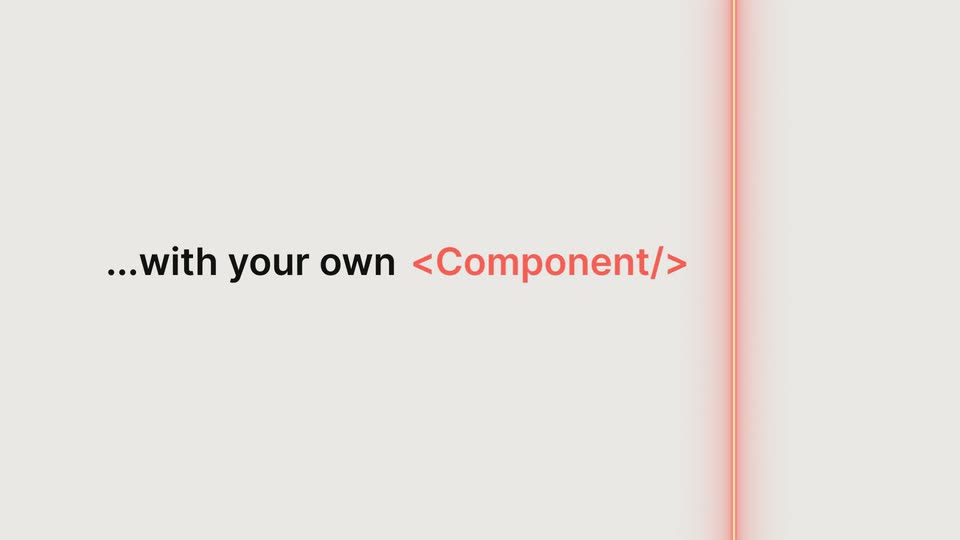
On a flat light gray field, the line “...with your own <Component/>” builds word by word, black text with a coral code token, scaling in place. A thin coral vertical line with a glowing dot appears at the right edge and holds.
On-screen text: “...with your own <Component/>”
Techniques: Kinetic type
Camera: Static
09 · Feature reveal · 0:17–0:18
Three feature cards float on a light gray field. Their interface content fades to dark navy slabs ringed by a glowing red outline while a red circuit line traces across the top. The left card tilts into 3D perspective as the others stay flat.
Techniques: 3D mockup
Camera: Static
10 · Feature reveal · 0:18–0:20
A syntax-highlighted code snippet, framed by salmon side bars, sits on a dark background with its useGuide line glowing red. The block then scales down toward the center with a radial blur, fading to black.
Camera: Pull out
11 · Other · 0:20–0:21
A huge blurred white knock wordmark scales down and sharpens into a centered lockup on a dark navy field, with orange circuit lines and glowing nodes above it.
Techniques: Kinetic type
Camera: Static
12 · Other · 0:21–0:23
On a dark navy field, the white knock wordmark sits centered, its i dotted with a red glow. A glowing orange circuit trace at the top collapses into a horizontal light beam that shoots right from the dot. The white tagline fades in below.
On-screen text: “powered by our stateful real-time infrastructure”
Techniques: Light sweep
Camera: Static
13 · Other · 0:23–0:25
A centered dark gray tagline builds line by line on a light gray field as a red glowing line with a dot sweeps across the frame. The last line lands, then a white document interface tilts in at a 3D angle.
On-screen text: “knock”, “powered by our stateful”, “real-time infrastructure”, “and managed by”, “product and marketing”
Techniques: Kinetic type, Light sweep, 3D mockup
Camera: Static
14 · Demo · 0:25–0:27
A settings panel shows an open message-type dropdown with a cursor hovering the options; the right-hand preview switches from a changelog card to a faster-uploads card as the view reframes tighter.
Techniques: Cursor demo, UI zoom
Camera: Push in
15 · Outro · 0:27–0:33
On a plain light gray background, “Goodbye” and the tag “<script/>” type out character by character behind a blinking cursor. The pair is replaced by “Hello” and “<Component/>” typed in red, then “Powered by” appears and the frame clears.
On-screen text: “Goodbye”, “<script/>”, “Hello”, “<Component/>”, “Powered by”
Techniques: Kinetic type
Camera: Static
16 · Outro · 0:33–0:36
The lowercase knock wordmark in black, finished with a small orange dot, fades in from a pale gray to full black on a plain light gray field, then holds centered and still.
Camera: Static