1:30

Introducing Cursor 3
Cursor · Developer tools · Apr 2026
Grammarly · Mar 2023 · 0:58 · AI-annotated
Grammarly’s 0:58 launch film runs 31 scenes, about 1.9 s each. The product is on screen from the first frame and 5 features are revealed. There is no explicit call to action. The video opens with a typed tagline landing on the grammarlyGO wordmark, then runs five headline-led feature beats where a typed white headline introduces a clean UI mockup demo on a dark teal field. Its signature moves are the recurring grainy green-to-blue gradient orb that wipes between scenes, vertical light-beam sweeps, and strip-slice transitions, all cut at a brisk mid-tempo pace.
Is this your launch? to your site or press kit.
Cursor · Developer tools · Apr 2026
Apple · Hardware · Sep 2024
A dark teal background holds a thin white text cursor that blinks, then the tagline types itself out letter by letter across three lines. The final line lands on the grammarlyGO wordmark, with GO rendered in a teal-to-green gradient.
On-screen text: “Reinvent”, “writing with”, “grammarlyGO”
Techniques: Kinetic type
Camera: Static
A soft green-and-blue gradient blob drifts across a dark teal background while the headline Reinvent writing with grammarlyGO fades out from the left of frame.
On-screen text: “Reinvent”, “writing with”, “grammarlyGO”
Camera: Static
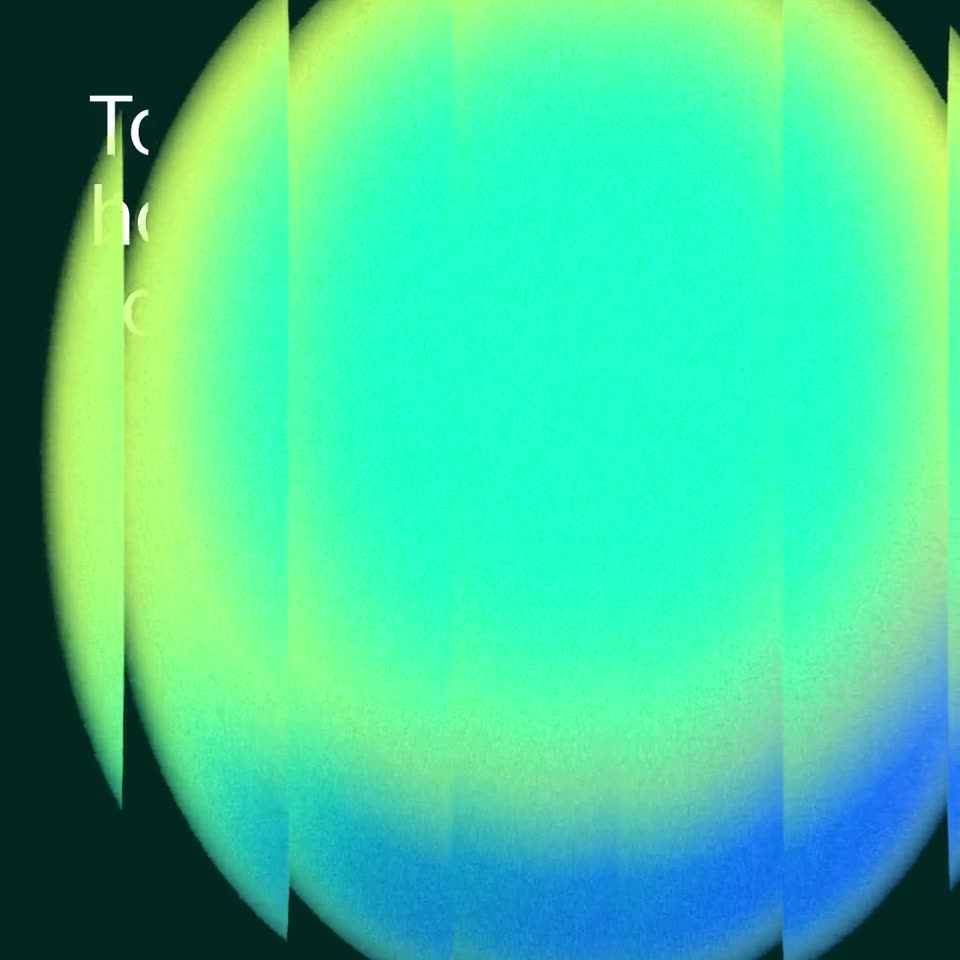
A dark teal frame holds a three-line headline top left. A green-to-blue gradient circle built from vertical stripes grows from the right edge until it fills the screen, revealing a white rounded card in the center.
On-screen text: “To start, select how you'd like to sound”
Techniques: Masking
Camera: Static
A white voice-settings card eases in from a blurred offset on a dark green field. A black cursor taps the Casual, Personable and Optimistic chips, each gaining a green outline, then hovers over the green Use this voice button.
Techniques: Cursor demo
Camera: Static
A white voice-settings card with highlighted tone pills blurs and slides up off frame while a green-to-blue gradient orb rises from the bottom. A cursor rests on the Use this voice button, and the headline Draft high fades in at the top left.
On-screen text: “Draft high”
Techniques: Cursor demo
Camera: Push in
A dark background features a blurred, glowing orb in green and blue tones that moves upward. White text types out sequentially at the top and bottom of the frame.
On-screen text: “Draft high-quality communications”, “without worrying about what to say”
Techniques: Kinetic type
Camera: Static
A white input card bearing a Gmail mark fades in on a dark green field, then widens to add a Google mark panel as a black cursor arrow drifts beneath it. The white line 'without worrying' stays locked at the bottom edge.
On-screen text: “without worrying”
Techniques: Cursor demo
Camera: Static
A white Gmail card with a blinking caret sits on a dark teal field under a blue glow. A black cursor hovers the icon pill, then a prompt bar with a pen icon slides in and types out a welcome-email request.
Techniques: Cursor demo
Camera: Static
A dark teal screen with a glowing blue orb holds a Gmail card and a writing panel. A prompt pill slides in as the welcome email types out. Suggestion pills pop in below while the view pulls back to show the full set.
Techniques: UI zoom
Camera: Pan
A dark teal field holds a soft blurred gradient orb, yellow-green fading to teal, in the lower right corner. In the upper left, a white sans-serif headline builds line by line, finishing on the words suit your style.
On-screen text: “Instantly adjust tone, clarity, and length to suit your style”
Techniques: Kinetic type
Camera: Static
White headline text stays locked at the top left over a dark green field. Below it, a glowing green abstract form made of vertical bars shifts and rescales across the bottom edge.
On-screen text: “Instantly adjust tone, clarity, and length to suit your style”
Camera: Static
A Gmail email card sits in slight 3D tilt on a dark green field. A cursor flips on an AI toggle, a prompt box types a request, suggestion chips pop in below, and a Replace/Rephrase panel types a new greeting.
Techniques: Cursor demo, 3D mockup
Camera: Pull out
A Gmail window with highlighted email text sits on the left. A Gemini panel on the right types out a friendlier rewrite of the same email, cursor blinking. A white pill captioned Make it more conversational floats above, and four suggestion chips line the bottom.
On-screen text: “Make it more conversational”
Techniques: Kinetic type
Camera: Static
A flat AI email interface on a dark green backdrop: an email draft with highlighted text on the left, a rewritten conversational version on the right, a prompt chip on top and four suggestion chips below. Vertical light beams sweep across the scene.
Techniques: Light sweep
Camera: Static
A large grainy gradient circle, green at the top fading to blue at the bottom, drifts toward the center of a dark frame. Its soft glowing edge slides right, covering faint interface text on the right margin.
Camera: Pan
A grainy yellow-to-blue gradient circle on dark teal is sliced into vertical strips and scrolls across the frame with motion blur. Three white lines slide in at the left, then exit as the strips pass, and a second two-line text settles in the center.
On-screen text: “Easily unlock”, “ideas and”, “outlines”, “to inspire”, “your writing”
Techniques: Kinetic type
Camera: Push in
On a dark teal field, a white writing-input card wipes in from left to right, holding a blue document icon and a green pill with two action icons, while a black cursor rests at its right edge. A cropped white headline sits at the left margin.
On-screen text: “pire”, “riting”
Techniques: Masking, Cursor demo
Camera: Static
A white prompt card with a blue document icon and a blinking caret sits on a dark green field, a black cursor hovering a two-icon pill below it. The cursor clicks, a chip types out 'Give me an outline for a project brief', then hops above the card.
Techniques: Cursor demo
Camera: Static
A glowing prompt pill reading “Give me an outline for a project brief” scales in at the top left of a dark teal background. A white card expands below it, a numbered outline list fills in, a teal highlight passes over one line, and Replace and Rephrase buttons fade in.
Camera: Pan
On a dark green field, white text 'Zip through emails' scales in at left beside a blurred white card top right. A glowing green-to-blue orb rises through the center, then 'by creating thoughtful replies in seconds' slides in below and fades out.
On-screen text: “Zip through emails”, “by creating thoughtful replies in seconds”
Techniques: Kinetic type
Camera: Static
A white Gmail email card holds focus at center as the blurred inbox behind it dissolves into a flat dark green field. A black cursor arrow appears at the card's lower right, with a second outline cursor hovering the green action pill below.
Techniques: Cursor demo
Camera: Pull out
A flat white pill holds two teal circular icons, a lightbulb and a G logo, on a dark green field. A black cursor moves from the G to the lightbulb, then the pill scales up as a blurred card reading AcmeCo slides in from the top.
Techniques: Cursor demo, UI zoom
Camera: Static
A white email card on a dark green field scrolls up and scales down, revealing the Gmail logo and body copy. A black cursor rests on a small white pill with two teal icons at the lower left.
Techniques: Cursor demo
Camera: Pull out
A dark green background holds a Gmail email card and a Grammarly notification card. A cursor clicks the Agree to chat at 11 a.m. suggestion button, which highlights green and slides up, while a drafted reply panel types itself in on the right.
Techniques: Cursor demo
Camera: Pull out
A dark green frame holds a flat UI mockup: an email card on the left and a chat reply card on the right, with a highlighted suggestion pill on top and three action pills below. Vertical gradient light bars then sweep across, wiping the interface out.
Techniques: Light sweep
Camera: Static
A grainy gradient field fades from lime green at the top to deep blue at the bottom. Centered black sans-serif text types itself out letter by letter across two lines on the locked-off frame.
On-screen text: “Accelerate your”, “writing flow”
Techniques: Kinetic type
Camera: Static
A soft gradient orb, yellow-green at the top fading to blue, sits on a pale blue field behind the centered headline. The orb scales up to fill the frame, covering the text, as a thin white arc begins to draw at the lower left.
On-screen text: “Accelerate your writing flow”
Camera: Static
A green-to-yellow gradient fills the frame while the white wordmark GO sits centered. The O opens with a thin gap at the top that closes over the second, and the gradient drifts toward blue at the lower right.
On-screen text: “GO”
Camera: Static
On a dark teal background, a large green-to-blue gradient GO wordmark holds center as the words write, create, and connect slide in beneath it one after another. A vertical gradient bar at the right edge recedes, and a blurred gradient shape drifts in from the lower left.
On-screen text: “GO”, “write”, “create”, “connect”
Techniques: Kinetic type
Camera: Static
Extreme close-up of a matte device surface washed in a green-to-blue gradient, embossed with a small logo and the word “connect”. The camera whips across the surface as a hand slides in, the whole frame blurring with the fast motion.
Camera: Static
The grammarlyGO logo holds centered on a dark teal field. The white lowercase wordmark pairs with a green gradient GO, both locked in place with no motion across the clip.
On-screen text: “grammarlyGO”
Camera: Static