0:47
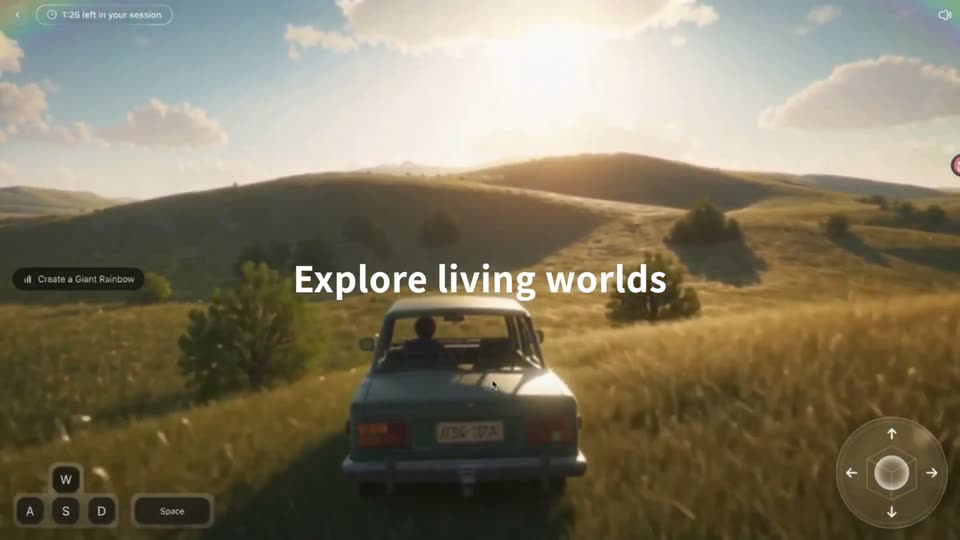
PixVerse - Meet PixVerse R2, our new real-time world model. Explore living world
PixVerse R2 · Sep 2026
CapCut · Mar 2026 · 0:39 · AI-annotated
CapCut’s 0:39 launch film runs 21 scenes, about 1.9 s each. The product is on screen from the first frame and 3 features are revealed. There is no explicit call to action. The video tours one AI model across three CapCut surfaces, each opened by a gradient headline over a 3D or flat UI mockup and closed by dark title cards. Pacing is moderate, driven by smooth zooms, 3D window moves, typing text and cyan glow accents on the active control.
Is this your launch? to your site or press kit.
PixVerse R2 · Sep 2026
Leonardo AI · Dec 2023
Google AI · Nov 2026
A pale gradient backdrop holds the CapCut logo above a centered two-line headline. The headline letters fade in one by one, settling into solid black type.
On-screen text: “Dreamina Seedance 2.0”, “is live on CapCut”
Techniques: Kinetic type
Camera: Static
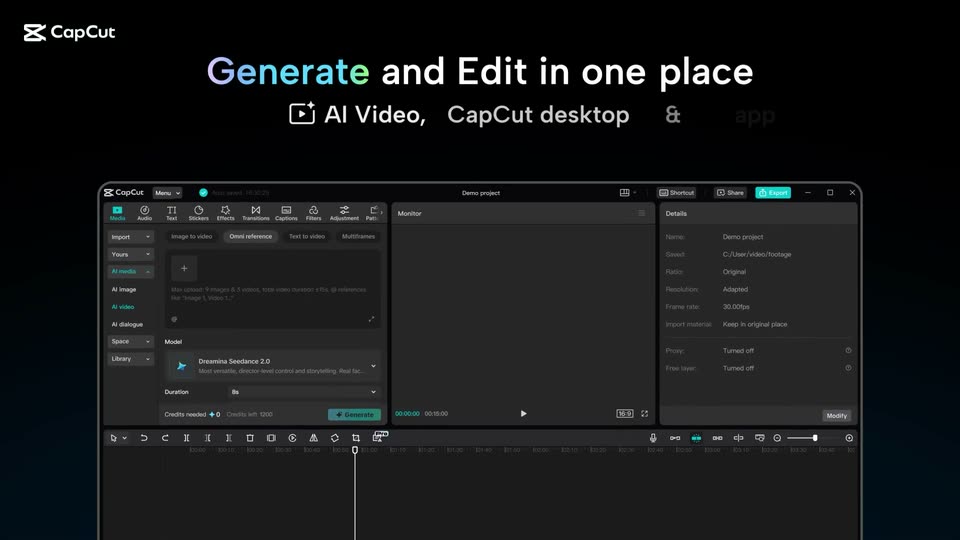
A light gradient title card reading “Dreamina Seedance 2.0 is live on CapCut” cuts to a dark scene where the headline “Generate and Edit in one place” sits above a 3D CapCut editor window that rises into frame and grows larger.
On-screen text: “Dreamina Seedance 2.0”, “is live on CapCut”, “Generate and Edit in one place”
Techniques: 3D mockup
Camera: Static
The CapCut desktop window fills the frame under a gradient headline, then the view zooms into the AI video panel where a prompt reads a female warrior battling a robot and a model dropdown opens to list Seedance, Veo and Sora.
On-screen text: “Generate and Edit in one place”, “AI video, CapCut desktop app &”
Techniques: UI zoom, Cursor demo
Camera: Push in
A dark CapCut editor window, showing a sci-fi clip in the monitor and a timeline below, settles into the center of a black frame. A green tooltip pops in at its lower right corner. Above, a static white headline and subline with a small video icon sit over the logo.
On-screen text: “Generate and Edit in one place”, “AI Video, CapCut desktop & app”
Camera: Pull out
A tilted CapCut editor window floats in 3D perspective beneath a headline. Its monitor plays a sci-fi clip of a warrior fighting a robot while a cyan pill reading From prompt to timeline hovers at the right. A generated clip drops onto the timeline below.
On-screen text: “Generate and Edit in one place”, “AI Video, CapCut desktop & app”, “From prompt to timeline”
Techniques: 3D mockup
Camera: Pan
A dark CapCut desktop timeline at the top fades out as a phone mockup rises to center, its screen showing the AI Lab home with a row of video thumbnails. The headline above completes to “Prompt on the go” with a gray subtitle beneath.
On-screen text: “Prompt on the go”, “AI Lab, CapCut app”
Techniques: Kinetic type
Camera: Static
On a black field, a flat phone mockup shows the CapCut AI Lab screen. A gradient headline Prompt on the go sits above it. The view scrolls upward, the headline exits the top, and the interface reveals prompt examples, model chips and the bottom tab bar.
On-screen text: “Prompt on the go”, “AI Lab, CapCut app”
Camera: Pan
A smartphone app screen on a black background scrolls up, revealing a Models panel with five model cards and a Duration row, while the prompt text under a video thumbnail types out word by word.
On-screen text: “CapCut”
Camera: Pan
A phone interface on a black background shows an AI video prompt and a row of model icons. A glowing cyan card highlights the chosen model, then the screen cuts to a generated clip of a red robot inside a glowing cyan frame.
Camera: Static
A dark screen holds a video preview in a glowing cyan frame. A duration dropdown with 5s, 10s, 15s sits at the top, then closes as the preview plays a night fight: a woman swings a blue light blade at an armored robot, then cuts to the robot's chest.
Camera: Push in
A dark editor screen shows a glowing blue rounded frame holding a robot head crossed by bright light beams. The image brightens, then fades to an empty blue frame as a bottom toolbar with a Video dropdown and model settings appears. The CapCut logo sits in the top left corner.
Camera: Pull out
On a black field, a white CapCut prompt card types out the sentence “The warrior lasers the robot until it explodes” while sparkles pop above. A glowing lens then sweeps left to right across the cyan model pill, wiping in the label “Dreamina Seedance 2.0”.
Techniques: Kinetic type, Particles, Masking
Camera: Static
A dark overlay lifts to pale blue as a white input card slides down out of frame, exposing a centered generation-settings panel. A glowing cyan-and-magenta orb hovers over the model selector row.
Camera: Static
A close-up of an open model dropdown in a video editor zooms out to reveal the full CapCut interface with its project header and prompt bar. The CapCut logo fades in at the top left corner while the dropdown list collapses.
Techniques: UI zoom
Camera: Pull out
On a black stage, the CapCut logo sits top-left while a two-line headline floats above a tilted 3D window of the web editor. The window eases down into place as its preview plays a sci-fi clip and a prompt bar describes the shot.
On-screen text: “Create your AI film”, “Video Studio, CapCut web”
Techniques: 3D mockup
Camera: Pull out
On a black stage, the gradient-and-white headline 'Create your AI film' and the line 'Video Studio, CapCut web' blur into focus at the top, the CapCut logo top-left. A floating mockup of the CapCut web editor scales up below, its preview playing a city explosion.
On-screen text: “Create your AI film”, “Video Studio, CapCut web”
Techniques: Kinetic type, 3D mockup
Camera: Push in
A light-blue editing workspace opens on a close crop of a preview window playing an explosion action clip, then pulls back to reveal stacked video thumbnails on the left and a storyboard list of timestamped scene descriptions on the right.
On-screen text: “Video Studio, CapCut web”
Techniques: UI zoom
Camera: Pull out
A storyboard editing interface shows image and video thumbnails beside script lines. A highlighted line slides into place, then the whole UI blurs as the CapCut logo fades in at the top left.
Camera: Pull out
On a near-black background, the white phrase Imagine it holds center frame, then swaps to Create it. A smaller line, From Prompt to Publish., appears beneath it. The CapCut logo sits fixed in the top-left corner throughout the locked-off shot.
On-screen text: “Imagine it”, “Create it”, “From Prompt to Publish.”
Techniques: Kinetic type
Camera: Static
A dark navy gradient fills the frame while the white headline 'From Prompt to Publish.' sits centered. The CapCut logo holds the top-left corner. All elements stay still for the length of the clip.
On-screen text: “From Prompt to Publish.”
Camera: Pull out
A white sans-serif line reads Create with Dreamina Seedance 2.0 on a near-black gradient. It zooms in and blurs out, then on CapCut now with the CapCut mark settles in the center. The CapCut logo stays in the top-left corner.
On-screen text: “From Prompt to Publish.”, “Create with Dreamina Seedance 2.0”, “on CapCut now”
Techniques: Kinetic type
Camera: Static