0:40

MusicArena: The Crowdsourced Music Benchmark for AI
MusicArena · B2B · Sep 2026
Antioch · Jun 2026 · 0:59 · AI-annotated
Antioch’s 0:59 launch film runs 31 scenes, about 1.9 s each. The product is on screen from the first frame and 3 features are revealed. There is no explicit call to action. The video is built as a chain of black terminal cards that type out a short command naming each feature, followed by a flat browser window over a painterly backdrop that demos it, covering onboarding, scenario generation, and closed-loop testing in order. Signature moves are the character-by-character typing with a gray block cursor, the ghost-to-solid prompt fade, and the slow locked-off camera pulls over 3D simulations.
Is this your launch? to your site or press kit.
MusicArena · B2B · Sep 2026
Resend · Developer tools · Mar 2026
Architect Labs · Aug 2026
The black Antioch logo, with a triangular A mark and bold wordmark, is centered on a plain off-white background. The locked-off frame remains static throughout the brief shot.
On-screen text: “Antioch”
Camera: Static
A black screen holds a terminal prompt that types out the line character by character, a gray block cursor trailing the newest letter. The text stays centered and locked off as the typing completes.
On-screen text: “user@antioch ~ Introducing Antioch Agent”
Techniques: Kinetic type
Camera: Static
On a black background, a white monospace terminal prompt types a command letter by letter behind a solid block cursor, completing the line user@antioch ~ Introducing Antioch Agent. The frame stays locked off throughout.
On-screen text: “user@antioch ~ Introducing Antioch Agent”
Techniques: Kinetic type
Camera: Static
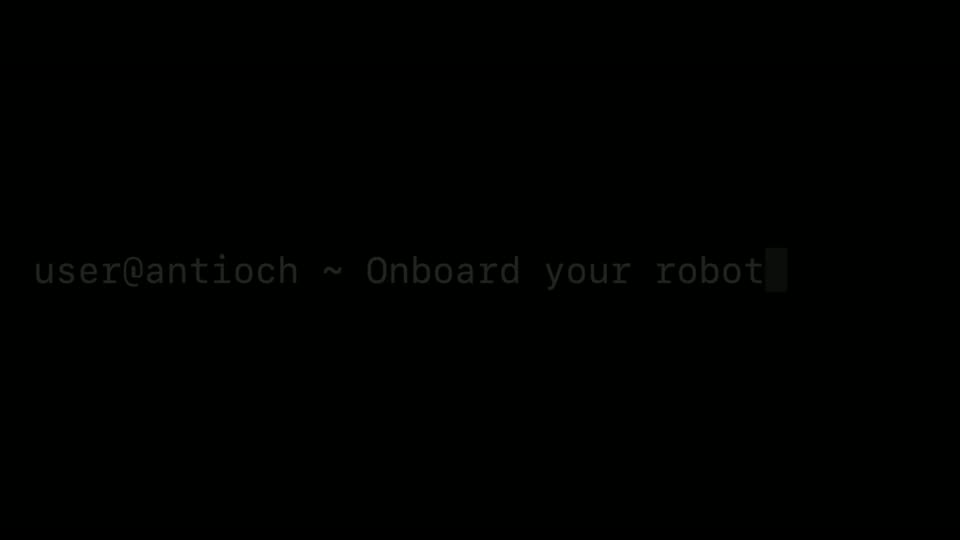
On a black field, a white monospace terminal line types itself out, a gray block cursor trailing the newest character until the full prompt reads user@antioch ~ Onboard your robot.
On-screen text: “user@antioch ~ Onboard your robot”
Techniques: Kinetic type
Camera: Static
A flat browser window of the Antioch agent floats over a painted landscape. Four suggestion cards stay still while a prompt types itself into the bottom input field, line by line, with a blinking caret, and the send arrow darkens.
On-screen text: “user@antioch ~ Onboard your robot”
Techniques: Cursor demo, Kinetic type
Camera: Static
A white browser window over a painterly backdrop shows four action cards and a prompt field where a sentence about onboarding a quadruped robot types itself out, finishing with a blinking caret.
Camera: Static
A flat browser window over a painted village landscape shows the Antioch chat view. A file chip and a prompt about onboarding the Spot robot fade from a translucent ghost into the input box while a cursor with a green dot moves to the line's end.
Techniques: Cursor demo
Camera: Static
A browser window over a painted background shows a chat input with two file attachments and a typed prompt. The view reframes to the full Antioch workspace as the agent replies with a Bash command block and terminal log lines.
Techniques: UI zoom
Camera: Static
A flat Antioch workspace window, open in a browser, is held centered over a 3D rocky terrain backdrop. The agent chat and terminal log on the left scroll upward a few lines while the right simulation pane idles on a starting placeholder.
Camera: Static
A browser window fills the frame over a blurred crate background. The left pane shows an agent chat with running shell logs, while the right pane plays a 3D construction-site feed where a yellow robot dog walks past a worker in an orange vest.
Camera: Static
A browser window shows the Antioch workspace: an agent chat on the left and a 3D construction-site simulation on the right where a robot dog walks beside a worker. The cursor moves to the Telemetry tab as the simulation camera pulls back.
Techniques: Cursor demo
Camera: Static
A browser window showing the Antioch telemetry dashboard floats over a blurred 3D cityscape. The left pane renders a multi-story building model that slowly rotates, while the right column updates a fisheye 360 camera view, a colored SLAM point cloud, and live charts.
Camera: Static
A black screen holds a small still “Docs” caption while a monospace terminal line types out character by character, “user@antioch ~ Build high-fidelity simulation scenarios,” a block cursor trailing the last letter, then the line clears to black.
On-screen text: “Docs”, “user@antioch ~ Build high-fidelity simulation scenarios”
Techniques: Kinetic type
Camera: Static
A light browser window with the Antioch agent interface floats over a painted Renaissance cityscape. The prompt field at the bottom types out a request letter by letter while a small caption scales in.
On-screen text: “user@antioch ~ Build high-fidelity simulation scenarios”
Techniques: Kinetic type
Camera: Static
A browser window sits over a warm, painterly backdrop. Two suggestion cards rest at the top while a prompt field at the bottom fills with typed text, a blinking cursor advancing word by word. The framing stays fixed throughout the short clip.
Techniques: Cursor demo
Camera: Static
A browser window shows the Antioch agent interface. The left chat panel scrolls as a shell command runs and the simulation progress jumps from 29% to 100%, while the right pane stays empty under the Simulation pane label. The frame is locked off.
Camera: Static
A flat browser window shows the Antioch interface, its viewport playing a 3D simulation of two white robotic arms moving around a bare car body on a factory line, all framed by a painterly gold and teal border. The camera is locked off while the arms cycle through poses.
Camera: Static
A black frame holds a white monospaced terminal line. The prompt types out left to right behind a block cursor, then the cursor clears and the full line remains.
On-screen text: “user@antioch ~ Test and iterate in a closed loop”
Techniques: Kinetic type
Camera: Static
A browser window over a painted town backdrop holds a chat screen with two suggestion cards. A prompt types itself into the bottom input box, the send button darkens, and a headline scales in over the locked frame.
On-screen text: “user@antioch ~ Test and iterate in a closed loop”
Techniques: Kinetic type
Camera: Static
A flat browser window over a painted canal scene frames a white app screen. A prompt about a shipyard security drone types out character by character in the bottom field behind a blinking caret, beneath two static suggestion cards.
Camera: Static
A centered browser window sits flat on a leaf-strewn wooden desk. In the left agent panel, lines of text stream upward and new steps appear at the bottom, while the right pane holds a static monitor icon over a short caption.
Camera: Static
A flat browser window of the Antioch app floats over a textured gold background. Inside, a 3D port scene of stacked containers and a marked road plays, with a small figure walking and a status bar reading Excellent, Playing. The window holds still as the scene idles.
On-screen text: “antoch.com”
Camera: Static
A browser window showing the Antioch workspace floats over a 3D port render. The left 3D viewport pans across a container yard with a forklift as the right-hand telemetry panels redraw their graphs and the bottom timeline slider advances.
Camera: Static
A browser window displays the Antioch telemetry dashboard over a blurred port backdrop. The layout pairs a live container-yard video feed with a top-down map and four scrolling line charts, all updating in real time as the simulation clock ticks.
Camera: Static
A flat browser window shows the Antioch telemetry view against a painted port backdrop. The left panel holds a fixed 3D port scene with a crane and containers; the right panel's POV camera pans across the yard as a green detection box locks onto a walking figure.
On-screen text: “antioch.com”
Camera: Static
On a black background, a terminal prompt types out in white monospace: user@antioch ~ Develop autonomy with Antioch Agent, a block caret trailing the last letter. The frame stays locked off.
On-screen text: “user@antioch ~ Develop autonomy with Antioch Agent”
Techniques: Kinetic type
Camera: Static
A black terminal screen holds a single monospaced prompt line. A block cursor sits mid-line while the sentence types out and is then backspaced, the not-yet-typed words resting dimmed in gray.
On-screen text: “user@antioch ~ with Antioch Agent”
Techniques: Kinetic type
Camera: Static
A black terminal screen holds a white monospace prompt line that types out character by character, ending with a blinking block cursor. The line reads as a shell prompt followed by a phrase, locked off on the left.
On-screen text: “user@antioch ~ with Antioch Agent”
Techniques: Kinetic type
Camera: Static
A single monospace line styled as a terminal prompt, naming the product, sits left of center on a black field. A block cursor blinks at the line's end, then the whole line dims toward black.
On-screen text: “user@antioch ~ with Antioch Agent”
Camera: Static
A six-panel grid shows 3D simulations of robots at work: a car interior arm, an assembly-line frame, a quadruped in a warehouse, an autonomous cart, a humanoid by boxes, and a drone over a skyline. Each panel animates subtly, then the grid dims.
Techniques: Split screen, 3D mockup
Camera: Static
A black geometric triangle mark made of angled bars sits beside the bold wordmark Antioch, centered on a plain off-white background. The frame is locked off with no motion.
Camera: Static