1:43
Explore
Frigade Assist API: turn the agent you already built into a support expert
Frigade · Sep 2026 · 1:46 · Full motion · AI-annotated
- Length
- 1:46
- Scenes
- 44 · 2.4 s avg
- Product on screen
- 0:23
- Features shown
- 5
- Voiceover
- Yes
- Views
- 146 on YouTube
as of November 26, 2026
00:00:00 / 01:46:03
- Length
- 1:46
- Scenes
- 44 · 2.4 s avg
- Product on screen
- 0:23
- Features shown
- 5
- Voiceover
- Yes
- Views
- 146 on YouTube
as of November 26, 2026
Frigade’s 1:46 launch film runs 44 scenes, about 2.4 s each. The product shows up at 0:23 and 5 features are revealed. There is no explicit call to action; a voiceover carries the film. The video is built as a rapid chain of kinetic type statements, 3D interface clusters, and flat product walkthroughs. Its signature moves are word by word text assembly, rotating card stacks, and coach marked UI demos that cut cleanly from abstract claims to concrete product screens.
No filming indicatedEstimated needs: 4 capture groups — your screens or recordings · 1 official logo — reused across the film · 4 graphic passages — draw or supply · 6 3D passages — build or supply
Is this your launch? to your site or press kit.
More like this
Similar soundtrack
Films whose music sounds like this one, voice left out
0:30
One app to craft it all, Affinity for iPad is officially live!
Affinity · Electronic dance music
1:04

Touchmark - Market for future inference capacity
Touchmark · Electronic dance music with a retro-futuristic, high-energy style
0:37
Eight Sleep - Today we are launching Autopilot 4.0, a new generation of Autopilot t
Eight Sleep · Latin urban / Reggaeton
Frigade Assist API: turn the agent you already built into a support expert, scene by scene
· 44 scenes as text
01 · Hook · 0:00–0:03
On a soft blue gradient, the centered line 'You already have an agent' assembles, the left words sliding in and the right words scaling up. The small arrow icon between them morphs from a cream square into a dark ringed circle and back.
On-screen text: “You already have”, “an agent”
Techniques: Kinetic type, Morph
Camera: Static
02 · Hook · 0:03–0:04
On a dark blue gradient background, a small white line reads “You already have” at the top while “an agent” scales in beside it. A large white “It’s” slides in from the left and settles in the center of the frame.
On-screen text: “You already have”, “an agent”, “It’s”
Techniques: Kinetic type
Camera: Static
03 · Hook · 0:04–0:10
White sans-serif words assemble line by line over a dark blue glow, forming the sentence about workflows. Abstract UI cards pop in at the center, stack, then spread into a grid as the text slides up and out.
On-screen text: “It's good at the workflows you built for it.”
Techniques: Kinetic type
Camera: Push in
04 · Hook · 0:10–0:11
A cluster of light and dark interface cards floats in 3D perspective over a dark grid, slowly rotating as the panels shift depth relative to one another.
Techniques: 3D mockup, Parallax
Camera: Pull out
05 · Hook · 0:11–0:13
A cluster of floating interface cards, forms and line charts, tumbles in 3D over a dark grid backdrop. Small circular avatar icons in blue and green drift around the panels as the whole group rotates.
Techniques: 3D mockup
Camera: Pan
06 · Problem · 0:13–0:15
A cyan text caret blinks inside a thin pill outline on a dark blue field, then white words type in one by one as the pill stretches into a long search bar. The line reads “But...I”, clears, and retypes “What about for” before the whole field blurs out.
On-screen text: “But...I”, “What about for”
Techniques: Kinetic type
Camera: Static
07 · Problem · 0:15–0:18
A glowing search pill holds the typed query in the center of a blue gradient. Question chips in blue and dark tones pop in around it at varying depths, then rack into focus as a small 3D paper plane drifts in on the right.
On-screen text: “What about for everything else?”, “What does this setting actually do?”, “How do I export this?”, “How do I give someone view-only access?”, “How do I turn off these notifications?”, “Can I set this to run automatically?”, “What happens if I go over my limit?”, “Can I undo this?”, “How do I connect this to Slack?”, “How do I filter by date?”
Techniques: Kinetic type
Camera: Pull out
08 · Problem · 0:18–0:20
A dark blue field of blurred question bubbles surrounds a centered pill reading What about for everything else? with an up-arrow button. A small 3D cube floats at right. A dark circular mask expands from the center, wiping the scene.
On-screen text: “What about for everything else?”
Techniques: Masking
Camera: Static
09 · Problem · 0:20–0:20
A circular mask wipes right, hiding a dark chat panel on the left edge and revealing a pale blue grid. A round character with a simple face drifts toward the center and shrinks, a smaller circle trailing to its left.
Techniques: Masking
Camera: Static
10 · Problem · 0:20–0:23
A chat interface displays a pixelated avatar on the left. A bubble with typing dots scales to reveal the text Uhh.... The view scrolls up as a bubble with Here's a help doc? slides in above a bubble reading Here's a.
On-screen text: “Uhh...”, “Here's a”, “Here's a help doc?”
Techniques: Kinetic type
Camera: Static
11 · Product intro · 0:23–0:25
On a blue dot-grid background, the white word “you” slides left out of frame while “can do sooo” settles beneath it, ending cut off at the left edge.
On-screen text: “you”, “can do sooo”
Techniques: Kinetic type
Camera: Pan
12 · Product intro · 0:25–0:25
A grid of dark navy O letters on white, one O lit bright blue, slides down as the top row uncovers. A large O and m in the same navy slide in from the right edge, the O carrying a blue sliver.
On-screen text: “S000000”, “0000000”
Techniques: Kinetic type
Camera: Static
13 · Product intro · 0:25–0:26
On a white background, the navy wordmark much begins oversized and cropped at the right edge, then scales down to sit centered, with a brief blue glow around the letters as it settles.
On-screen text: “much”
Techniques: Kinetic type
Camera: Pull out
14 · Product intro · 0:26–0:27
A four-line lowercase text block in dark navy sits centered on a plain white background. The lines read soooo, much, more, with, and the whole block scales down over the clip.
On-screen text: “soooo much more with”
Techniques: Kinetic type
Camera: Static
15 · Product intro · 0:27–0:29
A soft blue gradient fills the frame with faint cloud shapes drifting slowly. A white abstract logo mark sits centered as the lowercase wordmark types in letter by letter to its right, completing the sign-off.
Techniques: Kinetic type
Camera: Static
16 · Feature reveal · 0:29–0:32
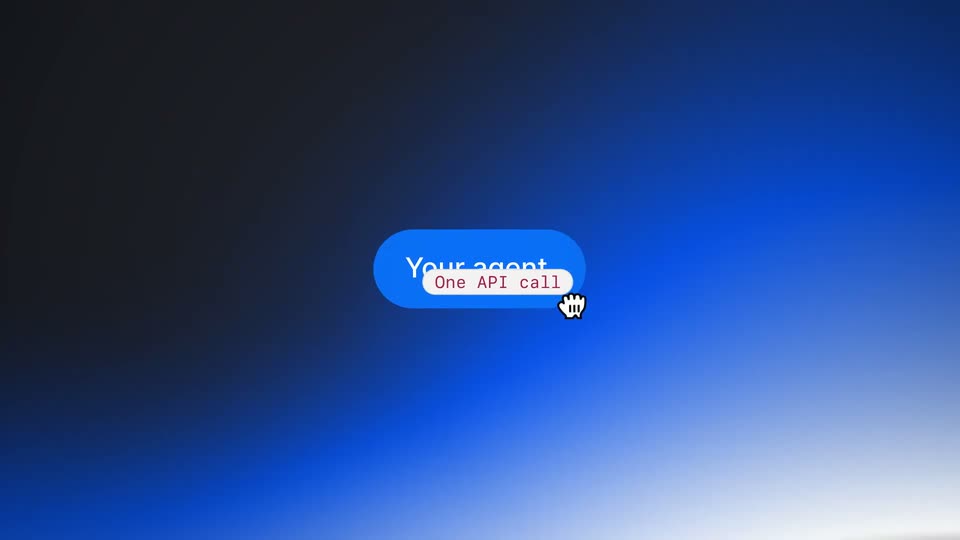
A white pill button scales open on a dark-to-blue gradient, revealing “Your agent.” in black, then a small monospace “One API call” tag drops in below. The pill fills blue with white text as a cursor arrow appears at the right.
On-screen text: “Your agent.”, “One API call”, “frigade”
Techniques: Masking
Camera: Static
17 · Feature reveal · 0:32–0:35
On a blue gradient, a white pill in the center grows from “A whole team” to “A whole team of capabilities” while six blue category chips spread into an inner ring, then a ring of white feature chips pops in around them.
On-screen text: “A whole team of capabilities”
Techniques: Kinetic type
Camera: Pull out
18 · Feature reveal · 0:35–0:37
Rounded white labels with monospace text slide through a dark space, some sharp and some blurred by depth, drifting at different speeds over a blue glow rising from the bottom of the frame.
On-screen text: “Drop-off reports”, “NPS surveys”, “Progress check-ins”, “Task walkthroughs”, “Answers questions”, “Feedback”
Techniques: Kinetic type, Parallax
Camera: Push in
19 · Feature reveal · 0:37–0:42
On a faint grid background, the phrase “a living” scales up in the lower left. It gives way to the centered word “model” while black rounded shapes with blue highlights drift at the corners. Then “that learns your product” slides in centered and holds with a soft blue glow.
On-screen text: “a living”, “model”, “that learns your product”
Techniques: Kinetic type
Camera: Static
20 · Feature reveal · 0:42–0:43
On a blue field with a faint dot grid, a small white line reads that learns your product, then the larger phrase by using it slides in from the right, holds centered, and exits left.
On-screen text: “that learns your product”, “by using it”
Techniques: Kinetic type
Camera: Static
21 · Feature reveal · 0:43–0:45
Dark interface panels slide left across a light grid background in a continuous carousel, each panel showing a sidebar, placeholder bars, a blue button and a line chart, passing one after another while the frame stays locked.
On-screen text: “by using it”
Camera: Pan
22 · Feature reveal · 0:45–0:48
A horizontal row of dark dashboard panels sits on a light grid; the center panel cycles through four dashboard layouts, a glowing blue scan line drifting up across it, while the side panels slide past the edges.
Techniques: Light sweep
Camera: Pan
23 · Feature reveal · 0:48–0:50
A grid of dark dashboard mockups with line charts, donut charts and tables fills a blue radial gradient. The panels scale inward and dim as a large white letter A fades in at the center.
On-screen text: “A”
Camera: Pan
24 · Feature reveal · 0:50–0:54
On a dark blue gradient, a large white “And” scales down into the smaller line “stays current with every” as rounded release tags drift past at different depths; the line then gives way to a large “automatically”.
On-screen text: “And”, “stays current with every”, “release 2.8.0”, “release 2.5.3”, “release 3.0.0”, “automatically”
Techniques: Kinetic type, Parallax
Camera: Static
25 · Feature reveal · 0:54–0:58
A blue diamond spins and shrinks into a bullet on a dark grid as “It walks” slides in. Lines “new users”, “through”, “their first” stack below, each sliding in while earlier lines dim to gray, ending on “automatically”.
On-screen text: “It walks”, “new users”, “through”, “their first”, “automatically”
Techniques: Kinetic type
Camera: Pan
26 · Feature reveal · 0:58–0:58
On a dark grid background, white sans-serif lines slide into place one after another, spelling out the phrase line by line. The frame stays locked off while the staggered lines fade and settle into their final positions.
On-screen text: “It walks”, “new users”, “through”, “their first”, “workflow”
Techniques: Kinetic type
Camera: Static
27 · Feature reveal · 0:58–0:59
On a dark grid background, a three-line caption drifts slowly upward while the camera stays locked off. The lines “through” and “their first” are gray, and the final word “workflow” glows in bright blue.
On-screen text: “through”, “their first”, “workflow”
Techniques: Kinetic type
Camera: Static
28 · Feature reveal · 0:59–1:02
A small blue square morphs into a white chat bubble that widens to reveal a welcome message, then a blue reply bubble slides in from the right with a webhook question, on a dark background with a blue floor gradient.
Techniques: Morph
Camera: Static
29 · Feature reveal · 1:02–1:03
A dark chat view holds a white welcome bubble and a blue reply bubble in place, then a white status bubble with a yellow dot slides in below them.
Camera: Static
30 · Feature reveal · 1:03–1:04
A dark chat interface shows message bubbles stacked vertically. A welcome bubble and a blue reply about a webhook slide in, then a small 'Generated a guide' chip, then a final bubble that scales in as its text is typed. Locked-off frame.
Techniques: Kinetic type
Camera: Static
31 · Feature reveal · 1:04–1:06
A chat widget mockup tilts in 3D space, flattens, and zooms out to reveal a full browser window with the widget on the right.
Techniques: 3D mockup, UI zoom
Camera: Static
32 · Feature reveal · 1:06–1:09
A flat Frigade dashboard sits on a gray grid backdrop. A dark onboarding tooltip slides in over the left sidebar, instructing to click Developer, while a cursor hovers the menu. The view then switches to the Developer page showing API keys, and the tooltip advances.
Techniques: Cursor demo
Camera: Push in
33 · Feature reveal · 1:09–1:11
A flat dashboard view of a developer page. A black cursor slides to the Webhooks tab and clicks it; the layout reframes to an Active Webhooks table. A dark coach-mark card reading Set up a Webhook hovers over the tab throughout.
Techniques: Cursor demo, UI zoom
Camera: Pan
34 · Feature reveal · 1:11–1:12
The Frigade dashboard's Developer page fills the frame, with a chat panel on the right. A cursor moves from the Webhooks tab to the New webhook button while a dark callout reads 'Set up a Webhook'. The view pans slightly right to follow the cursor.
On-screen text: “Set up a Webhook”, “Click New Webhooks.”, “3 of 7 - Powered by Frigade”
Techniques: Cursor demo, UI zoom
Camera: Pull out
35 · Feature reveal · 1:12–1:15
A developer page of a web app with a dark tooltip pointing at a New Webhook button. The cursor clicks it, a Create a new webhook modal opens, the view zooms out to show the whole window with a blue outline around the modal, then back in.
Techniques: Cursor demo, UI zoom
Camera: Static
36 · Feature reveal · 1:15–1:17
A white chat window titled Iris sits centered on a blue dotted background. The assistant's reply types out line by line, then a plain white panel slides up from the bottom, covering the window.
Techniques: Masking
Camera: Push in
37 · Feature reveal · 1:17–1:19
A white dashboard card on a blue dotted field fills with a top nav, sidebar, greeting and stat cards, plus a chat widget bottom right. The card then tilts into 3D perspective, angling left to reveal a second panel listing team members on the right.
Techniques: 3D mockup
Camera: Push in
38 · Feature reveal · 1:19–1:20
A tilted 3D view of a white dashboard on a blue dotted background. A cursor hovers over the Team menu item, an orange outline and dashed circle pulse around it, and a dark coach-mark tooltip slides in below.
Techniques: 3D mockup, Cursor demo
Camera: Push in
39 · Feature reveal · 1:20–1:24
The aster Team page lists five members in white cards on a white field. A cursor rests on the first row, popping a dark Open time off request card to its right, then the frame zooms out to tilt the window over a blue dot-grid backdrop.
Techniques: Cursor demo, 3D mockup
Camera: Pull out
40 · Feature reveal · 1:24–1:26
A white chat card floats on a black dotted grid. A user bubble asks about repeating a task, then the Tempo assistant replies in a purple bubble. The card tilts into a 3D perspective board with task columns, which then scales down.
Techniques: 3D mockup
Camera: Static
41 · Feature reveal · 1:26–1:30
A tilted 3D browser mockup of a task app rotates to face the camera, then zooms into the list as a cursor selects a task and a repeat popover pops up, ending in a soft blur.
Techniques: 3D mockup, Cursor demo, UI zoom
Camera: Push in
42 · Feature reveal · 1:30–1:34
On a flat blue field with a faint dot grid, white text builds word by word: “And when the moment's right”, then the line swaps to “it nudges the right user to the best outcome”, centered and steady.
On-screen text: “And when the moment's right”, “it nudges the right user to the best outcome”
Techniques: Kinetic type
Camera: Pull out
43 · Outro · 1:34–1:42
Floating product panels drift at different depths around the white headline assembling in the center. They burst away to a blue gradient; the tagline scales in with a light streak behind the last word, then the Frigade logo settles center.
On-screen text: “And when the moment's right”, “All with a single API call.”, “Frigade.ask()”, “Your agent. Now supercharged.”
Techniques: Kinetic type, Parallax, Light sweep
Camera: Pull out
44 · Outro · 1:42–1:46
A white frigade wordmark and icon sit centered on a dark blue gradient. The wordmark opens with a slight horizontal blur, then settles into a steady centered lockup and holds on a locked-off frame.
Camera: Static