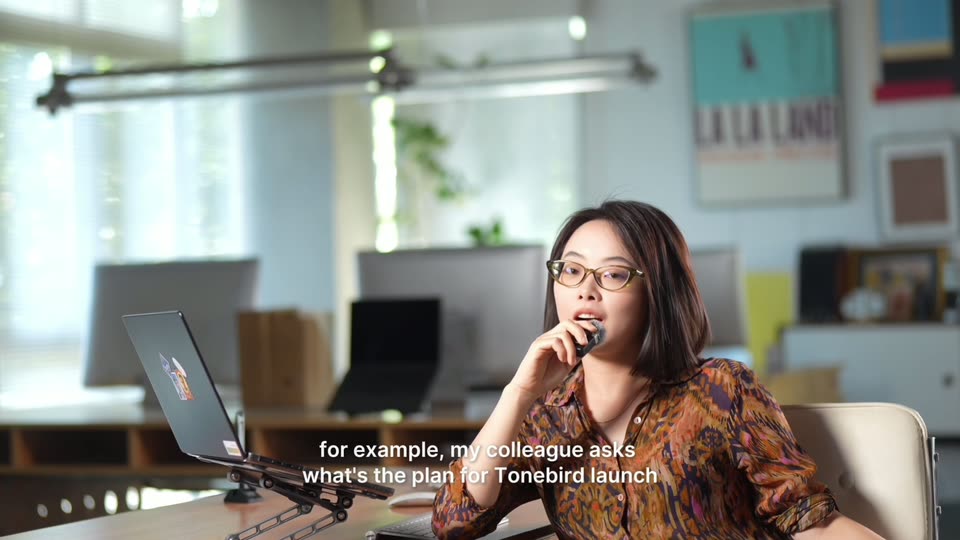
1:17
Explore
00:00:00 / 01:43:03
- Length
- 1:43
- Scenes
- 46 · 2.2 s avg
- Product on screen
- 0:16
- Features shown
- 4
- Call to action
- 1:32 · 90%
- Voiceover
- Yes
- Views
- 1.3M on X
as of November 9, 2026
Tonebird’s 1:43 launch film runs 46 scenes, about 2.2 s each. The product shows up at 0:16 and 4 features are revealed. The call to action lands at 1:32 (90% in), over a voiceover. A founder-led launch film built as a cold open of message overload, a torn-paper pivot into the brand, then three short worked examples and a relationship map before a spoken call to action. Its signature moves are the vintage film-strip framing, the jagged torn-paper transitions between live action and dark 3D UI, and the recurring green orb that marks the AI action point.
Footage neededEstimated needs: 5 capture groups — your screens or recordings · 1 official logo — reused across the film · 22 filmed passages — shoot, supply or replace · 1 graphic passage — draw or supply · 4 3D passages — build or supply
Is this your launch? to your site or press kit.
More like this
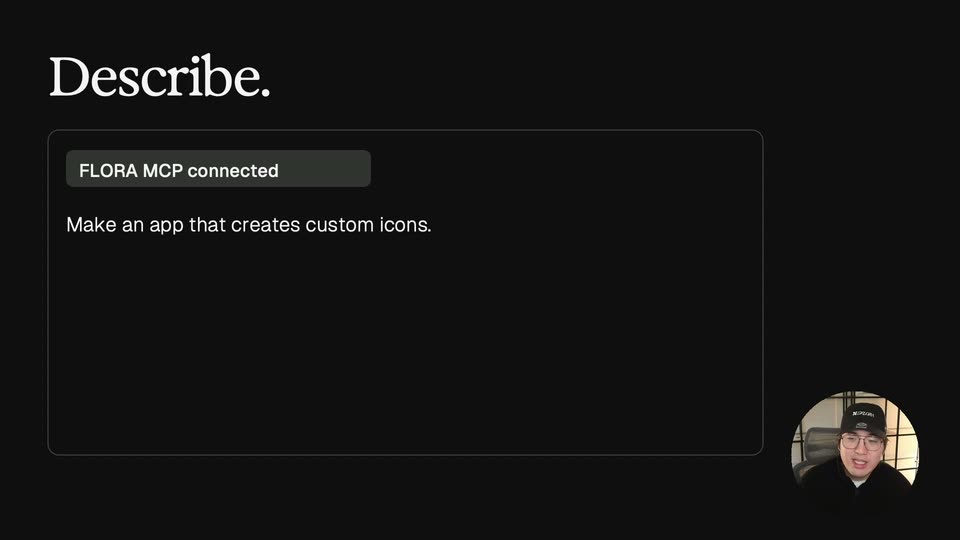

1:30
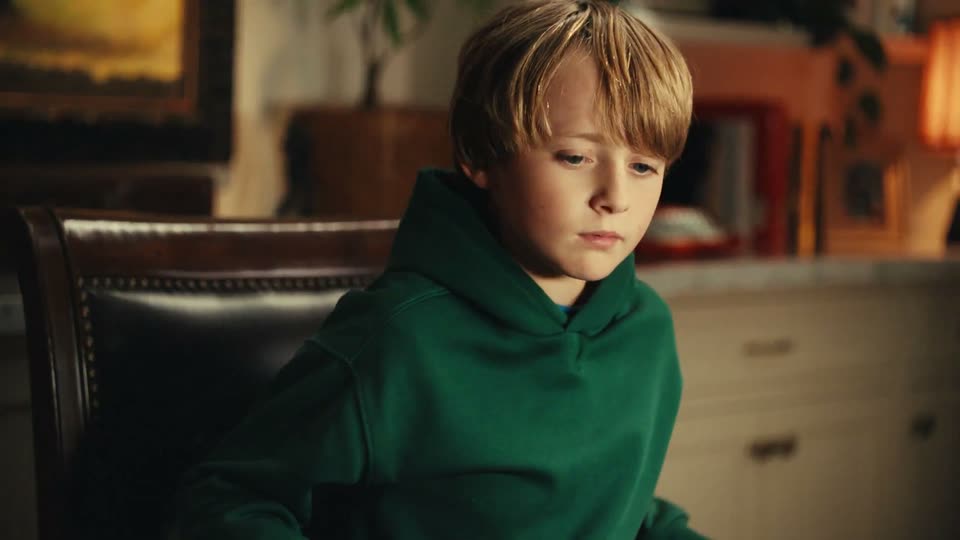
AssemblyAI - Introducing AssemblyAI-TTS-1, our first text-to-speech model. Natura
AssemblyAI · Oct 2026
1:21

Introducing Claude Dashboards and Claude Motion
Anthropic · AI · Oct 2026
Monica Cheng - I raised $13M pitching a proactive agent. The demos impressed rooms., scene by scene
· 46 scenes as text
01 · Hook · 0:00–0:00
A woman with short black hair, glasses and a beige blazer sits at a desk facing a sticker-covered laptop in a sunlit office. The shot is framed by a film-strip border. White text types out across the center of the frame.
On-screen text: “Monica's day starts”
Techniques: Kinetic type
Camera: Static
02 · Hook · 0:00–0:00
A woman with short black hair and glasses sits at an office desk, gesturing toward a sticker-covered laptop on a stand. The locked-off shot sits inside a vintage film border, with white text centered over her.
On-screen text: “Monica's day starts”
Camera: Static
03 · Hook · 0:00–0:01
A woman with glasses sits at a desk in a bright office, resting her chin on her hand while looking toward a laptop. A centered white caption reads Monica's day starts over the locked-off shot.
On-screen text: “Monica's day starts”
Camera: Static
04 · Hook · 0:01–0:01
A woman with short dark hair and glasses rests her chin on her hand at a desk, facing an open laptop in a bright office. The shot is framed by a rough vintage film border, and a white caption reads “Monica's day starts” at center.
On-screen text: “Monica's day starts”
Camera: Static
05 · Hook · 0:01–0:03
A woman with glasses rests her chin on her hand while looking at a laptop in a sunlit office, framed by a grainy vintage film border. The lowercase word until flashes in white over her face, then vanishes.
On-screen text: “until...”
Camera: Static
06 · Hook · 0:03–0:03
A woman with glasses rests her chin on her hand while looking at a laptop on a stand in a bright office. A message card with a name and a one-line note slides in from the right edge. The shot sits inside a rounded black frame.
Camera: Static
07 · Hook · 0:03–0:03
A woman with glasses rests her chin on her hand before a laptop in a dim office, framed with a letterbox border. Two white notification cards stack on the right; a second card slides in above the first while the shot holds.
Camera: Static
08 · Hook · 0:03–0:04
A woman with glasses rests her chin on her hand, gazing at a laptop in a bright office, framed by a vintage film border. Two notification cards fade in at the right edge.
Camera: Static
09 · Hook · 0:04–0:04
A woman with glasses rests her chin on her hand in front of a laptop while rounded chat cards with sender names and short messages hover across the office frame. One additional card fades in behind the others.
Camera: Static
10 · Hook · 0:04–0:05
A woman with glasses sits at a laptop in a sunlit office as translucent chat cards with names and messages float around her, drifting at different depths while new cards fade in at the frame edges.
Techniques: Parallax
Camera: Static
11 · Hook · 0:05–0:05
A woman with glasses works at a laptop as rounded message cards float around her at varying depths, drifting slowly.
Techniques: Parallax
Camera: Static
12 · Hook · 0:05–0:06
A woman in a tan jacket and glasses gestures at her laptop in a bright office, framed by a rounded vintage film border. Translucent chat message cards float around her and then fade out, leaving the live shot.
Camera: Static
13 · Hook · 0:06–0:09
A woman in a beige blazer sits at an office desk, lowers her laptop lid and rests her chin on her hand as a circular rewind icon overlay fades in and out over her face. The scene cuts to a grainy close-up of a phone showing a text keyboard.
Techniques: Morph
Camera: Static
14 · Problem · 0:09–0:13
Close-up of a hand holding a smartphone, typing in a chat app; the phone tilts and rotates as a finger taps the keyboard. A vintage film border frames the shot while white text builds word by word in the center.
On-screen text: “Now, our relationships live everywhere”
Techniques: Kinetic type
Camera: Pull out
15 · Problem · 0:13–0:14
A light chat thread with four timestamped messages sits under a large gray caption that repeats one message. The camera pushes in on the caption until it fills the frame and blurs out of focus.
On-screen text: “Now, our relationships live everywhere”, “Thank you. Could we also keep the Friday check-in? It gives everyone space to sh”, “progress, ask for help, and stay connected while we work across different time zo”
Techniques: UI zoom
Camera: Push in
16 · Problem · 0:14–0:14
A light gray chat bubble on a cream background holds a two-line message. The camera zooms in on the closing words, and the left edge of the bubble falls out of focus as the text grows larger.
Techniques: UI zoom
Camera: Static
17 · Problem · 0:14–0:15
A dark gray rounded rectangle with the white line “fort to stay connected.” sits on a near-black background. The bubble is cropped at the left edge, and the whole element scales slowly while the frame stays locked off.
On-screen text: “fort to stay connected.”
Techniques: Kinetic type
Camera: Static
18 · Problem · 0:15–0:16
Tight close-up of an email body on a cream background, two lines of black text cropped at the frame edges under a thin rule. The frame is locked and the type sits still while the voiceover lists channels.
Camera: Static
19 · Product intro · 0:16–0:17
On a dark gradient with a green glow at the bottom, bold white text 'What if...' sits centered, then shrinks and rises as the larger gray line 'The right reply came easily?' fades in below, while faint interface panels and a search bar appear at the edges.
On-screen text: “What if...”, “The right reply came easily?”
Techniques: Kinetic type
Camera: Static
20 · Product intro · 0:17–0:18
Floating glass UI cards sit in 3D perspective over a dark scene with a green base glow: a Messages card with a cursor arrow top left, a search bar top right, and tasks, calendar, inbox and ledger cards below. White centered headline text holds the middle.
On-screen text: “What if...”, “The right reply came easily?”
Techniques: 3D mockup, Cursor demo
Camera: Static
21 · Product intro · 0:18–0:19
A black stage with a green glow at the bottom holds a centered white headline, “What if... The right reply came easily?”, surrounded by floating UI cards: a Messages panel, an email search bar, a Today Tasks list, a calendar and an Inbox. The cards sit in slight 3D perspective with soft shadows and remain static.
On-screen text: “What if...”, “The right reply came easily?”
Techniques: 3D mockup
Camera: Static
22 · Product intro · 0:19–0:21
On a black background with a soft green glow along the bottom, the word Introducing fades in at center, then the green bird logo and TONEBIRD wordmark scale in beneath it as the headline shifts up and shrinks.
On-screen text: “Introducing”, “TONEBIRD”
Techniques: Kinetic type
Camera: Static
23 · Product intro · 0:21–0:21
On a black background with a soft green glow at the bottom, the headline “Introducing” and the green bird logo with the TONEBIRD wordmark sit centered and scale slightly, as a jagged white lightning bolt flashes vertically through the frame.
On-screen text: “Introducing”, “TONEBIRD”
Techniques: Kinetic type, Light sweep
Camera: Static
24 · Product intro · 0:21–0:21
A vertical torn-paper mask over a green gradient tears open, widening from a thin strip to a full frame, revealing a color portrait of a woman with glasses and hand on chin. The white headline “Introducing TONEBIRD” and a green bird logo sit on the left and fade as the mask opens.
On-screen text: “Introducing”, “TONEBIRD”, “I'm Monica, the founder of Tonebird”
Techniques: Masking, Kinetic type
Camera: Static
25 · Product intro · 0:21–0:32
A woman with short dark hair and glasses sits in a softly lit office, holding a small microphone to her mouth and speaking. She gestures with her free hand at the start. The locked-off medium shot keeps framed art and a plant blurred behind her, while white captions run along the bottom.
On-screen text: “I'm Monica, the founder of Tonebird”, “we built Tonebird to help you reply those”, “messages that matter”, “remember who you are talking to”, “and keep track of the relationships that”, “you've built with them”
Techniques: Masking
Camera: Static
26 · Feature reveal · 0:32–0:34
A jagged torn-paper mask wipes down the center of the frame, settling on a woman with glasses seated at a desk, speaking into a handheld microphone. The locked-off shot holds as white subtitles appear at the bottom.
On-screen text: “for example, my colleague asks”, “what's the plan for Tonebird launch”
Techniques: Masking
Camera: Pan
27 · Feature reveal · 0:34–0:38
Over a blurred office where a woman sits at a desk, a chat overlay animates: a man's avatar and a white bubble type the launch question, the input field types hmm...let me check..., a cursor moves to the green gradient orb, and the input bar slides off to the left.
On-screen text: “for example, my colleague asks”, “what's the plan for Tonebird launch”, “I think I've answered this question”, “maybe four times before”
Techniques: Cursor demo
Camera: Static
28 · Feature reveal · 0:38–0:44
A blurred office fills the frame behind a white rounded outline that holds a teal 3D sphere and a play control. On the right, a Slack thread panel scrolls upward through a long list of messages. A white two-line caption sits at the bottom.
On-screen text: “the latest plan is in two documents or a very long Slack thread”
Camera: Push in
29 · Feature reveal · 0:44–0:48
A blurred office with a seated person sits behind a frosted UI card showing placeholder lines. The status line cycles, then the card expands into a full drafted reply with tone buttons and an Insert control. White subtitles caption the voiceover below.
On-screen text: “and Tonebird can pull all the informations together”, “and draft a reply”, “just in front of me”, “not somewhere in the background”
Techniques: Morph, Cursor demo
Camera: Push in
30 · Feature reveal · 0:48–0:49
A white reply composer with a green send button fades in over a blurred office where a woman gestures at a desk. A two-line white caption sits centered at the bottom of the frame.
On-screen text: “just in front of me”, “not somewhere in the background”
Camera: Static
31 · Feature reveal · 0:49–0:50
A message composer card with a toolbar and a paragraph floats in sharp focus over a blurred office where a woman sits at a desk. The card and the bottom caption then fade out, leaving the empty office.
On-screen text: “just in front of me not somewhere in the background”
Camera: Static
32 · Feature reveal · 0:50–0:54
A woman in glasses and a patterned shirt sits at a desk in a bright office, holding a small dark object to her mouth and gesturing with one hand. A laptop on a stand and a plant sit at left. The locked-off medium shot holds as white captions appear below.
On-screen text: “Sometimes, answering a message means opening another app”, “for example someone asks are you free tomorrow morning”
Camera: Static
33 · Feature reveal · 0:54–0:57
A blurred woman at an office desk holds still while a white chat bubble with her round profile photo types out the question on the left. Bottom subtitles then swap to the tonebird line.
On-screen text: “for example someone asks”, “are you free tomorrow morning”, “are you free tomorrow morning?”, “tonebird can check your calendar and find a time”, “that actually works”
Techniques: Kinetic type
Camera: Static
34 · Feature reveal · 0:57–1:07
A flat reply-composer panel floats centered over a blurred office video of a gesturing woman. The input field shows a typed message, then “Generating replies...” while three suggested replies cycle with dot indicators. A cursor clicks insert and the panel collapses into a slim send bar. White captions swap below.
On-screen text: “tonebird can check your calendar and find a time that actually works”, “and drop a reply without making you leave the conversation”, “once you both agree on this plan”, “Tonebird can add this plan into your calendar automatically”
Techniques: Cursor demo, Morph
Camera: Static
35 · Feature reveal · 1:07–1:16
A woman with glasses sits on a tan leather sofa, laptop on her lap, speaking into a small handheld mic and gesturing. The shot opens soft, racks into focus, then blurs as a circular contact avatar appears lower left. White subtitles run along the bottom.
On-screen text: “now, for the one”, “I think you will probably use more than you wanna admit”, “replying to your boss”, “especially when you are already annoyed”, “like this can you get this to me tonight”
Camera: Static
36 · Feature reveal · 1:16–1:19
Over a blurred living room with a woman working on a laptop, a circular avatar of a man and a white chat bubble settle into place as the message text slides in from the left inside the bubble.
On-screen text: “like this can you get this to me tonight”, “right”
Techniques: Masking
Camera: Static
37 · Feature reveal · 1:19–1:24
A chat composer card hovers over a blurred office set. A cursor taps the green dot in the input field, an AI panel expands with loading bars, then fills with a draft reply that swaps to a second, more realistic draft.
On-screen text: “right”, “because apparently tomorrow has been cancelled”, “Tonebird knows how you actually and usually talk to your boss”
Techniques: Cursor demo
Camera: Static
38 · Feature reveal · 1:24–1:25
A chat window addressed to Big Boss sits over a blurred living room. A suggested reply panel with Tweak and insert buttons floats above the input bar, and a cursor glides from the right to the insert button.
On-screen text: “Tonebird knows how you actually and usually talk to your boss”
Techniques: Cursor demo
Camera: Static
39 · Feature reveal · 1:25–1:28
A message editor floats over a blurred desk scene. The cursor moves to the green send button, a small tooltip pops up, then clicks. The finished reply slides up into the sent thread and a fresh empty editor wipes in from the left.
On-screen text: “Tonebird knows how you actually and usually talk to your boss”, “and what they care about”, “how many details they wanna hear”
Techniques: Cursor demo, Masking
Camera: Static
40 · Feature reveal · 1:28–1:28
Vertical strips of torn white paper tear open across the frame, revealing a dark messaging interface with Memory, To-dos and Calendar cards. A large headline sits on the left while a caption runs along the bottom on the paper strips.
On-screen text: “Every reply starts already caught up”, “how many detail they wanna hear”
Techniques: Masking
Camera: Static
41 · Feature reveal · 1:28–1:29
A dark app window tilted in 3D over a green glow rotates flat to face the camera as its content swaps from three dashboard cards to a circular contact map. A white headline sits over the top and vanishes; a subtitle caption updates below.
On-screen text: “Every reply starts already caught up”, “how many detail they wanna hear”, “and yes,”
Techniques: 3D mockup
Camera: Push in
42 · Feature reveal · 1:29–1:32
A dark Circle app window floats in 3D perspective, showing a radial map of teammate avatars around a YOU node and a James Miller detail card on the right. A soft light beam drifts across the window while a white caption sits at the bottom.
On-screen text: “Tonebird just save your emotional energy too”
Techniques: 3D mockup, Light sweep
Camera: Pull out
43 · CTA · 1:32–1:33
A dark Circle interface is split by a jagged torn-paper mask that widens to reveal a black-and-white portrait of a woman with glasses. The interface dims to either side as the bottom caption changes.
On-screen text: “Tonebird just save your emotional energy too”, “please go try Tonebird on a real message”
Techniques: Masking
Camera: Static
44 · CTA · 1:33–1:38
A woman with glasses in a tan blazer holds a small fuzzy-topped device and gestures while speaking, in a softly lit room with blurred framed art and a plant behind her. The shot opens through a torn-paper halftone mask, then white lowercase captions appear at the bottom.
On-screen text: “please go try Tonebird on a real message”, “and email me if you bump into any problems”, “see you guys”
Techniques: Masking
Camera: Static
45 · Outro · 1:38–1:41
On a black background with a soft green glow, the green bird logo and white wordmark fade in, then the italic tagline types out letter by letter with a small triangle cursor.
On-screen text: “Better replies, wherever you type.”
Techniques: Kinetic type
Camera: Static
46 · Outro · 1:41–1:43
A green bird mark and the white TONEBIRD wordmark sit on a black field with a soft green glow rising from the bottom edge. The italic tagline holds still beneath the wordmark in a locked-off sign-off frame.
On-screen text: “Better replies, wherever you type.”
Camera: Static