0:31
Taha - a product this good deserved a launch video that matched it. so we b
Migma AI · Aug 2026
FLORA · Nov 2026 · 1:17 · AI-annotated
FLORA’s 1:17 launch film runs 21 scenes, about 3.7 s each. The product shows up at 0:18 and 8 features are revealed. The call to action lands at 1:03 (82% in), over a voiceover. The film cuts between a locked-off facecam and flat black slides where serif headlines and prompts type themselves in, then drops to flat UI mockups that slide, swap, and settle into place. Its signature moves are the self-typing text, the presenter persisting as a small circular facecam in the corner, and the golden flower icon returning as the product's mascot.
Is this your launch? to your site or press kit.
Migma AI · Aug 2026
Anthropic · AI · Oct 2026
A man in a black cap and glasses sits in an office chair, speaking directly to camera. Behind him a black grid shelf holds colored sculptures and a potted plant. A white lower-third caption sits bottom-left and fades out near the end. The frame stays locked-off.
On-screen text: “Andrew Taco Zhang”, “Product Marketing Lead”
Camera: Static
A dark dot-grid interface shows a serif FLORA MCP title above a prompt panel where a request and two tool names type themselves out. Generated images, a butterfly on a lighthouse and a TV in a poppy field, appear at right beside a circular webcam of a presenter.
On-screen text: “FLORA MCP”
Techniques: Kinetic type
Camera: Static
A man in a black cap and glasses sits in a mesh office chair, speaking to the camera in a steady medium close-up. A black grid shelf with small sculptures and a leafy potted plant fills the background. The frame stays locked off throughout.
Camera: Static
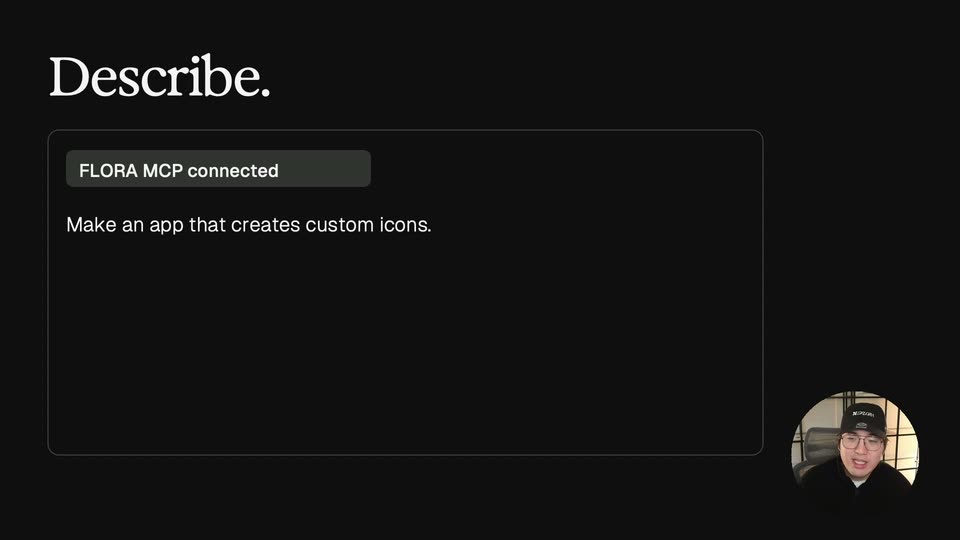
A dark screen with a faint dotted grid and the white serif FLORA Apps wordmark at top left. In a rounded prompt box below, the line Make an app that creates custom icons. types itself out letter by letter behind a blinking caret.
Techniques: Kinetic type
Camera: Static
A locked-off black frame holds a white serif title and a sans tagline in a rounded box at top. A flat UI mockup of an icon and gradient editor sits lower left, swapping content then sliding left off-frame. Two serif lines on the right brighten from gray to white.
On-screen text: “FLORA Apps”, “Make an app that creates custom icons.”, “Describe it. Your agent builds it.”, “A real App, ready to share.”
Camera: Static
A black slide holds the serif title FLORA Apps and a boxed sans line, with a flat screenshot of the Card Forge app on the left and two serif lines on the right; the interface settles from a blurred overlap into a clean card stack.
On-screen text: “FLORA Apps”, “Make an app that creates custom icons.”, “Describe it. Your agent builds it.”, “A real App, ready to share.”
Camera: Static
A dark dot-grid panel holds a white serif heading stepping from Connect. to Describe. to Get a link. A badge and typed prompt fill it, then a tilted browser mockup with a flower icon slides in from the right beside a small webcam circle.
On-screen text: “Connect.”, “Describe.”, “Get a link.”
Techniques: Kinetic type, 3D mockup
Camera: Static
Black background: headline 'Get a link.' over a chat card with a URL pill; an App Icon Studio window with a flower icon slides in from the right. The card fades, the pill stretches full width, the window centers and enlarges, and the headline swaps to 'App icon maker'. A circular webcam inset stays in the corner.
On-screen text: “Get a link.”, “FLORA MCP connected”, “Make an app that creates custom icons.”, “Your App is ready.”, “app.flora.ai/app/...”, “App icon maker”
Techniques: Morph
Camera: Push in
A locked-off shot of the App Icon Studio interface on black: a left control panel beside a canvas holding a dark rounded tile with a 3D golden five-petal flower. A white serif headline sits top-left; a circular live-action cutout of a man in a black cap talks bottom-right.
On-screen text: “App icon maker”
Camera: Static
A flat gradient editor window sits on black under a white serif headline. The left panel lists gradient types and finish toggles; the canvas shows a soft orange and blue gradient with four corner handles. A circular webcam of a person in a cap sits bottom right.
On-screen text: “UI Gradients”
Camera: Static
A flat Merch Composer interface sits on a black background under a white serif headline, showing a tote bag and a logo card combining into a printed tote. A circular talking-head inset of the presenter in a cap occupies the bottom-right corner while he speaks.
On-screen text: “Logo Compositor Station”
Camera: Static
A dark Card Forge interface fills the frame, a left panel of style thumbnails and a right card showing a fox with a rainbow gradient border. A circular webcam of a talking presenter sits in the bottom right corner.
On-screen text: “Card Forge”
Camera: Static
A dark starry stage holds the headline Powered by FLORA at top left. A pottery video plays in a center panel, then splits into two vertical cards labeled Image and Video, and a third card with a rotating 3D headphone model slides in, labeled 3D models.
On-screen text: “Powered by FLORA”, “Image”, “Video”, “3D models”
Techniques: Split screen, 3D mockup
Camera: Pull out
A FLORA workspace screen with a chat column left, two video thumbnails and a node panel right, plus a circular presenter webcam bottom right. The frame reframes outward to reveal a top image card; a caption calls the node a custom action.
On-screen text: “Custom action: your own FLORA tool, written by Claude”
Techniques: UI zoom
Camera: Pull out
A close-up of a settings panel with labeled sliders; a cursor tagged James drags the Bloom slider from 8 to 37 while the pixelated boat preview above blooms. A dimmed duplicate of the panel slides out to the left. A circular facecam sits in the bottom right corner.
Techniques: Cursor demo, Parallax
Camera: Static
A slider panel with an Apply button cuts to a white card holding a beige five-petal 3D star. The white serif headline 'Meant to be shared.' sits top left over the darkened app, and a circular webcam of a man remains bottom right.
On-screen text: “Meant to be shared.”
Camera: Static
A black dotted slide holds a white card with a 3D orange flower icon above a share URL pill. On the right, the serif words Team, Clients, Friends fade in one by one, Friends flashing in chrome 3D before flattening to white. A circular webcam sits bottom right.
On-screen text: “Meant to be shared.”, “app.flora.ai/app/...”, “Team”, “Clients”, “Friends”
Techniques: Kinetic type, Morph
Camera: Static
Two App Icon Studio windows sit side by side on a black starfield, the left in light theme and the right in dark theme, both centered on the same orange flower icon. The serif headline 'Remix it.' holds top left while a circular presenter feed stays in the bottom right corner.
On-screen text: “Remix it.”, “app.flora.ai/app/...”
Camera: Static
A static black starfield frame holds the white serif headline top left, two side-by-side app-studio panels (light and dark) each showing a golden flower icon, and a small circular inset of a man speaking in the bottom right.
On-screen text: “Remix it.”
Camera: Static
A dark Library screen fills the frame with a grid of app cards, each a thumbnail plus title and caption. A circular webcam of a man in a black cap sits bottom right. The view zooms steadily into the grid, pushing the left sidebar off screen.
Techniques: UI zoom
Camera: Push in
A black frame holds a small white mark that builds from two halves into a four-quadrant logo at center, then the word FLORA forms beside it, the F in ornate script and LORA in dotted pixel serif. Locked-off, centered.
On-screen text: “FLORA”
Techniques: Kinetic type
Camera: Static