1:17
Explore
Taha - a product this good deserved a launch video that matched it. so we b
Migma AI · Aug 2026 · 0:31 · AI-annotated
- Length
- 0:31
- Scenes
- 21 · 1.5 s avg
- Product on screen
- 0:03
- Features shown
- 5
- Voiceover
- Yes
00:00:00 / 00:31:22
Migma AI’s 0:31 launch film runs 21 scenes, about 1.5 s each. The product shows up at 0:03 and 5 features are revealed. There is no explicit call to action; a voiceover carries the film. A song-parody bar skit opens, then the video cuts fast through the product: prompt to email, localization, analytics, inbox delivery and collaboration, each feature shown in a tilted 3D window that rotates flat to face camera. The signature look is a red-orange glow on black, a red cursor clicking through every interface, and the MigmaAI mark recurring as a hub between features.
Footage neededEstimated needs: 3 capture groups — your screens or recordings · 1 official logo — reused across the film · 2 filmed passages — shoot, supply or replace · 2 graphic passages — draw or supply · 8 3D passages — build or supply
Is this your launch? to your site or press kit.
More like this

Taha - a product this good deserved a launch video that matched it. so we b, scene by scene
· 21 scenes as text
01 · Hook · 0:00–0:01
On a black field with a soft red glow at the edges, five white partner logos (GetResponse, Brevo, Constant Contact, ActiveCampaign, mailchimp) sit on a dashed ring that slowly rotates, carrying the logos in a gentle orbit.
Camera: Push in
02 · Problem · 0:01–0:02
A locked-off black frame with a faint red glow in the corners. Centered white text reads “or sending”, then “AI slop.” fades in beside it to complete the line.
On-screen text: “or sending”, “AI slop.”
Techniques: Kinetic type
Camera: Static
03 · Problem · 0:02–0:03
A man in a black cap stands behind a bar counter in an office, holding a white rounded device with a black M mark and glowing orange dot beside a beer glass. The shot is static, with the caption held on screen.
On-screen text: “or sending Al slop.”
Camera: Static
04 · Problem · 0:03–0:03
A man in a black shirt and cap sits behind a bar with a small white device glowing amber in front of him. The room lights dim to near black, leaving only the device's glow and a glass of amber liquid.
Camera: Static
05 · Product intro · 0:03–0:04
A translucent pink glass shape, like an open envelope, glows at the center of a black frame. Its edges burn white-hot while a soft orange light pools along the bottom. The form turns slowly, its inner facets catching the light.
Camera: Static
06 · Product intro · 0:04–0:05
The white MigmaAI logomark and wordmark slide horizontally to settle in the center of a black background, with a soft red glow visible along the bottom edge.
On-screen text: “MigmaAI”
Techniques: Kinetic type
Camera: Static
07 · Feature reveal · 0:05–0:08
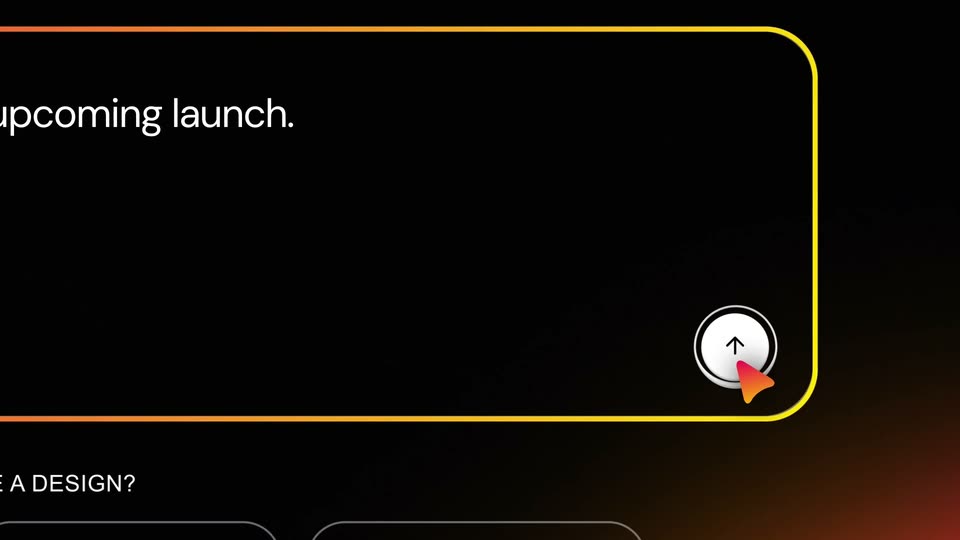
A dark MigmaAI page with the headline “Create Emails Worth Opening” zooms into the prompt box, whose border glows pink to yellow as text types in. A red cursor then clicks the white send button.
Techniques: UI zoom, Cursor demo
Camera: Push in
08 · Feature reveal · 0:08–0:11
A dark chat UI shows a user prompt, then scrolls through the AI's task steps with green checks. A split view opens an email preview panel on the right with a gradient hero card.
Techniques: Split screen
Camera: Pull out
09 · Feature reveal · 0:11–0:13
A dark email-preview interface pans right and zooms in, sliding from a red-orange gradient card onto a black beam ingredient card. The card holds a Secret key title and a yellow Learn More button. To the right, French, English and Japanese labels appear.
Techniques: UI zoom
Camera: Push in
10 · Feature reveal · 0:13–0:15
A dark email builder displays a localized template. The headline and body copy crossfade from English to Spanish, while a vertical list of language names on the right shifts so the bright active label moves from English to Español. A row of email action icons sits above the card.
Camera: Pull out
11 · Feature reveal · 0:15–0:19
A dark analytics dashboard fills the frame. The camera zooms in and pans right across three stat cards for Revenue, Click-through rate and Opens, their figures counting up, while a red glow highlights the middle card.
Techniques: UI zoom
Camera: Pull out
12 · Feature reveal · 0:19–0:20
A dark-mode Gmail window floats over a pink-to-white gradient, tilted in 3D, then rotates to face the camera as a smaller beam email preview card with a cursor settles against its right edge.
Techniques: 3D mockup
Camera: Static
13 · Feature reveal · 0:20–0:21
The MigmaAI logo, a black rounded icon with a white M and wordmark, sits centered on a white grid. It begins large with a solid orange-to-pink gradient, then shrinks as the fill collapses into a thin gradient outline. Around it, wireframe frames and beam cards drift outward, expanding the grid.
Techniques: Morph, Parallax
Camera: Pull out
14 · Feature reveal · 0:21–0:24
A gradient-bordered MigmaAI logo sits at the center of a hub-and-spoke layout, with six phone mockups of Beam pages around it. The phones rotate from a tilted 3D angle to a flat front view as thin lines link them to the logo, over a white-to-red gradient.
Techniques: 3D mockup
Camera: Push in
15 · Feature reveal · 0:24–0:25
A Gmail inbox window tilts in 3D over a black backdrop with a red-orange glow, the Gmail M logo floating above. A red cursor glides over a Beam Beauty email card showing a collagen product and a yellow button.
Techniques: 3D mockup, Cursor demo
Camera: Push in
16 · Feature reveal · 0:25–0:26
A floating Outlook mockup on a warm gradient holds a Beam Beauty collagen email. The ad panel resolves from a doubled, sliding state into a clean view while three colorful app icons hover above and a red cursor enters from the right.
Techniques: 3D mockup, Cursor demo
Camera: Static
17 · Feature reveal · 0:26–0:27
A Yahoo Mail window floats in 3D perspective on a white-to-orange gradient, three brand logos above it. The inbox shows an open black collagen ad with a yellow button. The window tilts and zooms in slightly as a red cursor rests at the right edge.
Techniques: 3D mockup
Camera: Static
18 · Feature reveal · 0:27–0:28
A tilted 3D view of the Inxwell Studios email app floats on a red-orange gradient. The window rotates gently toward the camera as three named collaborator cursors point at the email preview on the right.
Techniques: 3D mockup
Camera: Pull out
19 · Feature reveal · 0:28–0:28
A dark email preview interface floats in 3D perspective over a red-orange gradient. Three named cursors, John, Andy and Alex, drift across the email, pointing at the headline and the Learn More button. A task list with green checkmarks sits in the left panel.
Techniques: 3D mockup, Cursor demo
Camera: Static
20 · Outro · 0:28–0:31
On a black field, a small centered mark of three horizontal bars with a pointed left tip fades up from near-darkness into a glossy light blue and white, holds briefly, then fades back out. Static framing, slow and quiet pace.
Techniques: Light sweep
Camera: Static
21 · Outro · 0:31–0:31
A small blue-gray logo mark, a left-pointing arrow joined to two horizontal bars, fades in at the center of a black screen, holds briefly, then fades out.
Camera: Static