1:58

Introducing Plan Mode
Cursor · Developer tools · Oct 2025
Craft · Jan 2025 · 0:42 · Full motion · AI-annotated
Craft’s 0:42 launch film runs 8 scenes, about 5.3 s each. The product shows up at 0:06 and 2 features are revealed. There is no explicit call to action. The video is one continuous product demo: a floating app window over a blurred mountain wallpaper, with the camera pushing into dialogs and pulling back to wide editor views. Its signature moves are letter-by-letter typing, a pulsing orb that morphs into a generated image, and slow zooms at a relaxed 85 bpm pace.
Is this your launch? to your site or press kit.
Cursor · Developer tools · Oct 2025
Mistral AI · AI · May 2025
Films whose music sounds like this one, voice left out
Qwen · Upbeat instrumental funk, soul, and pop-rock
Figma · Indie rock / Alternative pop
Sylvian · Electronic, Chiptune
A browser window shows a Notion page on a dark red background, with a photo of orange lanterns above a heading. The frame zooms into the document as a blinking caret types a second line of white text, while a mouse pointer rests in the lower left.
Techniques: UI zoom, Kinetic type
Camera: Push in
A red slide shows a photo of a New Year table while a white serif title types out letter by letter. The view then pulls back to reveal the slide as a document inside a design app window floating over a blurred mountain backdrop.
On-screen text: “How to make Bánh Chưng -”, “A Traditional Vietnamese New Year Dish”
Techniques: Kinetic type, UI zoom, 3D mockup
Camera: Pull out
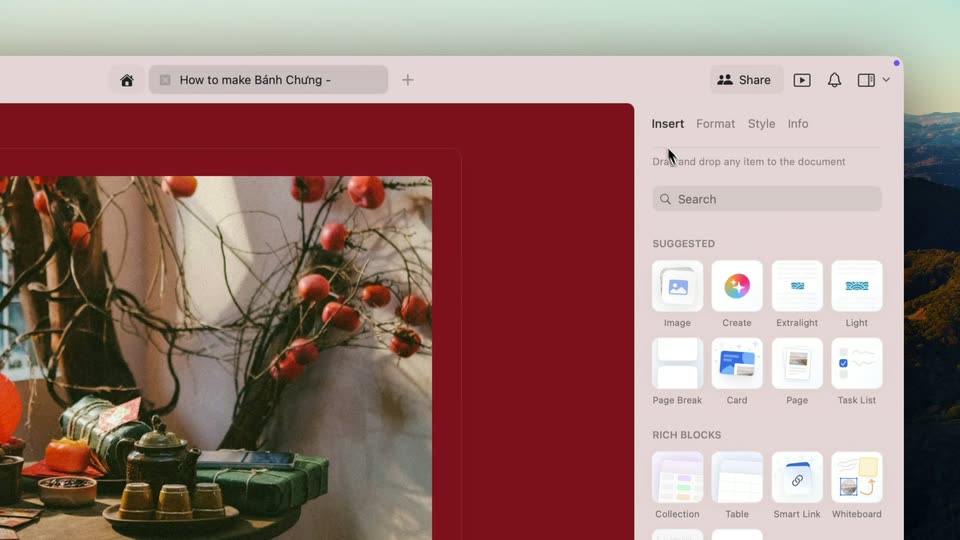
A tilted app window floats over a mountain landscape, its red document showing a photo of lanterns and persimmons. The view zooms into the interface as the right panel switches from Format to Insert, and a cursor hovers over the Create block.
Techniques: 3D mockup, UI zoom, Cursor demo
Camera: Push in
A dark Image Playground dialog sits over a pink document page, a rainbow orb pulsing at its center above a row of circular style icons. The camera pushes in on the dialog as a cursor types the prompt 'Banh Chung' into the text field.
Techniques: UI zoom, Cursor demo
Camera: Pull out
A dark image-generation panel floats over a pink document. A glowing orb morphs into a photo of a wrapped green dish, the cursor cycles variants with side arrows, then clicks Done as the panel dissolves to reveal the page.
Techniques: Morph, Cursor demo
Camera: Pull out
A document editor window floats over a mountain wallpaper. The red page scrolls past a lantern photo to a bánh chưng image, which the cursor expands to full width. The cursor then selects the recipe paragraph, opens the AI menu, and types a command.
Techniques: Cursor demo, UI zoom
Camera: Push in
A close-up of a red document page with a summarize popup showing gray loading bars, then the summarized recipe text fills in. The view then zooms out to reveal the full editor window with a photo of leaf-wrapped cakes, set on a mountain desktop background.
Techniques: UI zoom
Camera: Pull out
A black screen holds a tiny white square-root symbol, x, fixed near the top center. The frame stays locked with no motion, reveal or camera move.
On-screen text: “√x”
Camera: Static