0:39
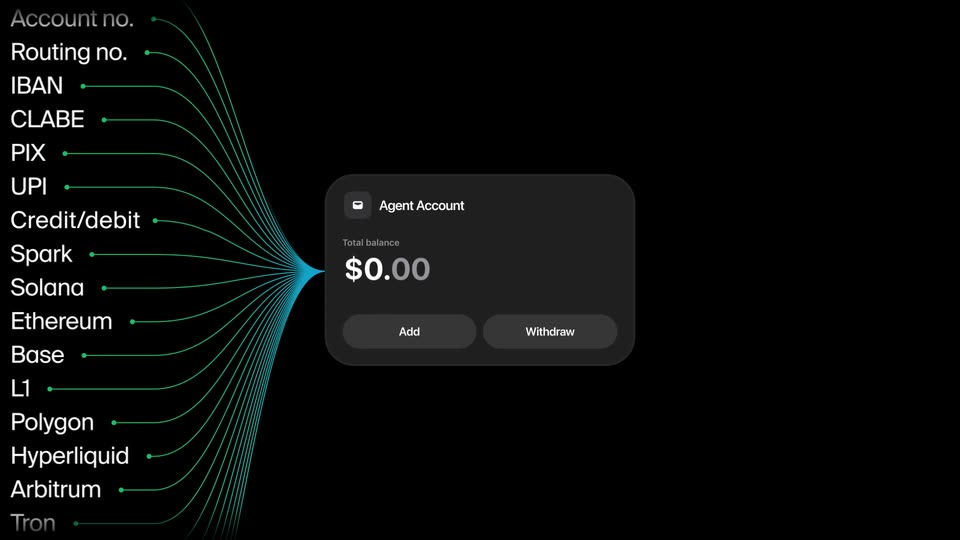
Lightspark - Introducing Agent Accounts: money accounts built for AI agents. Any
Lightspark · Nov 2026
Figma · Jun 2023 · 0:48 · Full motion · AI-annotated
Figma’s 0:48 launch film runs 15 scenes, about 3.2 s each. The product shows up at 0:03 and 1 feature is revealed. The call to action lands at 0:40 (83% in). The video opens with an abstract animated grid, then runs a screen-recording tour of a flower-shop prototype that walks through interaction setup, variables and conditional logic, and a live play-mode demo before closing on a black title card and the Figma logo. Its style is flat and diagrammatic, built on solid-color fields, thin blue connector lines, a single oversized cursor, and crisp bold sans-serif type.
Is this your launch? to your site or press kit.
Lightspark · Nov 2026
Autodesk · Design · Apr 2026
Films whose music sounds like this one, voice left out
Qwen · Upbeat instrumental funk, soul, and pop-rock
xTerra Robotics · Electronic rock / Big beat
A lavender field holds two horizontal light blue bands that multiply and tilt into a full perspective grid of light blue lines, forming a flat 3D plane.
Camera: Pull out
A black arrow cursor with a white outline travels rightward across a lavender field, leaving a solid blue line behind it. A lattice of pale cyan lines rotates slowly across the background.
Techniques: Parallax
Camera: Static
A plant shop interface shows a pink cosmos photo on the left and a price list with quantity controls on the right. Light blue connector lines and white nodes overlay the screen. A large black cursor slides right and hovers over the Hellebore row.
Techniques: Cursor demo
Camera: Pull out
A cluster of phone screens linked by blue lines fills the frame, then the camera pulls back to reveal the full graph of app screens. A large white cursor drifts across as the view settles on a menu and a cart screen outlined by a blue box.
Techniques: Cursor demo, UI zoom
Camera: Pull out
Three phone screens of a flower app line up on a gray canvas. A cursor traces blue flow arrows between them and dismisses a small settings panel, then the view zooms into the product page.
Techniques: Cursor demo, UI zoom
Camera: Push in
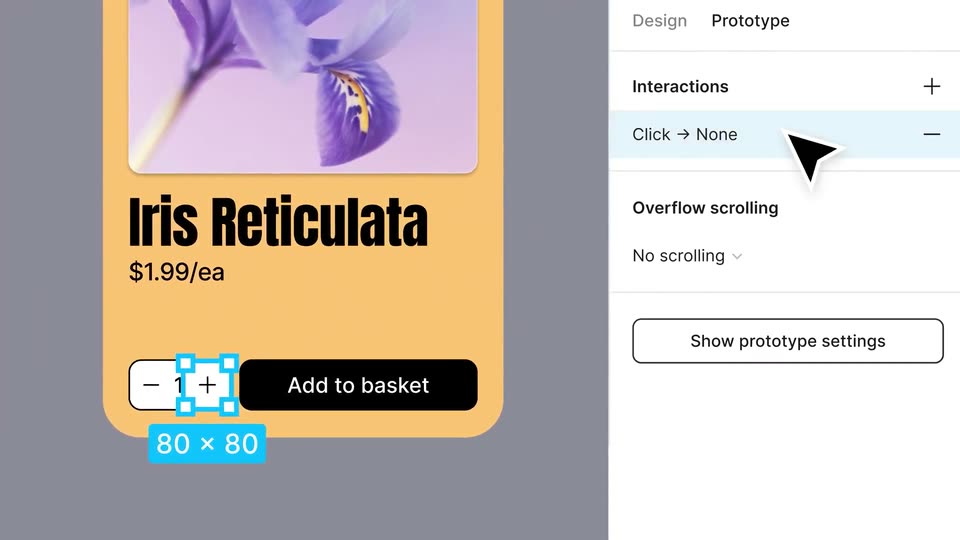
A design tool screen shows a yellow iris product card on the left and a prototype panel on the right. A black cursor slides to the Interactions plus icon, adds a Click to None row, and opens an On click dropdown over the card.
Techniques: Cursor demo
Camera: Static
A dark dropdown menu of interaction options floats over a product card and a settings panel. A cursor travels down the list and rests on Close overlay, which highlights in blue. The right panel lists the prototype interactions.
Techniques: Cursor demo
Camera: Static
A close-up of a flower product card sits left of an On click logic panel that fills in with variable and conditional rows. The view then pulls back to reveal three phone screens linked by arrows into a flow, as the cursor taps the add-to-basket button.
Techniques: Cursor demo, UI zoom
Camera: Pull out
Four flat phone screens of a flower app sit in a row on gray. A white cursor arrow moves across the first two, then a black tap ring presses Browse flowers on the third, which crossfades from a hero image to a product list.
On-screen text: “Flow”, “M / Farm”, “M / Browse”
Techniques: Cursor demo
Camera: Static
Three mobile app screens for a flower shop sit side by side on a gray background, joined by a blue arrow tagged Flow. A circular cursor ring taps the Hellebore tile, then slides to the Iris tile on the front screen.
On-screen text: “Flow”, “M / Farm”, “M / Browse”
Techniques: Split screen, Cursor demo
Camera: Static
Four Buttercup app screens sit in a row in 3D perspective on gray, joined by blue flow arrows. A circular cursor taps the quantity and Add to basket on the product screen, a Free shipping banner drops in, then the cursor moves to the close icon as the frame tightens.
On-screen text: “Flow”
Techniques: 3D mockup, Cursor demo
Camera: Static
On a gray design canvas, a cursor types into a yellow text layer, and the banner text builds up character by character, mirrored live in a browser preview of a mobile flower shop page on the right. The cursor then moves into the preview over the flower photo.
Techniques: Cursor demo
Camera: Pan
A white two-line headline sits inside a thin blue rectangle on a black background, with a small caption below. A gray outline cursor drifts across the frame, then the scene cuts to a blue connector line running from a wireframe box to a white card holding five colored shapes.
On-screen text: “More dynamic”, “ways to prototype”, “Available in Figma”
Techniques: Cursor demo
Camera: Pan
On a black field, a white card holding colored shapes is dragged by a cursor with a blue trail from the right to the center, then the cursor clicks its corner play icon and the card scales up to fill the frame.
On-screen text: “More dynamic”, “ways to prototype”, “Available in Figma”
Techniques: Cursor demo
Camera: Static
A black cursor arrow hovers top left while five colored shapes, an orange pill, red half, purple and blue circles, and a green block, slide inward from scattered positions and lock into a centered F-shaped logo mark. The cursor drifts away and the mark holds still.
Camera: Static