0:35

Reve - Show, not tell.
Reve · Mar 2026
Figma · Aug 2020 · 0:30 · Full motion · AI-annotated
Figma’s 0:30 launch film runs 22 scenes, about 1.4 s each. The product shows up at 0:24 and 2 features are revealed. There is no explicit call to action; a voiceover carries the film. The video is built as a numbered feature list: a bold title card inside a selection box, then a flat-color demo panel per feature, cut on a steady 120 bpm grid. Its style is defined by flat color-block backgrounds that swap per section, hard-edged heavy type with stacked offset layers, and split-screen demos that pair a bezier curve with a UI mockup.
Is this your launch? to your site or press kit.
Reve · Mar 2026
OpenAI · AI · Nov 2026
Anthropic · AI · Nov 2026
Films whose music sounds like this one, voice left out
Gusto · Electronic, Synth-pop, Funk, Latin House, Eurodance
Atlas · Electronic dance music, fusing elements of trap, UK garage, and house.
nunu.ai · Electronic dance music
On a lavender field, the word New sits inside a design-tool selection box with a cursor. The box and cursor vanish, the fill flips from white to yellow, and stacked red, green and blue echo layers spread out behind the letters as the fill returns to white.
On-screen text: “New”
Techniques: Kinetic type
Camera: Static
The word New in bold stacked type, yellow front with green, orange and blue offset layers, sits on a lavender field with a blue top band. It scales up fast, its color layers expanding until they fill the frame as flat horizontal bands of yellow, orange, pink and blue.
On-screen text: “New”
Techniques: Kinetic type, Morph
Camera: Static
A bold black headline reads “Prototyping updates!” in the upper left of a flat yellow field. A thin salmon strip along the bottom edge slides out of frame while the text and background hold still on a locked-off frame.
On-screen text: “Prototyping”, “updates!”
Camera: Static
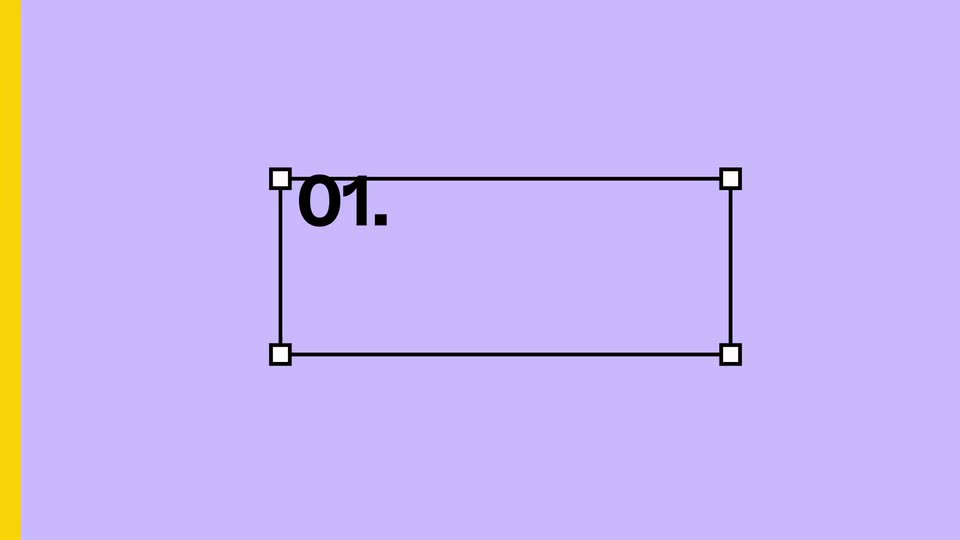
A lavender field with a yellow side panel that slides out left as a black selection rectangle with white corner handles draws open, revealing bold text 01. Multiple inside the box.
On-screen text: “01.”, “Multiple”
Camera: Static
On a lavender field, a black selection box with white corner handles frames the bold black title 01. Multiple Interactions. A white cursor glides from the bottom to the box's right-edge handle, where two pill labels, Drag Left and Drag Right, pop in with curved arrows branching outward.
On-screen text: “01. Multiple Interactions”, “Drag Left”, “Drag Right”
Techniques: Cursor demo
Camera: Static
A lavender panel holds a selection box with corner handles around the bold title, plus a node with three curved arrows labeled Drag Left, Click, Drag Right and a hand cursor. The whole group slides left as a yellow panel with a framed succulent photo slides in from the right.
On-screen text: “01. Multiple Interactions”, “Drag Left”, “Click”, “Drag Right”
Camera: Pan
A white rounded card holding a potted succulent and a pointing-hand cursor sits centered on a yellow field. It slides left to expose a dark panel behind it as the cursor becomes a grabbing hand and a boxed “Drag Left” label pops in below.
On-screen text: “Drag Left”
Camera: Static
On a yellow background, a pink card with a white heart sits on the left as a black-bordered photo card of a potted succulent slides in from the right. The outlined label below switches from Drag Left to Drag Right.
On-screen text: “Drag Left”, “Drag Right”
Camera: Static
On a flat yellow field, two photo cards labeled A and B sit side by side above a keycap button reading A. The A card expands to fill the frame as B slides out, the center A label scales up, and the keycap swaps to Esc.
On-screen text: “A”, “B”, “Drag Right”, “Esc”
Techniques: Morph
Camera: Static
On a flat yellow field, two rounded photo cards marked A and B sit above a black-outlined Esc key. Offset and yellow focus rings pulse around the cards while the letter B slides, staging a keyboard selection.
Camera: Static
A yellow backdrop holds a rounded photo card of a Venice canal, marked with a white strikethrough B, above a black B in a rounded square. The card slides left as a black grid and two angled connector lines with dots fade in.
On-screen text: “B”, “B”
Camera: Static
An orange grid field holds a central card with the black title “02. Custom Eases”. Two white control points slide along dashed handle lines, and a black S-curve draws itself behind the card, sketching a custom easing curve.
On-screen text: “02. Custom Eases”
Camera: Static
On a flat orange field, a yellow sad-face circle slides left to right along a thin black line with dot endpoints, easing in and out. A row of black vertical bars hovers above and the caption Before sits below.
On-screen text: “02.”, “Custom”, “Eases”, “Before”
Techniques: Speed ramp
Camera: Static
On an orange background, a horizontal slider line ends in a round yellow emoji handle. The face morphs from frown to smile, a row of vertical bars above shrinks to a single bar, and the centered caption swaps from Before to After.
On-screen text: “Before”, “After”
Techniques: Morph
Camera: Static
On an orange field, a yellow smiley knob slides left along a black line beneath a row of vertical bars. The line and bars vanish, and the smiley scales up to dominate the frame. The word After stays fixed below.
On-screen text: “After”
Camera: Static
A split layout: a black easing curve with an arrowhead and dashed guides sits on white at left, while a masonry grid of potted plant photos with orange gutters fills the right, a cursor hovering over a cactus.
On-screen text: “After”
Techniques: Split screen, Cursor demo
Camera: Static
A split screen shows a Bezier curve with anchor points and a cursor on the left, and a product card with a potted cactus on the right. The card scales up and fades in over a grid of plant photos while cart, bookmark and heart icons appear.
Techniques: Split screen
Camera: Static
Split screen: left, a black Bezier curve with anchor points and dashed handles on white; right, a white rounded button on light blue. A cursor glides onto the button as its label changes from black Submit to red Error, and the curve gains a blue outline.
On-screen text: “Submit”, “Error”
Techniques: Split screen, Cursor demo
Camera: Static
A split frame: left, a black bezier path with anchor points and dashed handles morphs from a looped curve into a smooth S beside a cursor; right, a phone on beige shows a plant shop where a white modal pops in with a green cart and Added to cart!
Techniques: Split screen, Morph, 3D mockup
Camera: Static
Flat orange field. A black bold sans headline builds word by word in the top left, reading “Bring your designs to life.” A smaller “(in Figma)” fades from pale orange to solid black in the bottom right.
On-screen text: “Bring your designs to life.”, “(in Figma)”
Techniques: Kinetic type
Camera: Static
On a flat orange field, a black S-curve with two round endpoints sits inside a dashed rectangle. The four corner dots drift and the dashed frame tilts into a parallelogram, warping the curve into a horizontal S as it morphs.
Techniques: Morph
Camera: Static
A black Figma mark holds centered on a pale gray background, then the wordmark Figma appears in the same position.
On-screen text: “Figma”
Camera: Static