0:35
Explore
00:00:00 / 00:31:03
- Length
- 0:31
- Scenes
- 19 · 1.6 s avg
- Product on screen
- 0:04
- Features shown
- 1
- Call to action
- 0:28 · 90%
- Voiceover
- Yes
- Views
- 159K on YouTube
as of November 26, 2026
Autodesk’s 0:31 launch film runs 19 scenes, about 1.6 s each. The product shows up at 0:04 and 1 feature is revealed. The call to action lands at 0:28 (90% in), over a voiceover. The video opens with self-typing text that zooms into the prompt UI, then runs a fast-cut montage of 3D characters being rigged, placed in cinematic scenes, and flipped through the Neural Layer toggle, before a two-line feature announcement and a logo end card. Its signature moves are kinetic typed text, a purple cursor driving every interface interaction, and hard cuts between moody cinematic character shots at a steady 100 BPM.
Footage neededEstimated needs: 1 capture group — your screens or recordings · 1 official logo — reused across the film · 2 filmed passages — shoot, supply or replace · 12 3D passages — build or supply
Is this your launch? to your site or press kit.
More like this

0:20

Framer Design Agents — Cannonball
Framer · Design · Sep 2026
0:39
Lightspark - Introducing Agent Accounts: money accounts built for AI agents. Any
Lightspark · Nov 2026
Similar soundtrack
Films whose music sounds like this one, voice left out
1:51

Meet DJI Mic Mini 2S - Capture Every Detail
DJI · Electronic dance music
1:42


Transport One by Delhivery: The Best Product Launch Video? | Beliv8 Motion Breakdown
Delhivery · Modern electronic
0:54

Lovable - Introducing the Lovable aesthetics update, a new level of design in v
Lovable · Electronic
Introducing AI Rigging and Neural Layer | Autodesk Flow Studio, scene by scene
· 19 scenes as text
01 · Hook · 0:00–0:02
On a near-black background, a line of white sans-serif text types itself out letter by letter behind a purple cursor bar, scrolling left as it grows. The word bumblebee fills with a purple-to-pink gradient as the line scales up, and a thin line draws across the top.
On-screen text: “Create a human-sized bumblebee weari”
Techniques: Kinetic type
Camera: Static
02 · Hook · 0:02–0:04
A magnified fragment of the prompt text, 'ebbee wearing', in large white sans with a purple caret, scales down to reveal the dark panel: three mode tabs above a prompt box whose pink border draws itself around the typed sentence.
Techniques: UI zoom
Camera: Pull out
03 · Demo · 0:04–0:05
A 3D bee in a brown leather jacket holds a T-pose against a blue-to-purple gradient. A pink cursor arrow glides from the right down to a dark rounded button labeled Rig at the bottom.
Techniques: 3D mockup, Cursor demo
Camera: Pull out
04 · Demo · 0:05–0:08
A 3D bee-human figure in a brown leather jacket holds a T-pose on a black backdrop. A pink cursor clicks a Rig button, then colored joint markers appear across the body while the pose tilts.
Techniques: Cursor demo, 3D mockup
Camera: Static
05 · Demo · 0:08–0:11
A misty 3D cliff above a river. A roster of character cards lines the right edge; a cursor selects the bee card, which lifts to center in a glowing blue frame. It then gives way to the full 3D bee, hat and leather jacket, seated on the rock.
Techniques: Cursor demo, UI zoom
Camera: Push in
06 · Demo · 0:11–0:14
A wireframe 3D figure with antennae and outstretched arms in a T-pose floats in a gray grid viewport dotted with small wireframe cubes. The mesh shifts from white to lavender as the camera pushes in toward the head.
Camera: Push in
07 · Demo · 0:14–0:14
A 3D rabbit-like figure in a detective hat sits in a warm, blurred interior. A cursor taps a pill-shaped toggle labeled Neural Layer, flipping it from gray to purple while the frame stays locked off.
Techniques: Cursor demo
Camera: Static
08 · Demo · 0:14–0:15
A furry bee-like character in a brown leather detective hat and black jacket sits in a warm, blurred wooden room, its mouth moving as it talks. A pill-shaped toggle labeled Neural Layer with a purple switch sits at left; a cursor taps it then fades.
Techniques: Cursor demo
Camera: Static
09 · Demo · 0:15–0:17
A stylized 3D figure in a white helmet and blue-orange suit leaps across a sunlit rocky canyon, then lands and runs along the ridge while the camera holds a locked-off wide shot with a bright sun flare on the right.
On-screen text: “Neural Layer”
Camera: Static
10 · Demo · 0:17–0:17
A 3D yak with curved horns and shaggy brown fur, fitted with leather harness straps, holds a tight close-up against a blurred outdoor track. Its head and the background shift slightly, suggesting a slow subtle camera move.
Camera: Push in
11 · Demo · 0:17–0:18
A red panda character in a gray cable-knit turtleneck walks toward the camera down a leafy suburban street, arms swinging and mouth open mid-speech. The camera tracks backward at matching pace, keeping the character centered against soft-focus trees and a mailbox on the left.
Camera: Pull out
12 · Demo · 0:18–0:21
A man in a black suit and a duck in a fedora and trench coat stand side by side in a dark elevator. The duck blinks and turns its head slightly while the man holds a fixed, neutral stare.
Camera: Static
13 · Demo · 0:21–0:22
In an empty stadium, two women in black sportswear stand flanking a monitor-headed robot. Thin outline boxes frame each woman as small photo cards of a dog and a cat, labeled BRETT and HOWLER, pop in at their waists with purple arrows. The robot's pixel face shifts expression.
On-screen text: “HOWLER”, “BRETT”
Camera: Static
14 · Demo · 0:22–0:23
A dog in a brown jacket, a boxy robot with a pixel face, and a fox in a cream fleece stand in an empty stadium. Pink scan lines with arrows flash across their chests, then fade as the locked-off frame holds.
On-screen text: “BRETT”
Techniques: Light sweep
Camera: Static
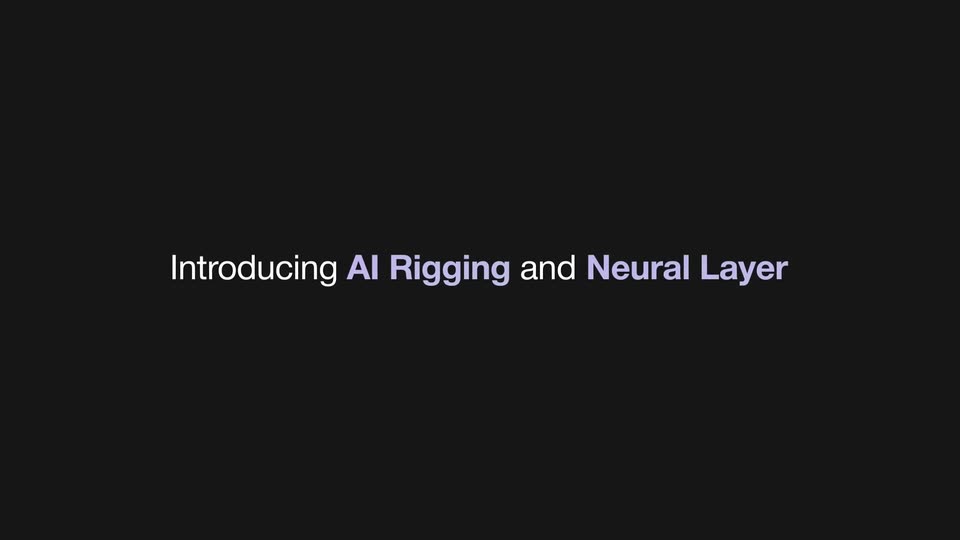
15 · Feature reveal · 0:23–0:25
A centered line on a black background scales up from a small size to full width. “Introducing” and “and” read in white while “AI Rigging” and “Neural Layer” fade in in light purple as the line grows.
On-screen text: “Introducing AI Rigging and Neural Layer”
Techniques: Kinetic type
Camera: Static
16 · Feature reveal · 0:25–0:26
Close-up of a 3D-rendered bee with large black eyes against a blurred park and pond. A translucent toggle labeled Neural Layer floats on the right; a purple cursor clicks the switch on.
On-screen text: “Introducing Al Rigging and Neural Layer”, “Neural Layer”
Techniques: Cursor demo
Camera: Static
17 · Feature reveal · 0:26–0:28
A 3D bee character with large black eyes sits centered against a blurred park and pond. On the right, a translucent pill labeled Neural Layer shows a purple toggle; a cursor clicks it, flipping the switch on with a soft glow. The frame stays locked.
Techniques: Cursor demo
Camera: Static
18 · CTA · 0:28–0:29
On a black background, a thin blue disc spins to face the camera, revealing a rounded badge with a 3D figure and small colored dots. The badge shifts left as the Autodesk Flow Studio wordmark appears on the right, above a Try It button and the Flowstudio.com URL.
On-screen text: “Neural Layer”, “Try It”, “Flowstudio.com”, “AUTODESK”, “Flow Studio”
Techniques: 3D mockup, Light sweep
Camera: Static
19 · Outro · 0:29–0:31
A dark end card holds the Autodesk Flow Studio logo lockup centered: an iridescent 3D figure icon beside bold white AUTODESK and Flow Studio text, with a Try It button and the Flowstudio.com URL below. The frame stays static.
On-screen text: “AUTODESK”, “Flow Studio”, “Try It”, “Flowstudio.com”
Camera: Static