1:21

Introducing Pitch 2.0
Pitch · Productivity · Nov 2023
Wabi · Mar 2026 · 0:56 · AI-annotated
Wabi’s 0:56 launch film runs 54 scenes, about 1.0 s each. The product shows up at 0:04 and 7 features are revealed. The call to action lands at 0:53 (95% in), over a voiceover. A fast-cut product film for Wabi that opens on a mechanical question, then tours the app through mockup grids, toggles and prompt-to-app demos, and closes on a black-field word swap into the URL. Its signature moves are locked-off macro shots, glossy 3D spheres and toggles, and giant lowercase type that swaps in place to the beat.
Is this your launch? to your site or press kit.
Pitch · Productivity · Nov 2023
Google · AI · Jan 2026
Extreme close-up of a black brushed-metal mic preamp faceplate. A fingertip enters and snaps the +48V toggle switch down to OFF, the metal lever catching the light. Surrounding labels read IN 0, Hi-Z, 47K, 2.2M and a 0 to 2 scale.
Camera: Static
A close-up of a vintage radio tuning dial. The frequency numbers on the scale scroll vertically as the dial is tuned, with a green pointer line across the shortwave section and a yellow pointer line across the medium wave and FM section.
Camera: Static
Extreme close-up of a vintage radio's black metal face. The circular tuning dial with frequency markings rotates beneath a fixed green vertical line in a small window. White text SO... holds at the left edge.
On-screen text: “SO...”
Camera: Static
A dark macro close-up of a square panel with a thin green border holds a locked-off frame. The white headline fades in centered over the panel and stays static, with the camera remaining still throughout.
On-screen text: “What is wabi?”
Camera: Static
A black and white classroom fills the frame as rows of students sit at desks, facing forward. A chalkboard and windows line the back wall. The word “well” sits centered in white over the middle of the room. The camera holds still.
On-screen text: “well”
Camera: Static
Black and white archival classroom footage: a young man in a light shirt and suspenders looks up while classmates sit blurred behind him. Large white lowercase text reads “for starters.” and stays locked over the left of the frame.
On-screen text: “for starters.”
Camera: Static
A hand holds a black iPhone at a slight angle on a white background, then the view zooms into the home screen, tightening on a grid of app icons. A white caption reads “It's an app.” as the screen fills the frame.
On-screen text: “It's an app.”
Techniques: 3D mockup, UI zoom
Camera: Static
A white phone mockup floats over a filmed bedroom where a man and child sit on a bed. The phone displays a story app with a capybara illustration. Two more tilted phone mockups slide in from the sides, forming a row of app examples.
Techniques: 3D mockup
Camera: Pull out
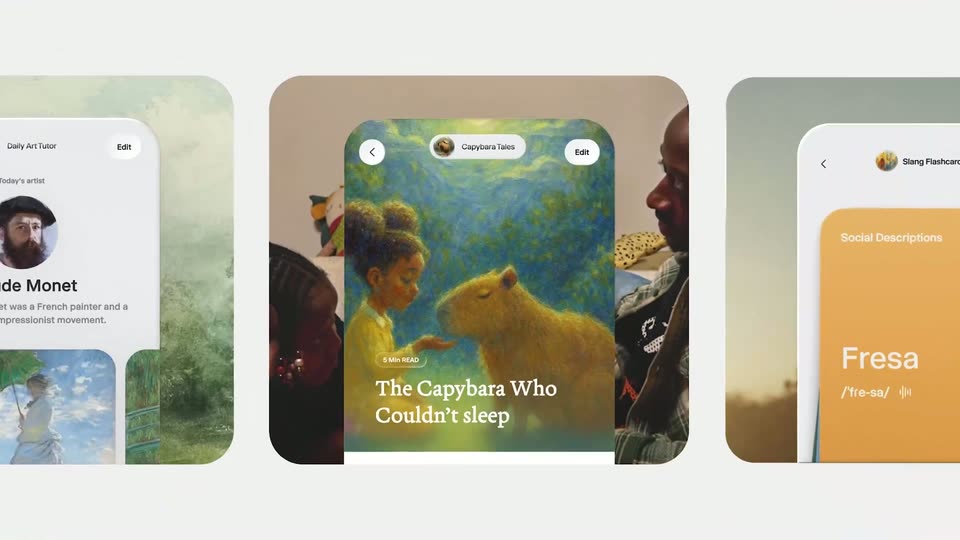
Three phone mockups sit centered on a pale background, showing a story app, an art-tutor card and a flashcard card. The frame pulls back to reveal a wide grid of photo tiles and mini-app screens, while a story text panel slides up on the center phone.
Techniques: 3D mockup
Camera: Pull out
A black title card holds the white word mini-apps, large and centered, filling most of the frame width. The frame is locked off with no motion.
On-screen text: “mini-apps”
Camera: Static
A light gray card holds a green toggle with a globe icon that flips on as the bold black line “or share it with the world” scales down from oversized to a centered line.
On-screen text: “or share it with the world”
Techniques: Kinetic type
Camera: Static
Low-angle shot of women leaning in, holding phones up to a blue sky, cut to an overhead view of hands passing phones that display photos. A static caption sits at the bottom of the frame.
On-screen text: “or share it with the world”
Camera: Static
Three young people stand close together against a white background, each holding a phone up near their face. The girl in the center glances sideways while the others look down at their screens. The caption sits static at the top center of the locked-off frame.
On-screen text: “share it with friends”
Camera: Static
A headline builds word by word on a light gray field, each word easing from light to dark gray. A beveled 3D toggle switch with a lock icon sits at the right, then the camera pushes in until the toggle fills the frame.
On-screen text: “Keep your mini-app private”, “share it with friends”
Techniques: Kinetic type, 3D mockup, UI zoom
Camera: Static
A man in a blue shirt and white earphones sits at a microphone, looking down and speaking. A whiteboard and white door fill the background. A white subtitle reading 'And there's' appears at the bottom center.
On-screen text: “And there's”
Camera: Static
A man in a blue shirt and white earbuds sits in a dim room, slightly out of focus, while a syntax-highlighted C code editor overlays the frame and scrolls upward; a blinking text caret marks a line. Subtitles read 'no need to do' then 'all of this.'
On-screen text: “no need to do”, “all of this.”
Camera: Static
A grainy, low-resolution office shot shows a person in a white shirt at a cluttered cubicle desk, leaning and throwing papers with heavy motion blur. The camera stays locked off. The caption You can just scales in at the bottom center.
On-screen text: “You can just”
Techniques: Kinetic type
Camera: Static
Close-up of two hands tapping a smartphone's on-screen keyboard in a dark room, locked-off framing with shallow depth of field. The blurred chat screen sits above the keys as fingers strike letters in sequence. White captions read at the bottom.
On-screen text: “You can just”, “do this.”
Camera: Static
Macro shot of a green wafer with the word PLUTO etched on a chip; the frame dims to black and white text, and the best part?, scales in on the left.
On-screen text: “and the best part?”
Techniques: Kinetic type
Camera: Static
Static close-up of hands turning a small black rectangular device over a cluttered wooden workbench. A lowercase white headline 'and the best part?' scales in, then a small caption 'Everything is done' appears at the bottom.
On-screen text: “and the best part?”, “Everything is done”
Techniques: Kinetic type
Camera: Static
Two hands hold a black smartphone over a cluttered workbench of tools; the screen switches from the 3:34 lock screen to a message reading “yeah dude, it's awesome!” while white captions cut in at the bottom. Locked-off shot, shallow focus.
On-screen text: “Everything is done”, “all on”, “your phone.”
Camera: Static
A close-up of a white-haired man in a grey jacket looks down while speaking. White subtitles appear at the bottom of the frame against a dimly lit background.
On-screen text: “It's truly amazing.”
Camera: Static
A white prompt bar types out the sentence about tracking side quests with a blinking caret, then cuts to a card with a circular avatar, a search field and skeleton rows with spinning loaders.
Techniques: Kinetic type
Camera: Static
A white feature card loads in: a pale glossy sphere on the left fills with blue, a gray placeholder bar resolves into the bold title “Side quest tracker” above the caption “App features”, and two list rows with icons and checkmarks darken from gray to black.
Camera: Static
A hand holds a phone over a green grid cutting mat and taps through a quest list, moving from task cards with XP and difficulty badges to one expanded quest detail card.
On-screen text: “App features”
Techniques: Kinetic type, Cursor demo
Camera: Pan
Tight close-up on the lower corner of a phone resting on a green grid mat. A finger taps the dashed Mark Incomplete button, which flips from a solid black bar to a white outlined box as the thumb lifts.
Camera: Static
A hand drops a white paper strip marked THE IDEA onto a green cutting mat, settling it flat above a phone showing a level card with a blue cube icon.
On-screen text: “THE IDEA”
Camera: Static
Three women huddle close, eyes down at something off frame, in a dim room lit by a warm lamp behind them. A small game HUD with level and XP counters overlays the corners, and a subtitle line swaps at the bottom.
On-screen text: “Want to analyze”, “your situationship?”
Camera: Static
A light gray grid of rounded wallpaper cards zooms into one card, a white circle holding two chat bubbles above the caption “am i in a situationship?”. The neighboring “Retro system installer” card slides out of frame as the zoom settles.
Techniques: UI zoom
Camera: Static
A white report document scrolls upward on a locked-off frame. Each row pairs a bold trait name with a score and a red RED FLAG pill, while gray body copy and quoted chat lines slide past in sequence.
Techniques: Kinetic type
Camera: Pan
A locked-off close-up of a chat interface on a light gray field. A bold black name reads Raul at top left, a red pill button reads NOT IT in the center, and a green message bubble below holds white analysis text.
Camera: Static
A hand tilts a white card of hand-drawn goal doodles and a reward line toward the camera, then the shot cuts to a flat grid of six similar cards on a checkered cloth.
Camera: Static
A top-down shot of a white desk holds three hand-drawn cards and two hole punches. One card tracks letter-sending with numbered hearts, another lists workout reps with dumbbell icons, and a third maps a 20-week saving plan in green boxes.
Camera: Static
A white journaling widget card on a light gray backdrop shows a red calendar icon, bold black text “365 days of journaling”, and a streak counter. The view zooms right as the empty red ring above “STREAK” becomes the number 1 and the matching pill below fills solid red.
Techniques: UI zoom
Camera: Static
A white rounded card sits on a green-to-orange gradient and pulls from blur into sharp focus. It holds three app concepts side by side: a chat thread captioned in red, a blue globe with a grid captioned in blue, and an orange globe with a green ball captioned in green, with the Wabi name below.
On-screen text: “am i in a situationship?”, “Goal punchcard”, “the most simple note t...”, “Wabi”, “days of journaling”, “STREAK”
Techniques: 3D mockup, Split screen
Camera: Push in
A boy in a black robe writes in an open book with a wand while classmates work beside him; a basket of green apples and grapes and a silver goblet sit to the right. A white caption sits at the bottom of the frame.
On-screen text: “You can turn”, “almost anything”
Camera: Static
Two boys in dark school robes and red-gold striped ties sit side by side, glancing off to the side against a blurred crowd. A small white caption reads at the bottom center, then fades out.
On-screen text: “into an app”
Camera: Static
A pink 3D brain floats in the center of a live-action sky with white clouds and a green field, scaling up slowly toward the camera. Small white text at the bottom reads 'you can', then swaps to 'think it.' on a locked-off frame.
On-screen text: “you can”, “think it.”
Camera: Static
A flat beige loading screen framed by blue side bars sits locked off while its dark blue progress bar fills from 78% to 88% complete. A small white caption at the bottom center swaps its middle word, settling on the phrase can make it.
On-screen text: “can think it.”, “can make it.”
Techniques: Kinetic type
Camera: Static
A beige panel with a blue right edge shows a line of black text ending in pixels above a dark blue progress bar that fills to the right as the large label switches from 93% to 100% Complete; a small white caption updates below.
On-screen text: “can make it.”, “And if you”, “don't have”
Camera: Static
On a blue desktop, a cursor drags a blue folder labeled my ideas from the upper area down to the dock, where a Trash tooltip pops up and the folder drops into the bin. White caption text sits over the dock row.
On-screen text: “don't have”, “for one,”
Techniques: Cursor demo
Camera: Static
A plain white card holds the centered headline “Discover apps by others” in dark gray. The word “mini-” fades in before “apps” as the letters blur and re-settle, so the line reads “Discover mini-apps by others.”
On-screen text: “Discover mini-apps by others”
Techniques: Kinetic type
Camera: Static
A horizontal row of glossy 3D app-icon cards scrolls left across a white background as the headline fades in below.
On-screen text: “See an app you love?”
Camera: Static
On a plain black background, large white lowercase words appear one by one in the center, first remember then said, locked to the voiceover rhythm.
On-screen text: “remember”, “said”
Techniques: Kinetic type
Camera: Static
The word infinite? holds centered in white lowercase letters on a black background, static for the full shot.
On-screen text: “infinite?”
Camera: Static
A static grid of video clips and app screens fills the frame. The tiles display live action footage and UI elements, with text like 'The Capybara Who Couldn't sleep' and 'Fresa' scaling and sliding.
On-screen text: “infinite?”, “The Capybara Who”, “Couldn't sleep”, “Fresa”, “UNBRN”
Techniques: Kinetic type, Split screen
Camera: Pull out
A white screen shows a grid mixing app icons and photo preview cards; it then shifts to a darker grid of app icons, and a bold red arrow slides in over the middle row to point at the Wabi icon.
Camera: Pull out
A grid of colorful rounded app icons on a dark screen dissolves to black, then a white lowercase “a” and the word “whole” appear in sequence, centered.
On-screen text: “a”, “whole”
Techniques: Kinetic type
Camera: Static
The word “lotta” holds centered in white lowercase on a black field, then cuts to “apps” in the same size and weight. Both frames are locked off, the type filling most of the width, the swap timed to the voiceover.
On-screen text: “lotta”, “apps”
Techniques: Kinetic type
Camera: Static
White lowercase words swap in place on a black background, each centered. The word with fills the frame, then a smaller a appears, then whole takes over the frame at full size.
On-screen text: “with”, “a”, “whole”
Techniques: Kinetic type
Camera: Static
On a black field, large white lowercase words swap in place, “lotta” cutting to “personality” in a single beat, matching the voiceover.
On-screen text: “lotta”, “personality”
Techniques: Kinetic type
Camera: Static
The lowercase word personality in white sits centered on a plain black background, held static for the full clip.
On-screen text: “personality”
Camera: Static
A black frame holds a single centered line of white text. The line stays static in the middle of the screen for the full shot.
On-screen text: “A new era of personal software”
Camera: Static
A white tagline, “A new era of personal software”, holds centered on a black field, then the frame cuts to the URL “wabi.ai” in the same centered position, both static.
On-screen text: “A new era of personal software”, “wabi.ai”
Camera: Static