1:00
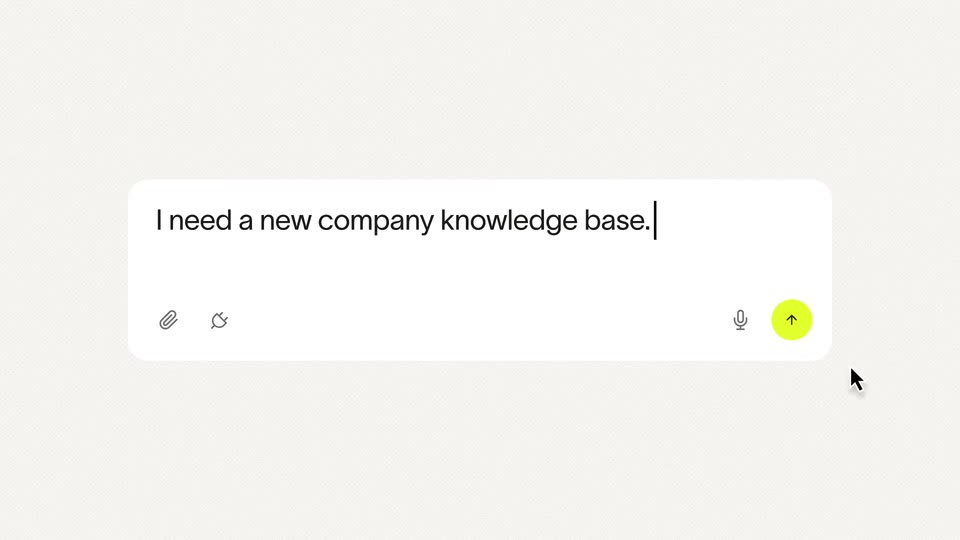

Ramp - 98% of companies don't have a procurement team. The ones that do are
Ramp · Finance · Apr 2026
Google · Jan 2026 · 1:14 · AI-annotated
Google’s 1:14 launch film runs 34 scenes, about 2.2 s each. The product shows up at 0:05 and 3 features are revealed. The call to action lands at 1:09 (93% in), over a voiceover. The video alternates 3D roller-coaster bumpers with flat UI card demos, each feature announced by a large lowercase headline that the glowing demo card slides over. Pacing holds at about four cuts per minute with slow push-ins on rounded cards, letter-by-letter typing, and the coaster car returning as the recurring transition device.
Is this your launch? to your site or press kit.
Ramp · Finance · Apr 2026
Gradon · B2B · Oct 2026
Jitter · Feb 2025
A 3D Chrome logo rides a white coaster cart along a curved track with a glowing blue rail, set against a blurred warm interior. The headline 'Your favorite' scales in at the top while 'browser' slides in below.
On-screen text: “Your favorite”, “browser”
Techniques: Kinetic type, 3D mockup
Camera: Static
A 3D Chrome logo rides in a white roller coaster car along a glowing white track, the camera tracking it through a blurred, sunlit interior. White text 'better' fades in top-left, then 'again' scales in bottom-right.
On-screen text: “Your favorite”, “browser”, “better”, “again”
Techniques: 3D mockup, Kinetic type
Camera: Pull out
A 3D Chrome icon rests on a glossy floor before a blurred sunlit window. A blue ribbon sweeps in from the left and loops around the icon, then a rainbow four-pointed sparkle pops to its right. The words better and again land, again scaling in.
On-screen text: “better”, “again”
Techniques: 3D mockup, Kinetic type
Camera: Pull out
A 3D Chrome emblem and a rainbow four-pointed star hover before a blurred window wall. A blue arc sweeps around the star, drawing a full circle that closes at the top.
Camera: Static
A 3D Chrome logo and a rainbow Gemini star hover over a reflective floor against a blurred window backdrop. A blue ring spins and draws itself into a loop between them. The view pulls back to frame the pair inside a glowing rounded card, and a disclaimer line appears below.
On-screen text: “Results are for illustrative purposes, sequences shortened and screen image simulated. Check responses for accuracy. Compatibility and availability varies. 18+”
Techniques: 3D mockup
Camera: Static
A white card holding the Chrome logo and a rainbow four-pointed sparkle over a blurred window photo morphs into a white browser window. The blue-glow rounded border stays put as a toolbar of icons and a cursor fade in at the top.
On-screen text: “Results for illustrative purposes, sequences shortened and screen image simulated. Check responses for accuracy. Compatibility and availability varies. 18+”
Techniques: Morph
Camera: Pan
A browser window mockup, tilted in 3D with a glowing blue rim, fills the frame. A cursor arrow moves to the four-pointed star icon in the top toolbar and clicks it, while the window eases downward.
On-screen text: “Results for illustrative purposes, sequences shortened and screen image simulated. Check responses for accuracy. Compatibility and availability varies. 18+.”
Techniques: 3D mockup, Cursor demo
Camera: Pull out
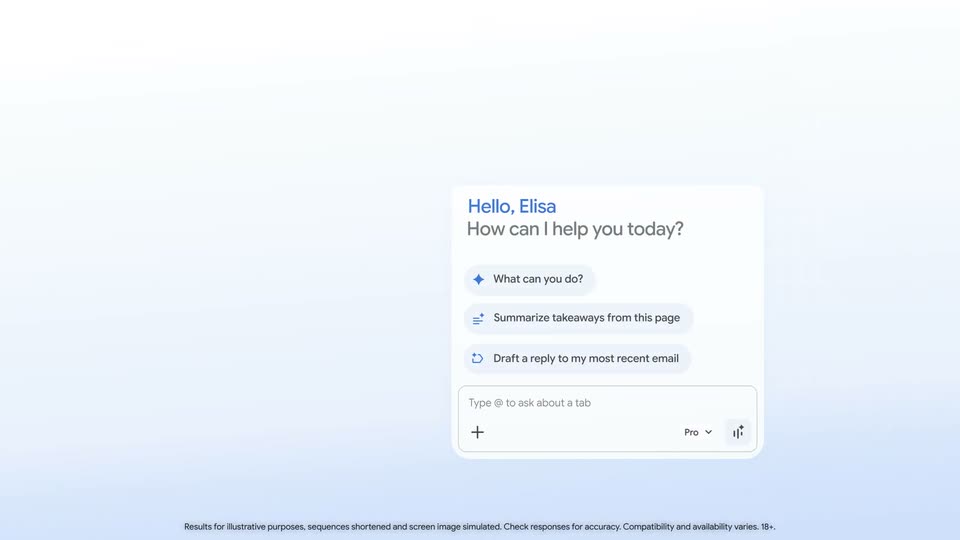
A Chrome new tab window sits flat with a stacked edge on the left; an AI side panel labeled “Hello, Elisa” slides in from the right, then the frame zooms in to isolate the glowing panel on a white background.
On-screen text: “Results for illustrative purposes, sequences shortened and screen image simulated. Check responses for accuracy. Compatibility and availability varies. 18+”
Techniques: UI zoom
Camera: Push in
A white chat panel with a blue greeting and three suggestion pills sits on a light blue gradient. The view zooms in toward the input field, where the word Remember is typed letter by letter and a send arrow appears.
Techniques: UI zoom
Camera: Push in
A white rounded prompt card on a soft blue gradient; the prompt “Remember when we were discussing hobbies?” types out character by character with a blinking caret, a plus icon at the lower left. The camera zooms in and pans right to reveal a “Pro” label and checkmark.
On-screen text: “Results for illustrative purposes, sequences shortened and screen image simulated. Check responses for accuracy. Compatibility and availability varies. 18+.”
Techniques: UI zoom
Camera: Push in
A flat Gemini chat card floats on a pale blue gradient with a 'Coming soon' pill top right. A bubble asks 'Remember when we were discussing hobbies?' as a spinner morphs into a sparkle, then oversized words 'Simple' and 'relevant' slide in above and below the card.
On-screen text: “Coming soon”, “Results for illustrative purposes, sequences shortened and screen image simulated. Check responses for accuracy. Compatibility and availability varies. 18+”, “Simple”, “relevant”
Techniques: Morph, Kinetic type
Camera: Static
A Gemini chat card sits centered on a pale blue gradient as the large black word relevant fades out beneath it. The answer text scrolls up inside the card, revealing the Pets bullet and the closing question.
On-screen text: “relevant”, “Coming soon”, “Results for illustrative purposes, sequences shortened and screen image simulated. Check responses for accuracy. Compatibility and availability varies. 18+”
Techniques: Kinetic type
Camera: Pan
A rounded card with a glowing blue border holds a Gemini chat reply, which fades out to white. The card then fills with a 3D render of a Chrome logo car on a white rollercoaster track, set against a blurred window.
On-screen text: “Results for illustrative purposes, sequences shortened and screen image simulated. Check responses for accuracy. Compatibility and availability varies. 18+.”
Techniques: 3D mockup
Camera: Static
A 3D white toy train car carrying the Chrome logo rolls along a curved track in a blurred playroom. The shot opens inside a white inset with a soft blue glow and pushes in to fill the frame.
On-screen text: “Results for illustrative purposes, sequences shortened and screen image simulated. Check responses for accuracy. Compatibility and availability varies. 18+.”
Camera: Static
A white toy car with the Chrome logo as its seat rolls along a curved track in a bright, blurred interior. The shot then shrinks into a rounded rectangle with a glowing blue border while the logo scales up.
On-screen text: “Results for illustrative purposes, sequences shortened and screen image simulated. Check responses for accuracy. Compatibility and availability varies. 18+.”
Techniques: 3D mockup
Camera: Pull out
A Chrome window tilted in 3D over a colorful abstract backdrop rotates flat and zooms in on the open document. The Gemini side panel appears at right with a greeting and a list of prompt suggestions.
On-screen text: “Results for illustrative purposes, sequences shortened and screen image simulated. Check responses for accuracy. Compatibility and availability varies. 18+.”
Techniques: 3D mockup, UI zoom
Camera: Push in
A wide view of a document with an assistant side panel and a small share widget resolves into a centered close-up of the widget, which scales up against a white field. The widget shows a tab list and an input line.
On-screen text: “Results for illustrative purposes, sequences shortened and screen image simulated. Check responses for accuracy. Compatibility and availability varies. 18+.”
Techniques: UI zoom
Camera: Static
A close-up of a white prompt card zooms out to reveal the full card as a typed email request fills the field. The card then cuts to a taller response card showing a drafted email with a recipient field.
On-screen text: “Results for illustrative purposes, sequences shortened and screen image simulated. Check responses for accuracy. Compatibility and availability varies. 18+.”
Techniques: UI zoom
Camera: Static
A white Gmail draft card with a Show thinking header fills the frame on a light blue gradient. The card scrolls down to reveal the recipient list, subject line and body of the email, then scales down to a centered thumbnail ringed by a soft blue glow.
On-screen text: “Results for illustrative purposes, sequences shortened and screen image simulated. Check responses for accuracy. Compatibility and availability varies. 18+.”
Techniques: UI zoom
Camera: Pull out
A filled Gmail compose card, glowing blue on a light gradient, collapses: its To, subject and body fields fold into a single compact Gmail row. A small disclaimer caption sits at the bottom.
On-screen text: “Results for illustrative purposes, sequences shortened and screen image simulated. Check responses for accuracy. Compatibility and availability varies. 18+”
Techniques: Morph
Camera: Static
A white Gmail card with a blue glow floats over the large headline “without switching tabs”. The card header switches from “Show thinking” to “Gmail”, the message crossfades to “OK, it’s done.”, and a recipient row with a Send button slides in.
On-screen text: “without switching tabs”, “Results for illustrative purposes, sequences shortened and screen image simulated. Check responses for accuracy. Compatibility and availability varies. 18+”
Camera: Static
A white Gmail card with a blue glow sits over pale gray words 'without switching tabs', which fade as the card slides left. A second card slides in from the right showing a 3D white toy car on a track holding a Chrome logo ball, a hand reaching in.
On-screen text: “without switching tabs”, “Results for illustrative purposes, sequences shortened and screen image simulated. Check responses for accuracy. Compatibility and availability varies. 18+”
Techniques: 3D mockup
Camera: Pan
A 3D white toy train carrying the Chrome logo sits on a track inside a blue-glow rounded frame, the room blurred behind it. The framed scene slides up and out as a Gmail inbox window rises from below to fill the screen.
On-screen text: “Results for illustrative purposes, sequences shortened and screen image simulated. Check responses for accuracy. Compatiblity and availablity varies. 18+”
Techniques: 3D mockup, Split screen
Camera: Pull out
A Gmail window displays an open email with a photo booth image. The view zooms into the top-right corner as a cursor moves to a four-pointed sparkle icon and clicks it, turning the icon blue.
On-screen text: “Results for illustrative purposes, sequences shortened and screen image simulated. Check responses for accuracy. Compatibility and availability varies. 18+”
Techniques: UI zoom, Cursor demo
Camera: Push in
A centered task card types out a task prompt as a large black headline 'Make progress' appears behind it. The view then punches into the card's lower-right corner, where a cursor moves toward the send button.
On-screen text: “Results for illustrative purposes, sequences shortened and screen image simulated. Check responses for accuracy. Compatibility and availability varies. 18+.”, “Make progress”
Techniques: Kinetic type, Cursor demo, UI zoom
Camera: Push in
A lavender pill with a play icon and “Task started” sits between two lines of large lowercase text, “handle” above and “routine tasks” below, fading in from a washed-out state on a white-to-blue gradient.
On-screen text: “handle”, “Task started”, “routine tasks”, “Results for illustrative purposes, sequences shortened and screen image simulated. Check responses for accuracy. Compatibility and availability varies. 18+.”
Techniques: Kinetic type
Camera: Static
A white headline reading handle routine tasks sits behind a light-blue Task started notification pill. The headline fades to gray as a browser window showing an Etsy product page slides up from the bottom, the pill floating above it.
On-screen text: “handle routine tasks”
Camera: Static
A Chrome window shows an Etsy product page for a pink fringe curtain. A white Gemini task panel slides in at the right, its step list filling in with green checkmarks, then the view zooms onto the Add to cart button as the final step completes.
On-screen text: “Results for illustrative purposes, sequences shortened and screen image simulated. Check responses for accuracy. Compatibility and availability varies. 18+.”
Techniques: UI zoom
Camera: Pan
A light green gradient holds the lowercase headline keeping you in the loop, sliding up and darkening from gray to black. A rounded card with a blue button and a cursor scales in between the lines, then fades as the text blurs.
On-screen text: “keeping you in the loop”
Techniques: Kinetic type, Cursor demo
Camera: Pull out
On a white field, the black headline 'keeping you in the loop' slides down over a green rounded panel. A purple card with a blue 'Take over task' button sits mid-frame, while a video of a hand writing with a green pen and Chrome logo grows with a blue glow.
On-screen text: “keeping you”, “in the loop”
Techniques: Kinetic type
Camera: Pan
A white toy train car carrying the Google Chrome logo rolls along a gray track through a soft-focus sunlit room. The shot sits inside a rounded blue frame that scales up to fill the screen as the camera pushes in on the car.
Techniques: Masking
Camera: Pull out
A 3D toy train carrying the Chrome logo rides a curved track inside a blue-glowing frame, then cuts to a white card where a green shield icon sits between the lines the browser and you trust.
On-screen text: “the browser”, “you trust”
Camera: Pan
Black lowercase sans text “the browser” and “you trust” holds on a white-to-green gradient while a green shield logo in a glowing circle scales down and dissolves in the center, then a brown rounded panel with a blue edge glow slides in from the right.
On-screen text: “the browser”, “you trust”
Camera: Pan
A small gray car carrying a 3D Chrome logo ball rolls along a curved metal track on a wooden table. White headline text fades in at the top and center, then a pill-shaped button appears at the bottom.
On-screen text: “Keep track of new updates”, “from Chrome”, “Learn more at chrome.com”
Techniques: Masking, 3D mockup
Camera: Pull out