0:59
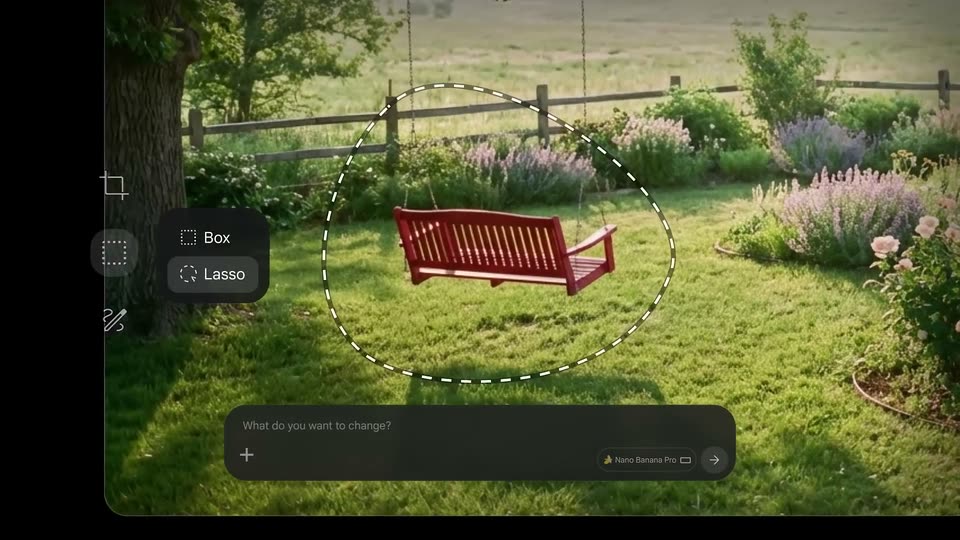

Introducing the New Flow, Your AI Creative Studio
Google · AI · Feb 2026
Mistral AI · Feb 2025 · 1:16 · Full motion · AI-annotated
Mistral AI’s 1:16 launch film runs 37 scenes, about 2.1 s each. The product shows up at 0:02 and 7 features are revealed. The call to action lands at 1:13 (96% in). The video is a rapid montage of single-word feature titles, each followed by a typed prompt and a 3D chat card that answers it, all on a near-black grid with a single orange accent. Pacing is steady at 120 BPM with short cuts, and the signature moves are the typewriter caret, the warm orange glow blooming behind each answer card, and the gradient bar that resolves into the brand logo at the close.
Is this your launch? to your site or press kit.
Google · AI · Feb 2026
Reve · Nov 2026
White text “Answers.” sits centered on a dark grid. A vertical panel wipes open from the middle, widening to reveal a lighter panel, an orange rectangle, and a thin orange ring drawing itself around the rectangle.
On-screen text: “Answers.”
Techniques: Masking
Camera: Static
An orange rounded button reading “Ask Le Chat” with a pixel chevron sits centered on a near-black grid background. The button scales down toward the center while a soft orange radial glow blooms behind it.
On-screen text: “Ask Le Chat”
Camera: Static
A dark grid background holds a small white caption “Right now.” centered, which is replaced by a large line typing out “What's happening in the world” with a blinking caret; a small video of a bearded man in a dark shirt sits inside the W.
On-screen text: “Right now.”, “What's happening in the world”
Techniques: Kinetic type
Camera: Static
On a near-black background, a small square avatar of a bearded man in a cap sits at left. A line of white text slides in beside it, ending in a thin cursor bar, then the whole line drifts right and dims.
On-screen text: “What's happening in the AC Milan game?”
Techniques: Kinetic type
Camera: Static
A dark phone chat screen shows a typed question with a caret, then the frame reframes down to an answer card with an orange icon, the score line and a gray source pill.
Techniques: UI zoom
Camera: Static
Close-up of a phone screen on a dark background with a warm orange glow. A dark notification card holds an orange app icon, two team crests and match-score text. The second line and the source pill slide into place while the frame stays locked off.
On-screen text: “onefootball.com”
Camera: Static
A dark grid background holds a centered line of text that fades in from low opacity. The frame stays locked off while the words resolve to full contrast.
On-screen text: “Tailored to you.”
Camera: Static
White text “Tailored to you.” is centered on a dark grid background. The line fades out as a small rounded input bar with a circular avatar and partial text fades in just below it.
On-screen text: “Tailored to you.”
Camera: Static
A dark chat bubble with a small avatar of a woman types out a question behind a blinking caret. The bubble then slides up as a second bubble, marked by an orange H square, fades in below with gray reply text.
Techniques: Kinetic type
Camera: Static
A dark chat view holds on a user message bubble, then the frame pulls back to reveal the assistant reply card below, which lists three show recommendations with small thumbnails.
Techniques: UI zoom
Camera: Pull out
A dark background features a grid pattern that transitions into a dotted abstract shape, framing the static word 'Anywhere.' in the center.
On-screen text: “Anywhere.”
Camera: Static
A tilted smartphone floats in 3D perspective on a black background, its screen showing a camera view of a hand holding a VISTALBA wine bottle. The camera pulls back from a close crop on the label to reveal the whole device and the prompt bar at the bottom.
Techniques: 3D mockup
Camera: Pull out
A 3D phone mockup on black tilts from a side angle to face the camera, its screen showing a hand holding a wine bottle against green foliage. A small caption and a round button sit at the bottom of the interface.
Techniques: 3D mockup
Camera: Static
A dark phone screen shows a note card with a wine bottle photo and a small avatar. The line 'What chocolate goes best with this wine?' types out letter by letter, then the view zooms into the text until it fills the frame blurred.
Techniques: Kinetic type, UI zoom
Camera: Static
A dark message card with an orange M logo and white text sharpens and settles at center on a black background as a warm amber glow blooms behind it. Video panels fade in at the left and right edges, showing hands holding dark beans and a food close-up.
Camera: Pull out
A grid of photo cards showing cacao beans, soil and chocolate bars floats in 3D perspective on a dark background. The camera drifts through the panels while a caption card with an orange M mark scales in at the center.
On-screen text: “Cabernet Sauvignon pairs beautifully with dark chocolates.”
Techniques: 3D mockup, Parallax
Camera: Pull out
A pinwheel of tilted photo cards showing chocolate and coffee beans floats in a black void with a warm glow behind it. The cluster scales down to a small point at the center.
Camera: Pull out
The word Create. in large white type sits centered on a dark charcoal field marked by a faint grid of thin lines. The text holds still for the duration of the short clip, with no movement or reveal.
On-screen text: “Create.”
Camera: Pull out
On a near-black background, a dark prompt card types out “Generate a birthday card for my nephew Jack. He loves trains.” as the “Image generation” tag flashes orange, then a second card bearing an orange logo and three loading dots slides in from the right to cover it.
Techniques: Kinetic type
Camera: Static
A dark message card floats in 3D perspective, easing to face the camera. White text types out word by word above a colorful cartoon train birthday card with balloons, then the scene fades to black.
Techniques: 3D mockup, Kinetic type
Camera: Pull out
A dark grid background opens zoomed into the word Analyze., then pulls back to frame the full headline centered. The headline fades out as a small dark input panel with an icon and three option labels fades in behind it.
On-screen text: “Analyze.”
Techniques: UI zoom
Camera: Pull out
A dark chat input card is centered on near-black. A prompt types out beside a small avatar, the option labels fade, and a file chip with an orange XLS tag appears. The card morphs into a message bubble with an Excel icon and three orange dots.
On-screen text: “Results for ilustrative purposes and may vary. Subscription required and compatible with certain features.”
Techniques: Kinetic type, Morph
Camera: Static
A dark card showing a December financial report and a green bar chart slides up from below into the center of a black field, pauses, then a white bar wipe sweeps across as giant white letters slide in from the sides.
On-screen text: “Here are the key findings from the Spreadsheet:”
Techniques: Kinetic type, Masking
Camera: Static
The word Build. fills the frame in large white type on a dark, faintly gridded background. It then scales down to a smaller centered size and holds, the grid staying static behind it.
On-screen text: “Build.”
Techniques: Kinetic type
Camera: Pull out
The word Build. in large white type holds center on a dark gray panel marked by a faint grid. The frame stays static for the full duration, with no movement or reveal.
On-screen text: “Build.”
Camera: Static
A dark chat shows a user avatar and the prompt 'Can you debug this code for me?' typing out letter by letter with a caret, then syntax-highlighted JavaScript appears line by line below, before the view shifts to a red robot avatar's reply.
Techniques: Kinetic type
Camera: Static
A dark chat panel shows an orange square logo and a white heading beside a JavaScript code block. The code opens blurred with a warm glow, sharpens into legible syntax-highlighted lines, then the whole panel fades to black.
Camera: Static
The word Plan. opens as a tight close crop, then scales down to a centered position on a dark grid background. A small rounded input bar with a profile photo slides in to the left, and a caret types Create a wedding timeline plan.
On-screen text: “Plan.”, “Create a wedding timeline plan”
Techniques: Kinetic type
Camera: Pull out
A dark rounded input box with a small avatar sits centered on a black background. White text types out letter by letter with a blinking caret, then the box blurs and slides up as a duplicate appears below, and both fade into a small rounded button marked D.
Techniques: Kinetic type
Camera: Static
A dark chat screen holds a prompt bubble with a wedding planner request above an input bar. The bar carries an orange square logo and three small colored squares that blink like a loading indicator. The frame stays locked off.
Camera: Static
A dark chat card holding a wedding timeline table brightens from dim to full over an orange glow, then cuts to a wireframe phone on the right beside the gray word from.
On-screen text: “from”
Camera: Pan
A thin gray wireframe of a smartphone drifts left across a near-black frame while the white headline stays fixed on the left. At the bottom of the phone, a dark chat card with a blinking caret and an orange button scales in.
On-screen text: “from your”, “pocket”
Camera: Static
A flat dark browser window mockup with a bottom command bar sits on a black background. On the right, large white text 'to your desk' appears, with 'desk' sliding into place beneath 'to your'.
On-screen text: “to your desk”
Techniques: Kinetic type
Camera: Static
On a dark grid background, the white line “Brought to you by” sits centered and slides into place. A thin vertical line, gradient from yellow to red with a small white dot, drops in at the right edge.
On-screen text: “Brought to you by”
Techniques: Kinetic type
Camera: Static
On a dark grid background, the gray text “Brought to you by” sits left of a small pixelated orange mark. The mark bursts into stacked yellow, orange and red bars that wipe across the frame, then retract to a single red block.
On-screen text: “Brought to you by”
Techniques: Morph, Masking
Camera: Static
A pixelated bar with a yellow-to-red gradient slides across a dark background. Its white end reshapes into a notched W mark, then fills with the gradient. The gray text Le Chat fades in beneath the logo.
On-screen text: “Le Chat”
Techniques: Morph
Camera: Static
The orange rounded-square Mistral icon holds center on a near-black background. The tagline below it and three store badges at the bottom fade in over a second, then hold static.
On-screen text: “Le Chat by Mistral AI”, “chat.mistral.ai”, “Download on the App Store”, “GET IT ON Google Play”
Camera: Static