1:18
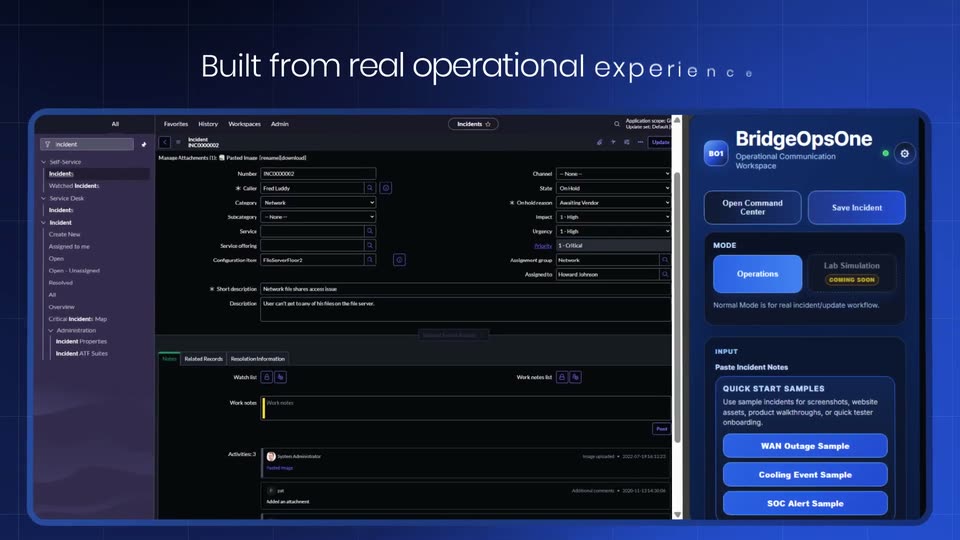
BridgeOpsOne – Turning Critical Incidents Into Actionable Insights
BridgeOpsOne · Jun 2026
Taste Labs · Jun 2026 · 1:24 · AI-annotated
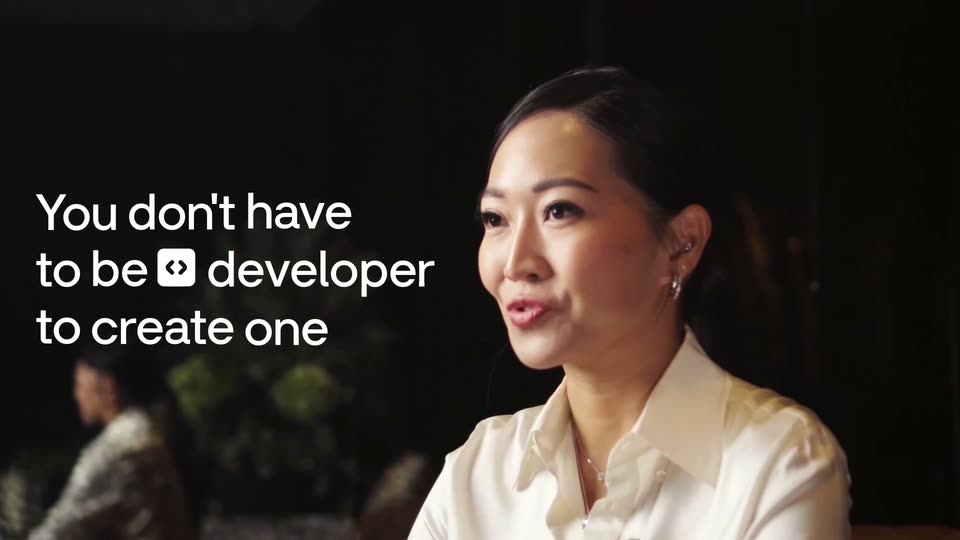
Taste Labs’s 1:24 launch film runs 40 scenes, about 2.1 s each. The product shows up at 0:06 and 1 feature is revealed. The call to action lands at 1:10 (84% in), over a voiceover. The video alternates live-action founder shots on a bright white set with dark graphic sequences built from rounded cards, 3D mockup fields, and marquee text rows. Its signature moves are word-by-word caption builds, sliding text grids, and the rounded hexagon morphing between container, icon, and logo.
Is this your launch? to your site or press kit.
BridgeOpsOne · Jun 2026
Apple · Hardware · Mar 2026
ChatAndBuild · Nov 2026
A woman in a black blazer sits in a wooden chair against a white wall, gesturing with both hands as she speaks. The word TASTE in white bold type appears over her torso and fades out.
On-screen text: “TASTE”
Techniques: Kinetic type
Camera: Static
A woman in a black blazer and white shirt smiles, both hands raised in a gesture, seated against a pale wall. A thin black curved line on the left forms a panel holding the static text “AI has a”.
On-screen text: “AI has a”
Camera: Static
A woman in a black blazer speaks to camera in a bright room, gesturing with both hands. Black captions sync to her speech: “Taste problem.” sits in a thin rounded panel on the right, then blurs out; “Data & Infrastructure to fix it.” stacks line by line on the left.
On-screen text: “Al has a”, “Taste problem.”, “Data &”, “Infrastructure”, “to fix it.”
Techniques: Kinetic type
Camera: Push in
A woman in a black blazer speaks to camera on a light wall as her name and title fade in above her. The shot then shrinks into a small rounded card over a dark blur, while large black words slide in from both edges.
On-screen text: “Data & Infrastructure to fix it.”, “Thais Castello Branco”, “Founder, Taste Labs”
Techniques: Masking
Camera: Pull out
A woman in a black blazer talks inside a rounded video window on a dark hexagon, centered over white with thin gray contour lines. Large black text slides in from both edges: $18.5M Raised left, its figure counting up, and To end AI Slop right, as the frame zooms out.
On-screen text: “$18.5M Raised”, “To end AI Slop”, “Amplify CRV”, “Thais Castello Branco”, “Founder, Taste Labs”
Techniques: Kinetic type
Camera: Pull out
A dark rounded hexagon scales up from the center, its small inset video of a woman fading out, until it covers the '$18.5M Raised' and 'To end AI Slop' headlines on a white ground with thin outlined hexagons.
On-screen text: “$18.5M Raised”, “Amplify CRV”, “To end AI Slop”
Techniques: Masking
Camera: Static
3D panels in perspective display design work: a comic poster, a minimalist poster, a dark website, a trading app, a stock dashboard, each tagged with a white label. The camera pans left, the panels rotate away, and a white card slides in with the word “But”.
On-screen text: “[Graphics]”, “[Websites]”, “[Apps]”, “[Posters]”, “But”
Techniques: 3D mockup, Parallax
Camera: Pan
A ring of small white mockup cards, each holding a different website or document, assembles around a black center. In the middle, a white headline builds word by word to read 'But it still feels off.'
On-screen text: “But it still feels off.”
Techniques: Kinetic type, 3D mockup
Camera: Pull out
A field of website template mockups floats in 3D perspective on a dark background. The camera pushes in through the grid as the caption But it still feels off. holds center, with a hexagon icon labeled Sameness at the right.
On-screen text: “But it still feels off.”, “Sameness”
Techniques: 3D mockup, Parallax, UI zoom
Camera: Pan
A diagonal cascade of rounded UI mockup cards scrolls from bottom-left to top-right across a dark background, arranged in receding 3D perspective. A white hexagon mark and the word Repetition hold steady in the lower center as the cards flow past.
On-screen text: “Repetition”
Techniques: 3D mockup
Camera: Push in
A cascade of website template mockups floats in 3D perspective on a dark background. The hexagon Templates label slides right while the headline No sense of. fades in between thin chevron arrows.
On-screen text: “Templates”, “No sense of.”
Techniques: 3D mockup
Camera: Pull out
On a near-black background, the phrase repeats in three horizontal rows. The center row is bright white and bracketed, while the rows above and below are dim gray. All rows slide leftward across the locked-off frame.
On-screen text: “No sense of individuality.”
Techniques: Kinetic type
Camera: Static
On a near-black field, nine copies of the tagline sit in a marquee grid, the center line in white and the rest in dim gray. The center line grows word by word from “Future where” to “Future where AI understands what feels.” while the gray rows slide sideways in opposite directions.
On-screen text: “Future where”, “Future where AI understands”, “Future where AI understands what feels.”
Techniques: Kinetic type
Camera: Static
Rounded dark cards slide left over a static dim “Future where AI understands” backdrop. The center phone-shaped card holds a white wireframe arch with thin guide lines; a red card is packed with repeated PARALLEL text; labels WHAT FITS and WHAT'S BEAUTIFUL ride along with their cards.
On-screen text: “WHAT FITS”, “WHAT'S BEAUTIFUL”, “Future where AI understands”
Techniques: Parallax
Camera: Pan
The camera pans right across rounded-square panels on a dark field: a dark panel with a wireframe grid, a red panel tiled with PARALLEL, and a white panel holding a pink-yellow gradient poster. White labels with dots and lines sit above each panel; a woman enters at the right edge.
On-screen text: “WHAT FITS”, “WHAT'S BEAUTIFUL”, “WHAT FEELS LIKE YOU”, “WHAT'S TRULY GREAT”
Techniques: Kinetic type
Camera: Pan
Three rounded cards sit on a dark background: a red card of repeated PARALLEL text, a website mockup with a pink gradient, and a video of a woman. White uppercase labels sit above each; the center slides in and the right scales up as the layout eases back.
On-screen text: “WHAT'S BEAUTIFUL”, “WHAT FEELS LIKE YOU”, “WHAT'S TRULY GREAT”
Techniques: Kinetic type
Camera: Pan
Two rounded cards float on a dark background, the left a pink-gradient design document, the right a woman in a black blazer speaking. The left card shrinks toward the edge as the right grows and centers, each tied to a label above by a thin line and dot.
On-screen text: “WHAT FEELS LIKE YOU”, “WHAT'S TRULY GREAT”
Techniques: Kinetic type, Parallax
Camera: Push in
A woman in a dark blazer speaks and gestures inside a centered rounded frame, against a dark wall of scrolling feeling phrases. Percentages pop in beside the phrases, then the wall fades to leave her alone on black.
On-screen text: “this is a delightful moment”, “appreciate this vibe”, “this feels so”, “find this captivating”, “this is a pleasant surprise”, “this is quite enchanting”, “inspired by this”, “connected here”, “alive here”, “this is a heartwarming moment”
Techniques: Kinetic type
Camera: Push in
A woman with long brown hair, in a black blazer over a white tee, sits centered against a plain off-white wall. She speaks to camera, gesturing with both hands, while soft daylight rakes across the right side of the frame.
Camera: Static
On a near-black background, a white sans-serif line builds word by word from the left, ending with “foundation” underlined as it lands. The phrase then holds still for the rest of the clip.
On-screen text: “We're building the foundation to”
Techniques: Kinetic type
Camera: Static
A flat yellow phone mockup sits centered on a dark green panel, its screen showing a grid of numbers and a clock, framed by a network of dots joined by thin lines. Gray attribute labels with percentages scroll past on both sides beneath the static underlined headline.
On-screen text: “We're building the foundation to”, “Harmony > 27%”, “< Serious > 11%”, “Calm > 29%”, “< Playful > 19%”, “< Modern > 17%”, “< Abstract > 8%”
Camera: Pull out
A lime phone showing a digital clock sits centered on a dark field inside a green panel, ringed by a constellation of white dots linked by thin lines. Monospace attribute labels with hexagon ratings and percentages scroll around the borders.
Techniques: Parallax
Camera: Push in
Lines of JSON code scroll upward over a dark background while a small phone mockup with a pale yellow screen holds the center. The view zooms in on the code until single lines, “Judge this design” and “Score 0-100”, fill the frame.
Techniques: UI zoom
Camera: Push in
A locked-off white field shows a web of thin gray lines linking small app icons in outlined shapes; the icons swap and their percentage labels tick up. The center headline builds in sequence: Search, then for what's, then Great. in large black type.
On-screen text: “Search”, “for what's”, “Great.”
Techniques: Kinetic type
Camera: Static
A woman in a black blazer and white top sits against a pale wall, speaking to camera. On the left, a large white caption reads 'starting with design.', the last word sliding in.
On-screen text: “starting with design.”
Techniques: Kinetic type
Camera: Push in
A woman in a black blazer sits in a wooden chair in a bright white room, speaking to camera and gesturing with her hands. Stacked words appear over her, with the last word sliding in.
On-screen text: “starting”, “with”, “design.”
Techniques: Kinetic type
Camera: Static
A woman in a black blazer sits and speaks, gesturing, in a bright room. A white rounded mask wipes up from the bottom, blurring her into a backdrop, and reveals a black rounded-rectangle shape at center while three cards labeled Data, Rational and Code scale in down the right edge.
On-screen text: “Rational”, “Data”, “Code”
Techniques: Masking
Camera: Static
A black rounded square reading <TRAINING> sits in a white rotated frame on a dark field. Surrounding app cards, hexagon dots, and code blocks labeled Data, Rational, Code blur into focus, then drift outward and fade as the white frame morphs into an octagon, isolating the mark.
On-screen text: “Data”, “Rational”, “Code”, “<TRAINING>”
Techniques: Parallax, Morph
Camera: Pull out
A white rounded octagon holding a dark tile labeled <TRAINING> shrinks and morphs into a thin outlined code box. Inside, the phrase create a beautiful web types out left to right behind a blinking caret on a near-black field.
Techniques: Morph, Kinetic type
Camera: Static
A white prompt card sits centered on a dark field; monospaced text types out a website request, then the camera zooms in and pans right, following the black Build! button as a thin line with a hexagon tip extends off frame.
Techniques: Kinetic type, UI zoom
Camera: Push in
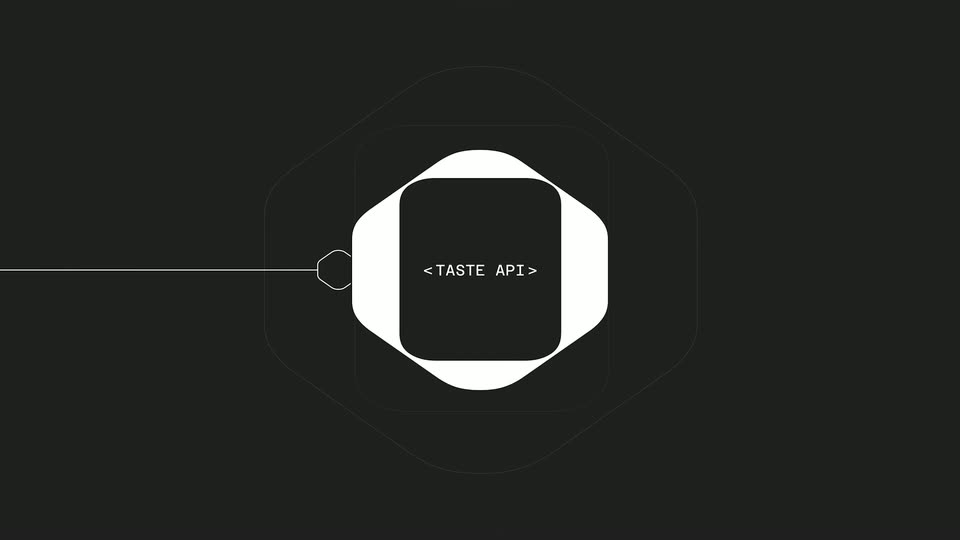
A small prompt caption scales out as two dark rounded squares bearing the <TASTE API> wordmark slide together and morph into one white rounded octagon with a dark inner square. A thin white line with a small hexagon node extends from the left edge.
On-screen text: “Create a beautiful website for my next event and”, “Build!”
Techniques: Morph
Camera: Static
On a near-black field, a white rounded square holds a dark tile reading <TASTE API> at center. Thin concentric rounded-square outlines expand outward from it in a ripple, while a horizontal line with a small hexagon marker travels across the frame.
On-screen text: “<TASTE API>”
Camera: Push in
On a near-black background, a thin white line draws in from the left edge, ending in a small octagon outline. The line extends rightward and a large dark rounded-rectangle panel with a soft glowing border is outlined into place, the octagon docking at the panel's left edge.
Camera: Static
A white interface card sits centered on a dark frame, showing a hero headline and scattered artwork thumbnails. Near the end the interface fades to a soft blur while large cream text appears on both sides, 'we're just' on the left and 'getting started' on the right.
On-screen text: “we're just”, “getting started”
Camera: Static
A woman in a black blazer sits in a bright room inside a rounded video card on a black background. The card slowly enlarges toward full frame while the side words 'we're just' and 'getting started' fade out.
On-screen text: “we're just getting started”
Techniques: Masking
Camera: Push in
A woman in a black blazer and white tee speaks to camera against a white wall, locked off. On the left a black hexagon icon marks a list where Join us, Research, Engineering and Product cycle, the active line bold black, the rest faded gray as it scrolls up.
On-screen text: “Join us”, “Research”, “Engineering”, “Product”
Techniques: Kinetic type
Camera: Push in
A woman in a dark blazer smiles and speaks against a plain white wall. On the left, the label Engineering slides in above Product, which scales in beside a hexagon icon. The shot fades to white.
On-screen text: “Engineering”, “Product”
Camera: Static
An overexposed white frame; a dark rounded shape sits at the top center, then the image settles into a plain white panel edged by two thin vertical lines at the left and right borders.
Camera: Static
A rounded-square logo mark with a diamond outline opens in extreme close-up, then scales back to the center as the gray lowercase wordmark tastelabs. appears beneath it on a plain white field.
On-screen text: “tastelabs.”
Camera: Static
A black geometric logo mark sits above the centered URL on a near-white background. The frame holds still, then cuts to black.
On-screen text: “tastelabs.com”
Camera: Static