
1:22
Explore
00:00:00 / 00:35:24
- Length
- 0:35
- Scenes
- 23 · 1.6 s avg
- Product on screen
- 0:02
- Features shown
- 2
- Call to action
- 0:28 · 79%
- Voiceover
- Yes
- Views
- 1.3M on X
as of November 14, 2026
Pollo AI’s 0:35 launch film runs 23 scenes, about 1.6 s each. The product shows up at 0:02 and 2 features are revealed. The call to action lands at 0:28 (79% in), over a voiceover. The video leads with a retro live-action hook, names the product on a bold title card, then trades dark UI demos of the MCP connector for a model-library feature and a platform tour, ending on a URL card and a warm live-action tag. Its look is a near-black canvas lit by a red-orange glow, heavy condensed type, and a recurring orange-cap character with a vintage TV that stitches the live-action and motion-graphics halves together.
Footage neededEstimated needs: 3 capture groups — your screens or recordings · 5 filmed passages — shoot, supply or replace · 3 graphic passages — draw or supply · 1 3D passage — build or supply
Is this your launch? to your site or press kit.
More like this




Pollo AI - Meet Pollo MCP. 🧩 Your creative workflow just went agentic. Create, scene by scene
· 23 scenes as text
01 · Hook · 0:00–0:01
A vintage portable TV rests on the seat of a dark car interior. Through the rain-streaked window, a woman in an orange cap and cream sweatshirt stands with a second woman behind her, then a burst of water splashes across the glass. Locked-off frame.
Camera: Static
02 · Hook · 0:01–0:02
A person in an orange cap leans into a car holding an old television, then the shot cuts to them holding a phone as a honeycomb of orange hexagon outlines overlays the frame and a large translucent orange numeral scales in at center.
On-screen text: “2”
Techniques: Kinetic type
Camera: Push in
03 · Product intro · 0:02–0:03
An orange honeycomb grid dissolves over a night street shot of a man in an orange cap pushing a metal cart, revealing the title POLLO MCP in a selection box with a pixel arrow, FOR AI AGENTS below, and ChatGPT, Claude and Cursor logos.
On-screen text: “POLLO MCP”, “FOR AI AGENTS”, “ChatGPT”, “Claude”, “CURSOR”
Techniques: Kinetic type
Camera: Push in
04 · Product intro · 0:03–0:04
A gray rounded title card floats over a faded clip of a band performing, holding POLLO MCP in orange distressed type inside an editor selection box with an orange arrow, FOR AI AGENTS below, and ChatGPT, Claude, Cursor wordmarks. Orange corner shapes swell as the card scales down.
On-screen text: “POLLO MCP”, “FOR AI AGENTS”, “ChatGPT”, “Claude”, “CURSOR”
Techniques: Kinetic type
Camera: Static
05 · Product intro · 0:04–0:08
A person in an orange cap is held down on the floor, staring at the camera beside a vintage TV. Glowing orange text reading Connect your agent to Pollo MCP scales in on the floor in perspective, then the shot cuts to black.
On-screen text: “Connect your”, “agent.to”, “Pollo MCP”
Techniques: Kinetic type
Camera: Push in
06 · Product intro · 0:08–0:11
On a black field with a soft red glow, the lockup 'Pollo.ai in' (orange and white) holds center while the partner swaps from 'ChatGPT' with the OpenAI knot to 'Cursor' with a cube icon. The type begins blurred with color fringing, then sharpens and scales up.
On-screen text: “Pollo.ai in ChatGPT”, “Pollo.ai in Cursor”
Techniques: Kinetic type
Camera: Static
07 · Product intro · 0:11–0:12
On a black background, large white lowercase words slide across the frame with motion blur, while a dark curved swoosh cuts through the letters of “your agent”.
On-screen text: “Pollo.ai in”, “Now your agent”
Techniques: Kinetic type
Camera: Push in
08 · Product intro · 0:12–0:13
A dark frame with a red glow at the top holds a centered headline that fades in from dim to full brightness. 'Now your agent generates on Pollo ai' appears with 'Pollo ai' in orange, above two smaller gray lines. The text then holds static.
On-screen text: “Now your agent”, “generates on Pollo ai”, “AI image & video creation”, “Inside your favorite AI agent”
Camera: Push in
09 · Feature reveal · 0:13–0:14
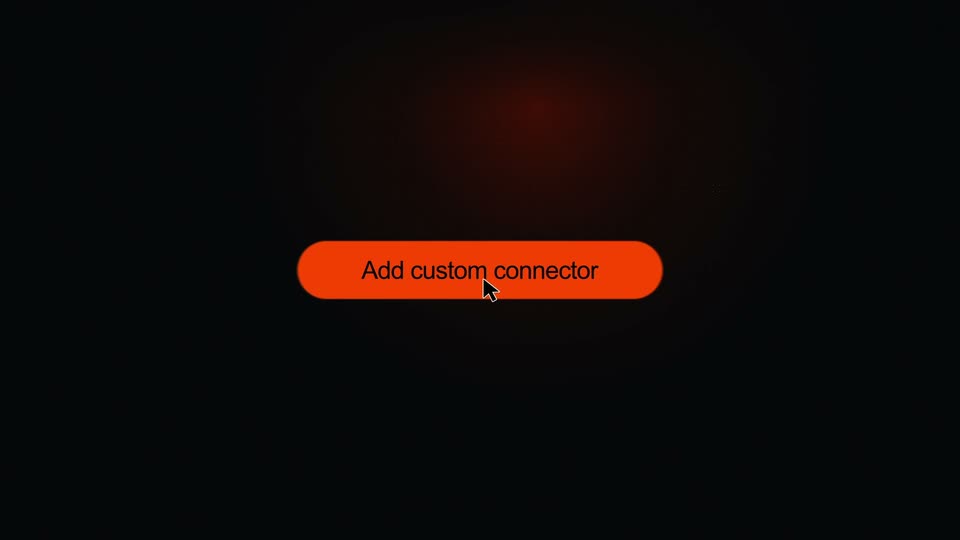
A dark canvas with a soft red glow; a white cursor hovers over a small orange gear badge at center, which stretches into a wide orange pill button labeled Add custom connector.
On-screen text: “Now your agent”, “generates on Pollo ai”, “AI image & video creation”, “Inside your favorite AI agent”, “Custom Connector”, “K”
Techniques: Morph, Cursor demo
Camera: Static
10 · Feature reveal · 0:14–0:15
A white modal card titled Connect Pollo MCP is centered on a dark backdrop. A cursor drifts across the two empty input fields, then the letters Pol appear in the top field.
Techniques: Cursor demo
Camera: Static
11 · Feature reveal · 0:15–0:16
A white rounded dialog card sits centered on a near-black background with a faint red glow. A cursor rests in the lower input field as a URL types out character by character beside the label Pollo, with an orange Add button at the corner.
Techniques: Cursor demo
Camera: Static
12 · Feature reveal · 0:16–0:18
A white settings card sits on black, showing a Connect Pollo MCP form with a filled URL field and an orange Add button. A black cursor slides onto the button, which flashes a small sparkle, then the frame zooms tight onto the glowing button.
Techniques: Cursor demo, UI zoom
Camera: Static
13 · Feature reveal · 0:18–0:19
On a dark red gradient, three icons slide from the top row down the left edge as a single white pill at the bottom expands into three stacked pills, each revealing a model name and a red up-arrow button.
Camera: Static
14 · Feature reveal · 0:19–0:20
Three white input pills stack on a dark red gradient, each with a model icon, the Pollo logo, a prompt and an orange send button. The bottom Grok 4.6 row slides up into place as the Pollo logos fade to full opacity.
Camera: Static
15 · Feature reveal · 0:20–0:21
Three white pill bars list Pollo MCP calls with model names and orange up-arrow buttons on a dark red gradient. A small orange arrow circle on the middle bar scales up into a large centered disc, glowing over the list.
Techniques: UI zoom
Camera: Static
16 · Feature reveal · 0:21–0:21
A large orange circle with a white up arrow holds center on a black field, three blurred white bars sliding at the left edge. The circle flies up out of frame as a dim grid of small tiles fades in below.
Camera: Static
17 · Demo · 0:21–0:23
Three dark interface mockups float in 3D space on a black background with a warm glow. The headline builds word by word beneath the top panel, with the last two words in orange, while the panels fade into view.
On-screen text: “Create With Pollo AI”
Techniques: Kinetic type, 3D mockup
Camera: Push in
18 · Demo · 0:23–0:25
The dark homepage dims and the view pushes into the prompt field. A cursor hovers as the words type into the box, then a tagline appears: POWER slides in beside the static word SCRATCH.
On-screen text: “POWER”, “SCRATCH”
Techniques: UI zoom, Cursor demo, Kinetic type
Camera: Push in
19 · Feature reveal · 0:25–0:27
A dark interface lists AI video models, each row with an icon and a one-line description. The list scrolls upward as new rows appear, a faint red glow sits behind it, and the bold headline at the top fades to gray as the clip ends.
On-screen text: “The Latest Models, All in One Place”
Camera: Static
20 · Feature reveal · 0:27–0:28
A flat list of AI model names and descriptions tilts into 3D perspective and rotates, a bright glint sweeping across the top as the headline above fades out.
On-screen text: “The Latest Models, All in One Place”
Techniques: 3D mockup, Light sweep
Camera: Pull out
21 · CTA · 0:28–0:29
On a black background, two centered lines of text settle from a blurred spin into a straight, locked frame: 'available now' in light gray above 'Pollo.ai/mcp' in glowing orange-red.
On-screen text: “available now”, “Pollo.ai/mcp”
Techniques: Kinetic type
Camera: Pull out
22 · CTA · 0:29–0:34
A girl in an orange cap sits in a sunlit retro living room, turning the dial of a vintage TV. Through bursts of static, logos cycle on the screen: a rainbow P, an orange starburst, a white aperture mark, a white cube. She smiles as the channels change.
On-screen text: “available now”, “Pollo.ai/mcp”
Camera: Push in
23 · Outro · 0:34–0:35
A black field holds a thin blue glitch line of horizontal scanlines flickering along the bottom edge, then the frame cuts to solid black.
Camera: Static