0:32
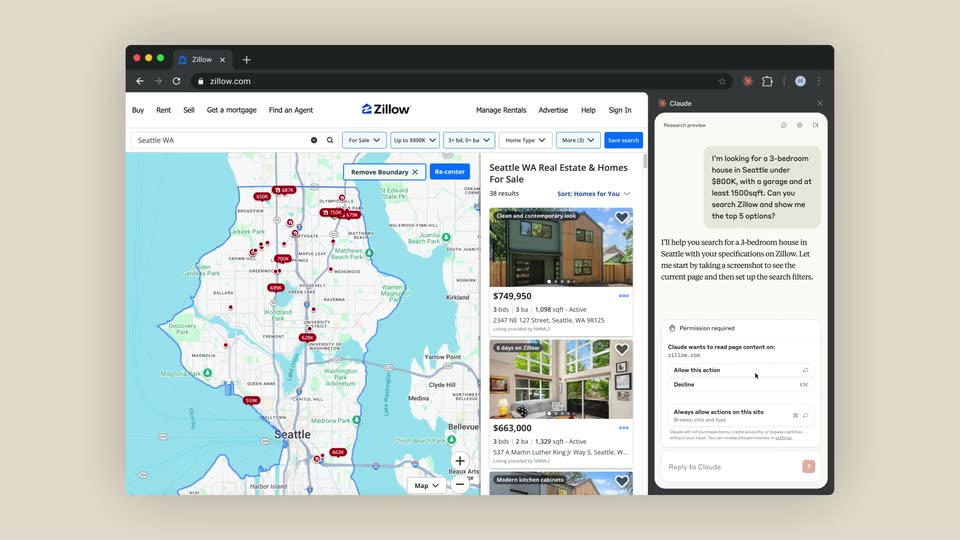

Anthropic - We’ve developed Claude for Chrome, where Claude works directly in you
Anthropic · AI · Aug 2025
Claude’s 1:19 launch film runs 25 scenes, about 3.2 s each. The product shows up at 0:06. There is no explicit call to action. The video opens with a self-drawing doodle and a tagline, then runs a chain of chat prompts that each resolve into an interactive visualization (career map, structural diagram, shadow study, timeline), with fast blur-scroll page turns between them and a tagline plus wordmark at the end. Its signature moves are letter-by-letter typing, self-drawing line art, the pulsing coral asterisk, and slow drifting low-poly blobs on flat cream fields.
Is this your launch? to your site or press kit.
Anthropic · AI · Aug 2025
Cursor · Developer tools · Apr 2026
A black marker line draws itself across a beige field, looping into a flower with a white circular bloom. The doodle twists into a knot as pale blobs drift around it, then the drawing clears and a serif caption appears at the center.
On-screen text: “Sometimes, you just have to see it.”
Techniques: Morph
Camera: Static
A charcoal serif tagline holds centered on a beige field as three white low-poly blobs drift slowly behind it. The line ghosts out and a flat browser window with a greeting fades in.
On-screen text: “Sometimes, you just have to see it.”
Camera: Static
A serif greeting fades in above a white input field on a cream background. A prompt then types out letter by letter into the field, ending with a blinking caret while the model label and send button stay fixed.
Techniques: Kinetic type
Camera: Static
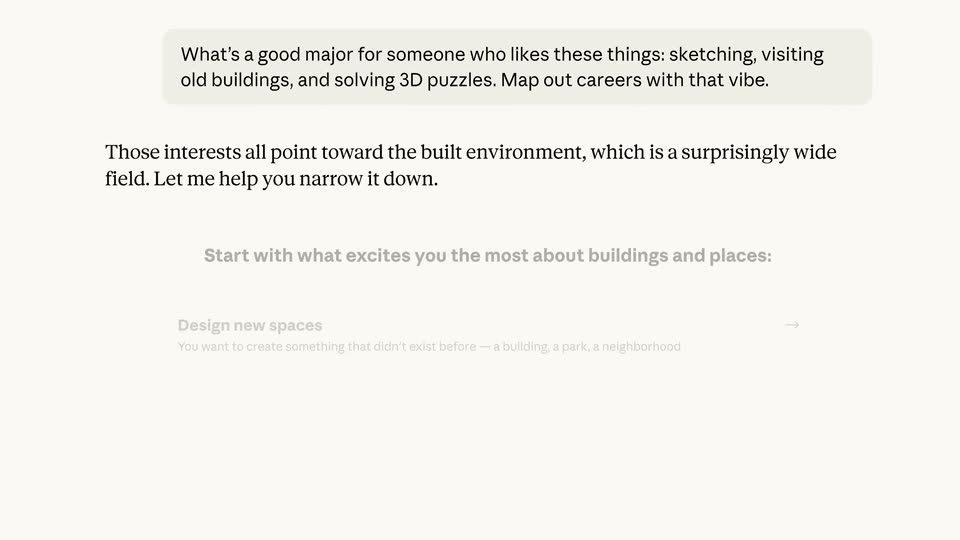
A cream chat screen: a gray box holds the user question, then the assistant reply streams in word by word in serif type. An orange sparkle loader pulses, a panel expands with a bold heading and three option rows with arrows, and the view reframes onto a second option set.
Techniques: Kinetic type, UI zoom
Camera: Pull out
A browser window shows a chat interface mapping architecture careers. The page scrolls up slightly as a cursor clicks the Buildings row, and the option list updates to a new question; the cursor then clicks the Neighborhoods node in the flowchart.
Techniques: Cursor demo
Camera: Static
A desktop chat window shows a flowchart of urban-design branches above a list of topic cards. A cursor glides down and hovers the Living systems row, which fills with a soft beige highlight while the rest of the page holds still.
Techniques: Cursor demo
Camera: Push in
A long document scrolls rapidly downward, the body text blurring with the speed, as a beige side panel slides from right to left and the view lands on a reply input field at the bottom.
Techniques: Speed ramp
Camera: Pan
A fast horizontal pan sweeps across two cream pages of a document, the lines of body text smearing into grey streaks as the bright central gutter slides out of frame.
Camera: Static
On a cream field, a serif greeting with a red burst mark sits above a white rounded input box that settles into frame. The placeholder slides away and a question types itself out letter by letter beneath the static headline.
On-screen text: “Back at it, Andrea”
Techniques: Kinetic type
Camera: Static
A white rounded chat input card holding a typed prompt sits under a serif headline on a cream background. The card and headline are swapped for a single line of serif response text beside a small coral asterisk mark.
On-screen text: “Back at it, Andrea”, “The load path is one of the most fundamental ideas in structures —”
Camera: Static
A cream background holds a dark serif paragraph that builds line by line, the first line static and the rest sliding in. A small coral starburst sits at the left margin and drops down as a pale gray rounded panel fades in below the text.
On-screen text: “The load path is one of the most fundamental ideas in structures — and once you see”, “it, you'll start noticing it in every building you walk through. Here's the basic path for”, “a single-story building.”
Techniques: Kinetic type
Camera: Static
A dark gray paragraph slides up off the top of a cream background as a blue line drawing of a gabled roof truss completes itself: internal braces and red reaction arrows appear at the base, under a faint Applied loads label with down arrows. A red asterisk sits at left.
On-screen text: “The load path is one of the most fundamental ideas in structures — and once you see it, you'll start noticing it in every building you walk through. Here's the”, “basic path for a single-story building.”
Camera: Pan
A blue line truss diagram sits on a cream field with down arrows and the caption Applied loads above. A beam rectangle and three columns draw in below, each with a down arrow, while numbered blue circles 1, 2, 3 step in on the right and a small red starburst pulses at left.
On-screen text: “Applied loads”, “snow, wind, occupancy”, “1”, “2”, “3”
Camera: Pan
A line diagram of a house structure pans down from roof beam to foundation and earth, with force arrows. A numbered legend and arrow key fade in, then an italic caption and three buttons appear as a cursor hovers the first button.
On-screen text: “Gravity never stops asking. Structure is the answer at every level.”
Techniques: Cursor demo
Camera: Pan
A blue line drawing of a flat roof truss with downward load arrows and a small caption sits on a cream background. The truss expands into a longer frame resting on four columns as callouts 1 and 2 fade in on the right and a small red asterisk drifts left.
On-screen text: “Applied loads”, “snow, wind, occupancy”, “1”, “2”
Techniques: Morph
Camera: Static
A two-page technical document fills the frame, the left page holding a blue line diagram and the right page dense body text. The view scrolls vertically down the spread, the motion blurring into horizontal streaks as the speed increases.
Techniques: Speed ramp
Camera: Pan
A cream screen shows a chat interface: a serif heading with a red asterisk sits above a white rounded input box. A prompt is typed into the box word by word, then the whole layout blurs and fades out.
Techniques: Kinetic type
Camera: Static
A serif sentence types out word by word in the upper left on a cream background, above a small orange starburst icon. A rounded beige rectangle fades in below the text as it completes.
On-screen text: “Starting with the light is the right instinct — it'll drive every design decision you make.”
Techniques: Kinetic type
Camera: Static
A browser window shows a city map with a green vacant lot; a time slider advances through the day, casting moving shadows and updating the stat cards below. A caption line appears at the bottom, then the window slides left to reveal a second document window on the right.
On-screen text: “Some things to notice as you play with the slider: the south-center of the lot holds sunlight the longest, that's prime real estate for a garden or anything”
Techniques: Split screen
Camera: Pull out
Two flat document windows sit side by side on a cream backdrop. A fast horizontal pan whips across the frame, blurring the text lines into streaks, and lands on a single centered document.
Techniques: Speed ramp
Camera: Pan
On a cream background, a chat greeting and input box slide in, then a long prompt types itself into the field. After the send, the reply types out below, and the frame zooms out to reveal the full window with a timeline.
Techniques: Kinetic type, UI zoom
Camera: Pull out
A flat browser window on a cream background holds a vertical timeline that scrolls upward. Entries alternate left and right of a dotted center line, moving from freshman-year items to a Habitat for Humanity build, with a small red starburst at lower left.
Camera: Pull out
A white portfolio panel with tabs and a timeline slides off the left edge, revealing a beige field where a serif tagline fades in word by word among soft white bokeh blobs.
On-screen text: “Sometimes, you just need to see it.”
Techniques: Kinetic type
Camera: Static
A black serif headline sits centered on a warm beige field while three off-white polygon blobs drift slowly around it. In the first second the tail words of the line slide in and settle into place, then the frame holds.
On-screen text: “Sometimes, you just need to see it.”
Techniques: Kinetic type
Camera: Static
On a flat beige background, a small red asterisk mark scales up at center, then locks in left of the black serif wordmark Claude. The logo and word hold still, centered.
On-screen text: “Claude”
Camera: Static