0:32
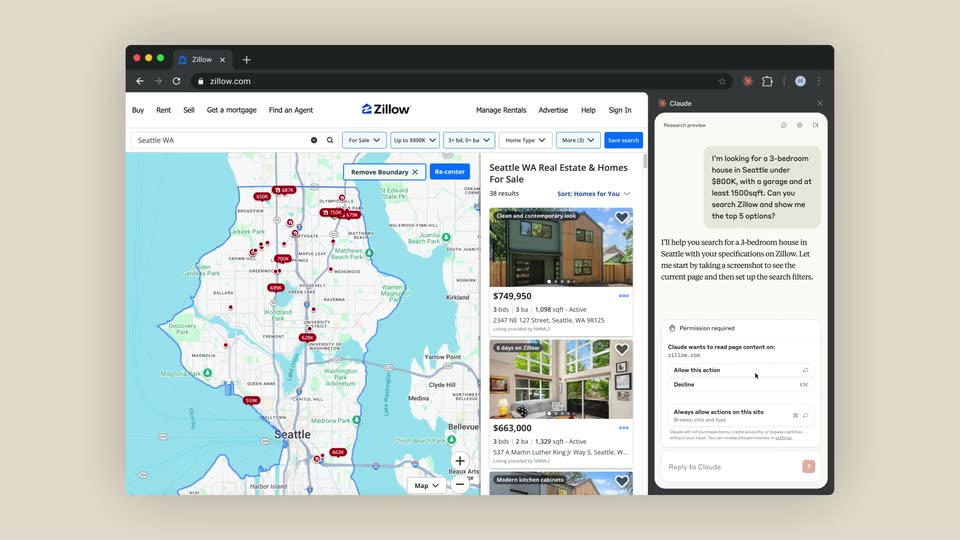

Anthropic - We’ve developed Claude for Chrome, where Claude works directly in you
Anthropic · AI · Aug 2025
Cursor · Apr 2026 · 0:35 · AI-annotated
Cursor’s 0:35 launch film runs 6 scenes, about 5.8 s each. The product shows up at 0:30. There is no explicit call to action. The video is built as a code-first reveal: type-on snippets on a cream field, then split-screen runs that stream terminal output line by line, with zoom and blur-scale transitions between the two agent variants. Its signature is the monospace typing animation and the flat cream and black palette, held at a slow, deliberate pace.
Is this your launch? to your site or press kit.
Anthropic · AI · Aug 2025
Speko · B2B · Nov 2026
On a cream background, a line of JavaScript types in with syntax colors, then more lines stack until the full snippet fits. The frame then splits: the code sits left while a black terminal with a blinking orange cursor opens on the right.
Techniques: Kinetic type, Split screen
Camera: Pull out
A split screen shows a light code editor left and a dark terminal right. The terminal types a run command, then streams agent output line by line in orange and white, ending with a green Done, before zooming into the terminal.
Techniques: Split screen, UI zoom
Camera: Push in
A full-frame code editor types a JavaScript snippet character by character on a cream background; a peach highlight bar tracks the active line as it descends, then the snippet changes to a cloud variant with a GitHub URL.
Techniques: Kinetic type
Camera: Pull out
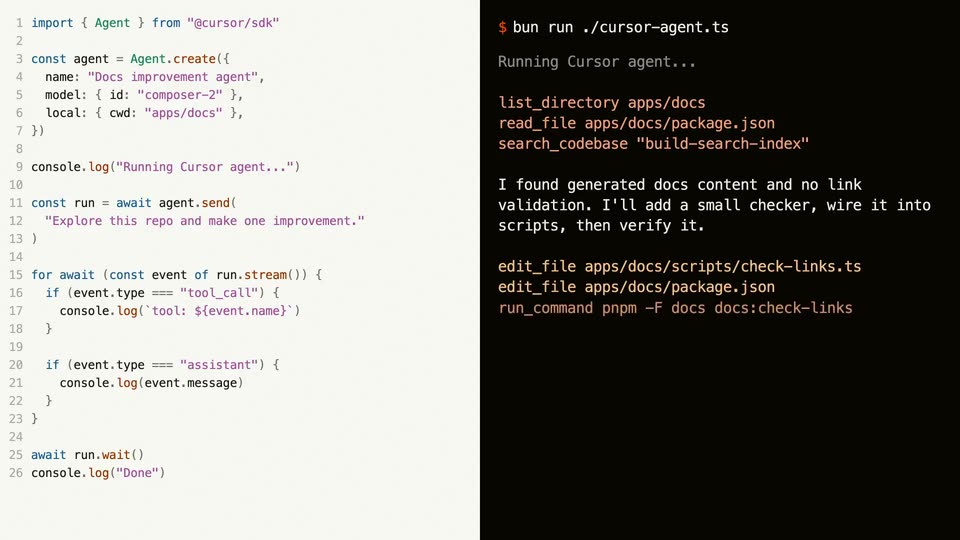
A split screen shows a TypeScript file in a light code editor on the left and a dark terminal on the right. The terminal types a bun command, streams agent output line by line, ends with a green Done, then the frame blurs and scales up.
Techniques: Split screen, Kinetic type
Camera: Static
Black “Cursor SDK” sits centered on a flat light-gray field. The frame is locked off and the text holds still for the full shot.
On-screen text: “Cursor SDK”
Camera: Static
A small white hexagonal logo mark sits centered on a plain black background, holding completely still for the full duration of the shot.
On-screen text: “Cursor SDK”
Camera: Static