0:53
Best AI Product Video for SaaS | Lovio
Lovio · Jan 2026
OpusClip · Sep 2026 · 1:04 · AI-annotated
OpusClip’s 1:04 launch film runs 13 scenes, about 5.0 s each. The product shows up at 0:02. There is no explicit call to action; a voiceover carries the film. Built as one slow UI tour: a chat question, a three-step answer, a rightward pan from chat into the editor, a line-by-line checklist, then a split before/after on a dotted grid, ending on a logo that swaps into a URL. The signature moves are locked-off frames with gentle pans and scale-ups, staggered bubble and checkmark reveals, and side-by-side panels where the after side brightens and gains yellow sticker overlays.
Is this your launch? to your site or press kit.
Lovio · Jan 2026
Anthropic · AI · Aug 2025
Anthropic · AI · Feb 2025
A near-black gradient background holds still as the single word “You” appears in the upper right corner in white type. The frame is locked off and the text stays fixed once it has entered.
On-screen text: “You”
Techniques: Kinetic type
Camera: Static
A dark chat interface holds a single gray message bubble under the label You, reading How do I start editing videos with AI? The frame stays locked and static for the full clip.
Camera: Static
On a dark chat screen, a user question bubble sits at the top while the Codex avatar and name fade in. Three numbered step bubbles slide in one by one, listing Open ChatGPT, Install AI Producer plugin, and Start editing, then an orange cursor points at the last line.
Techniques: Kinetic type, Cursor demo
Camera: Push in
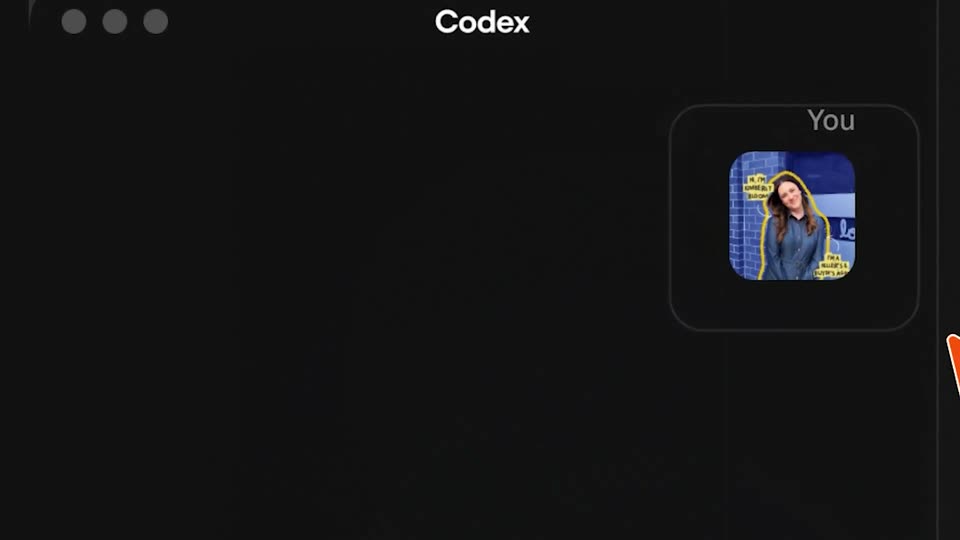
A dark Codex chat window sits on a black background. On the right, a card labeled You holds a photo of a woman in a gray dress against blue tiles, with an orange cursor resting on it. The window and card scale up through the clip.
Techniques: Cursor demo, UI zoom
Camera: Static
A dark Codex chat view: on the right, a user's photo and a file chip fade in, followed by a prompt bubble asking to edit the video with the AI producer plugin. The Codex reply then fades in below.
Camera: Pull out
A dark interface pans rightward across two panes. The left chat shows a prompt to edit a video via the AI producer plugin; the right video editor fades in a vertical clip of a man speaking at a microphone above a timeline, with a Generating tag.
Techniques: UI zoom
Camera: Push in
A dark AI chat interface fills a task checklist line by line with checkmarks, then scrolls to a new message. The view reframes into a video editor showing a portrait preview of a man at a microphone above a thumbnail timeline, ending with a cursor hovering a label.
Techniques: UI zoom, Cursor demo
Camera: Pull out
A dark video editor shows a vertical clip of a man speaking into a microphone, a thumbnail timeline with blue labels, and a cursor at the playhead. The layout then shifts into a blue dotted grid with a dimmed Before panel on the left.
Techniques: Cursor demo, Morph
Camera: Static
Side-by-side Before and After panels show the same man speaking into a microphone. The right panel plays with animated yellow sticker overlays, a highlighter caption, a rounded frame, and a 05 YEARS AGO calendar badge, while its color grade brightens.
On-screen text: “Before”, “After”, “YOUR OWN”, “KIND OF HAPPY”, “05”, “YEARS AGO”
Techniques: Split screen, Kinetic type
Camera: Static
Two vertical video panels sit side by side on a blue dotted background, labeled Before and After. The same man in a light hoodie speaks into a microphone in both; the After panel carries a yellow border, a dashed selection frame, and a calendar icon reading 05 with small sparkles.
On-screen text: “Before”, “After”, “05”, “MARCH 2020”
Techniques: Split screen
Camera: Static
Side-by-side vertical panels on a blue dotted background compare the same clip of a blonde woman at a studio microphone: the original on the left, a brighter color-corrected version on the right inside a yellow rounded frame. Small icons, a calendar, sun and rotate arrow, pop in near the mic.
On-screen text: “Before”, “After”, “05”
Techniques: Split screen
Camera: Static
A white logo mark scales up and brightens on a dark background, then the text AI Producer fades in to its right.
On-screen text: “AI Producer”
Camera: Static
On a dark gradient that fades from black to deep blue, a white circular P mark sits left of the centered wordmark AI Producer. The frame stays locked off; the wordmark then swaps to the URL producer.opus.pro as the closing lockup.
On-screen text: “AI Producer”, “producer.opus.pro”
Camera: Static