0:59
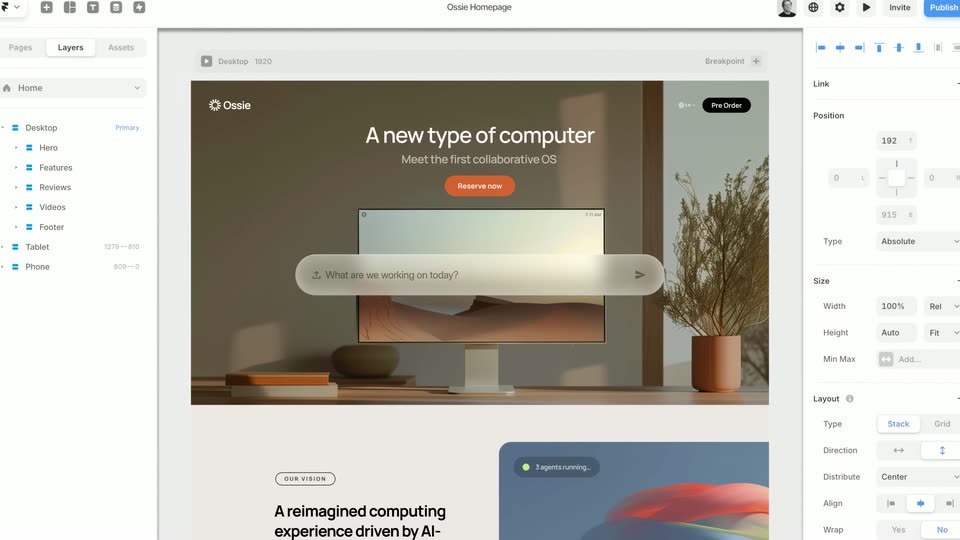

Framer Design: Design on an intuitive Canvas
Framer · Design · Jul 2024
Cascadeur 2026.3 · Nov 2026 · 3:21 · AI-annotated
Cascadeur 2026.3’s 3:21 launch film runs 49 scenes, about 4.1 s each. The product shows up at 0:16 and 4 features are revealed. The call to action lands at 3:15 (97% in), over a voiceover. A rapid feature-roundup built from locked-off screen captures, cursor-driven UI changes and short 3D demos on a neutral gray grid. The pacing is steady and informational, with each feature introduced by voiceover and then shown through small, concrete viewport interactions.
Is this your launch? to your site or press kit.
Framer · Design · Jul 2024
Morphic · Oct 2026
SimBlox · Business software · Oct 2026
Films whose music sounds like this one, voice left out
American Heart Association · Corporate electronic
Probe · Electronic, Corporate
Rapidfolio · Corporate electronic
A gray mannequin stands in a 3D viewport while dotted IK chains arc outward from its torso; a cursor drags a control point and the chains reshape. The shot cuts to a mannequin head beside a face-map panel of labeled control dots.
Techniques: Cursor demo
Camera: Static
Inside the Cascadier app, a gray 3D head bust sits in the left viewport beside a face control picker panel with labeled expression boxes. The locked-off view then cuts to a full-body character marked with green IK points, next to an AI CLOUD text-to-motion panel.
Camera: Static
A locked-off screen capture of a 3D animation app. A white humanoid rig stands on a checkered grid, then drops into a crawling pose as the AI CLOUD panel on the right switches from the Text to Motion tab to the Mesh tab, its blue action button relabeling from Generate motion to Create mesh.
Camera: Static
A dark 3D viewport shows a yellow-haired humanoid figure on a grid floor, holding a flat textured plane wrapped in a yellow wireframe. The camera orbits the figure while the AI CLOUD panel on the right keeps the Mesh tab open with a blue Create mesh button.
Camera: Static
A dark 3D viewport shows a robot figure on a checkerboard floor beside a potted plant and a standing panel, while an AI panel on the right lists a mesh-generation task with a progress bar and a moving cursor.
Techniques: Cursor demo
Camera: Static
A dimmed 3D viewport shows a robot figure on a checkered grid beside a potted plant, while a floating AI CLOUD panel sits on the right. The panel switches from the Mesh tab to the Text to Motion tab, and a cursor rests at the play button.
Techniques: Cursor demo
Camera: Static
A white robotic spider rig with a wheel sits on a gray grid floor inside a 3D animation tool. Its legs and body shift as the black rigging points move, while the right-hand panels stay fixed. The camera is locked off.
Techniques: 3D mockup
Camera: Static
A screen capture of a 3D tool shows a mechanical spider rig with black IK chain lines, standing on a white dome over a gray grid. The cursor clicks leg handles while the view orbits the model, and the Name field in the right panel updates with each selection.
Techniques: Cursor demo
Camera: Static
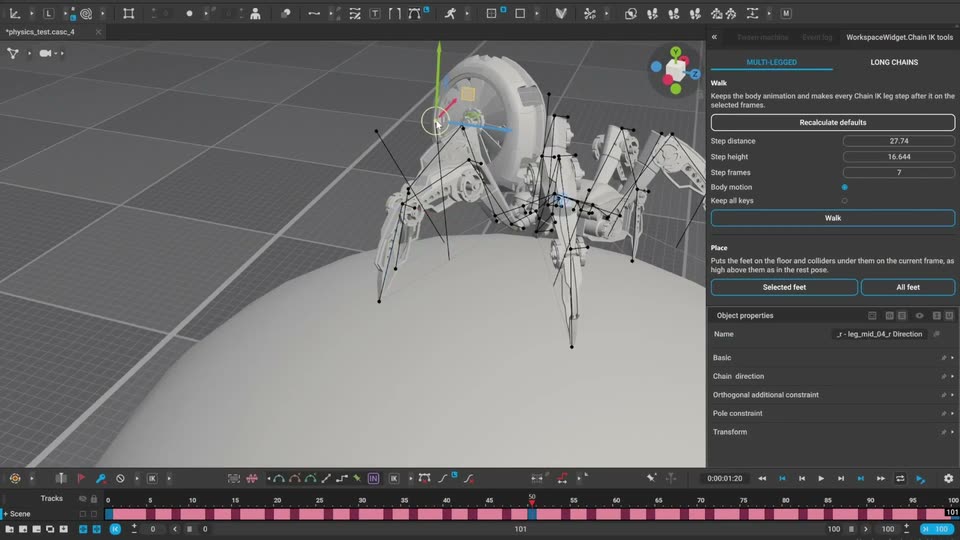
A static screen capture of the animation software: a wireframe multi-legged robot walks across a large gray sphere in the 3D viewport while the right panel lists the Chain IK tools. The cursor clicks the Walk button and a status line reports the generated steps.
Techniques: 3D mockup, Cursor demo
Camera: Static
A screen recording of 3D animation software shows two side-by-side viewports of a white branching model with a small spider figure. The left viewport orbits the model while the right stays fixed, and a pink-keyframed timeline plays along the bottom.
Camera: Static
A screen recording of 3D software shows a gray humanoid rig with many segmented chain limbs. The viewport orbits as the cursor drags a gizmo, bending the chains into an S-curve and clicking Change shape. It then zooms in while the cursor twists one chain tip.
Techniques: Cursor demo, Morph
Camera: Static
A white octopus with long tentacles wraps around a red cylindrical 3D structure on a checkered gray floor, its arms curling up and down the body while the camera stays locked off.
Techniques: 3D mockup
Camera: Static
A gray humanoid 3D model stands on a perspective grid inside a 3D editor viewport, framed by the application's top menu bar, bottom timeline and a right-hand outline panel listing the asset. The model and panels stay static throughout.
Camera: Static
A 3D software screen shows a gray humanoid figure standing on a grid floor in the left viewport, while the Outliner panel on the right expands its hierarchy tree to reveal Face and Body nodes.
Camera: Static
A static screen capture of a 3D rigging tool shows a gray metahuman on a grid floor, flanked by the outliner and timeline panels. A cursor opens the Scripts menu, expands Metahuman, and a Constrain To Body tooltip appears.
Techniques: Cursor demo
Camera: Static
The Blender interface frames a gray humanoid character standing in the central viewport, overlaid with a purple rig skeleton and a yellow axis gizmo at the pelvis. The left panel highlights the quick rigging tool and the right panel lists the scene objects.
Camera: Static
A dark Quick Rigging Tool window is centered over a gray 3D viewport. A blue-jointed humanoid figure stands in the middle, flanked by a configuration tree on the left and a bones list on the right. A blue bar runs along the bottom. The frame stays static.
Camera: Static
A locked-off view of a 3D rigging interface. A humanoid rig of teal spheres and bones stands on a gray grid in the central viewport, flanked by tool panels and an outliner. The cursor moves to the Generate rig button.
Techniques: Cursor demo
Camera: Static
A 3D software viewport shows a rigged human figure that shifts from a standing pose to a seated pose as the rig overlay fades. The cursor opens the File menu at top left, then the Import submenu, hovering over its entries.
Techniques: Cursor demo
Camera: Static
A locked-off screen recording of a 3D animation tool shows two side-by-side viewports of a seated gray male figure, the left with a rounded belly and the right with a flat one. White outlined labels “DNA on” and “DNA off” fade in at the bottom of each panel.
On-screen text: “DNA on”, “DNA off”
Techniques: Split screen
Camera: Static
A gray 3D head model sits in the center viewport of a 3D animation tool. A cursor moves down a dropdown menu, opens the MetaHuman submenu and hovers over Open Face Rig until a tooltip appears.
Techniques: Cursor demo
Camera: Static
A screen capture of a 3D tool: a gray head model left, a face-rig control panel right. The panel scrolls, the cursor drags a slider and the head's mouth moves in sync, the head turns and blinks, then an Unreal Engine Link dialog opens, its ROOT, FACE, CAMERA tabs clicked.
Techniques: 3D mockup, Cursor demo
Camera: Static
Locked-off screen capture of a motion-capture app. The cursor opens the Window menu, picks AI Cloud, and a settings dialog with a motion description field and a blue Generate button pops up over the gray 3D grid viewport.
Techniques: Cursor demo
Camera: Static
A dark AI CLOUD dialog floats over a gray 3D grid viewport. A cursor clicks its four tabs in sequence, swapping the form fields behind each. The window stays centered and static while only the tab content changes.
Techniques: Cursor demo
Camera: Static
A screen capture of a 3D app shows a clay knight and shield in the viewport. A cursor clicks the Create mesh button in an AI panel, and the right Outliner swaps in textured renders of armor, shield and sword as matching 3D objects appear.
Techniques: Cursor demo
Camera: Static
A dark 3D viewport shows a knight, a shield and a wireframed sword while an AI panel on the right runs a mesh-from-image task. The cursor moves and the sword mesh updates, with a rendered sword reference in the outliner.
Techniques: Cursor demo
Camera: Static
A 3D app screen shows a knight, shield and sword on a grid floor. The cursor switches the AI CLOUD panel to the Rigging tab and clicks Apply rigging, then a purple joint skeleton fades onto the models as the viewport zooms and orbits.
Techniques: Cursor demo
Camera: Static
A white knight model with black rigging points and a blue dotted motion path sits in the 3D viewport while the camera orbits it. A floating AI CLOUD panel on the right shows the Text to Motion tab, a motion description and a cyan Generate motion button.
Camera: Static
A gray 3D viewport shows an armored knight model walking right across a grid floor, while a dark AI CLOUD panel with a Text to Motion prompt and a Generate motion button sits on the right. The timeline playhead advances along blue keyframe tracks.
Camera: Static
A motion-capture software screen shows an armored knight on a gray grid floor stepping through shield-and-sword poses. On the right, the AI CLOUD panel runs its Capture motion button, the progress bar fills, and the status updates to a frame count.
Camera: Static
A dark 3D mocap app shows an AI Cloud panel with the Video Mocap tab active. The cursor hovers the Mocap Cleaning tool, then the view cuts to a split screen: live-action suit footage on the left, mirrored 3D knight on the right.
Techniques: Cursor demo, Split screen
Camera: Static
A motion-capture app fills the frame in a locked-off shot, split into two viewports. On the left, a performer in a black tracking suit slashes a sword and raises a shield; on the right, a silver 3D knight mirrors the same move on a gray grid.
Techniques: Split screen
Camera: Static
A white humanoid robot with a cat head runs across a green field toward a tall gray stone wall, leaps up, climbs the bricks, and vaults over the crenellated top. The 3D view tracks it upward inside a dark software viewport with a top toolbar and bottom timeline.
Camera: Static
Inside a 3D editor's viewport, a white humanoid robot climbs over a crenellated stone wall and sits on the edge, legs dangling, while the camera tracks in closer. The app toolbar and timeline frame the shot.
Camera: Static
Split screen: a 3D viewport with a static robotic spider rig on the left, an AI chat on the right. A cursor clicks send, the prompt posts, and the assistant's reply types out line by line.
Techniques: Split screen, Cursor demo
Camera: Static
A screen capture of a 3D rigging app. A wireframe spider robot with a purple bone rig sits in the center viewport. A cursor moves through the left panel, toggling rigging options, while a static AI chat panel fills the right side.
Techniques: Cursor demo
Camera: Static
A white robot cat with black joints walks across a gray grid floor inside the software's 3D viewport. It starts facing the camera, turns, and strides left out of frame as the timeline playhead advances. The outliner and track panels stay still.
Camera: Static
A 3D animation tool fills the frame: a gray grid viewport on the left, an Animation layers panel with a Base layer entry on the right, and a purple timeline track below. The view stays locked off while a cursor glides across the bottom-right toolbar.
Techniques: Cursor demo
Camera: Static
A 3D animation tool screen: a gray humanoid robot stands on a grid floor in the left viewport while the right panel shows the Animation layers tab with Override layer 0 and Base layer checked. A cursor moves and scrubs the bottom timeline, advancing the timecode.
Techniques: Cursor demo
Camera: Static
A 3D animation interface shows a white robot with a cat head standing on a grid viewport. The right outliner lists body-part tools and the bottom timeline displays weight tracks; the playhead sits at frame zero as a keyframe bar appears on the arms track.
Camera: Static
A cursor moves over a dark track panel, toggling blend checkboxes for body parts such as Head, Arms and Legs. The view then cuts to the full 3D viewport, where a white and black robot character stands on a gray grid floor beside an outliner panel.
Techniques: UI zoom, Cursor demo
Camera: Static
A screen recording of a 3D animation app. A white cat-headed robot stands in the gray viewport, its green rigging gizmos flash on, then the rendered figure blends between two poses while a weight slider on the right panel is dragged.
Camera: Static
The lower half of a gray humanoid figure stands on a grid floor in a 3D viewport above a track editor panel. A cursor hovers over the Arms weight field, then moves to reveal a tooltip naming the interpolation type.
Techniques: Cursor demo
Camera: Static
A screen capture of a 3D character animation tool. A white cat-headed robot stands on a gray grid floor in the perspective viewport, then plays a walk cycle as the timeline playhead scrubs right and back. A rig hierarchy list fills the right panel.
Techniques: 3D mockup
Camera: Static
A 3D animation tool's interface fills the frame: a viewport shows a gray humanoid robot, a wireframe cube with green, blue and yellow axis arrows, and a wireframe sphere on a grid floor. The right Outliner panel lists the objects; the viewport then shifts right, dropping the robot from view.
Camera: Static
Full-screen view of a 3D app: a white cube and a wireframe sphere sit on a gray grid inside the viewport. The camera orbits from a three-quarter angle to a front view while an orange gizmo outline moves from the cube to the sphere.
Camera: Static
A dark app interface shows a 3D viewport with a white cube and colored axis gizmos on the left, while a language dropdown menu opens on the right. A cursor glides down the list of languages.
Techniques: Cursor demo
Camera: Static
A dark settings dialog sits over a 3D viewport. The cursor types “font” in the search field, the left list narrows to one entry, and a font dropdown opens. The cursor scrolls the list and picks new fonts, the dialog text re-renders in each style.
Techniques: Cursor demo
Camera: Static
A 3D application viewport with a grid floor and a rigged figure dissolves to a flat blue gradient. Centered white text holds static over the gradient, then the frame cuts to black.
On-screen text: “DOWNLOAD FOR FREE NOW AT”, “cascadeur.com!”
Camera: Static