0:59

FuseAI Launch Video
Fuse AI · B2B · Feb 2025
Canva’s 1:09 launch film runs 52 scenes, about 1.3 s each. The product is on screen from the first frame and 7 features are revealed. The call to action lands at 1:05 (94% in). The video is a fast, letterboxed montage that opens on a brand promise, then cycles through seven features, each introduced by a sliding 'Visual X' title card and a circular icon over a teal-purple gradient before a short UI or 3D demo, and closes on a suite name reveal and a CTA end card. Its signature moves are quick sliding type, named collaborator cursors, and top-down 3D desk and product renders, all cut to a steady upbeat rhythm.
Is this your launch? to your site or press kit.
Films whose music sounds like this one, voice left out
Touchmark · Electronic dance music with a retro-futuristic, high-energy style
Samsung · UK Garage / Bassline House
Fitbit · Electronic dance music
On a black background, the metallic iridescent headline fades and scales up from dim to full brightness. A small purple Canva pill with a cursor arrow pops in at the lower right as the text settles.
On-screen text: “THE FUTURE IS VISUAL”, “Canva”
Techniques: Kinetic type
Camera: Static
On a black background, the metallic gradient headline THE FUTURE IS VISUAL sits centered, the word VISUAL enclosed in a selection box with corner handles. A cursor carrying a purple Canva tag drags the box rightward as the lettering shifts from blue to white.
On-screen text: “THE FUTURE IS VISUAL”
Techniques: Kinetic type, Cursor demo
Camera: Static
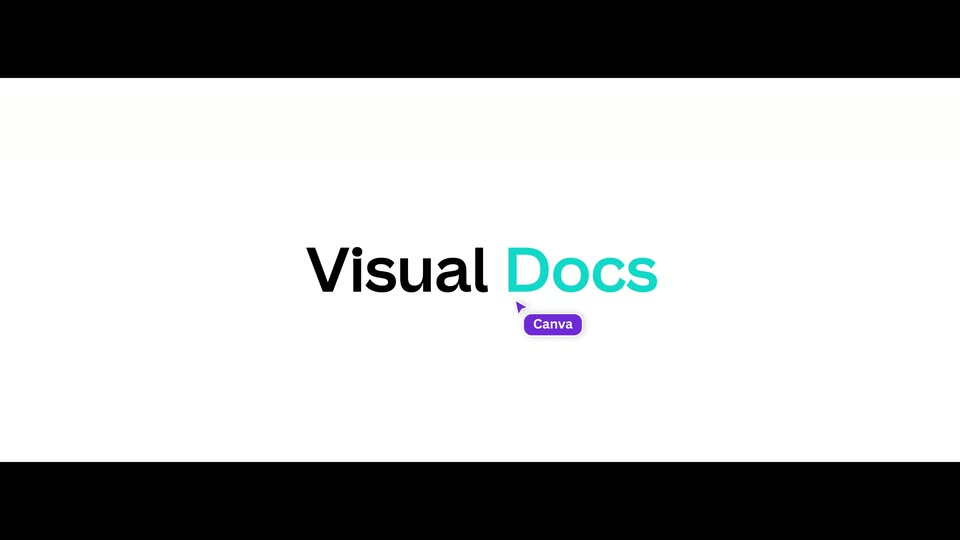
On white, a black serif 'VISUAL' inside an editor selection box sits beside teal 'Docs', with a purple Canva badge and cursor below. The box and badge shrink away as the wordmark settles into 'Visual Docs', 'Docs' scaling up.
On-screen text: “VISUAL”, “Docs”, “Canva”, “Visual Docs”
Techniques: Morph, Masking
Camera: Static
A horizontal teal-to-purple gradient fills the frame with black letterbox bars top and bottom. A white circle holds a teal rounded-square icon showing two text bars above a white mountain shape, centered and locked off.
On-screen text: “Visual Docs”
Camera: Static
Two-line headline on white under a blue gradient bar. A purple selection box with a Ben tag shrinks on the first line, then a green box with a Rees tag grows across it, tinting the line teal. The boxes fade, leaving the cyan line and black line still.
On-screen text: “Bring the power of design”, “to your documents”
Techniques: Masking
Camera: Static
A top-down 3D render of a smartphone on a light wooden desk, its screen showing a teal document with a seated figure and headline text. The camera pulls back to reveal an AirPods case, a pencil and a coffee cup around the phone.
Techniques: 3D mockup
Camera: Pull out
On a white background, the bold word “Seamlessly” sits left while a light gray rounded pill slides in from the right, holding a blue and purple code bracket icon and the word “Embed”. The pill eases to a locked-off position as a soft drop shadow settles under the headline.
On-screen text: “Seamlessly”, “Embed”
Techniques: Kinetic type
Camera: Static
On a lavender field, 3D purple, white and green coils and speckled spheres float at the frame edges while the yellow serif word AWAY sits centered. The white word EDIT pops into an orange rounded box above it, and the small purple Ben name tag scales up beside the orange Ella tag.
On-screen text: “AWAY”, “Ella”, “Ben”, “EDIT”, “Embed”, “Seamlessly </>”
Techniques: Kinetic type
Camera: Static
A letterboxed close-up of a document toolbar shows three avatar circles, a plus button, a Convert to presentation button and a Share button on a blue band. The bar slides into place as a cursor glides in and a Sonja tooltip pops up beneath it.
Techniques: Cursor demo
Camera: Static
A gray band with the black text Creating presentation... sits on a white background. A blue rounded pill sweeps in from the left, and the letters turn white as it passes over them.
On-screen text: “Creating presentation...”
Techniques: Masking
Camera: Static
A blue-to-teal gradient bar with a rounded right end slides left across a white background, carrying the white text with it. The bar and text move together in one horizontal pass, exiting frame left.
On-screen text: “Creating presentation...”
Techniques: Kinetic type
Camera: Static
A purple-bordered slide titled Marketing Strategy sits on a white panel over a blue gradient. The view pulls back to reveal an empty gray slot with a plus sign to the right.
Camera: Pan
The headline “Visual Whiteboards” sits centered on a plain off-white field, with “Visual” in black and “Whiteboards” in green. For the first moment a row of presentation slides shows behind the text before the background clears to white.
On-screen text: “Visual Whiteboards”
Camera: Static
A green rounded-square app icon with two white corner brackets sits centered in a white circle over a cyan-to-purple gradient. The lockup holds a locked-off frame with a subtle scale settle.
Camera: Static
A purple product header shows a row of circular avatars filling in one by one as the white title slides left off frame, while a green checkmark badge drops onto a card on the dotted canvas below.
Camera: Pan
A cursor clicks the purple play button of a circular 00:10 timer on a dotted canvas. A red-bordered video of a woman against a blue sky pops in beside it, the timer shows a pause icon with a blue arc, and a yellow Sound effects sticky note appears.
Techniques: Cursor demo
Camera: Static
A dotted white canvas holds a video thumbnail, a purple heart sticker and a circular timer. The view zooms out to reveal a wide board of colored cards, moodboards and stickers spread across the space, while the headline Infinite space fades in at the center.
On-screen text: “Infinite space”
Techniques: UI zoom
Camera: Pull out
A dark editor interface with a left sidebar listing Templates, Photos and Elements. On the canvas, a portrait of a woman in a white robe and a photo of a woman doing yoga with a corgi slide right, a purple Mimansha tag riding the portrait's edge.
Camera: Static
A white dotted canvas holds a photo, sticky notes and a heart sticker. A forest clip slides in at bottom right with a green name tag, a red tag pops near the green note, then the headline to get ideas flowing appears center.
On-screen text: “to get ideas flowing”
Techniques: Kinetic type
Camera: Static
On a white field framed by black bars, the phrase Visual Presentations slides in from the right and keeps drifting left. Visual is dark charcoal, Presentations is orange, and the camera stays locked off while the text moves.
On-screen text: “Visual Presentations”
Techniques: Kinetic type
Camera: Static
A flat orange presentation-screen icon with a pie chart sits inside a white circle on a teal-to-purple gradient, locked off. The caption slides in beside it.
On-screen text: “Visual Presentations”
Techniques: Kinetic type
Camera: Static
The Canva editor shows a left sidebar and top bar around an orange slide with a yellow logo and white text reading Cinematic effects. Selection boxes and resize handles fade out as a cursor hovers a small pink tag.
Techniques: Cursor demo
Camera: Static
A horizontal timeline shows three slide cards, two orange and one purple with a peace-sign hand. A red cursor moves to the transition icon between cards 2 and 3, and a dark “Add transition” tooltip pops up above it.
Techniques: Cursor demo
Camera: Push in
The Canva editor fills the frame, with the Transitions panel open on the left and Match & Move highlighted. On the canvas, an orange slide reading THIS transitions into a pink slide showing a 3D hand and large yellow NOW text.
Camera: Static
A purple presentation app header shows the title Presentation, a circular avatar with a red ring, a plus button and a white Present button, above a white canvas holding a purple block and a red Pol speech bubble. The whole interface slides to the right.
Camera: Pan
A white letterboxed card holds the title “Visual Social Media”, with “Visual” in black and “Social Media” in red. The line slides in from the right and settles at center, then holds on a locked-off frame.
On-screen text: “Visual Social Media”
Techniques: Kinetic type
Camera: Static
A cyan-to-purple gradient fills a letterboxed frame. A white circle holding a coral speech-bubble and white heart icon sits centered, then fades out as the title text slides in across the middle.
On-screen text: “Visual Social Media”
Techniques: Kinetic type
Camera: Static
A hand holds a phone showing the Canva editor with a floral social post design, a red oval and a name tag. The words Social and posts slide in from the left and right edges against a blurred green outdoor background.
On-screen text: “Social”, “posts”
Techniques: Kinetic type, Cursor demo
Camera: Push in
A soft-focus field of white daisies on a blue sky sways gently behind centered captions. The word “that” sits in white on a coral oval above “POP!” in black on a tilted yellow card, both locked in place while the blurred flowers drift.
On-screen text: “Maya”, “Social”, “posts”, “that”, “POP!”
Techniques: Kinetic type
Camera: Static
A white letterboxed card holds the wordmark centered, “Visual” in black and “Videos” in purple. The two words scale up from a small size, opening a gap between them, while a locked-off frame holds the composition.
On-screen text: “Visual Videos”
Camera: Static
A purple video-camera icon in a white circle sits centered on a cyan-to-purple gradient with black bars top and bottom. The circle and icon fade to translucent as the title scales in place.
On-screen text: “Visual Videos”
Techniques: Kinetic type
Camera: Static
A horizontal wall of social media template cards slides across a white background, each card running its own short loop of portraits, protest footage, food photos and promo graphics. The grid pans steadily while the inner content of each card scrolls vertically.
Camera: Static
A video editor interface fills the frame. A preview of soft purple and yellow 3D blobs sits above a horizontal clip track with purple and blue waveforms. A purple name tag slides left across the clip row while the clip thumbnails pan right.
Camera: Static
A video editor interface fills the frame, locked off: a preview window on top shows 3D abstract shapes, and a timeline below holds clips with purple and blue waveforms. A red Maya label slides right across the clips.
Camera: Static
The Canva editor fills the frame around a video clip of a smiling woman on a city street, with a green Liam collaborator tag and cursor at the top left. The view then reframes and a Background Remover panel slides in from the left as the clip shifts right.
Techniques: UI zoom
Camera: Push in
A white editing interface fills the frame, showing a Tools panel with a Background Remover tile and a portrait thumbnail. A green cursor tagged Liam hovers over the description while the view drifts slowly left.
Techniques: Cursor demo
Camera: Push in
A blurred outdoor plate of people and a building fills the frame. A white circular badge sits centered, its black percentage count rolling up from 1% to 99% while a colored ring draws around the edge, shifting from purple to blue to cyan.
Camera: Static
A woman with long braids in a black blazer laughs against a flat purple backdrop, framed in a letterboxed shot. Bold white text reading the headline sits on the left, partially crossing her shoulder.
On-screen text: “Editing has never been easier”
Camera: Static
A white card with black letterbox bars holds the line “Visual Print Products,” black “Visual” and purple “Print Products,” which slides horizontally across the frame on a locked-off camera.
On-screen text: “Editing has never been easier”, “Visual Print Products”
Camera: Static
A flat purple printer icon sits in a white circle at the center of a cyan-to-purple gradient, framed by black letterbox bars. The title Visual Print Products slides in. The camera is locked off.
On-screen text: “Visual Print Products”
Techniques: Kinetic type
Camera: Static
Three product mockups, a 2023 calendar, a printed tote bag and a poster, sit in 3D perspective on a white field and slide left in a row. Above them the headline fades from light gray to black.
On-screen text: “Print anything”
Techniques: 3D mockup
Camera: Static
A Canva editor window with a purple gradient toolbar. A magenta flyer reading POWERFUL PRINTS scales up on the canvas while a green cursor tag labeled Reg moves from the panel header down to a toggle switch on the right.
Techniques: Cursor demo, UI zoom
Camera: Pull out
Top-down view of a wooden desk with purple spiral notebooks, glasses, a coffee mug and gold clips. White text 'to suit your style' sits centered over the scene while the camera slowly drifts downward.
On-screen text: “to suit your style”
Camera: Pan
On a plain white field, the two-word mark slides in from the left and settles at center. “Visual” is set in black and “Websites” in blue, holding still once in place.
On-screen text: “Visual Websites”
Techniques: Kinetic type
Camera: Static
A cyan-to-violet gradient banner centers a white circle holding a blue rounded-square app icon with a white cursor arrow. The icon fades out, leaving the empty circle, as white text slides across the frame.
On-screen text: “Visual Websites”, “0”
Techniques: Kinetic type
Camera: Static
The Canva editor is shown with a template library on the left and a pink festival website on the canvas, where a large white headline reads Simple websites. The view zooms into the canvas as two named collaborator cursors, Mimansha and Ash, drift across the layout.
On-screen text: “Simple websites”
Techniques: UI zoom, Cursor demo
Camera: Push in
A close-up of the Canva publish dialog on a light screen. The view zooms into the Publish to the web panel as an orange collaborator cursor named Ash hovers over the Free domain option, then moves down to select Use my existing domain.
Techniques: UI zoom, Cursor demo
Camera: Push in
A laptop and a phone stand angled in 3D against a blue mountain backdrop, both showing a pink webpage. The page scrolls down so the white 'for any occasion' headline and blue button rise while a yellow events section appears below.
Techniques: 3D mockup
Camera: Static
Colorful app icons fly in and settle into an arc across the top of a white field as the word Introducing slides from the right into center. A blue gradient fills the lower half, and two white circles pop in on the right, each holding an icon.
On-screen text: “Introducing”
Techniques: Kinetic type
Camera: Static
On a blue-to-teal gradient, a row of seven white circular app icons slides in from the right, pauses centered, then exits left. Above them the headline The Canva Visual Worksuite builds in, the brand name set in a flowing script.
On-screen text: “The Canva Visual Worksuite”
Techniques: Kinetic type
Camera: Static
A purple-to-teal gradient fills the frame as the white Canva script logo slides into the center and scales up. Below it, the tagline and a translucent search pill with the URL sit still.
On-screen text: “Start designing for free”, “canva.com”
Techniques: Kinetic type
Camera: Static
A black sign-off card: the Canva wordmark slides into place while the lines “Start designing for free” and “Q canva.com” hold still beneath it. Locked-off frame, brief hold.
On-screen text: “Canva”, “Start designing for free”, “Q canva.com”
Techniques: Kinetic type
Camera: Static