0:50
Explore
Introducing Galaxy S26 FE | Galaxy AI | Samsung
Samsung Galaxy S26 FE · Aug 2026 · 1:56 · AI-annotated
- Length
- 1:56
- Scenes
- 68 · 1.7 s avg
- Product on screen
- 0:00
- Features shown
- 8
- Voiceover
- Yes
- Views
- 19M on YouTube
as of November 22, 2026
00:00:00 / 01:56:09
- Length
- 1:56
- Scenes
- 68 · 1.7 s avg
- Product on screen
- 0:00
- Features shown
- 8
- Voiceover
- Yes
- Views
- 19M on YouTube
as of November 22, 2026
Samsung Galaxy S26 FE’s 1:56 launch film runs 68 scenes, about 1.7 s each. The product shows up at 0:00 and 8 features are revealed. There is no explicit call to action; a voiceover carries the film. The video opens with a dark lens flare, then a mint 3D product reveal, and moves through short live-action vignettes that each introduce one camera or AI feature. It uses fast 128 bpm pacing, split-screen comparisons, UI pill buttons, and quick zooms into phone screens to keep each demo concise.
Footage neededEstimated needs: 7 capture groups — your screens or recordings · 1 official logo — reused across the film · 34 filmed passages — shoot, supply or replace · 1 graphic passage — draw or supply · 12 3D passages — build or supply
Is this your launch? to your site or press kit.
More like this


0:50


Announcing Lovable Growth Tools!
Lovable · Developer tools · Oct 2026
1:33

Lovable - Introducing a smarter Lovable that is 71% better at solving complex t
Lovable · Developer tools · Jan 2026
Similar soundtrack
Films whose music sounds like this one, voice left out
1:22

Higgsfield AI 🧩 - ChatGPT can now do motion design in After Effects. Introducing Higgs
Higgsfield AI · Electronic, Drum and Bass, Future Bass
0:50

Relume - The fastest way to design & build a website with the help of AI ✨
Relume · Funk, Hip-Hop, Electronic Dance Music
1:16

CapCut - Introducing CapCut Video Studio, a timeline-free way to create videos
CapCut · Electronic dance music
Introducing Galaxy S26 FE | Galaxy AI | Samsung, scene by scene
· 68 scenes as text
01 · Hook · 0:00–0:00
On a black frame, a small circular lens flare with blue and orange chromatic edges expands into concentric rings that grow to fill the screen, then fade back to darkness.
Techniques: Light sweep
Camera: Static
02 · Product intro · 0:00–0:03
Extreme close-up on a dark camera lens pulls back to reveal the three-lens module set into a silver device body. The frame locks off and a white headline scales in at center.
On-screen text: “Introducing the new”
Techniques: Kinetic type
Camera: Pull out
03 · Product intro · 0:03–0:06
A mint-green phone back renders in 3D. The camera glides from a tight angled view of the lens ring to a straight-on shot of the triple camera array. White title text scales in, then turns black as the large product name drops in below.
On-screen text: “Introducing the new”, “Galaxy S26 FE”
Techniques: 3D mockup, Kinetic type
Camera: Static
04 · Product intro · 0:06–0:06
A mint-green Samsung phone floats in 3D perspective, rotating to reveal its triple-camera back and side edge, then a hand reaches in and grips the lower edge. The device sits on a soft light gradient while a title scales in.
On-screen text: “Introducing the new”, “Galaxy S26 FE”, “000”
Techniques: 3D mockup, Kinetic type
Camera: Pull out
05 · Product intro · 0:06–0:07
A hand holds a mint green phone from below, fingers draped over the back, tilting it to face the camera and show the triple lens module. The low angle frames the device against blue sky and a white-framed glass building.
Camera: Static
06 · Demo · 0:07–0:08
A hand holds a mint-green phone, its triple-lens camera array facing the lens against a blurred outdoor backdrop. The phone rotates to the front, revealing a social media profile grid on the screen.
Techniques: 3D mockup
Camera: Pan
07 · Demo · 0:08–0:09
A hand holds a tilted smartphone filling the frame, its screen showing a grid of photo and video thumbnails under a dark app bar. The camera pushes in and the image blurs with motion as the angle shifts.
On-screen text: “Image simulated. Actual UI may vary.”
Techniques: 3D mockup, UI zoom
Camera: Push in
08 · Feature reveal · 0:09–0:10
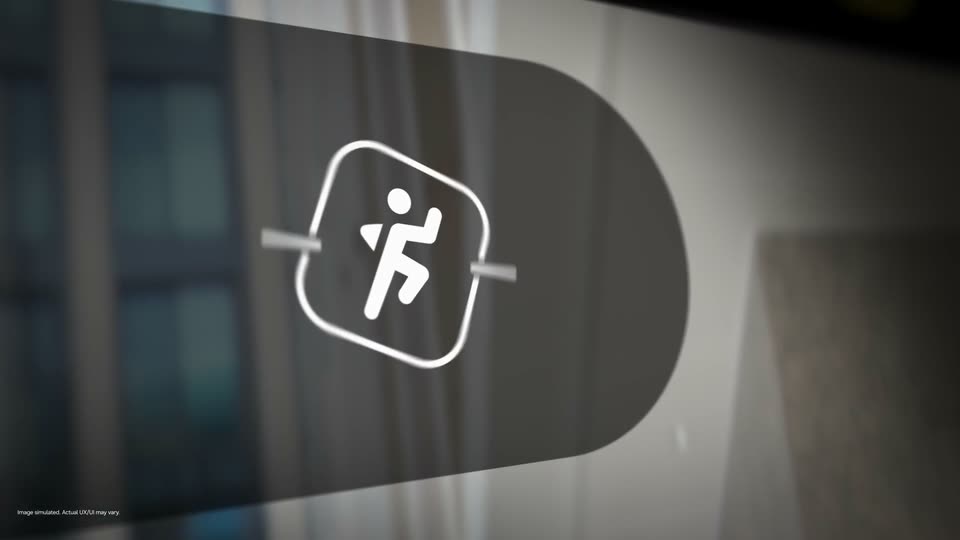
A dark pill-shaped toggle floats in 3D over a blurred building backdrop, its three running-figure icons visible. The camera pushes in fast, reframing onto the selected icon in the rounded square until it fills the frame as a large white glyph.
On-screen text: “Image simulated. Actual UI/UX may vary.”
Techniques: 3D mockup, UI zoom
Camera: Static
09 · Feature reveal · 0:10–0:14
Tight close-up of a viewfinder icon: a running figure in a rounded frame, white then yellow, over a blurred building. The camera pulls back to reveal a dark pill banner with the yellow headline and a status bar above.
On-screen text: “Image simulated. Actual UX/UI may vary.”, “Super steady with horizontal lock On”
Techniques: UI zoom, 3D mockup
Camera: Pull out
10 · Feature reveal · 0:14–0:17
Two hands hold phones side by side over a blurred plaza; the left screen shows a shaky clip of dancers with the timer ticking up, the right screen a dimmed, steady frame, and a slashed figure icon with OFF sits between them.
On-screen text: “Super steady wht horizntal lockon”, “OFF”
Techniques: Split screen
Camera: Static
11 · Feature reveal · 0:17–0:20
Split-screen comparison of two hands holding phones that record dancers in a plaza. The left phone shows a shaky, dim clip marked OFF; the right shows a steadier, brighter clip marked ON with a yellow running-figure icon. The right timer counts up while the left holds at 00:00:04.
On-screen text: “OFF”, “ON”
Techniques: Split screen
Camera: Static
12 · Feature reveal · 0:20–0:26
Three dancers perform in a plaza inside a video-editing interface: a carousel of clips zooms into the center clip, a toolbar and My FanCam / Audio eraser buttons appear, then the footage freezes as Detecting people in the frame... fades in with sparkle markers.
Techniques: UI zoom
Camera: Push in
13 · Feature reveal · 0:26–0:26
Three dancers leap across a paved plaza in front of a glass building as rounded tracking boxes lock onto each of them, each with a small plus marker. A top instruction pill and a bottom play button with timestamp and thumbnail filmstrip frame the footage.
Camera: Static
14 · Feature reveal · 0:26–0:28
A dimmed dance clip fills the frame with a white crop rectangle and a bottom bar of aspect ratios, 9:16 highlighted. The selection tightens to a vertical 9:16 window that brightens into a social post view with a profile header and a message field.
Techniques: Masking, UI zoom
Camera: Static
15 · Feature reveal · 0:28–0:32
Three vertical panels of dancers play side by side inside a social-app frame; the center panel carries a progress bar while the outer two stay dimmed. The dancers move continuously. At 2.5s the labels 'MY FANCAM' and 'Center your Favorite' pop in tilted over the center dancer.
On-screen text: “MY ♥ FANCAM”, “Center your Favorite”
Techniques: Split screen, Kinetic type
Camera: Static
16 · Feature reveal · 0:32–0:33
Three vertical phone screens sit side by side, each playing a dance clip with motion blur. The center screen holds a woman in white steady while a dancer in orange blurs past. White outlined 'MY FANCAM' and teal 'Center your Favorite' tags float over the footage.
On-screen text: “MY ❤️ FANCAM”, “Center your Favorite”, “Image simulated. Actual UX/UI may vary. My For Cam feature requires a Samsung Account login. Availability may vary by video. Not supported if there is no object”
Techniques: Split screen
Camera: Static
17 · Feature reveal · 0:33–0:34
Three vertical story panels sit side by side, each showing a person dancing outdoors inside the app's story frame. Sticker icons pop in at the feet, then the panels transition into a home feed with three circular avatars ringed in orange.
On-screen text: “MY ❤ FANCAM”, “Center your Favorite”
Techniques: Split screen
Camera: Static
18 · Demo · 0:34–0:36
A row of circular story avatars scrolls left across a light gray screen, sliding a new profile in from the right, while the Following and Message tabs at the top and the bottom icons stay fixed.
Camera: Push in
19 · Demo · 0:36–0:37
A young man in a white cap and black leather jacket holds a light blue phone up for a selfie. The shot opens inside a circle bordered by a purple, pink and orange gradient ring, which expands to fill the frame against a perforated building facade.
Techniques: Masking
Camera: Static
20 · Feature reveal · 0:37–0:38
A hand holds a phone in portrait against a blurred diner interior. On the screen, a photo of two women with coffee cups outside a diner zooms in, enlarging the diner sign, while zoom controls sit at the bottom.
Techniques: 3D mockup, UI zoom
Camera: Static
21 · Feature reveal · 0:38–0:41
A hand holds a smartphone in 3D perspective against a blurred diner. The camera viewfinder shows a wide street scene, then zooms in to three women at a table under a neon sign as the zoom control switches from 1x to 3x.
Techniques: 3D mockup, UI zoom
Camera: Static
22 · Feature reveal · 0:41–0:42
Three smiling young people sit at an orange diner table, drinks and a coffee cup in front of them, a red-and-yellow ZOOOOM sign on the wall behind. The frame is locked off and static.
Camera: Static
23 · Feature reveal · 0:42–0:42
A locked-off medium shot frames three smiling people at an orange diner table, iced drinks and coffee cups in front of them, beneath a dimensional red ZOOOOM sign reading CLOSE, CLOSER, WHOA.
Camera: Static
24 · Feature reveal · 0:42–0:44
A hand holds a phone in front of a blurred diner, its screen showing the camera viewfinder. The live view shifts from the striped-awning storefront to a man's selfie as red caption text slides across the frame.
Camera: Static
25 · Feature reveal · 0:44–0:46
A hand holds a phone in front of a blurred café storefront. The camera app viewfinder shows a group selfie as a red headline slides in and scales up, a focus box appears, and the framing widens to include the whole group.
On-screen text: “More Room in”, “Every Selfie”
Techniques: Kinetic type, UI zoom
Camera: Pan
26 · Feature reveal · 0:46–0:48
A still vertical photo of four friends taking a group selfie in front of a teal container, one waving at the camera. The red serif headline animates in at the top: the first line slides in, then the second line scales up.
On-screen text: “More Room in”, “Every Selfie”, “OSV”
Techniques: Kinetic type
Camera: Static
27 · Feature reveal · 0:48–0:49
Angled close-up of a phone held in hand, screen showing a share sheet with a photo and Quick Share, Messages options. The shot racks focus from soft to sharp as a finger enters and taps the sheet.
On-screen text: “More Room in”, “Every Selfie”, “OSV”
Techniques: Kinetic type
Camera: Static
28 · Feature reveal · 0:49–0:51
A sharing screen shows three circular avatars with a QR code or link button top right. The faces and the device labels below them start blurred and resolve into focus, while a blue progress ring draws around the first circle.
Camera: Pull out
29 · Feature reveal · 0:51–0:52
A hand holds a phone showing the Quick Share screen, a finger taps a nearby device avatar, then the phone slides left and loses focus as a person's shoulder fills the right of the frame.
Camera: Pan
30 · Feature reveal · 0:52–0:55
A dark shot of two phones racks focus and tightens onto a white Galaxy in one hand. Its screen shows a notification card that scales in, with a photo stack reading 'More Room in Every Selfie' and a '5 images received' line. The other phone blurs out.
Camera: Push in
31 · Feature reveal · 0:55–0:55
Four young friends huddle together in a tiled cafe, arms around each other's shoulders, all smiling at the camera. A small caption scales in and the two-line headline slides in over the shot.
On-screen text: “Madison's S26 FE”, “More Room in”, “Every Selfie”
Techniques: Kinetic type
Camera: Static
32 · Feature reveal · 0:55–0:56
A vertical still photo of three people in a diner booth, letterboxed with black bars. A woman in a navy top pouts at the camera, a man in a white cap laughs with his mouth open behind her, and a boy in a purple shirt smiles. The image holds static.
Camera: Static
33 · Feature reveal · 0:56–0:57
A young man in a white cap and t-shirt sits on a couch, smiling and glancing off to the side against a warm golden wall. The vertical shot is letterboxed with black bars on both sides, and he rests a striped pillow on his lap in a static pose.
Camera: Static
34 · Feature reveal · 0:57–0:58
A woman in a red and black striped top smiles at the camera, leaning on a cafe counter beside a white cup. A street view and a menu board fill the background. The shot holds with a soft blur in the final frame.
On-screen text: “Image simulated. The accuracy and reliability of the generated output is not guaranteed.”
Camera: Push in
35 · Feature reveal · 0:58–1:01
A defocused café photo carries a dark Erase Reflections button and a file path, then the blur lifts and the UI fades to reveal a sharp shot of a smiling woman at a window as a centered caption fades in.
On-screen text: “Analyzing reflections...”
Techniques: UI zoom
Camera: Pull out
36 · Feature reveal · 1:01–1:02
A woman in a red-striped top leans on a café counter, smiling off-camera, a white cup on the counter and a chalkboard menu behind her. At the start a ghostly reflection of her face and a diagonal light flare dissolve away, leaving a locked-off shot of the Parisian street through the window.
On-screen text: “Analyzing reflections...”, “Image simulated. The accuracy and reliability of the generated output is not guaranteed.”
Techniques: Light sweep
Camera: Static
37 · Feature reveal · 1:02–1:04
A close-up of a hand holding a phone at an angle shows a photo app with a filmstrip of thumbnails and a toolbar of icons. A finger taps the sparkle icon in the center of the toolbar.
Techniques: 3D mockup
Camera: Static
38 · Feature reveal · 1:04–1:05
Close-up of two hands holding a smartphone, thumbs tapping the on-screen keyboard to type into a prompt field above a Generate button. The shot stays tight on the screen and fingers throughout.
Camera: Static
39 · Feature reveal · 1:05–1:06
A smiling woman in a red-and-black striped shirt leans on a café table by a window, gazing at a Paris street. A dark prompt bar at the bottom types out a command word by word, ending with a small image icon.
Camera: Static
40 · Feature reveal · 1:06–1:09
A smiling woman sits at a café window as the background morphs from a street scene into a rooftop skyline beneath a glowing “Photo Assist” neon sign. A caption pill at the bottom swaps prompts, and a small “AI-generated content” label fades in.
On-screen text: “Photo Assist”, “Making it all fit together...”, “Change the background to a rooftop café”, “Change this to nighttime”, “AI-generated content”
Techniques: Morph
Camera: Static
41 · Feature reveal · 1:09–1:11
A woman leans on a rooftop railing before a city skyline as the photo blends from day to dusk. The sky darkens, windows glow, and the building sign ignites into neon. Sparkles and a centered caption fade out above a bottom prompt bar.
On-screen text: “Making it all fit together...”
Techniques: Morph
Camera: Pull out
42 · Feature reveal · 1:11–1:12
An Instagram post fills the frame, the camera zooms into the photo of a woman on a dusk rooftop with a neon sign and a coffee cup. The header and bottom engagement bar crop out of view as the zoom tightens on the image.
On-screen text: “AI-generated content”, “Change this to nighttime”
Techniques: UI zoom
Camera: Pull out
43 · Feature reveal · 1:12–1:12
A flat Instagram feed scrolls down past a comment list to reveal a video post. The video shows a man in a maroon tee leaning back in a warm café, eyes closed, hands blurred mid-gesture. A header with avatar, name and Follow button sits above the video.
On-screen text: “Photo Assist”, “Instagram”
Techniques: UI zoom
Camera: Pan
44 · Feature reveal · 1:12–1:14
A drummer in a maroon shirt plays a drum kit in a warm cafe. The frame widens to show a singer at a microphone and a guitarist in the foreground, with a neon sign above.
On-screen text: “Follow”, “elias.onbeat”
Camera: Pull out
45 · Feature reveal · 1:14–1:16
A band plays on a sidewalk at night beneath an orange neon sign. A bassist anchors the center as the camera pulls back to show a drummer and a guitarist in an orange shirt, while patrons sit at tables in the warm-lit venue behind.
Camera: Pull out
46 · Feature reveal · 1:16–1:17
A band plays on a sidewalk outside a neon-lit restaurant at night. A hand raises a phone into frame and the performance now plays on its screen, overlaid with a red recording timer and pause, stop and record controls.
Techniques: Masking
Camera: Pull out
47 · Feature reveal · 1:17–1:19
A hand holds a phone upright in front of a blurred night street with a neon sign and a band on stage. The phone screen shows a recording interface with a counting timer and control icons, framing the live scene.
Techniques: 3D mockup
Camera: Pull out
48 · Feature reveal · 1:19–1:21
A hand holds a phone at an angle, its screen showing a night band clip. The device rotates to reveal the triple-lens camera on the back, then turns edge-on to display its thin profile against a bright blurred interior.
Camera: Static
49 · Feature reveal · 1:21–1:23
A hand holds a smartphone in 3D perspective against a blurred café interior. The phone rotates from an edge-on angle toward the camera, its screen showing a Reels video of a band playing on a street.
Techniques: 3D mockup
Camera: Pull out
50 · Feature reveal · 1:23–1:24
A hand holds a phone in a softly blurred studio room, its screen playing a Reels clip of a band on stage. A finger swipes up across the screen, scrolling to the next reel.
Camera: Static
51 · Feature reveal · 1:24–1:25
A tight close-up of a phone quick panel shows the time header and an Audio eraser row labeled Instagram. A blurred finger covers the row, then slides away to reveal the white circular icon and a Wi-Fi row below.
Techniques: Cursor demo
Camera: Static
52 · Feature reveal · 1:25–1:28
A hand holds a phone playing a Reels clip of a street band, the shot opening tight on the screen and pulling back to frame the device against a blurred patio with a red chair.
Techniques: UI zoom, 3D mockup
Camera: Pull out
53 · Feature reveal · 1:28–1:29
A woman in a sunlit room holds a mint-green smartphone up to the camera, showing its vertical triple-lens back, while gripping a white tablet in her other hand. She smiles and tilts the phone slightly toward the lens.
Camera: Push in
54 · Feature reveal · 1:29–1:30
A hand holds a pale phone with a vertical triple-camera array in front of a blurred face, then rotates it away to reveal the person. A dark pill button with a scan icon and the word Scan pops in at the center.
Camera: Push in
55 · Feature reveal · 1:30–1:32
A hand holds a phone over a desk of papers, its screen showing a document scan with a yellow frame. A thumb taps the shutter, and the view switches to the clean captured page.
On-screen text: “Image simulated. Actual UI/UI may vary. Availability and performance of Document scan may vary depending on the document, capture environment, and usage. For d”
Camera: Pull out
56 · Feature reveal · 1:32–1:33
A hand holds a phone upright, its screen showing a document scanner framing a page with a yellow highlight box and a shutter button. The blurred background sign reads EASILY SCAN MULTIPLE PAGES, and the scan view settles as the capture completes.
Camera: Static
57 · Feature reveal · 1:33–1:35
A hand holds a phone whose viewfinder frames stacked papers and an eye photo; bold dark-gray 'MULTIPLE PAGES' scales in at the center of the screen. Blurred feature panels with the same words sit in the warm beige background.
On-screen text: “MULTIPLE PAGES”
Techniques: Kinetic type
Camera: Static
58 · Feature reveal · 1:35–1:36
A printed document page is angled in 3D perspective against a blurred purple gradient background. Large blue text reading DOCUMENT SCAN with a scan icon overlays the page, with a smaller black caption positioned below.
On-screen text: “MULTIPLE PAGES”, “Next”, “DOCUMENT SCAN”, “If you're reading this, you're a true FE fan!”
Techniques: 3D mockup, Kinetic type
Camera: Push in
59 · Feature reveal · 1:36–1:37
A hand holds a phone above a blurred desk with papers and an orange book. The screen shows a two-by-two grid of scanned document pages. A thumb taps the blue Save as PDF button at the bottom, which scales on press.
Camera: Static
60 · Feature reveal · 1:37–1:38
A blue pill-shaped button with the white label Save as PDF sits centered on a black background, with Android navigation icons along the bottom edge. The button scales slightly while the frame stays locked.
Camera: Static
61 · Other · 1:38–1:40
Black captions cycle through the center of a plain white frame: Save as PDF, ...and so much more, One UI 9.0, Long lasting battery. Each line scales in and out, while One UI 9.0 slides in, on a locked-off camera.
On-screen text: “Save as PDF”, “...and so much more”, “One UI 9.0”, “Long lasting battery”
Techniques: Kinetic type
Camera: Static
62 · Other · 1:40–1:42
A rapid montage of feature lines on a plain white background. Each centered dark gray line scales in with a slight motion blur, holds, then scales out as the next line takes its place, ending on a sharp, locked-off frame.
On-screen text: “Long lasting battery”, “Adaptive 120 Hz refresh rate”, “Immersive 6.7” display”, “Up to 7x OS upgrades”, “Up to 7 years of security updates”
Techniques: Kinetic type
Camera: Static
63 · Other · 1:42–1:43
Centered black text on a plain white background cycles through short feature phrases. Each two-line phrase crossfades into the next with a slight scale, the outgoing and incoming words overlapping mid-transition in a locked-off frame.
On-screen text: “Light and stable”, “New product”, “Writing assist”, “Write faster”, “Up to 7 years of security updates”
Techniques: Kinetic type
Camera: Static
64 · Other · 1:43–1:45
On a white background, a blurred band of gray vertical streaks resolves into the black text 'So worth it.' The line then shifts up as a light teal line 'Welcome to Galaxy S' resolves beneath it, before the teal line fades out.
On-screen text: “So worth it”, “Welcome to Galaxy S”
Techniques: Kinetic type
Camera: Static
65 · Other · 1:45–1:47
On a plain white background, a gray line reads “So worth it” while a larger teal line, “Welcome to Galaxy S,” slides up from below into the center, then holds still.
On-screen text: “So worth it”, “Welcome to Galaxy S”
Techniques: Kinetic type
Camera: Static
66 · Outro · 1:47–1:48
A mint-green phone back with a triple-camera island rotates from a flat frontal view to a three-quarter angle, exposing its side frame and buttons on a soft teal gradient, as the headline slides in.
On-screen text: “Welcome to Galaxy S”
Techniques: 3D mockup, Kinetic type
Camera: Pull out
67 · Outro · 1:48–1:50
Two mint-green phones float in 3D perspective on a pale teal background, one showing a triple-lens camera back, the other a screen with a smiling woman in sunglasses. The portrait resolves into full view while the title text on the right darkens from gray to black.
On-screen text: “Galaxy S26 FE”, “Galaxy AI”
Techniques: 3D mockup
Camera: Static
68 · Outro · 1:50–1:56
A white SAMSUNG wordmark holds centered on a black background, then the frame stays black for the rest of the clip.
On-screen text: “SAMSUNG”
Camera: Static