0:47
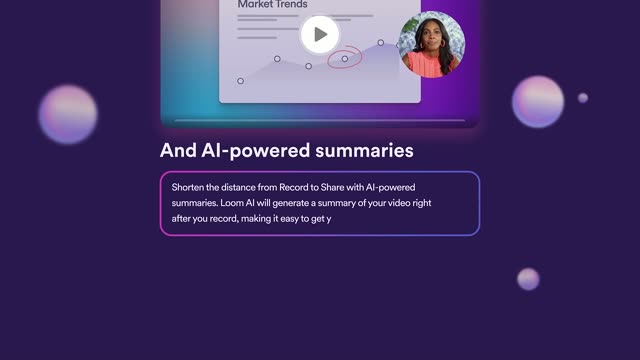

Introducing Loom AI
Loom · Productivity · Aug 2023
Lovable · Jan 2026 · 1:33 · AI-annotated
Lovable’s 1:33 launch film runs 32 scenes, about 2.9 s each. The product shows up at 0:00 and 3 features are revealed. There is no explicit call to action; a voiceover carries the film. A couch-hosted walkthrough: a brief hook, a logo card listing five capabilities, then three feature demos (planning, testing, queuing) each shown as split-screen live action beside UI cards sliding over blurred gradients, and a tagline plus logo close. The signature moves are UI cards easing in over blurred live footage, a 3D tilt on the app mockup, and gradient washes that bridge live shots to screens.
Is this your launch? to your site or press kit.
Loom · Productivity · Aug 2023
Adobe · Apr 2025
Yam · Consumer · Nov 2026
A woman in a maroon top and grey plaid trousers walks across a bright lounge holding a closed black laptop with a colorful sticker, as a second person in a grey hoodie follows from the right. Static wide shot. A large still numeral 7 overlays the frame.
On-screen text: “7”
Camera: Pull out
A woman in a maroon turtleneck and a man in a gray hoodie sit down on a white couch in a loft office. She holds a closed laptop with a heart logo on her lap; both turn to face the camera and speak to the audience.
Camera: Pull out
A woman and a man sit on a white couch in a dim loft office. The woman holds a closed laptop with a heart logo on her lap. The man in a gray hoodie speaks toward the camera while the woman smiles.
Camera: Static
A dark gradient background brightens to blue and pink as the white Lovable logo with a multicolor heart icon fades in on the left, while five rounded feature pills with check marks appear down the right side.
On-screen text: “Intelligent planning mode”, “Prompt queuing”, “Automated end-to-end testing”, “Browser tools”, “Seamless google sign-in”
Camera: Static
The Lovable wordmark and gradient heart mark hold left of center on a navy-to-magenta gradient. On the right, five checkmark pills listing features ease from a brief blur into a clean vertical stack, then rest.
On-screen text: “Intelligent planning mode”, “Prompt queuing”, “Automated end-to-end testing”, “Browser tools”, “Seamless google sign-in”
Techniques: Kinetic type
Camera: Static
A woman in a maroon turtleneck holds a laptop on her lap while a man in a gray hoodie sits cross-legged on a white couch, gesturing as he speaks, then turns to look at her. The loft set is warm and dimly lit, camera locked off.
Camera: Pull out
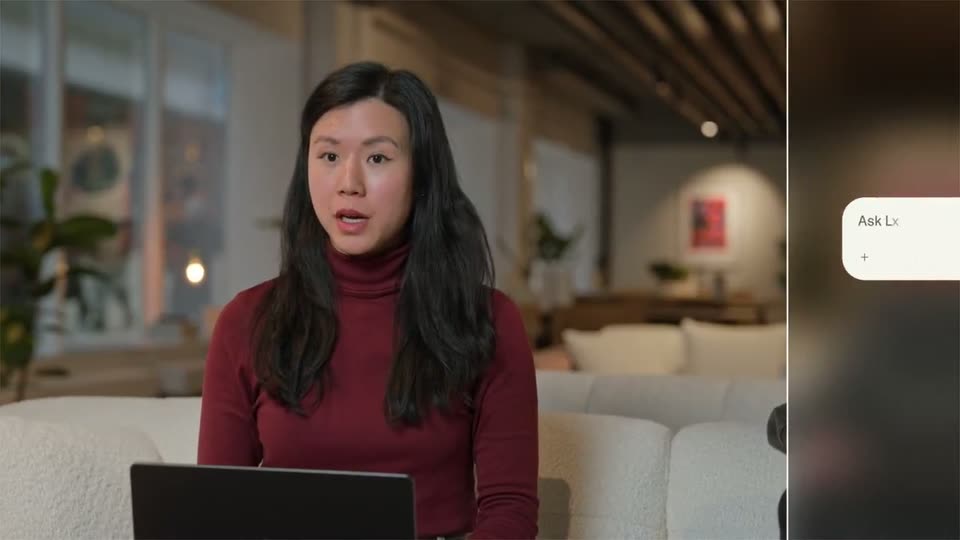
A woman in a maroon turtleneck sits on a cream couch with a laptop, talking in a softly lit modern living room. The locked-off medium shot holds on her as she speaks and glances to the side, a second person's arm at the right edge.
Camera: Static
A woman in a maroon turtleneck sits on a cream couch with a laptop on her lap, talking in a warm, softly lit living room. A white rounded card with a plus icon slides in from the right edge of the frame.
Camera: Static
Split screen: a woman in a maroon turtleneck types on a laptop on the left; on the right, over a blurred background, the Lovable prompt bar types out a request, a cursor clicks Plan and send, and the bar morphs into a pink gradient pill.
Techniques: Split screen, Cursor demo, Morph
Camera: Pan
A blurred woman with a laptop sits behind a white Lovable chat card. The card shows a prompt to build a Swedish learning app, then a Questions form where checkboxes get ticked and the answers collapse into a summary, ending on a purple gradient panel.
Techniques: Masking, UI zoom
Camera: Push in
A two-pane app window sits over a soft purple glow. The left chat pane scrolls up to reveal a plan card for a Swedish vocabulary app, while the right spec pane sharpens from blur to show a numbered feature list.
Techniques: Split screen
Camera: Pull out
A rounded app window floats over a blurred red backdrop. The view zooms in on a plan document listing the app's core features, then eases back out to reveal the chat prompt and the Open and Approve buttons on the left.
Techniques: UI zoom
Camera: Pull out
A split screen pairs a white chat card on a pink-to-blue gradient on the left with a young man in a gray hoodie sitting on a couch on the right. The card's message, 'Ready to learn Swedish, Caroline?', slides into place.
Techniques: Split screen
Camera: Static
A split screen pairs a white web-page mockup on the left, which scrolls from a Swedish-learning hero down to a phrase grid, with a young man in a gray hoodie seated on a couch on the right, talking to camera.
Techniques: Split screen
Camera: Static
Split screen. Left, a white app card titled Essential Phrases tilts and scales up in 3D over a blurred room as small colored squares float in at its top edge. Right, a man in a grey hoodie sits on a couch and talks.
Techniques: Split screen, 3D mockup
Camera: Static
A white rounded card frames a flat Swedish-course webpage: a blue smiley avatar, scattered geometric shapes, a blue Start Learning button and two stat chips. The view eases out from a tight zoom to the full card as a red cursor appears bottom right.
Techniques: UI zoom, Cursor demo
Camera: Push in
A white app mockup on a dark blurred background shows a Swedish learning landing page with a smiley icon, a headline and flat colored shapes. A pink cursor hovers the Start Learning button, then the card blurs and a Study Mode screen with category tabs and a flashcard fades in.
Techniques: Cursor demo
Camera: Static
A flat study-mode flashcard screen sits centered on a blurred orange-and-purple gradient. A pink cursor hovers over the “Hej” card near the start, then the layout holds still while the card and answer buttons stay in frame.
Techniques: Cursor demo
Camera: Static
A light details panel with a vertical timeline of test steps slides up over a pink gradient, then scrolls to reveal embedded screenshots of a Study Mode screen showing category buttons and a flashcard.
Camera: Static
A cream product feed over a pink-to-orange gradient scrolls down past a flashcard screenshot reading “Hej”. A new entry, “Wait, that shouldn't happen. Let me fix that...”, appears as monospace error lines fade in one by one, ending with a purple “Flashcard interaction restored” line beside a file icon.
Camera: Push in
A woman in a maroon turtleneck sits on a cream couch with a dark laptop in front of her, in a softly lit lounge. She looks down at the screen, then lifts her head and speaks to camera while the blurred background stays still.
On-screen text: “9”
Camera: Static
A woman in a maroon turtleneck sits on a white couch with a laptop, speaking to camera. The shot pans right, revealing a second person's arm and a white UI panel sliding in from the right edge.
Camera: Pan
Split screen. Left, a woman in a red turtleneck talks at a laptop. Right, a white Queue card floats over a blurred background and stacks a new list row at the top with each feature she names.
Techniques: Split screen
Camera: Static
Split screen, locked-off. Left: a white task queue card floats over a blurred room, listing three tasks; small status lines such as “Adding Google Auth” fade in beneath each row as it runs. Right: a man in a gray hoodie sits on a cream couch, talking to camera.
Techniques: Split screen
Camera: Static
A split screen pairs a task queue card on the left with a man talking on a couch on the right, washed in red. The image dissolves into a pink, then purple gradient as small shapes and a faint headline appear.
On-screen text: “Ready to learn Swedish,”
Techniques: Split screen
Camera: Static
A white interface card on a purple gradient scales down from a blurred, oversized state into place, revealing a Swedish-learning app page with a blue smiley, greeting headline, two buttons and three stat chips. Flat geometric shapes in pink, blue and yellow float around the card edges.
Camera: Pull out
A white card shows a Swedish-learning page mockup with a smiley avatar, heading and buttons, then cuts to a split screen: a large blue Publish button over a blurred background on the left, a man in a gray hoodie talking on a sofa on the right.
Techniques: Split screen, UI zoom
Camera: Pull out
Split screen: on the left, a blue Publish button over a blurred background with a cursor resting on it, then it morphs into a white Published pill. On the right, a man in a gray hoodie sits on a couch and speaks.
Techniques: Split screen, Cursor demo, Morph
Camera: Static
A woman in a maroon turtleneck sits on a white sofa with a closed laptop on her lap, a man in a grey hoodie beside her. She looks up from the laptop and turns to face him, he looks back. A white caption fades in word by word over the shot.
On-screen text: “Now I can speak swedish”
Techniques: Kinetic type
Camera: Pull out
Two people sit on a white couch in a loft, the woman holding a laptop, as the white caption holds center frame; the shot then cuts to a blue-purple gradient carrying the pink tagline.
On-screen text: “Now I can speak swedish”, “Build more.”
Camera: Static
A centered white tagline reads Build more. Manage less. on a dark gradient that runs from black to blue and pink. It scales out, then a small gradient heart and the Lova wordmark appear in the center.
On-screen text: “Build more. Manage less.”
Techniques: Kinetic type
Camera: Static
The Lovable logo, a gradient heart mark beside the white wordmark, sits centered on a vertical gradient fading from dark navy to blue and pink. The wordmark resolves from a brief blur in the first half-second, then the frame holds.
On-screen text: “Lovable”
Camera: Static