
1:51
Explore
00:00:00 / 00:59:13
- Length
- 0:59
- Scenes
- 31 · 1.9 s avg
- Product on screen
- 0:00
- Features shown
- 4
- Call to action
- 0:53 · 91%
- Voiceover
- Yes
- Views
- 2.1K on YouTube
as of November 24, 2026
Fuse AI’s 0:59 launch film runs 31 scenes, about 1.9 s each. The product is on screen from the first frame and 4 features are revealed. The call to action lands at 0:53 (91% in), over a voiceover. The video opens with a black title card that rolls through competitor names to land on the FuseAI wordmark, then cuts to a logo reveal and a one-line agent greeting before moving into four feature blocks, each introduced by a glowing black title card and shown through a white UI card with a typed prompt and a streaming answer. Pacing is fast and cut-driven, with locked-off title cards, cyan-to-white text reveals, and 3D perspective tilts on the input bar, while the recurring FuseAI mark and a 12
No filming indicatedEstimated needs: 4 capture groups — your screens or recordings · 1 official logo — reused across the film · 1 graphic passage — draw or supply · 3 3D passages — build or supply
Is this your launch? to your site or press kit.
More like this


Similar soundtrack
Films whose music sounds like this one, voice left out
2:04
Marco Palladino - At Kong we run half a quadrillion AI tokens a year, and I kept seeing
Volcano · Upbeat corporate electronic
0:50

DeepReach AI - Everyone can run a data business
DeepReach Inc. · Upbeat commercial electronic
1:12

CentralComs Launch
CentralComs · Upbeat funk and pop
FuseAI Launch Video, scene by scene
· 31 scenes as text
01 · Product intro · 0:00–0:03
A black card holds a centered white line, Welcome to the ... era. The middle word rolls vertically through company names, Salesforce, Google, Equinix, Outreach, FuseAl, Salesloft, each swap blurred, the active name tinted teal.
On-screen text: “Welcome to the Salesforce era”, “Welcome to the Google era”, “Welcome to the FuseAl era”
Techniques: Kinetic type
Camera: Static
02 · Product intro · 0:03–0:04
A single line of white glowing text sits centered on a dark teal-to-black radial gradient. The frame is locked off and the text holds still.
On-screen text: “Welcome to the FuseAl era”
Camera: Static
03 · Product intro · 0:04–0:06
On a white field, black rounded corner blocks slide off screen as the FuseAl mark, two black rounded squares, and the wordmark scale up in the center. A thin light blue ring expands around the mark to complete the lockup.
On-screen text: “FuseAl”
Techniques: Kinetic type
Camera: Static
04 · Product intro · 0:06–0:07
The Arc logo, a white disc with a black mark, stays fixed at center as the 3D backdrop shifts: a drift of iridescent bubbles and thin orbital rings condenses into a mound of matte pastel spheres resting on a glossy white floor.
Techniques: Morph
Camera: Static
05 · Product intro · 0:07–0:07
A glowing white logo disc sits at the center of a swirling 3D cluster of cubes, ribbons and wireframe shapes. The mass condenses as the backdrop resolves into a teal stage lined with vertical bars and a dark platform.
Techniques: Particles
Camera: Static
06 · Product intro · 0:07–0:07
A white circular badge with a black four-segment mark glows with a cyan halo at the center, fixed against a 3D field of translucent blue cubes and spheres drifting in depth. Thin curved ribbons and orbital rings sweep behind it as the particle field shifts from cubes to spheres.
Techniques: Particles, Parallax
Camera: Static
07 · Product intro · 0:07–0:08
A translucent glass blade on a small pedestal, ringed by floating iridescent bubbles, morphs quickly into a swirling vortex of concentric rings as the central glow becomes a white rounded-square logo.
Techniques: Morph, Particles
Camera: Static
08 · Product intro · 0:08–0:09
A plain white background holds a single line of light blue text in the center-left. The words type in character by character, reading “Hi, I'm your FuseAgent,”. The frame stays locked off with no other elements.
On-screen text: “Hi, I'm your FuseAgent,”
Techniques: Kinetic type
Camera: Static
09 · Product intro · 0:09–0:11
On a pale off-white background, a teal sans-serif line reads “Hi, I’m your FuseAgent,” while a second line types in letter by letter beneath it, completing “how can I help you today?” The frame stays locked and still once the text is finished.
On-screen text: “Hi, I'm your FuseAgent,”, “how can I help you today?”
Techniques: Kinetic type
Camera: Static
10 · Feature reveal · 0:11–0:13
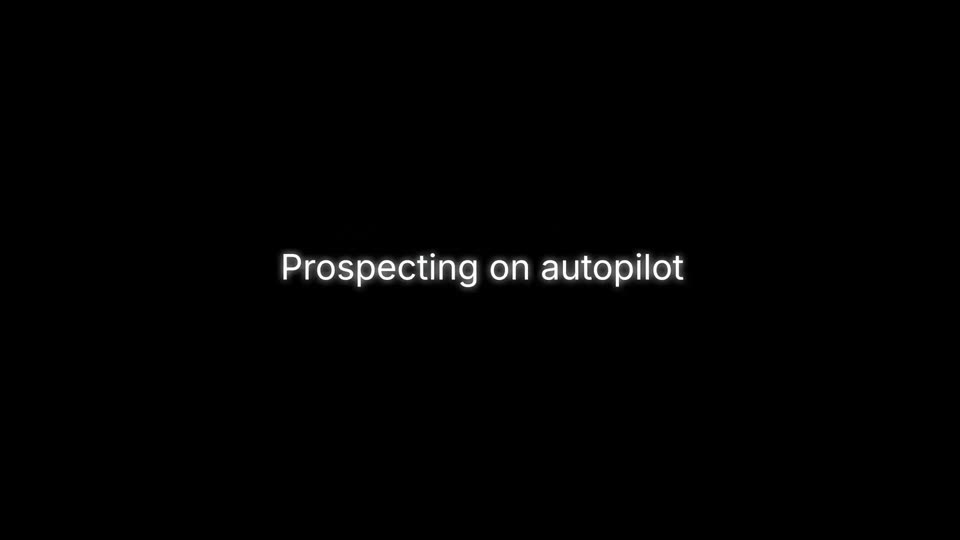
A black screen holds the centered headline Prospecting on autopilot. The word Prospecting glows cyan while on autopilot sits dim, then the full phrase settles into white with a soft glow.
On-screen text: “Prospecting on autopilot”
Camera: Static
11 · Feature reveal · 0:13–0:16
A white search bar on a pale blue gradient shows a prompt typed letter by letter. A large cursor clicks the send arrow, the bar fades, and the full sentence re-centers as a small caption above a back arrow and three loading dots.
On-screen text: “Find me 100 VPs of Finance at Manufacturing Companies in New York and send them Linkedin connection requests.”
Techniques: Cursor demo
Camera: Static
12 · Feature reveal · 0:16–0:19
A light-gray prompt field holds a natural-language request, then a small square icon and a response line type out below it letter by letter, the link words in teal. The block eases up slightly as it settles.
Techniques: Kinetic type
Camera: Static
13 · Feature reveal · 0:19–0:20
A small white rounded card reading Contact Database sits centered on a soft blue gradient, a faint cyan glow pulsing behind it. The card holds still while a thin prompt line slides across the locked-off frame.
On-screen text: “Find me 100 VPs of Finance at Manufacturing Companies in New York and send them Linkedin connection requests.”, “Your request has been processed, please review your lead list here and the linkedin”, “connection requests scheduled in the campaign builder here.”
Camera: Static
14 · Feature reveal · 0:20–0:23
A white filter card blurs in from a wider view, then reframes onto a Job Title field holding a Vice President Of Finance chip above a gray Search button. A cursor points at the button, and the card dissolves to white with a cyan edge glow.
Techniques: UI zoom, Cursor demo
Camera: Static
15 · Feature reveal · 0:23–0:25
A white contact table fills with rows of names and companies, then the view zooms in as the table tilts into 3D perspective. The scene cuts to black, where the word Deanonimize fades in with a cyan glow.
On-screen text: “Deanonimize”
Techniques: UI zoom, 3D mockup, Kinetic type
Camera: Pan
16 · Feature reveal · 0:25–0:27
On a black field, a centered line of glowing text reads Deanonymize website in cyan, then turns white as the word traffic completes the phrase. The frame stays locked.
On-screen text: “Deanonymize website traffic”
Techniques: Kinetic type
Camera: Static
17 · Feature reveal · 0:27–0:27
A small rounded chip sits centered on a plain white field. It carries the dark label “Website Visitors” and a thin cyan outline with a soft glow that brightens as the letters settle into place.
On-screen text: “Deanonymize website traffic”, “Website Visitors”
Camera: Static
18 · Feature reveal · 0:27–0:28
A small white card with a blue border labeled Website Visitors sits centered on a pale blue gradient. The card slides to the upper left and expands into a table, revealing a Trend row with the value 2200 and a New Profiles label.
Camera: Static
19 · Feature reveal · 0:28–0:29
A white analytics dashboard pans slowly to the right, revealing a row of stat cards labeled New Profiles, Returning Profiles and Total Site Views beneath a Website Visitors heading.
Camera: Static
20 · Feature reveal · 0:29–0:31
A white card holding a bar chart titled Daily Collected Profiles sits on a plain background. Stacked bars rise from the baseline for eight company names, the teal lower segments fading in to full color.
Camera: Static
21 · Feature reveal · 0:31–0:34
A white table card titled 'At a glance' sits on a plain white field. A soft cyan blur clears across it to reveal the header, then two rows, Deel and Airbnb, with visit counts and colored confidence labels load in.
Techniques: Masking
Camera: Static
22 · Feature reveal · 0:34–0:35
A light-themed analytics screen shows two data tables. The lower table, headed by a state label, lists Deel, Airbnb and Salesforce with visit counts and Texas. The row text fades in from light gray to black.
Camera: Push in
23 · Feature reveal · 0:35–0:35
A glowing cyan word, Manage, sits centered on a black frame as part of the locked-off phrase Manage your pipeline. The text holds still with a soft halo, no movement.
On-screen text: “Manage your pipeline”
Camera: Static
24 · Feature reveal · 0:35–0:37
Black background, centered white text. The word “Manage” appears first, then the line expands to the full phrase “Manage your pipeline,” which holds static and centered. Locked-off frame, no other elements.
On-screen text: “Manage your pipeline”
Techniques: Kinetic type
Camera: Static
25 · Feature reveal · 0:37–0:40
A white input bar with a paperclip icon sits centered while a prompt is typed in and a black cursor rests on the send button. The bar then tilts into 3D perspective against a pale blue glow, rotating edge-on until it reads as a thin glowing line.
Techniques: Cursor demo, 3D mockup
Camera: Static
26 · Feature reveal · 0:40–0:43
A white chat card tilts in 3D perspective, then flattens to a locked-off frame as the AI response types out beneath a gray user prompt, beside a small pixel icon. The card blurs and zooms out at the end.
Techniques: 3D mockup, Kinetic type
Camera: Pull out
27 · Feature reveal · 0:43–0:45
A black frame holds a glowing cyan wordmark that cuts to a centered white phrase, both static with a soft halo. The frame stays locked off while the text swaps.
On-screen text: “Comarkett”, “Conduct market research”
Camera: Static
28 · Feature reveal · 0:45–0:49
A gray chat input bar with a paperclip icon types a prompt about DoorDash competitors. The bar thins to a strip as a black cursor hovers near a send arrow, then the frame zooms out to a white chat card showing the sent message and a loading dot.
Techniques: Kinetic type, Cursor demo, UI zoom
Camera: Static
29 · Feature reveal · 0:49–0:53
A chat interface on a white background shows a prompt card at the top, then an answer card streams in text line by line. As the answer fills, the view scrolls up to reveal a numbered list of competitors and a list of differentiators.
Techniques: Kinetic type
Camera: Pan
30 · CTA · 0:53–0:56
On a solid black background, the centered white line reveals left to right as a glowing edge sweeps across the letters, finishing with the full phrase. The frame stays locked-off once the text is complete.
On-screen text: “Elevate your go-to-market today”
Techniques: Kinetic type, Masking, Light sweep
Camera: Static
31 · Outro · 0:56–0:59
On a black background, white rounded squares and partial letters slide together at center, assembling the FuseAI cross icon and wordmark, which then lock in place and hold still.
On-screen text: “FuseAI”
Techniques: Kinetic type
Camera: Static