1:42

Read Blueprints Using Bild AI
Bild AI · Real Estate and Construction · Feb 2025
BlindPay · Jan 2025 · 1:28 · Full motion · AI-annotated
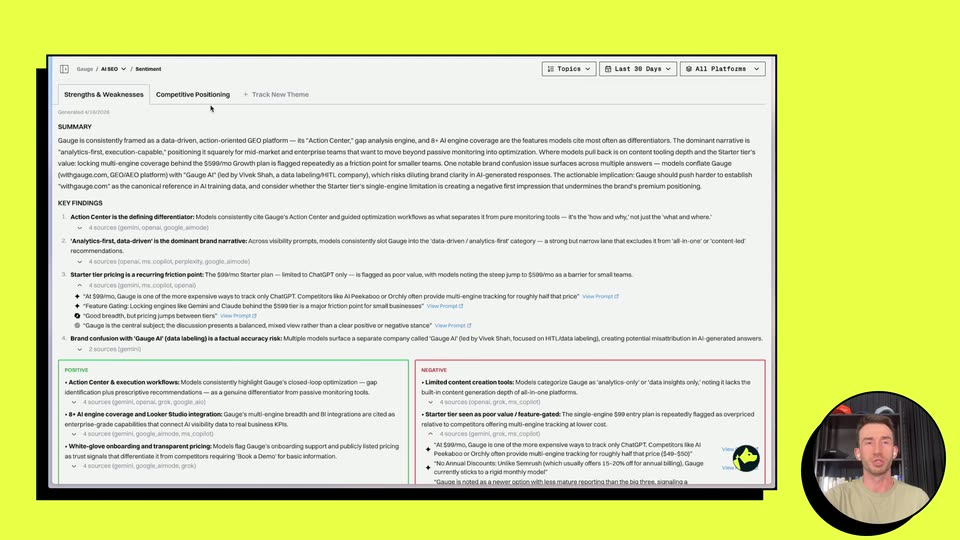
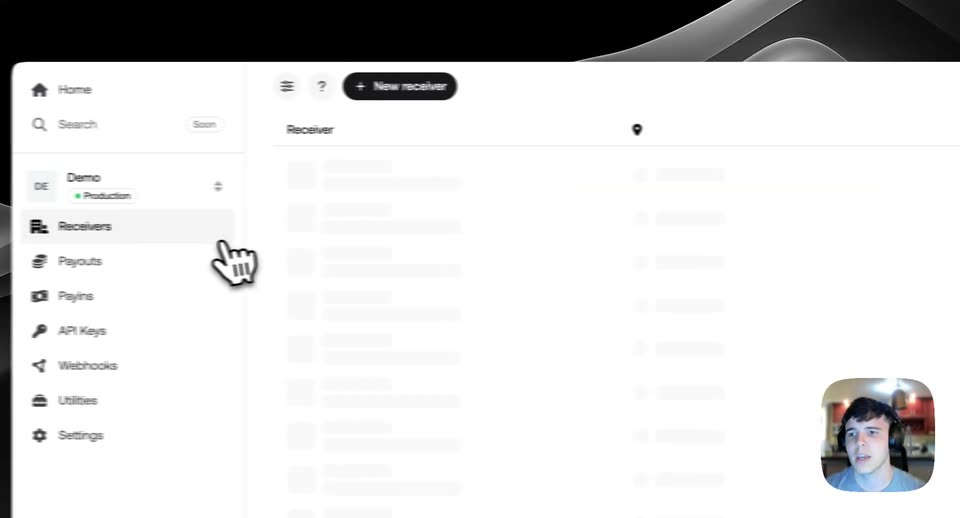
BlindPay’s 1:28 launch film runs 16 scenes, about 5.5 s each. The product is on screen from the first frame and 3 features are revealed. There is no explicit call to action; a voiceover carries the film. The video is a single continuous walkthrough of the BlindPay dashboard, shown as a light UI card floating over a dark abstract 3D backdrop with the founder's facecam pinned in the corner. It advances feature by feature (receivers, payouts, payins, then API and docs) in slow takes, using smooth zooms and 3D tilts between pages while the presenter's voiceover carries the explanation.
Is this your launch? to your site or press kit.
Bild AI · Real Estate and Construction · Feb 2025
Doe · B2B · Jan 2026
Films whose music sounds like this one, voice left out
A light web dashboard over a dark abstract backdrop, with a small webcam cutout of a man in headphones at bottom right. A cursor glides over the instance cards, hovers Testing to reveal an Open instance link, then clicks Demo as the view zooms into a receivers page.
Techniques: Cursor demo, UI zoom
Camera: Push in
A light dashboard with a left menu and a receiver list fills the frame. A hand cursor slides from the list to the sidebar and clicks the Receivers item. A small rounded webcam feed of a presenter stays in the bottom right corner.
Techniques: Cursor demo
Camera: Pull out
A light dashboard screen over a dark abstract wave background. A cursor hovers the Receivers menu, clicks the New receiver button, a dropdown opens, and the page switches to a KYC level selection form. A small webcam feed of the presenter sits in the bottom right corner.
Techniques: Cursor demo
Camera: Static
A white KYC dashboard tilts in 3D against dark curved metal shapes. A cursor glides across the left list of Light, Standard and Enhanced KYC tiers while the right side shows an add panel with a profile photo.
Techniques: 3D mockup, Cursor demo
Camera: Static
A 3D-angled dashboard mockup floats over dark metallic shapes. A cursor selects 'New receiver' in the sidebar, and the view morphs from a KYC tier list to a receiver profile showing a name and country.
Techniques: 3D mockup, Cursor demo, Morph
Camera: Static
A product dashboard screen sits as a tilted card over a dark 3D abstract backdrop, with a small facecam in the bottom right. A hand cursor hovers over the receiver row in the main panel.
Techniques: 3D mockup, Cursor demo
Camera: Static
A flat white dashboard shows a receiver detail page with a left sidebar. A hand cursor slides from the top breadcrumb row down to the Profile item, and a small presenter video feed stays in the bottom-right corner.
Techniques: Cursor demo
Camera: Static
A white dashboard screen recording with a streamer's face cam in the corner. A cursor hovers the Bank Accounts panel, the view zooms into the Add Blockchain Wallet form, opens the network dropdown, then pulls back to the full window.
Techniques: UI zoom, Cursor demo
Camera: Push in
A payments dashboard fills the frame with a left navigation menu. A cursor selects Receivers, then Payouts, and the main panel crossfades from a receiver list to a payout list. A small webcam feed of a presenter sits in the bottom right corner.
Techniques: Cursor demo
Camera: Push in
A white hand cursor clicks New payout, fills the form with Polygon, USDC, a receiver and Inter & Co, and toggles on the partner fee. The view then pulls back to reveal the interface as a tilted panel in a dark 3D space before zooming in.
Techniques: Cursor demo, UI zoom, 3D mockup
Camera: Push in
A white payments dashboard fills the frame as a hand cursor glides across a payout row, then clicks Payins in the left sidebar. The view swaps to an empty payins list, and a small webcam of the presenter stays pinned in the bottom-right corner.
Techniques: Cursor demo
Camera: Pull out
A screen recording zooms into a New payin modal on a dimmed dashboard. A hand cursor opens the Payment method dropdown, hovers ACH, Domestic Wire, Pix and SPEI, then opens the Token dropdown with USDC and USDT. A man with headphones appears in a webcam window at the bottom right.
Techniques: UI zoom, Cursor demo
Camera: Push in
The view zooms out from an empty payins table reading 'We didn't find any payins for this instance.' to reveal the full dashboard with a left sidebar and top bar. A cursor moves, and a small webcam feed of a man with headphones sits in the bottom-right corner.
Techniques: UI zoom, Cursor demo
Camera: Pull out
A dashboard sidebar is shown with a hand cursor hovering over API Keys. The page resolves from blur into a New Key form, then wipes into the Webhooks page. A small webcam of the presenter sits in the bottom right corner.
Techniques: Cursor demo
Camera: Push in
A BlindPay documentation page transitions between sections as a cursor moves down the left sidebar menu. A small rounded webcam of a presenter with headphones stays fixed in the bottom right corner.
Techniques: Cursor demo
Camera: Static
A dark API reference screen opens as a tight close-up on the server and authentication panel, the title ghosting at left. The view then pulls back to reveal the full documentation page, sidebar and endpoints, tilted in 3D against a dark abstract background, with a streamer facecam pinned in the corner.
Techniques: UI zoom, 3D mockup, Cursor demo
Camera: Pull out