0:59
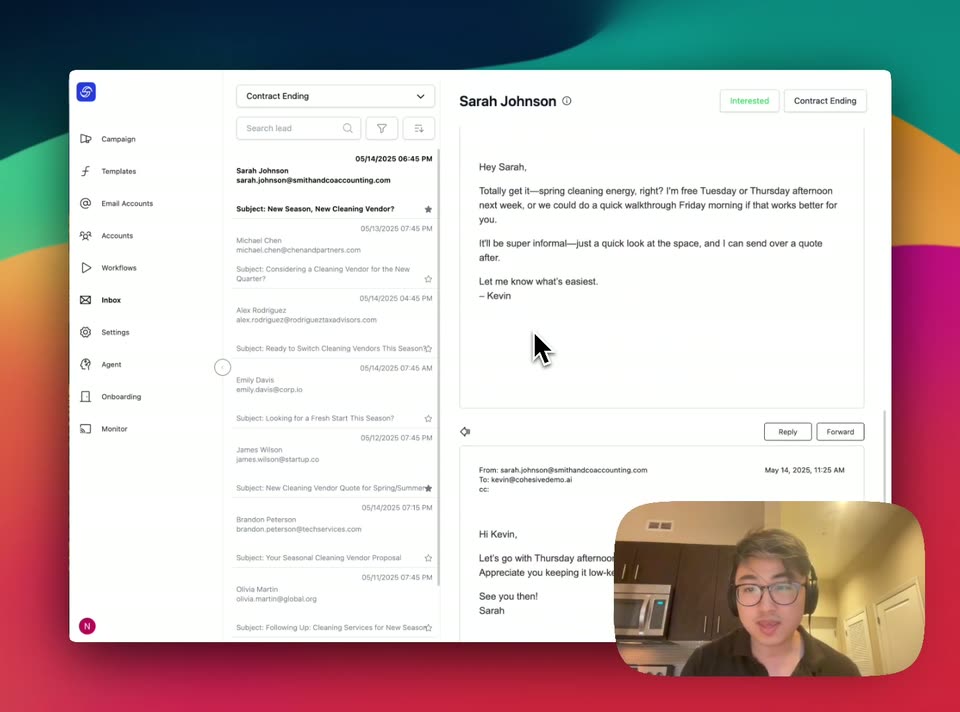

Cohesive AI (YC X25) - The agentic CRM for blue-collar commercial services
Cohesive · B2B · May 2025
IRBC’s 2:35 launch film runs 45 scenes, about 3.5 s each. The product is on screen from the first frame and 5 features are revealed. There is no explicit call to action; a voiceover carries the film. A single continuous screen-recording walkthrough with a small presenter cam pinned in the corner, moving from the homepage through a live call to post-meeting AI notes. Each feature beat is marked by the browser window tilting and floating in 3D over a pink-purple gradient, keeping the pacing conversational and demo-driven.
Is this your launch? to your site or press kit.
Cohesive · B2B · May 2025
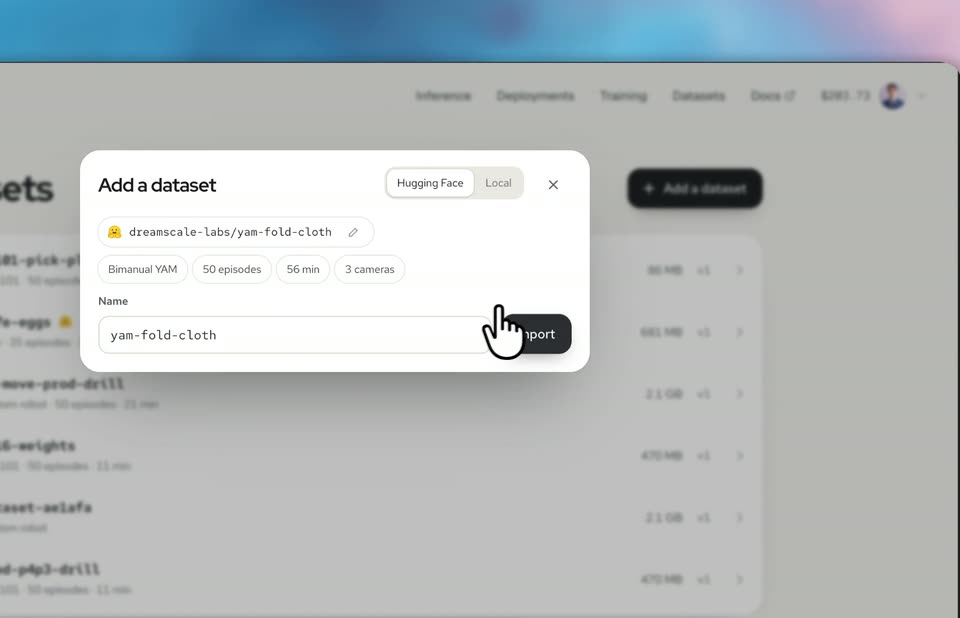
Dreamscale Labs · Industrials · Nov 2026
Pax · B2B · Aug 2024
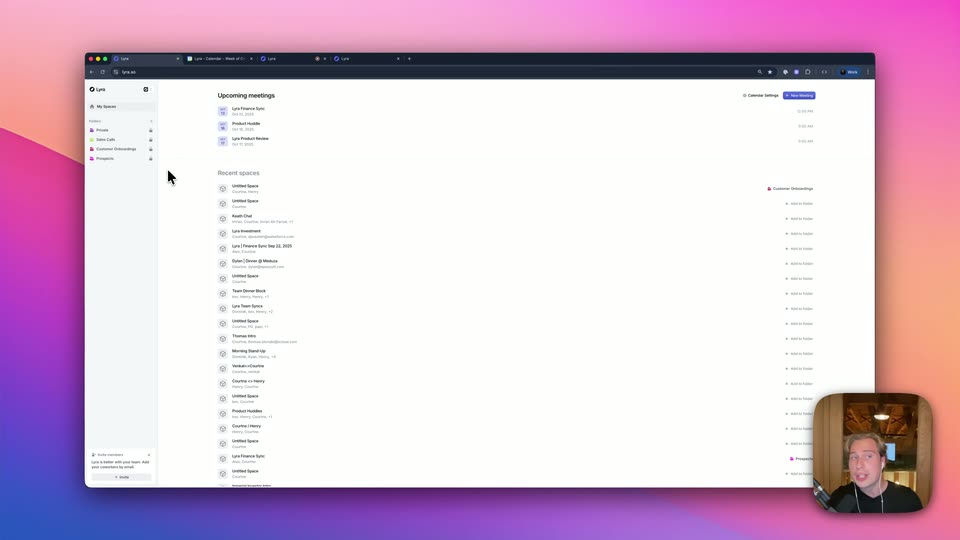
A browser window shows the Lyra dashboard with an upcoming meetings panel and a long list of spaces. A cursor hovers over a highlighted row. A small webcam feed of a presenter with headphones sits in the bottom right corner against a pink-purple gradient, gesturing as he speaks.
Camera: Static
A flat screen capture of the Lyra dashboard lists upcoming meetings and recent spaces over a pink-purple gradient. A cursor hovers on a row while a small video-call tile in the lower right shows a man with headphones speaking.
Camera: Static
A flat Lyra browser window on a pink-purple gradient shows upcoming meetings and a recent spaces list. A cursor hovers mid-list while a small rounded video tile of a man with a microphone sits in the lower right corner.
Techniques: Cursor demo
Camera: Static
A tilted browser window floats over a pink and purple gradient, showing the Lyra home screen with a list of spaces and a highlighted row. A cursor hovers at the center, while a small rounded video feed of a man sits in the bottom right.
Techniques: 3D mockup, Cursor demo
Camera: Static
A browser window shows the Lyra interface with an upcoming meetings list and a long recent spaces list, a cursor resting mid-screen. A small webcam feed of a man with glasses and headphones sits in the lower right corner over a pink-to-purple gradient.
Camera: Static
A browser window displays the Lyra homepage with an upcoming meetings list and a recent spaces list. A cursor hovers over a highlighted row while a small webcam feed of the presenter sits in the bottom right corner against a pink and purple gradient.
Techniques: Cursor demo
Camera: Static
A browser window displays the Lyncr homepage, listing upcoming meetings and a long recent spaces list. A cursor hovers over the recent spaces rows while a small rounded video of the presenter plays in the bottom right corner against a pink-to-purple gradient.
Techniques: Cursor demo
Camera: Static
A static view of a web interface displaying upcoming meetings and recent spaces, with a small webcam feed of a man in the bottom right corner against a gradient background.
Techniques: Cursor demo
Camera: Static
A locked-off browser window shows the Luma homepage: an upcoming meetings list above a long recent spaces list, with a cursor resting on a row. A webcam self-view of a man in a black shirt occupies the bottom right corner over a pink-to-purple gradient.
Camera: Static
A browser window of the Lyncr interface floats on a pink and purple gradient, with a small presenter cam in the lower right. A mouse cursor glides from the center of the space list up to the first upcoming meeting row while the man in the cam gestures.
Techniques: Cursor demo
Camera: Static
A static screen recording of the Lyra homepage fills a browser window over a pink-to-purple gradient, listing upcoming meetings and recent spaces. A mouse cursor hovers over the first meeting row while a small rounded video call window with a man sits in the bottom right corner.
Techniques: Cursor demo
Camera: Static
A dark browser window fills the frame over a pink-purple gradient, showing the Lync home page with an upcoming meetings list and a long recent spaces list. A cursor travels down the list. A small webcam feed of the presenter sits in the bottom right corner.
Techniques: Cursor demo
Camera: Static
A browser window shows the Lyncr interface with a list of recent spaces and upcoming meetings. A cursor glides down the list, hovering over entries, while a small selfie video of a man sits in the bottom right corner.
Techniques: Cursor demo
Camera: Static
A pink-purple gradient frames a browser window showing the Lync calendar, with an Upcoming meetings header and a long Recent spaces list. A cursor hovers over one row. A small rounded webcam inset of a talking man sits in the lower right corner.
Techniques: Cursor demo
Camera: Static
A browser window shows the Lyra dashboard with an upcoming-meetings list and a recent-spaces column on a pink-to-purple gradient. A rounded webcam feed of a presenter sits in the bottom-right corner while a cursor hovers over the list.
Camera: Static
A browser window shows the Lyra dashboard, with an Upcoming meetings row above a long Recent spaces list, on a pink-to-purple gradient backdrop. A small webcam feed of a man sits in the lower right corner. A cursor hovers at the meetings heading.
Techniques: Cursor demo
Camera: Static
A Lyra interface fills a browser window, showing an Upcoming meetings list and a long Recent spaces column beside a calendar panel. A small rounded webcam video of a man speaking sits in the bottom right corner over a pink-to-purple gradient background.
Camera: Static
A browser window of the Lyra app displays an inbox with an upcoming meetings list and a recent spaces column, plus a small self-view video in the corner. The view then zooms into the meetings section, enlarging the list against a pink gradient background.
Techniques: UI zoom
Camera: Push in
A dark Google Calendar week view with an open Product Huddle event card. The cursor hovers over guest names, a contact card pops up, then the view zooms out to the full browser window on a pink gradient, and zooms back in. A facecam sits in the bottom right.
Techniques: Cursor demo, UI zoom
Camera: Static
A tilted browser window of the Lyra app floats over a pink and purple gradient. The page lists upcoming meetings and recent spaces, with a video-call thumbnail of a man in the corner. A cursor moves from the tab bar to the Product Huddle row, then back to the tabs.
Techniques: Cursor demo
Camera: Static
A browser window on a pink-purple gradient shows a two-person video call. The cursor clicks a toolbar control, the video tiles shrink to the top and a large white note field opens below, where the cursor types. A small floating self-view stays in the lower right.
On-screen text: “lyra.so/share/92839921740”
Techniques: Cursor demo, UI zoom
Camera: Pull out
A browser window with a dark tab bar sits on a pink gradient background. A white cursor glides left across the open tabs above a Lyra overview page that lists meeting summaries, participant names and a small video thumbnail in the lower right corner.
Techniques: Cursor demo
Camera: Static
A browser window shows the Lyra app's Overview page with a left sidebar and meeting notes, then transitions to a Next Steps page with an onboarding checklist. A hand cursor moves across the screen while a small presenter video sits in the corner.
Techniques: Cursor demo
Camera: Push in
A browser window holding a two-person video call pulls back from a tight crop, then tilts into 3D on a pink gradient before settling flat and front-facing. The call shows two men speaking, with a small notes panel beneath the tiles.
Techniques: UI zoom, 3D mockup
Camera: Pull out
A flat browser window on a pink-to-purple gradient displays a two-person video call with a small picture-in-picture tile pinned in the corner. A cursor clicks and the two call tiles expand upward to fill the window.
Techniques: Cursor demo
Camera: Static
A tilted browser window mockup of a video call floats on a pink-to-orange gradient. Two men talk in the tiles while a swarm of gray dots assembles into a circle in the third tile; a cursor drifts across the chat and hovers the remove button.
Techniques: 3D mockup, Particles, Cursor demo
Camera: Static
A macOS browser window frames the Lyra video call: two men side by side, the left one in a black shirt gesturing as he talks. A hand cursor rests at the lower right, then the view zooms into the left speaker until he fills the frame.
Techniques: Cursor demo, UI zoom
Camera: Push in
A locked-off browser window shows the Lyra app. The left sidebar slides in with Meeting, Replays and Admin rows. A cursor glides down to hover the Replays item while a Next Steps panel with Onboarding and three steps sits on the right; a small self-view video fills the corner.
Techniques: Cursor demo
Camera: Static
A locked-off browser window shows the Lyra app. A hand cursor hovers on a sidebar icon and clicks it, swapping the right panel from a short 'Next Steps' list to a long meeting-summary document. A small rounded webcam feed of a man sits in the bottom-right corner.
Techniques: Cursor demo
Camera: Static
A tilted browser window holding the Lyra interface rotates flat toward the camera as the overview page scrolls down to a meeting-history table. A small webcam thumbnail of the presenter stays pinned in the bottom-right corner over a pink-purple gradient.
Techniques: 3D mockup
Camera: Pull out
A Luma meeting notes page fills a browser window over a pink gradient background. A cursor glides down the left margin of the document toward the Meeting History list. A small webcam feed of the presenter, gesturing with both hands, sits in the bottom right corner.
Techniques: Cursor demo
Camera: Static
A browser window with the Lyra product updates document floats on a pink-purple gradient beside a small presenter webcam. A cursor hovers over the meeting history rows as the page scrolls to reveal the timeline of past meetings, then the window tilts in 3D.
Techniques: Cursor demo, UI zoom, 3D mockup
Camera: Static
A browser window on a purple gradient displays a Luma meeting notes page. A cursor scrolls the document down past the participants and action items sections, while a small video call tile of a man remains in the lower right corner.
Techniques: Cursor demo
Camera: Static
A flat browser window displays a long Product Roadmap page with sectioned bullet points. A cursor hovers over the middle of the text. A small webcam feed of a man with a microphone sits in the bottom right corner against a pink and purple gradient background.
Techniques: Cursor demo
Camera: Static
A browser window shows a Luma product features page with meeting notes and a history table. The page scrolls up as a cursor moves down. A small face-cam video of a man in a dark room sits in the bottom right corner over a pink and purple gradient.
Techniques: Cursor demo
Camera: Static
A white meeting-notes document fills the frame as a pink gradient wash clears from the top. A cursor moves to a highlighted row in the Meeting history list, and a small rounded video tile of a man stays pinned in the bottom-right corner.
Techniques: Cursor demo
Camera: Push in
A blank light gray screen shows a hand cursor drifting in the center, blurring as it moves, while a small rounded webcam tile of a man sits in the bottom right corner.
Techniques: Cursor demo
Camera: Static
A meeting detail view fills the frame with the title, date, attendees row and three note tabs. A hand cursor hovers near the center and slides down a few pixels. A small rounded video tile of a man on a call sits in the bottom right corner.
Techniques: Cursor demo
Camera: Pull out
A flat notes interface fills the frame; a hand cursor hovers over the Enhanced Notes tab and clicks it, and a long bulleted AI summary of the meeting scrolls into view. The browser window then tilts into a 3D perspective on a pink-to-purple gradient while a small webcam feed of the presenter stays in the corner.
Techniques: Cursor demo, 3D mockup
Camera: Pull out
A Luma browser window fills the frame on a pink-purple gradient, showing a meeting notes document with bulleted sections. A cursor drifts down the page while a small rounded video of the speaker sits in the lower right corner.
Techniques: Cursor demo
Camera: Static
A browser window showing a meeting notes page zooms in as the cursor moves to the Transcript tab and clicks it. The page switches to a timestamped transcript list with colored speaker names. A small face-cam of the presenter sits in the bottom right corner.
Techniques: UI zoom, Cursor demo
Camera: Pull out
A web app transcript fills a browser window over a pink and blue gradient. A cursor travels down the sidebar and clicks Notes, then the frame zooms into a right panel listing Next Steps and Onboarding.
Techniques: Cursor demo, UI zoom
Camera: Push in
A screen recording of the Lyra web app shows a note titled Next Steps with a numbered list. A hand cursor moves from the page center to the tab bar and clicks the Lyra tab; a webcam feed of the speaker sits in the corner.
Techniques: Cursor demo
Camera: Static
A browser window opens zoomed into a two-person video call, then pulls back to reveal the full app layout with a left sidebar listing steps. The two men appear in side-by-side tiles, and a small floating video window stays pinned in the bottom right corner.
Techniques: UI zoom
Camera: Pull out
A tilted browser window floats over a pink-to-blue gradient, showing a two-person video call: a man with earphones gestures on the left, a man in a dark jacket listens on the right. A small self-view tile of the left speaker overlaps the window's bottom-right corner.
Techniques: 3D mockup
Camera: Static