2:10
Explore
00:00:00 / 01:03:09
- Length
- 1:03
- Scenes
- 25 · 2.5 s avg
- Product on screen
- 0:13
- Features shown
- 4
- Call to action
- 0:52 · 83%
- Voiceover
- Yes
- Views
- 1.4K on YouTube
as of November 22, 2026
Atlassian’s 1:03 launch film runs 25 scenes, about 2.5 s each. The product shows up at 0:13 and 4 features are revealed. The call to action lands at 0:52 (83% in), over a voiceover. The video is built as a tight problem-to-solution arc: a live-action promise, a UI problem montage, a title-card product intro, then four short feature demos (publish, share, version history, Confluence sync) before a live-action CTA and a logo card. Pacing is slow and deliberate, with long holds, gentle 3D tilts and zooms on interface cards, and a single black caption pill tracking the voiceover throughout.
Footage neededEstimated needs: 6 capture groups — your screens or recordings · 1 official logo — reused across the film · 2 filmed passages — shoot, supply or replace · 4 3D passages — build or supply
Is this your launch? to your site or press kit.
More like this


Similar soundtrack
Films whose music sounds like this one, voice left out
0:55

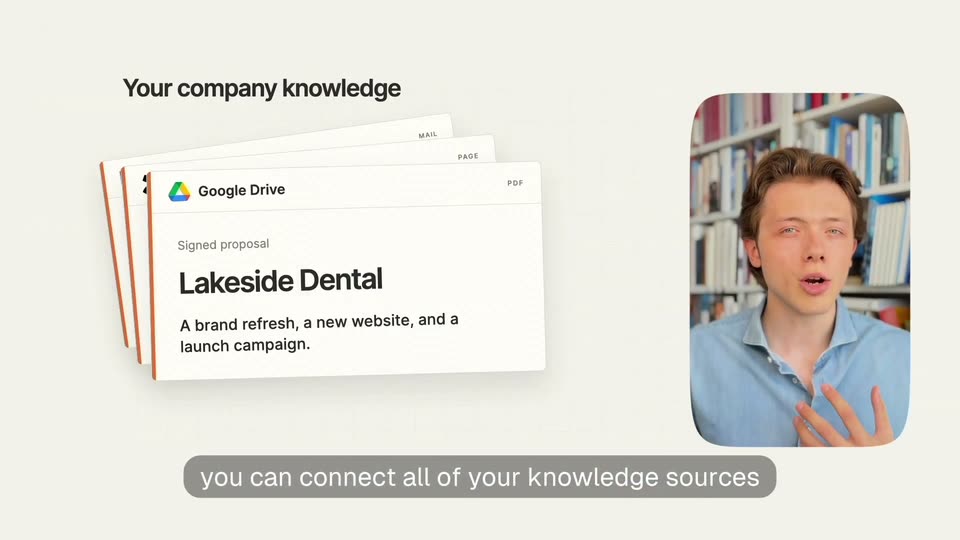
Show your AI agent what to do with Record for agent | Rovo at Work
Loom · Electronic
5:31
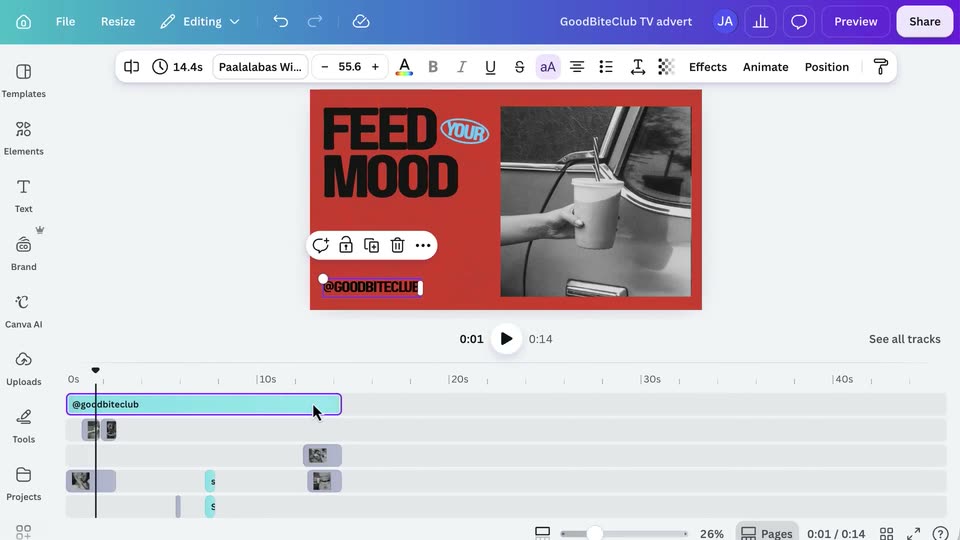

Create and launch TV ads straight from Canva
Canva · Upbeat electronic dance music
1:05

Palisade: Personalized sales agents for online marketplaces
Palisade · Modern electronic
Give your AI work a home with Artifacts App | Rovo at Work, scene by scene
· 25 scenes as text
01 · Hook · 0:00–0:03
A man in white round glasses and a white tee stands in a home doorway, holding a furry lavalier mic and gesturing while speaking. A name caption appears at left, subtitles in a black pill sit at the bottom, then a white panel wipes in from the right.
On-screen text: “Your best AI work should be easy”, “Axel Sooriah”, “Product Management Evangelist”, “Atlassian”, “to find, trust, and share.”
Techniques: Masking
Camera: Pull out
02 · Problem · 0:03–0:07
A Claude chat window fades in on a faint grid backdrop and scales up, then the view pushes into the left sidebar list. A cursor rests on the entry “JPD sales deck for Vitafleet” while black subtitle boxes cycle at the bottom.
On-screen text: “But that sales deck you built in Claude?”, “it's stuck in one chat”, “that needs to be downloaded and shared,”
Techniques: UI zoom, Cursor demo
Camera: Push in
03 · Problem · 0:07–0:08
A Notion-style workspace shows a document list on the left and a generated file preview on the right. The view zooms out to reveal the full window while a cursor hovers over the selected file. A black caption reads the voiceover line at the bottom.
On-screen text: “that needs to be downloaded and shared,”
Techniques: UI zoom, Cursor demo
Camera: Pull out
04 · Problem · 0:08–0:09
A chat panel and a PowerPoint file preview float on a pale grid backdrop. The two windows slowly shrink toward the center while a black caption bar holds still at the bottom.
On-screen text: “that needs to be downloaded and shared,”
Camera: Pull out
05 · Problem · 0:09–0:13
A tilted 3D mockup of a file browser sits on a white grid. Versioned deck files and comment bubbles fill the panel, then a search bar drops in reading zero results as the interface blurs and dims behind it.
On-screen text: “needs to be reviewed and shared,”, “which means multiple versions”, “and zero discoverability.”, “So Atlassian built the Artifacts app.”
Techniques: 3D mockup
Camera: Push in
06 · Product intro · 0:13–0:15
A white rounded card holding the Artifacts app icon and name sits centered on a faint grid background. The card slowly scales up toward the viewer across the shot while a black caption pill stays fixed at the bottom.
On-screen text: “Artifacts”, “So Atlassian built the Artifacts app.”
Techniques: UI zoom
Camera: Pull out
07 · Product intro · 0:15–0:26
A white Artifacts dashboard window scales in on a pale blue grid, then the camera slowly zooms in as a blue outline hops across the thumbnail cards. A sidebar slides in, agent-tagged cards highlight, and a black caption pill runs along the bottom.
On-screen text: “So Atlassian built the Artifacts app.”, “It's our new platform app that gives”, “your team one secure home for”, “everything you make with AI,”, “like decks, images, HTML dashboards, or PDFs,”, “no matter which agent built them.”, “Claude, ChatGPT, Rovo, all in one place.”
Techniques: UI zoom
Camera: Static
08 · Product intro · 0:26–0:29
A white interface card showing an Artifacts gallery of document thumbnails rests on a light blue grid. The card tilts into 3D perspective and rotates to reveal its depth, while a black caption pill stays pinned at the bottom.
On-screen text: “Claude, ChatGPT, Rovo, all in one place.”
Techniques: 3D mockup
Camera: Pan
09 · Feature reveal · 0:29–0:29
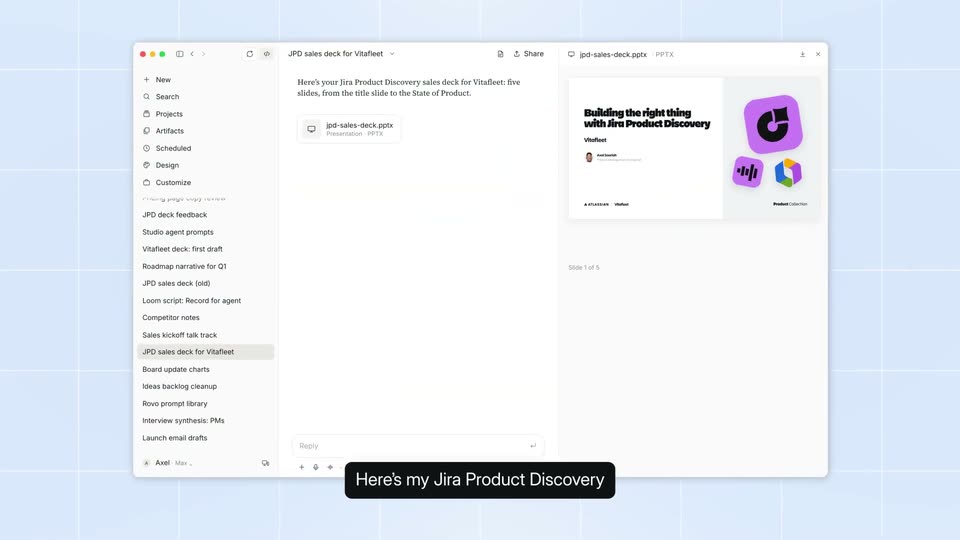
A product interface shows a chat list of deck items next to a slide preview. The framing zooms in from a wide three-panel view to a tighter crop of the chat and slide. A black caption pill sits at the bottom.
On-screen text: “Here's my Jira Product Discovery”
Techniques: UI zoom
Camera: Push in
10 · Feature reveal · 0:29–0:30
A chat window fades in over a blue grid as its document preview flips to a slide reading 'The rise of the product-led model' with an 84% figure. A black caption pill at the bottom swaps from 'Here's my Jira Product Discovery' to 'sales slide 04: Outcomes'.
On-screen text: “Here's my Jira Product Discovery”, “sales slide 04: Outcomes”
Camera: Push in
11 · Feature reveal · 0:30–0:34
The Claude chat shows a PPTX file chip next to a slide preview. The interface pans to the artifacts panel, where a publish button and a published artifact card with the deck thumbnail appear. Black caption boxes track the narration at the bottom.
On-screen text: “sales deck in Claude.”, “Instead of letting it sit in a chat tab,”, “it goes straight into the”
Techniques: UI zoom
Camera: Push in
12 · Feature reveal · 0:34–0:35
A close-up of a presentation card zooms out to reveal a grid of artifact cards. A black caption box at the bottom updates its text.
On-screen text: “it goes straight into the”, “Artifacts app via the Atlassian MCP.”
Techniques: UI zoom
Camera: Static
13 · Feature reveal · 0:35–0:36
A light panel shows a grid of artifact cards, each with a file-type tag and title. At the start a card slides into its slot and the view reframes to reveal a search bar. A black caption bar sits at the bottom.
On-screen text: “Artifacts app via the Atlassian MCP.”
Techniques: UI zoom
Camera: Pull out
14 · Feature reveal · 0:36–0:37
A light Artifacts dashboard of document cards sits on a pale blue grid, tilted in 3D perspective, then rotates to face the camera flat. A black caption pill holds the line at the bottom.
On-screen text: “Artifacts app via the Atlassian MCP.”
Techniques: 3D mockup
Camera: Pull out
15 · Feature reveal · 0:37–0:42
A share dialog floats over a dimmed document page. A cursor adds a team name to the recipient field, then opens the access dropdown and selects Open while the caption continues.
On-screen text: “I can keep it private, share it with my team,”, “make it discoverable to my entire company”
Techniques: UI zoom, Cursor demo
Camera: Push in
16 · Feature reveal · 0:42–0:44
A light interface shows an open version history panel over a sales deck document. The cursor moves to the V2 row, a blue Restore button appears, and the file badge flips from V3 to V2. A black caption pill at the bottom updates its line.
On-screen text: “and I can check the version history of”, “and roll back a version if I need to.”
Techniques: Cursor demo
Camera: Pull out
17 · Feature reveal · 0:44–0:45
A 3D-tilted product window floats over a faint grid, its version history panel open above a document page with a purple logo. A dark rounded caption bar sits at the bottom carrying the spoken line.
On-screen text: “and roll back a version if I need to.”
Techniques: 3D mockup
Camera: Pull out
18 · Feature reveal · 0:45–0:46
A white sales briefing page slides in from the left and settles centered over a faint grid. A black caption box at the bottom updates from one line to the next.
On-screen text: “Here's the best part.”, “I paste it into our sales briefing page”
Techniques: UI zoom
Camera: Static
19 · Feature reveal · 0:46–0:48
A Confluence page titled Sales briefing: Vitafleet shows a meeting goal and an embedded slide with purple 85% and 84% figures plus a laptop graphic. The view scrolls up slightly while a black caption bar at the bottom states the paste action.
On-screen text: “I paste it into our Sales briefing page”, “in Confluence.”
Camera: Pull out
20 · Feature reveal · 0:48–0:49
A Confluence document shows a deck with purple 85% and 84% stats. A second window slides in from the right, covering the first, and displays the same deck page with a laptop illustration. A caption sits in a black box at the bottom.
On-screen text: “in Confluence,”, “and when I update the deck,”
Camera: Static
21 · Feature reveal · 0:49–0:50
A tilted document page titled Sales briefing: Vitafleet sits on a grid background behind a floating slide window that drifts right. The window shows a dark State of Product slide with 80% and 86% stats and a New version saved toast; a caption reads and when I update the deck
On-screen text: “and when I update the deck,”
Techniques: 3D mockup
Camera: Static
22 · Feature reveal · 0:50–0:51
A white document card on a pale grid background shows a sales briefing page. The embedded deck preview refreshes: the slide titled The State of Product 2026 re-renders with a quick black wipe and a duplicate slide sliding in from the right. A caption sits at the bottom.
On-screen text: “the page updates too.”
Camera: Static
23 · Feature reveal · 0:51–0:52
A white document card on a faint grid shows a sales briefing with a dark slide; its text scrambles then snaps to clean type. A blurred person walks past on the right edge. A black caption reads the page updates too.
On-screen text: “the page updates too.”
Camera: Static
24 · CTA · 0:52–1:00
A man in white glasses and a white sweatshirt speaks to camera from a bright doorway, holding a lavalier mic. A dark chat notification pops in at the top asking to resend a deck, then vanishes. Bottom captions follow his lines, ending on the open beta.
On-screen text: “Kesha Thill”, “Can you resend that JPD Sales deck please?”, “No need.”, “Everyone with access”, “always sees the latest.”, “The Artifacts app is now available”, “in open beta. Give it a try.”
Camera: Push in
25 · Outro · 1:00–1:03
On a plain off-white field, the Atlassian hexagon logo, the ATLASSIAN wordmark and the word Rovo sit centered, with the URL below. The lockup fades in from pale to full color in the first second, then holds still.
On-screen text: “Rovo”, “atlassian.com/artifacts”
Camera: Static