1:20

Introducing AI Meeting Notes
Notion · Productivity · May 2025
Atlassian’s 1:01 launch film runs 18 scenes, about 3.4 s each. The product shows up at 0:14 and 2 features are revealed. The call to action lands at 0:52 (86% in), over a voiceover. The video alternates a single live presenter in a bright room with flat UI motion graphics on a pale blue grid, cutting at a steady pace of about seven cuts per minute and letting each demo play out in full. Signature moves are self-drawing connector lines, stacked result cards that scroll the feed upward, and browser windows that slide and swap to show Jira, Confluence and Goals.
Is this your launch? to your site or press kit.
Notion · Productivity · May 2025
ElevenLabs · AI · Dec 2024
Films whose music sounds like this one, voice left out
Loom · Electronic
Userlens · Corporate electronic
Assuryn · Upbeat electronic
A man in round glasses and a patterned shirt holds a small microphone and talks to camera in a bright room. A blue name tag sits at left, a black caption box at the bottom swaps to a new line near the end.
On-screen text: “Axel Sooriah”, “Product Management Evangelist”, “Stop copy-pasting your work into ChatGPT.”, “Claude, ChatGPT: they're smart,”
Camera: Pull out
A man in white round glasses holds a lavalier mic and speaks to camera in a bright living room. An orange sparkle icon and a white knot icon float beside his head, then fade. White subtitles on dark pills run along the bottom.
On-screen text: “Claude, ChatGPT: they're smart,”, “but they don't know your team's work.”, “So you paste in notes and links to docs,”, “and explain your project over and over.”, “Atlassian MCP fixes that.”
Camera: Static
A dark panel on a light grid shows app icons above the Atlassian HCP logo and four AI tool icons below. White lines draw themselves to connect them, and a square traces around the logo. It ends on a dark UI panel listing 'What should we work on?' options.
On-screen text: “It securely connects the AI tools”, “you already use to your team's work”, “in Confluence, Loom, Jira,”, “Google Drive, and more.”, “Here's what that looks like.”
Techniques: UI zoom
Camera: Pull out
A dark interface panel on a light blue grid scales up and brightens, revealing a small Atlassian plugin dropdown above the input field. A black caption pill sits at the bottom of the frame.
On-screen text: “Here's what that looks like.”
Camera: Push in
A dark chat panel on a light blue grid, heading 'What should we work on?' above an input field showing the typed prompt 'Atlassian catch me up on our launch' with a blinking caret. The panel slides into place at the start; a white caption appears at the bottom.
On-screen text: “I ask ChatGPT to catch me up on our launch.”
Camera: Push in
A dark chat panel sits on a light blue grid. The AI plan types out at the top, then result cards for Loom, Jira, Google Sheets and Confluence stack up and scroll the feed upward. A black caption pill at the bottom swaps text in sync with the voiceover.
On-screen text: “I ask ChatGPT to catch me up on our launch.”, “It watches Tuesday's Loom”, “from a meeting review,”, “checks what moved in Jira,”
Camera: Pan
A dark chat panel scrolls up past Jira, Google Sheets and Confluence cards while a caption pill at the bottom tracks the voiceover. The frame pulls back to the full app window as a large two-line headline lands on the right.
On-screen text: “pulls the latest numbers from”, “our Google Sheet, and drafts the status”, “update in Confluence.”, “One prompt. No copy-paste.”, “One prompt.”, “No copy-paste”
Techniques: UI zoom, Kinetic type
Camera: Pan
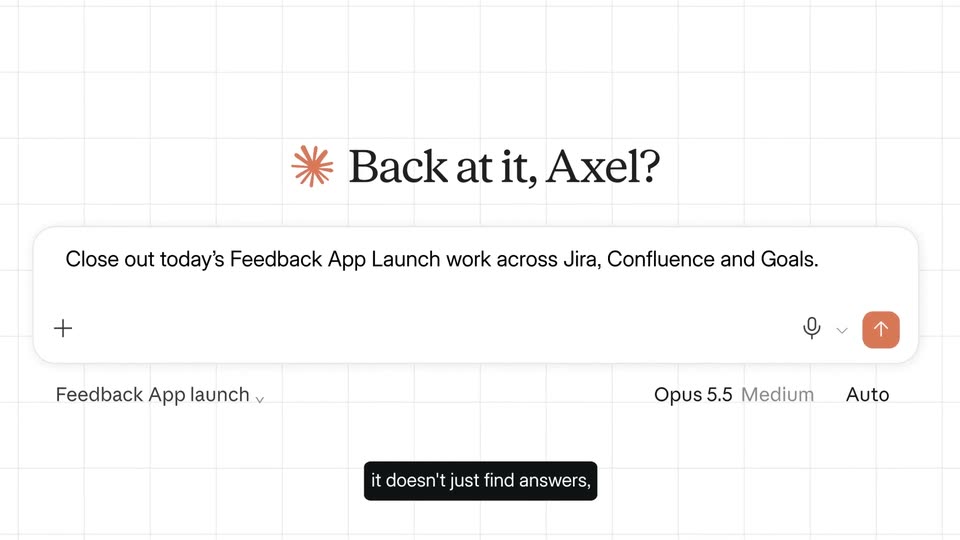
Flat interface on a pale blue grid: a serif greeting with an orange spark above a white prompt box that types out a sentence about closing out launch work. A black caption pill at the bottom swaps phrases with the voiceover.
On-screen text: “One prompt. No copy-paste.”, “And with our latest update,”, “it doesn't just find answers,”
Techniques: Kinetic type
Camera: Push in
A locked-off grid background holds a gray prompt card and a 'Used Atlassian MCP 3s' label at top. A flat Jira issue mockup fades into the center while a black caption pill at the bottom cycles through phrases.
On-screen text: “Close out today's Feedback App Launch work across Jira, Confluence and Goals.”, “Used Atlassian MCP 3s”, “it doesn't just find answers,”, “it takes action:”, “Jira: moved FEED-151 Crash on submit (Android) to Done.”, “updating Jira, writing in Confluence,”
Camera: Static
A Jira ticket panel for 'Feedback App beta launch' floats on a pale grid, overlapping a second Jira window behind it. A black caption strip at the bottom carries the line.
On-screen text: “updating Jira, writing in Confluence,”
Camera: Push in
A Jira issue page fills the frame, then the view zooms out to reveal the full window with the Jira top bar. A black rounded caption pill sits at the bottom center, its white text changing between phrases.
On-screen text: “updating Jira, writing in Confluence,”, “even posting progress to”
Techniques: UI zoom
Camera: Pull out
On a light grid background, a Jira browser window slides left and shrinks as a Goals window slides in from the right and grows to fill the center. A black caption bar at the bottom swaps its line of text.
On-screen text: “even posting progress to”, “your team's goals in Atlassian Goals.”
Camera: Push in
A flat browser mockup of the Atlassian Goals page floats on a light grid background, showing a goal header, an update card and a progress sidebar. A black caption pill sits at the bottom. The whole frame drifts slowly to the right.
On-screen text: “your team's goals in Atlassian Goals.”
Camera: Push in
A dark rounded card on a light blue grid brightens from dim, showing the Claude logo above a Your Permissions box linked to three rows with blue icons. Checkmarks pop in at the right of each row while a locked No Access row stays dim. Subtitles sit at the bottom.
On-screen text: “Whichever AI you use,”, “it only sees what you're allowed to see.”
Camera: Static
A dark vertical panel on a light blue grid shows a permissions list with three checked rows and a locked row. The knot logo at the top morphs into the ChatGPT mark as a line links it to the panel, while a black caption sits at the bottom.
On-screen text: “it only sees what you're allowed to see.”
Techniques: Morph
Camera: Static
A dark permissions card sits on a light blue grid; its header swaps from a ChatGPT badge to a Cursor badge while the headline on the right resolves from blur to focus, the second line revealing word by word. A bottom caption repeats the line.
On-screen text: “Same permissions.”, “Same permissions, no extra risk.”, “No extra risk.”
Techniques: Kinetic type, Masking
Camera: Pan
A man in a patterned shirt and white-framed glasses stands in a bright living room, holding a small microphone and speaking to the camera. He gestures with one hand as captions in a black pill box change at the bottom. The shot fades to white at the end.
On-screen text: “Atlassian MCP is available today.”, “Connect the AI you already use”, “and let it get to work.”
Camera: Pull out
A light gray end card holds the Atlassian hexagon logo above the product name Rovo and the URL atlassian.com/mcp, all centered. The frame stays locked and completely still for the full duration.
On-screen text: “Rovo”, “atlassian.com/mcp”
Camera: Static