2:17

New Apple child safety features help parents keep kids safe online
Apple · Hardware · Sep 2026
Canva · Oct 2026 · 5:31 · AI-annotated
Tone: friendly, upbeat and instructive, with a conversational presenter and playful copy. Background: a bright home office with teal curtains, plants and framed art for the talking head, off-white for title cards, and a dark navy stage for the player mockups. Fonts: a rounded geometric sans-serif (medium to bold) for UI and headlines, paired with a gradient script logotype for Canva; the demo ad uses a heavy condensed display face. Music mood: light, upbeat and playful, matching a 117 bpm cut. P
Apple · Hardware · Sep 2026
Pika · AI · Sep 2026
Figma · Design · Jun 2026
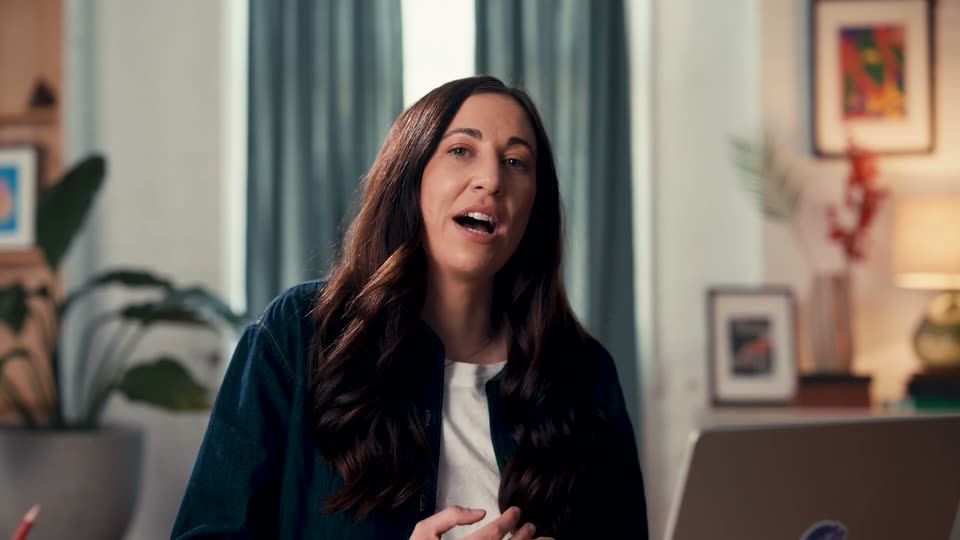
A woman with long dark hair in a denim jacket over a white tee speaks to camera in a bright living room, raising both hands then bringing them to her chest. The teal curtain, potted plant and framed photos stay softly blurred behind her.
Camera: Static
A woman with long dark hair in a teal cardigan sits at a desk in a home office, speaking to camera and gesturing with her hands. A laptop rests in the foreground and the room behind her stays softly out of focus.
Camera: Static
A woman with long dark hair in a denim jacket sits in a softly lit living room, speaking to camera. She gestures with both hands as she talks. Medium close-up, locked-off frame, shallow depth of field blurs the blue curtains and plants behind her.
Camera: Static
A woman with long dark hair sits at a desk with a laptop, speaking directly to the camera in a home office. She gestures with her hands as she talks.
On-screen text: “口”
Techniques: Kinetic type
Camera: Static
A rainbow color wheel on a white background gives way to a full-frame magenta gradient. A white circle with a gradient plus sign stays centered, the plus scaling. A cursor points to a purple “Arlo” tag in the lower right.
Techniques: Cursor demo
Camera: Static
Flat illustration on a magenta field: a pale pink circle sits above a blue dome whose black oval mouth opens as the dome rises past a node line. A green chat bubble labeled Pia slides in beside the opening.
On-screen text: “Pia”
Camera: Pan
A winking yellow emoji head sits on a white bowl with a purple wireframe outline, above an orange oval and a purple triangle. The frame pulls back to reveal the stack and a black @ sign, while a blue “Liz” bubble drifts to the upper left.
On-screen text: “Liz”
Camera: Static
A flat blue canvas rearranges like a design board: the red Serif card and a green card with an orange smiley and pencil slide into place with selection handles, a video-call tile of a smiling teacher appears top left, and Liz and Alex name tags pop in.
On-screen text: “Serif”, “Liz”, “Alex”
Techniques: Kinetic type
Camera: Static
A red canvas fills the frame with oversized black and white font-specimen words: Condensed, Serif, Slab, letter, Grotes. The middle row slides left while the top and bottom rows hold, and a green cursor tag labeled Mikāka hovers near the slab word.
On-screen text: “if”, “Condensed”, “ipt”, “Serif”, “Slab”, “letter”, “Grotes”
Techniques: Kinetic type, Parallax
Camera: Pull out
A 3x3 grid of colorful Canva design tiles (video clip, type samples, donut chart, astronaut photo) with name tags shifts, and a white band opens across the middle to reveal the Canva Design School title.
On-screen text: “Canva Design School”
Techniques: Masking
Camera: Static
The Canva Design School logo lockup holds centered on a plain off-white background. A faint horizontal ghost of the type lingers at the very start before the frame clears to a clean mark.
On-screen text: “Canva Design School”
Camera: Static
A woman with long dark hair in a denim shirt speaks to camera in a home office with plants, framed art and a laptop. A magenta banner carrying the Canva Design School title slides in along the left edge.
On-screen text: “Canva Design School”
Camera: Static
Three numbered columns sit on a solid background that shifts from violet to blue to teal. A thin rounded-rectangle outline frames the active column in turn, as that column's number and label brighten to white and the others dim.
On-screen text: “01 What makes a great streaming TV ad”, “02 How to design one in Canva”, “03 How to publish to streaming with Vibe”
Camera: Static
A flat magenta background holds three numbered columns. Column 03 sits inside a white rounded rectangle in full white, while 01 and 02 are dimmed to a faded pink. The layout stays static through the hold.
On-screen text: “01”, “What makes a great streaming TV ad”, “02”, “How to design one in Canva”, “03”, “How to publish to streaming with Vibe”
Camera: Static
A woman in a dark denim jacket over a white top sits at a desk with an open laptop, speaking to camera and gesturing with both hands. Softly lit home office with blue curtains, framed art and a potted plant in the blurred background.
Camera: Static
A woman with long dark wavy hair, wearing a dark denim jacket over a white top, sits at a laptop in a softly lit home office. She speaks to camera with a slight smile in a medium close-up, background plants and framed art softly blurred.
Camera: Static
Medium shot of a woman with long dark hair in a denim shirt, seated at a laptop in a warm home interior, talking directly to camera. She smiles and nods as she speaks, while the shallow focus keeps the plants and framed art softly blurred behind her.
Camera: Static
A woman with long dark hair in a denim jacket sits at a laptop in a softly lit home, speaking directly to camera. The locked-off medium close-up holds on her face as she talks and gestures, with plants and framed pictures blurred in the background.
Camera: Static
A woman with long dark hair in a denim shirt sits at a desk with an open laptop, speaking to camera. The home office behind her, with plants, framed art and a lamp, is softly blurred. The shot is static and locked off.
Camera: Static
A woman with long dark hair, in a dark denim jacket over a white top, speaks to camera in a softly lit living room. She gestures with her hands while the locked-off medium close-up keeps her sharp against a blurred backdrop of curtains, plants, and framed art.
Camera: Static
A woman with long dark hair speaks to camera in a softly lit home office, gesturing with both hands. An orange rounded card slides in from the right beside her, carrying the white stat “95%” above “Completion rate”.
On-screen text: “95%”, “Completion rate”
Camera: Static
A woman with long dark hair in a denim jacket talks to camera in a softly lit home with plants and framed art. An orange rounded card reading 95% Completion rate holds at her right, then shrinks away in the final second.
On-screen text: “95%”, “Completion rate”
Camera: Static
A woman with long dark hair sits at a laptop in a sunlit home office, talking to camera on a locked-off shot. A 3D heart-eyes emoji pops in on the left and bobs, its pink hearts and mouth shifting between open and closed expressions.
Techniques: Morph
Camera: Static
A woman with long dark hair in a denim jacket sits in a softly lit room and speaks to camera. A heart-eyes emoji hovers at her left shoulder for the first two seconds, then disappears.
Camera: Static
A woman with long dark hair in a denim jacket sits in a home office, speaking to the camera and gesturing with her hands. A laptop and potted plants sit softly out of focus in the foreground and background.
Camera: Static
A dark screen holds a video player showing an orange ad poster reading FEED YOUR MOOD next to a black-and-white clip that cuts from a mouth to hands holding a plate of food. A progress bar advances beneath; the caption You are watching goodbiteclub sits below the player.
On-screen text: “You are watching”, “goodbiteclub”
Camera: Static
A dark video-player window fills the frame, showing a red ad with large condensed sans-serif text reading QUESA and DILLAS. The text flips from black to light blue as the player's progress bar advances. A small caption below the window reads You are watching goodbiteclub.
Camera: Static
A dark video player shows an orange frame of oversized black stacked letters, the progress bar advancing as the clip plays. Below the player, a small caption and a bold channel name sit centered on the dark background.
Camera: Static
A flat video player on a dark glowing background plays a red ad whose huge rounded text flickers between blue and black. A white caption below names the channel while the progress bar advances.
On-screen text: “QUESA”, “DILLAS”, “You are watching”, “goodbiteclub”
Camera: Static
A flat video player window on a dark background shows a red poster with large black type. A progress bar with pause and volume icons runs along the bottom edge, and a small caption below reads You are watching goodbiteclub. The shot holds still.
On-screen text: “You are watching”, “goodbiteclub”
Camera: Static
A flat video player mockup sits on a navy field. The left panel wipes from solid red to a black-and-white photo of a seated person holding a cup, while the right panel stays red. A blue progress bar advances and a white caption below reads You are watching goodbiteclub.
On-screen text: “You are watching”, “goodbiteclub”
Camera: Static
A rounded video player sits on a dark navy screen with a small caption below it. Inside, two black-and-white photos in a split layout dissolve into a full-frame macro texture as a blue headline slides across the top.
On-screen text: “You are watching”, “goodbiteclub”, “SATISFY YOUR SCROLL”
Techniques: Morph, Split screen
Camera: Static
A flat video player sits on a dark background, its screen a red texture with bold black text reading SATISFY YOUR SCROLL. Below the player, white text reads You are watching goodbiteclub, and the progress bar fills as the timer counts down.
Camera: Static
A flat video player mockup on a dark background shows a red frame with the bold black headline SATISFY YOUR SCROLL over a black-and-white clip of a hand holding a taco. A second black-and-white clip of a hand holding a phone appears on the right.
On-screen text: “SATISFY YOUR”, “SCROLL”, “You are watching”, “goodbiteclub”
Camera: Static
A black-and-white food clip of a chip dipping into white sauce plays inside a rounded video player on a dark navy background. The progress bar advances and the countdown timer ticks from -0:05 to -0:03 while a now-playing label reads goodbiteclub below the player.
Camera: Static
A flat video player on a dark background plays a red ad. Two black-and-white clips fade into the top-left and bottom-right corners, an ORDER NOW oval badge and a QR code pop in, and the progress bar advances. A caption below reads You are watching goodbiteclub.
On-screen text: “You are watching”, “goodbiteclub”, “@GOODBITECLUB”
Camera: Static
Centered medium shot of a woman in a denim jacket at a desk in a bright home office, speaking and gesturing with both hands. A purple rounded banner with the white question “What’s your marketing goal?” slides in from the bottom and holds.
On-screen text: “What’s your marketing goal?”
Camera: Push in
A woman with long dark hair in a denim shirt sits at a desk with a laptop, speaking to camera in a softly lit home office. A blue rounded caption bar with white text holds at the lower third, then clears. The camera stays locked off.
On-screen text: “What’s your marketing goal?”
Camera: Static
A woman with long dark hair, in a denim jacket over a white top, sits in a softly lit home office and speaks to camera, gesturing with both hands. The locked-off medium shot keeps her centered against a blurred background of curtains, a plant and framed art.
Camera: Static
A woman with long dark hair in a dark jacket speaks to camera in a softly lit home office, gesturing with her hands as she talks. A laptop and potted plant sit blurred in the foreground, framed art on the wall behind her.
Camera: Static
A woman with long dark hair in a denim jacket sits at a laptop in a softly lit home office, speaking to camera. She gestures with her hands while talking. The camera holds a locked-off medium close-up, background plants and framed art blurred.
Camera: Static
A woman with long dark hair in a dark jacket sits at a home office desk, speaking to camera and gesturing with both hands. A potted plant and an open laptop sit blurred in the foreground. The frame stays locked off throughout.
Camera: Static
A cursor clicks the File menu in the top bar, opening a dropdown with the project title and canvas size, then hovers over the 1920px by 1080px line. The canvas shows a red FEED frame beside a black-and-white photo of a woman biting a chocolate bar.
Techniques: Cursor demo
Camera: Static
A woman with long dark hair in a denim jacket sits at a desk in a home office, speaking to camera and gesturing with her hands. Medium close-up, locked-off, with a laptop lid in the foreground and blurred plants and framed art behind her.
Camera: Static
A woman in a denim jacket sits at a laptop in a sunlit room and speaks to camera. A purple rounded square with a white person icon tilts in at left, followed by a red rounded square with a white question mark at right.
Camera: Static
A woman speaks to camera at a desk with a laptop in a home office. Two tilted rounded-square icons, a purple profile icon and a red question-mark icon, float beside her shoulders, then shrink and fade out.
Camera: Static
A woman with long dark hair in a dark denim jacket over a white top speaks to camera in a softly lit home office. The locked-off medium close-up holds steady as she talks, glances down, and gestures with one hand near the end. A plant, framed art and a laptop sit blurred behind her.
Camera: Static
A design editor screen shows a red card with the word FEED beside a black-and-white photo of a smiling woman. A mouse cursor drifts from the canvas to the Text tool in the left sidebar and hovers over it. The timeline and play button sit idle below.
Techniques: Cursor demo
Camera: Static
A Canva video editor screen shows a red FEED title card with a smiling woman on the canvas. The cursor clicks Add a text box, a YOUR PARAGRAPH TEXT field appears on the card, and a matching track lands on the timeline below.
Techniques: Cursor demo
Camera: Static
A design editor shows a red poster with FEED and a black-and-white photo of a person eating. The cursor drags the handle text to the corner, shrinks it, then scrubs the timeline so the poster frames change, adding a YOUR sticker and MOOD.
On-screen text: “FEED”, “YOUR PARAGRAPH TEXT”, “@GOODBITECLUB”, “YOUR”, “MOOD”
Techniques: Cursor demo
Camera: Static
A woman with long dark hair, wearing a dark denim jacket over a white top, speaks directly to camera in a home office. A laptop sits in the foreground right, with a potted plant, framed art and soft curtains in the background. The medium close-up is locked off as she talks.
Camera: Static
The Canva editor is open on a red FEED YOUR MOOD design with a black-and-white eating photo, above a timeline showing a teal feed audio track and video thumbnails. The cursor glides from the canvas to the Elements button in the left rail.
Techniques: Cursor demo
Camera: Static
A cursor clicks the Audio tab in the left panel, then scrolls a list of upbeat music tracks and presses play on one. The right side holds a static preview of a red food ad above a timeline.
Techniques: Cursor demo
Camera: Static
A video editing interface is shown, featuring a timeline at the bottom and a preview window. A cursor hovers over a track in the timeline, and a caption at the bottom of the preview instructs to drop or drag music.
On-screen text: “To add music, drop or drag your music into the timeline”
Techniques: Cursor demo
Camera: Static
A screen recording of a video editor. The canvas holds a red ad card with a black FEED logo and a monochrome photo, above a timeline of clips and a purple audio track. A cursor glides from the timeline to the sidebar's collapse arrow.
Techniques: Cursor demo
Camera: Static
A video editor fills the frame: a red FEED clip plays in the canvas over a multi-track timeline. A cursor drags the right edge of the purple audio track to trim it, then the playhead moves forward and the preview switches to a hand holding a chocolate bar.
Techniques: Cursor demo
Camera: Static
The editor's canvas shows a red GoodBiteClub ad with a 'NOW OPEN 24 HOURS' headline and two black-and-white photos. A cursor clicks the small '@GOODBITECLUB' handle, drags its outline to enlarge it, then selects the right-side photo. Labeled clips sit on the timeline below.
Techniques: Cursor demo
Camera: Static
A woman with long dark hair, in a denim jacket over a white tee, sits at a desk and talks to camera, gesturing with one hand. A laptop lid sits in the right foreground; a potted plant and framed prints fill the blurred background.
Camera: Static
A woman with long dark hair in a denim jacket speaks directly to camera in a softly lit room, a curtained window and houseplant blurred behind her, the edge of a laptop in the lower right.
Camera: Static
A woman with long dark hair in a denim jacket sits in a warm home office, speaking to camera with small hand gestures. Teal curtains, houseplants and framed pictures sit softly blurred behind her, the edge of a laptop at the lower right. Locked-off medium close-up.
Camera: Static
In the Canva editor, a red canvas shows the black “FEED YOUR MOOD” headline beside a black-and-white photo of a hand holding a drink at a car window. A text toolbar drops in at the top and a context menu pops up by the headline as the playhead moves.
Techniques: Cursor demo
Camera: Static
A Canva-style editor shows a video timeline where the cursor drags a text track's edge, right-clicks to split it, then opens the text color panel and types a hex value. The canvas preview plays through red title cards and a black-and-white close-up.
Techniques: Cursor demo
Camera: Static
A Canva editor window fills the frame. A black-and-white pastry clip plays in the center preview as a @GOODBITECLUB caption types out, then the cursor drops to the timeline and drags a clip edge.
Techniques: Cursor demo
Camera: Static
In a design editor, a context menu with Split highlighted disappears as the cursor drags a cyan text block on the timeline to the right, stretching it; a small time tooltip pops up above the block while the video canvas stays still.
Techniques: Cursor demo
Camera: Static
A Canva editor screen shows a red food-ad design on the canvas while a cursor selects a text block on the timeline. The playhead jumps between marks and the canvas preview updates to a black-and-white bowl shot.
Techniques: Cursor demo
Camera: Static
Screen recording of the Canva editor. The cursor drags the playhead along the timeline; the preview canvas flips from a dark video frame to a red NOW OPEN 24 HOURS slide, then to a grayscale photo. A right-click menu opens and closes over the tracks.
Techniques: Cursor demo
Camera: Static
The Canva editor shows a red GoodBiteClub ad design above its timeline, then hard cuts to a woman in a denim jacket seated in a home office, speaking to camera and gesturing with one hand. Static framing, soft daylight.
Camera: Static
A woman with long dark hair in a denim jacket sits in a softly lit home office, speaking to an off-screen interviewer. The locked-off medium shot keeps a shallow depth of field, blurring the curtained window, potted plant, and laptop behind her as she talks.
Camera: Static
The Canva editor shows a red FEED design with a black-and-white eating photo in the canvas. A cursor glides from the empty middle area to the Elements tab on the left sidebar, while a multi-track timeline runs along the bottom.
Techniques: Cursor demo
Camera: Static
A screen recording of the Canva editor. The cursor selects the Elements tab and types QR code into the search field, revealing a results panel with static and dynamic QR code options, while a food video preview sits on the right.
Techniques: Cursor demo
Camera: Static
Full-screen view of the editor. A cursor types a URL into the QR form and clicks Generate code, then drags the resulting QR code onto the red FEED poster and to its corner.
Techniques: Cursor demo
Camera: Static
Canva editor screen with the Static QR codes panel open on the left. A cursor drags a clip along the timeline, and the canvas preview switches from the orange SATISFY YOUR SCROLL frame to a black-and-white sandwich video.
Techniques: Cursor demo
Camera: Static
The Canva editor's left panel shows the QR code tool while the canvas holds a red burger ad with a QR code in the corner. The selection box and floating toolbar disappear as the cursor moves away, leaving the finished ad.
Techniques: Cursor demo
Camera: Static
Medium close-up of a woman in a denim jacket over a white top, seated at a desk with an open laptop, speaking to camera in a bright home office. She smiles and gestures with both hands as she talks; the camera stays locked off.
Camera: Static
A locked-off screen recording of the Canva editor shows a red FEED design on the canvas. The cursor clicks Share, opens the publish panel, scrolls through More options, and hovers the Vibe icon.
Techniques: Cursor demo
Camera: Static
A Canva editor fills the frame: a red FEED video preview and timeline on the left, an app panel on the right. The mouse cursor glides up from below and hovers on the purple Open button in the Vibe app card.
Techniques: Cursor demo
Camera: Static
Screen recording of an ad editor. The left panel previews an orange FEED MOOD TV ad with black-and-white footage of a person eating; on the right, a cursor types goodbiteclub into the Creative name field, then moves to the purple Connect Vibe account button.
Techniques: Cursor demo
Camera: Static
Screen recording of a video editor: a TV ad preview with giant stacked type on the left, a Vibe panel on the right. The cursor clicks Connect Vibe account, and the panel switches to a connection request with a purple Connect button. The ad's black type flashes to blue.
Techniques: Cursor demo
Camera: Static
A product interface shows a red ad preview on the left and a connect dialog on the right. A cursor moves to the purple Connect button and clicks it, flashing the button.
Techniques: Cursor demo
Camera: Static
A software interface displays a scrolling video ad preview on the left and an account connection prompt on the right. A mouse cursor hovers over a purple Connect button as the orange video text scrolls upward.
On-screen text: “GoodBiteClub TV advert by Georgia Chiu”, “Your program will resume after this ad”, “QUESA DILLAS”, “Sound will be on by default when delivering your ad”, “Vibe wants to connect your account”
Techniques: Cursor demo
Camera: Static
A white dialog card with two linked app logos on a light gray background walks through a connection flow. A cursor selects an advertiser row, the counter updates to one selected, then clicks Next to open a permissions list with green checkmarks; the button reads Connecting.
Techniques: Cursor demo
Camera: Static
Left, an orange ad frame plays black-and-white footage with FEED YOUR MOOD; right, a settings panel where the cursor clicks the Advertiser dropdown and selects goodbiteclub.
Techniques: Cursor demo
Camera: Static
A product interface splits into a video preview on the left, showing bold scrolling ad text, and a settings panel on the right with an advertiser dropdown and a creative name field. A cursor glides from the dropdown to the name field as the form is filled in.
Techniques: Cursor demo
Camera: Static
A product interface fills the frame: a red video preview with large outlined letters on the left and a white settings panel on the right. A cursor rests near the purple Publish now button.
Techniques: Cursor demo
Camera: Static
A blurred interface shows a video preview and a settings panel; a centered white modal reads Publishing your content with a progress bar that fills and a design quote below. The frame stays locked off.
Camera: Static
A blurred ad editor and TV preview sit behind a centered white modal. The modal shows a “Publishing your content...” heading, a blue-to-purple progress bar filling left to right, and a one-line design quote. The blurred preview behind cycles through ad frames.
Camera: Static
A blurred Canva editor sits behind a centered white modal with a blue-to-purple progress bar that slowly fills. In the background, the orange TV ad design flips through slides: a 24 HOURS layout with a QR code, then a FEED MOOI headline over a grayscale clip.
Camera: Static
A success modal with a blue-to-purple gradient, a yellow paper plane and scattered confetti sits centered over a blurred website editor. White text reads 'Your content has been published!' above two buttons, 'Make a copy' and 'Check it out'. A cursor rests at the lower right.
Camera: Static
A woman with long dark hair in a dark denim shirt sits before an open laptop in a bright home office, speaking to camera and gesturing with both hands. The locked-off medium shot holds on her through the take.
Camera: Static
A woman with long dark hair in a denim shirt sits in a home office and speaks to camera, gesturing with both hands. Locked-off medium close-up with a soft-focus background of curtains, a plant and framed art.
Camera: Static
A woman with long dark hair in a denim jacket speaks to camera from a warm home office, gesturing with her hands as she explains that flagged items are reviewed before going live. A laptop lid sits in the foreground right; the camera stays locked off with a soft, blurred background.
Camera: Static
A dark top nav and white Library interface show a single creative row. The cursor moves to the Preview link, the row highlights, and Edit and More actions appear beside it.
Techniques: Cursor demo
Camera: Static
A dark video-player card is centered on a near-black background. Inside, an orange ad panel builds its headline word by word (FEED, then YOUR in a blue oval, then MOOD) while a black-and-white clip plays in the right frame and a progress bar advances at the bottom.
Techniques: Kinetic type
Camera: Static
A video player window sits on a dark backdrop, its screen filled with an orange ad of huge stacked words that flash from black to light blue. A progress bar and the channel name goodbiteclub sit beneath the player.
Camera: Static
A dark app screen holds a video player with a red food ad; giant black display type reading QUESA and DILLAS flips to outlined orange. Below the player, white text reads You are watching goodbiteclub.
On-screen text: “You are watching”, “goodbiteclub”
Camera: Static
A flat video player sits centered on a dark field, its screen filled by an orange ad with oversized stacked words. The word color inverts from blue to black in one flash. A small caption under the player names the channel being watched.
On-screen text: “You are watching”, “goodbiteclub”
Camera: Static
A rounded video player on a dark backdrop shows a red ad with large black letters, QUESA and DILLAS, cropped at the edges. A progress bar and pause button line the bottom; a white caption below reads You are watching goodbiteclub. The frame is locked off and static.
Camera: Static
A red-bordered video player sits on a dark field. A black-and-white photo of a person on a car holding a cup fills the left half; the right half stays red. Below, white text reads 'You are watching goodbiteclub'.
Camera: Static
A video player mockup sits on a dark navy background, its orange-bordered frame playing a black-and-white food ad that cuts between clips while the progress bar fills. Below the player a caption reads the channel name, and a blue headline flashes over the final ad frame.
On-screen text: “SATISFY YOUR SCROLL”
Camera: Static
A flat video-player mockup rests on a dark field, its red screen carrying the black headline SATISFY YOUR SCROLL. The progress bar advances as the clip plays, a close icon scales at the top right, and a caption below reads You are watching goodbiteclub.
On-screen text: “SATISFY YOUR SCROLL”, “You are watching”, “goodbiteclub”
Camera: Static
A flat video player on a dark background plays a red title card reading SATISFY YOUR SCROLL. A black-and-white clip of a person eating a taco fills the left, then a second clip of hands holding a phone appears beside it as the progress bar advances.
On-screen text: “SATISFY YOUR SCROLL”, “You are watching”, “goodbiteclub”
Techniques: Split screen
Camera: Static
A video player card on a navy background plays a black-and-white clip of a chip dipping into white dip, the progress bar advancing and the timestamp counting down. Below, 'You are watching' sits above a bold 'goodbiteclub'; a blue chat icon marks the lower left.
Camera: Static
A flat video-player screen on a dark stage plays an orange ad. Two black-and-white food photos fill the top-left and bottom-right corners, the ORDER NOW badge and NOW OPEN 24 HOURS headline sit centered, and the handle @GOODBITECLUB drops in beneath as the progress bar fills.
On-screen text: “You are watching”, “goodbiteclub”, “×”, “@GOODBITECLUB”
Camera: Static
A woman in a denim jacket sits at a desk with a laptop in a home office, laughing and gesturing with both hands as she speaks to the camera. The locked-off medium shot keeps her centered against a softly blurred background of plants and framed art.
On-screen text: “You are watching”, “goodbiteclub”
Camera: Static
A woman with long dark hair, in a denim shirt over a white top, speaks to camera in a bright home office, gesturing with her hands. The locked-off medium shot keeps her centered against teal curtains, a potted plant and framed art.
Camera: Static
A browser window on a blue gradient opens blurred and cropped tight on the Campaign Goal modal, then the focus sharpens and the frame pulls back to the full interface as the goal options list appears beside a stopwatch illustration.
Techniques: UI zoom
Camera: Static
A light campaign-setup screen with a three-step sidebar on the left and a Campaign Goal panel on the right. The Awareness row is selected with a blue outline, a cursor hovers beside it, and a blue megaphone illustration with a benefits list sits to the right.
On-screen text: “4”
Techniques: Cursor demo
Camera: Static
Close-up of a white campaign goal list. The cursor hovers over the Traffic row, which is selected with a purple border and a New badge, while Awareness and Leads rows sit above and below. A laptop illustration with a bar chart appears at the right edge.
Techniques: Cursor demo
Camera: Static
A white campaign-goal screen lists objective options, and the cursor moves down to select Sales. The view zooms in on the list while the right detail panel cross-fades from Leads copy to Sales copy.
Techniques: Cursor demo, UI zoom
Camera: Push in
A woman in a dark denim jacket over a white top sits at a desk with an open laptop, speaking to camera. She gestures with both hands while talking. The home office background stays soft and blurred, with plants, framed art and a lamp. The frame is locked-off.
Camera: Static
A woman with long dark hair in a denim shirt sits in a softly lit home office, speaking to camera with a slight smile and small hand gestures. The locked-off medium close-up keeps the background of curtains, a plant, and framed art softly blurred.
Camera: Static
A woman with long dark hair sits at a desk in a warm home office, laughing and spreading her hands toward an open laptop. The camera holds a locked-off medium shot while the background of plants and framed art stays softly out of focus.
Camera: Static
A browser window with an ad campaign builder sharpens into focus on a blue background, showing a three-step sidebar and a creatives panel. A small red rectangle with a blurry image slides up from the bottom right to overlap the panel.
Camera: Static
A light UI panel shows a video upload in progress with a blue progress bar and a hand cursor. The panel blurs as a blue checkmark in a white circle pops into the center, marking the upload complete.
Techniques: Cursor demo
Camera: Static
A browser window mockup of the creatives page sits centered on a blurred blue background, then zooms into the studio slideshow editor with a media list and a video of a woman in an orange coat, as a cursor moves to the bottom button.
Techniques: UI zoom, Cursor demo
Camera: Pull out
A dark editor UI: a Slideshow panel lists media thumbnails beside a playing preview of a woman in an orange fleece. The panel scrolls up to reveal End screen fields while the cursor moves to the sidebar, pace quick.
Techniques: Cursor demo
Camera: Push in
A dark form panel fills the left as a cursor types a website URL, beside a preview of a woman in an orange jacket. The view then pulls back to reveal the full editor and a color-coded timeline.
Techniques: Cursor demo, UI zoom
Camera: Static
A woman in a black beanie and orange fleece jacket stands outdoors, turning her head against a cloudy sky. A black media-player bar with a play button and small pink labels runs across the bottom, and a hand cursor appears at the right.
Techniques: Cursor demo
Camera: Push in
Low-angle shot of a curly-haired person in a black beanie and orange fleece jacket, standing before a pale building. A purple Publish campaign button with a white cursor is overlaid at chest height, frame locked off.
Techniques: Cursor demo
Camera: Static
A woman with long dark hair, wearing a denim jacket over a white top, sits in a softly blurred living room with plants and framed photos. She smiles and gestures with open hands while speaking to camera in a locked-off medium shot.
Camera: Static
On a plain white background, the title is typed letter by letter. A purple cursor tagged Canva writes the word Canva in a blue gradient script, then an orange cursor tagged Mika finishes Design School in black sans-serif.
On-screen text: “Canva”, “Design”, “School”
Techniques: Kinetic type, Cursor demo
Camera: Static
A black frame holds as the Canva wordmark scales up at center, then locks off.
On-screen text: “Canva”
Techniques: Kinetic type
Camera: Static