0:52


What is Codespaces?
GitHub · Developer tools · Nov 2022
The Browser Company · Aug 2024 · 1:00 · AI-annotated
The Browser Company’s 1:00 launch film runs 21 scenes, about 2.9 s each. The product is on screen from the first frame and 5 features are revealed. The call to action lands at 0:58 (98% in), over a voiceover. The video is built as five comparison rounds: each opens on Chrome's flaw, then cuts to Arc's fix, with a bold white caption stating the verdict to the right of the frame. A hand-held phone stays centered against a warm, blurred home interior, and whip-blur transitions plus the petal-to-A logo morph carry a steady 110 bpm pace.
Is this your launch? to your site or press kit.
GitHub · Developer tools · Nov 2022
Zapier · Productivity · May 2023
Google · AI · Dec 2013
Films whose music sounds like this one, voice left out
Full Circle Agency · Corporate Tech
StackBlitz · Electronic
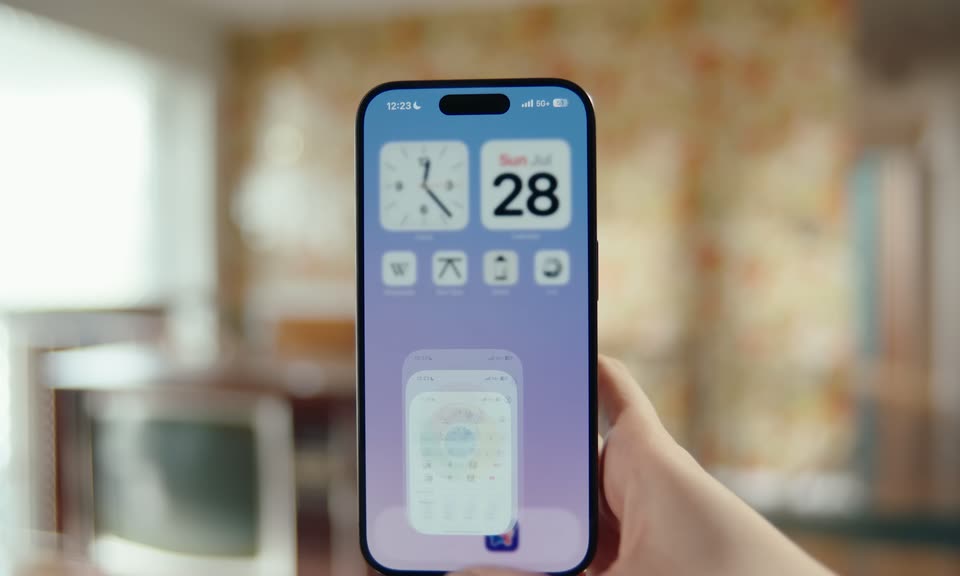
A phone held upright in front of a blurred living room shows its home screen. A hand enters from the right and taps the Chrome icon, then the Arc icon in the dock. The caption fades in on the right and fades out.
On-screen text: “Arc Search vs. Chrome”
Camera: Static
A hand holds a phone upright in a blurred warm-toned room, the home screen showing clock and calendar widgets. A thumb taps the Chrome icon and the screen crossfades to a blurred app grid as a gray caption pill fades in at the bottom.
On-screen text: “Browsers searching for missing components, Android's glue starting to rot approach”
Techniques: Cursor demo
Camera: Static
A hand holds a phone showing the Chrome new tab page against a blurred room. A finger scrolls the screen down past shortcut tiles and a stacked news feed. White text reading Chrome is cluttered holds on the right.
On-screen text: “Chrome is cluttered”
Camera: Static
A hand holds a smartphone upright against a blurred warm interior. The screen shows a dense news feed with headlines and photos. White text reading Chrome is cluttered sits to the right of the phone.
On-screen text: “Chrome is cluttered”
Camera: Static
A hand holds a phone in a soft-focus room. The home screen shows a clock and calendar widget; a thumb taps the search bar and the screen switches to a search view with a keyboard and three suggestion rows.
Camera: Static
A hand holds a phone showing a search field, three suggestion rows and a keyboard, against a blurred warm interior. White text sits to the right. Fingers tap the lower keys.
On-screen text: “Arc Search is clean & minimal”
Camera: Static
Close-up of a woman in round glasses holding a black phone, its back facing the camera. Focus racks from the phone to her face as she looks down at the screen. A white caption fades in at the right and out.
On-screen text: “Arc Search is clean & minimal”
Camera: Pan
A hand holds a phone in a blurred kitchen. The screen shows a Google search for best blender being typed, then a results page with sponsored blender ads loads.
Camera: Static
A hand holds a tilted smartphone showing a Google search page for blenders, the screen scrolling down past sponsored product cards. White text reads to the right over a softly blurred room background.
On-screen text: “Chrome is disorganized”
Techniques: 3D mockup
Camera: Static
Hands hold a phone in a blurred kitchen. The screen types “best blender,” taps Browse for Me, shows “Reading 6 web pages,” then a “Best Blenders of 2024” summary. A whip blur lands on an article with an ad popup as the caption becomes “Chrome has popups & banners.”
On-screen text: “Arc Search browses for you”, “Chrome has popups & banners”
Techniques: Speed ramp
Camera: Pan
A hand holds a smartphone in a blurred room, its screen showing a magazine article. A finger swipes the page upward through step-by-step text and photos. White text on the right reads “Arc Search is ad-free”.
On-screen text: “Arc Search is ad-free”
Techniques: 3D mockup, Cursor demo
Camera: Pan
A hand holds a smartphone in a blurred room, its screen showing a TechRadar article. A finger swipes up, scrolling the page past body copy, headlines and images, while a white caption fades in on the right.
On-screen text: “Chrome leaves you scrolling”
Camera: Pan
A hand holds a phone showing a blender article against a blurred home background. The thumb pinches the screen, the page zooms in, and a white summary card slides over the content. The white headline on the right crossfades from one line to a new one.
On-screen text: “Chrome leaves you scrolling”, “With Arc Search, summarize in a pinch”
Techniques: UI zoom, Kinetic type
Camera: Static
A hand holds a phone in a soft-focus kitchen, the index finger and thumb pinching the screen that shows a blender review page. A white caption sits at the right of the frame, static through the shot.
On-screen text: “With Arc Search, summarize in a pinch”
Camera: Static
A hand holds a phone against a blurred home interior; a finger pinches the screen, shrinking a blender webpage into a small card that expands into a text summary. White caption text on the right states the headline, then fades out.
On-screen text: “With Arc Search, summarize in a pinch”
Camera: Pan
A hand holds a smartphone in a softly blurred kitchen, scrolling a two-column grid of open browser tabs. A white caption reads Chrome is clogged with tabs on the right as the finger swipes up through the thumbnails.
On-screen text: “Chrome is clogged with tabs”
Camera: Pan
A hand holds a phone upright in a blurred warm-toned room, its screen showing a light Arc app with the purple A logo and a bottom tab bar. White caption text sits on the right, swapping from a Chrome line to an Arc Search line while the fingers shift.
On-screen text: “Chrome is clogged with tabs”, “Arc Search cleans up for you”
Camera: Static
A held iPhone stands upright against a blurred living room. A finger taps the Arc logo on the light screen, and the petal-shaped mark morphs into the plain A logo. A white caption sits to the right of the phone and fades out at the end.
On-screen text: “Arc Search cleans up for you”
Techniques: Cursor demo, Morph
Camera: Static
A hand-held phone in close-up shows a search bar typing 'best va', then 'travel credit', while suggestion rows with 'Browse for Me' buttons slide in over a blurred article page.
Camera: Pull out
A hand holds a phone against a blurred café backdrop. The search screen scrolls down from a typed query to related cards and a list of suggested searches, then to a TSA result.
Camera: Pull out
A hand holds a smartphone in a warm, blurred home interior, the screen showing the Arc App Store page with its icon and Open button. The phone settles from a slight blur into focus, the thumb resting at the bottom edge while the listing stays still.
Camera: Pull out