1:00

Meet Notion Mail
Notion · Productivity · Apr 2025
GitHub’s 0:52 launch film runs 16 scenes, about 3.3 s each. The product is on screen from the first frame and 1 feature is revealed. The call to action lands at 0:44 (85% in), over a voiceover. The video alternates a talking-head presenter in a bright office with full-screen UI walkthroughs, bookended by black title cards with a blue-accent headline and a closing logo. Pacing is steady at about 7 cuts per minute, with fast blur wipes and a glitch tear moving between UI states, and floating product windows scale over the presenter to bridge live action and screen.
Is this your launch? to your site or press kit.
Notion · Productivity · Apr 2025
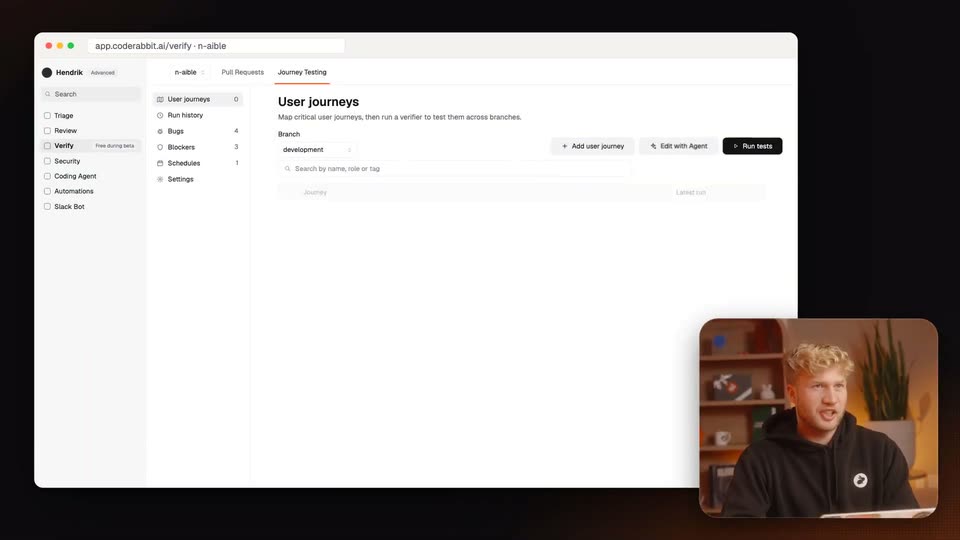
CodeRabbit · Nov 2026
Adam · B2B · Jan 2026
A black frame holds the centered headline “What is Codespaces”, with “What is” in white and “Codespaces” in blue. The line stays locked in place, then a blue question mark snaps in at the end.
On-screen text: “What is Codespaces?”
Techniques: Kinetic type
Camera: Static
A man in a pink shirt stands in an open office, gesturing while speaking, with coworkers at desks behind him. A floating phone mockup pops in above his head showing a chat screen, and a GitHub logo glows on a monitor to the right.
On-screen text: “What is Codespaces?”
Techniques: 3D mockup
Camera: Static
A man in a pink shirt stands in a busy office, talking and gesturing, while a GitHub Codespaces window floats at the right and scales up to fill the frame. Colleagues work at desks behind him and a monitor shows the GitHub logo.
Techniques: UI zoom
Camera: Push in
A cursor moves onto the green Create codespace button in a GitHub pull request view, then the screen dissolves into a dark setup panel where status lines appear above a progress bar.
Techniques: Cursor demo, Morph
Camera: Push in
A white UI card over a blurred gradient background shows a dark terminal under the heading “Setting up your codespace”. Green-check lines “Image found.” and “Container built.” sit above “Connecting (3/3)...” with a spinning loader, which then swaps to “Connected.” A lightbulb tip line sits below.
Camera: Static
A light-theme VS Code window fills the frame. The left panel shows a project file tree, then swaps to a GitHub pull request panel listing one changed file, with a terminal bar fixed at the bottom. The shot opens and closes with a fast blur wipe.
Camera: Pan
A browser window holds on a GitHub pull request diff for main.css, the two code panes side by side with one line struck red on the left and added green on the right. A file tree sits in the left sidebar. The frame stays static throughout.
Camera: Static
A browser window shows a GitHub pull request code diff, then a fast blur transition reveals a theme preferences page with a cursor over a light contrast card.
Techniques: Cursor demo
Camera: Pan
A GitHub Theme preferences page fills the frame. A mouse cursor glides across the grid of theme preview cards, moving from the selected Light default tile toward the Dark default tile. The left sidebar lists account settings.
Techniques: Cursor demo
Camera: Static
A GitHub appearance settings screen shows a grid of theme cards. A cursor rests on the Dark default card, outlined in blue with a filled radio button. The frame then tears into a horizontal glitch distortion with green and magenta color fringing.
Techniques: Cursor demo
Camera: Static
A man in a pink shirt stands in an open office, gesturing with both hands as he speaks to camera. A horizontal glitch of blue and pink bars distorts the left side, then clears. Coworkers sit at desks with monitors in the blurred background.
Camera: Static
A man in a pink shirt stands at the center of a bright open-plan office, speaking to the camera and gesturing with both hands. Behind him, colleagues sit at desks working on laptops, softly out of focus, while the locked-off camera holds a steady medium shot.
Camera: Static
A man in a pink shirt stands center frame in a bright open-plan office, speaking to camera and gesturing with both hands. Blurred coworkers work at desks behind him; a monitor on the right shows the GitHub logo.
Camera: Static
A man in a pink shirt stands centered in an open-plan office, speaking to camera and gesturing with both hands. Blurred colleagues work at desks behind him. He drops his hands and smiles as the clip ends.
Camera: Static
On a black background, a white headline scales in centered, then a blue URL types out character by character beneath it. Both lines hold still on a locked-off frame for the final second.
On-screen text: “To learn more, visit:”, “github.com/features/codespaces”
Techniques: Kinetic type
Camera: Static
A white GitHub mark, a cat silhouette in a circle, sits centered on a black field and holds still. Near the end a small tagline and a URL scale in below it as the sign-off.
On-screen text: “To learn more, visit:”, “github.com/features/codespaces”
Techniques: Kinetic type
Camera: Static