1:24

Voyager - AI Harness for Creative Work
Voyager · B2B · Oct 2026
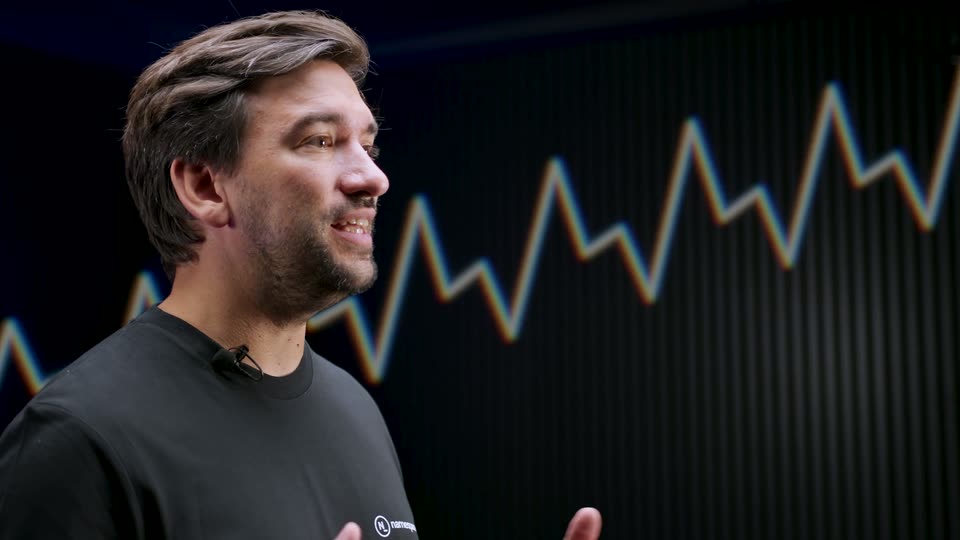
Bolt’s 3:29 launch film runs 31 scenes, about 6.8 s each. The product shows up at 0:05 and 10 features are revealed, with social proof. The call to action lands at 3:27 (99% in), over a voiceover. The launch runs a problem-to-proof arc: a silk-backed problem statement, a talking-head intro with a one-year recap, then a rapid chain of headline-and-demo feature cards, closed by comparison bars and a CTA. Signature moves are kinetic white caption words popping over the presenter, bento grids of feature tiles, and the rippling blue silk swirl that bookends the recap.
Is this your launch? to your site or press kit.
Voyager · B2B · Oct 2026
StackBlitz · Developer tools · Sep 2025
Tempo · B2B · May 2026
Films whose music sounds like this one, voice left out
StackBlitz · Electronic
Ramp · Upbeat electronic
Namespace · Cinematic electronic
A man in a dark zip-up stands on the right against a rippling blue silk backdrop. Error-notification cards pop in at tilted angles and multiply across the frame while large white words swap one by one in the center.
On-screen text: “Getting”, “stuck”, “loops”, “been”
Techniques: Kinetic type
Camera: Push in
A presenter stands at right against a dark blue-and-red swirl, framed by tilted error-dialog cards drifting in 3D depth. White kinetic words 'the', 'biggest', '2025.' pop in sequence at center as he speaks.
On-screen text: “the”, “biggest”, “2025.”
Techniques: Kinetic type, 3D mockup, Parallax
Camera: Static
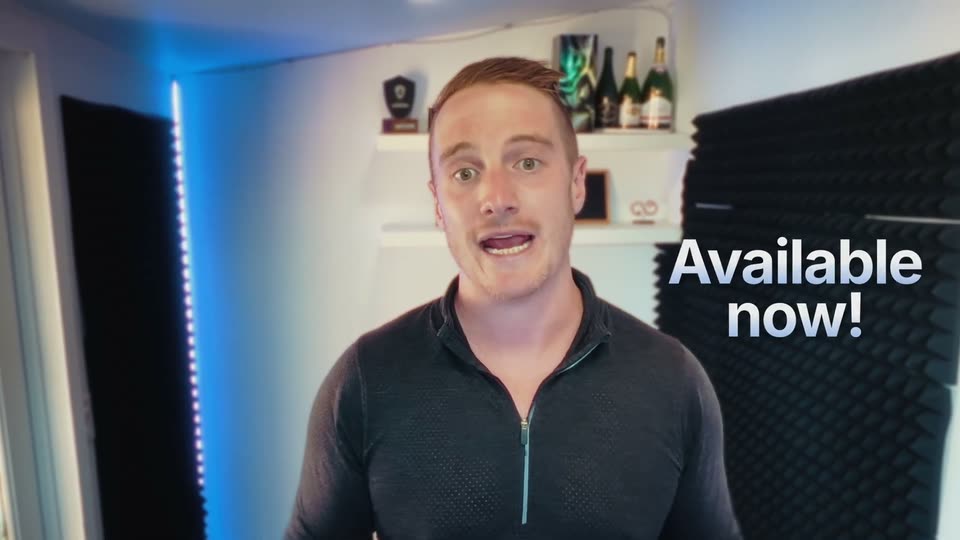
A man in a dark zip-up top speaks to camera, centered in a room with black acoustic foam on the right and a blue LED strip on the left. A white lower-third name and title appear at bottom left, then large blurred white product text fades in across the frame.
On-screen text: “Eric Simons”, “Founder”, “bolt.new”, “v2”
Camera: Static
A founder speaks to camera in a room with black acoustic panels and a blue LED strip; the bolt.new logo and v2 sit on either side of him with a lower-third name. At 0.5s the frame blurs and transitions to the bolt.new interface shown in 3D perspective.
On-screen text: “bolt.new”, “v2”, “Eric Simons”, “Founder”
Techniques: 3D mockup
Camera: Static
A dark blue and red abstract backdrop frames a YouTube player showing a man in a black tee presenting the bolt.new wall logo. The player chrome shows the title, channel and description box. A white headline fades in above the frame.
On-screen text: “Bolt.new Launch (Oct 3rd, 2024)”
Camera: Static
A locked-off shot of a YouTube video page showing a ViteConf and Anthropic talk by Alex Albert, set against a dark background of blue and red light streaks. A white headline reads Bolt.new Launch (Oct 3rd, 2024) across the top.
On-screen text: “Bolt.new Launch (Oct 3rd, 2024)”
Camera: Static
A white bold headline tops a dark wavy blue-red backdrop. Below, a YouTube player shows the Bolt.new interface: a chat log left, a Todo App preview center, a small webcam of the presenter right. The recording plays as a todo item appears in the preview.
On-screen text: “Bolt.new Launch (Oct 3rd, 2024)”
Camera: Static
A man in a dark zip-up talks to camera in a room with black foam panels and a blue LED strip. White caption words pop in over his chest as two circles of tool logos appear at the sides, then slide into a Venn diagram over the blurred shot.
On-screen text: “Product Teams”, “Agencies”, “Vibe”, “replit”, “Lovable”, “Vercel”, “fragile”, “configuration”, “new”, “agents', 'in', 'your', 'integrations,'.split(', ')], 'Claude Code', 'Codex CLI', 'Gemini CLI', 'Pro', 'in', 'your', 'integrations,'.split(', ')]”
Techniques: Kinetic type
Camera: Pull out
A man in a black zip-up shirt stands in a room with a blue LED strip and black acoustic foam, shrugging with open hands. He lowers them as the words bolt.new and v2 appear on the left and right of the frame.
On-screen text: “bolt.new”, “v2”
Camera: Static
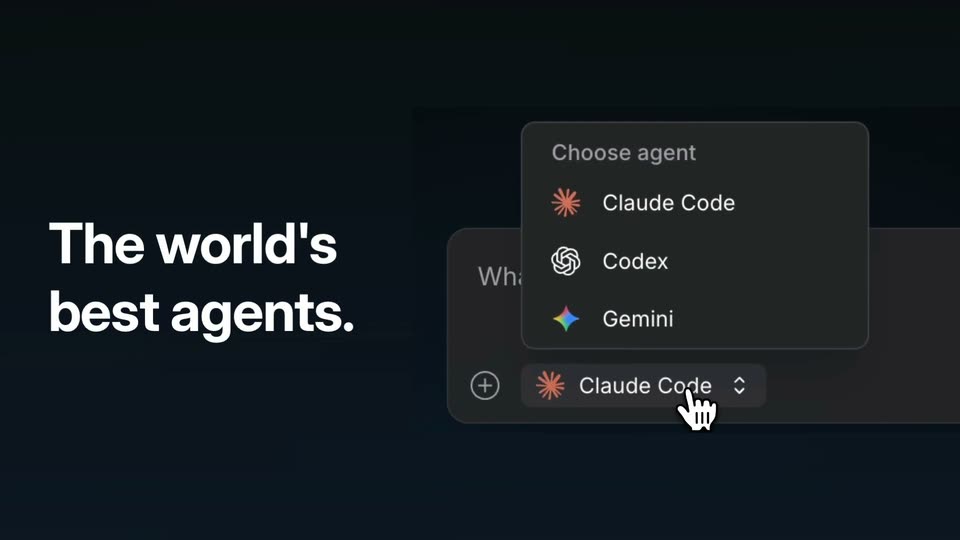
A dark prompt card on the right holds a build field and an agent selector; a hand cursor taps the selector, a dropdown of agent names opens above it, and the cursor slides to the Gemini row. On the left, a white headline reveals.
On-screen text: “The world's best agents.”
Techniques: Masking, Cursor demo
Camera: Static
A close-up of a dark prompt bar pulls back to reveal a chat panel where a plan checklist builds, the first item switching from Thinking... to Applying database migration. The white caption Deep Planning. holds on the right until the frame darkens and No more slides in.
On-screen text: “Deep Planning.”, “No more”
Techniques: UI zoom, Kinetic type
Camera: Pan
Two centered lines of white bold text on a dark background fade in, reading “Autonomous debugging. No more error loops.” A small gray line with a terminal icon appears below: “Building the project to check for errors.” Thin grid lines cross the frame at the end.
On-screen text: “Autonomous debugging.”, “No more error loops.”, “Building the project to check for errors”
Techniques: Masking
Camera: Static
A dark card sequence: a tiled grid wipes across the frame as “Autonomous debugging.” and “No more error loops.” give way to a large “98%” above “fewer errors”, then the frame cuts to the line “Scale to millions.”
On-screen text: “No more error loops.”, “Autonomous debugging.”, “98%”, “fewer errors”, “Scale to millions.”
Techniques: Masking
Camera: Static
A white headline “Scale to millions.” eases in at the top of a dark frame, then a grid of feature cards fades up below: a blue infinity symbol, a glowing planet arc, a padlock in a spotlight, a 100 badge, and a tilted blue Publish key.
On-screen text: “Scale to millions.”
Techniques: Kinetic type
Camera: Static
A dark bento grid of feature panels scrolls left under the white headline. Blue icons, an infinity loop, a padlock and a Publish button sit in the cards as new copy enters from the right.
On-screen text: “Scale to millions.”, “Full-stack.”
Camera: Pan
A dark dashboard shows a settings menu and a data table on the right. A white headline slides in from the left edge, and a hand cursor hovers over the Authentication item in the menu.
On-screen text: “Full-stack. Automagically.”
Techniques: Kinetic type, Cursor demo
Camera: Pan
A dark dashboard settings menu is open on the right; a hand cursor moves down the list, highlighting Authentication, Server Functions, then Secrets, while the detail panel updates. A large white headline sits static on the left.
On-screen text: “Full-stack. Automatically.”
Techniques: Cursor demo
Camera: Pan
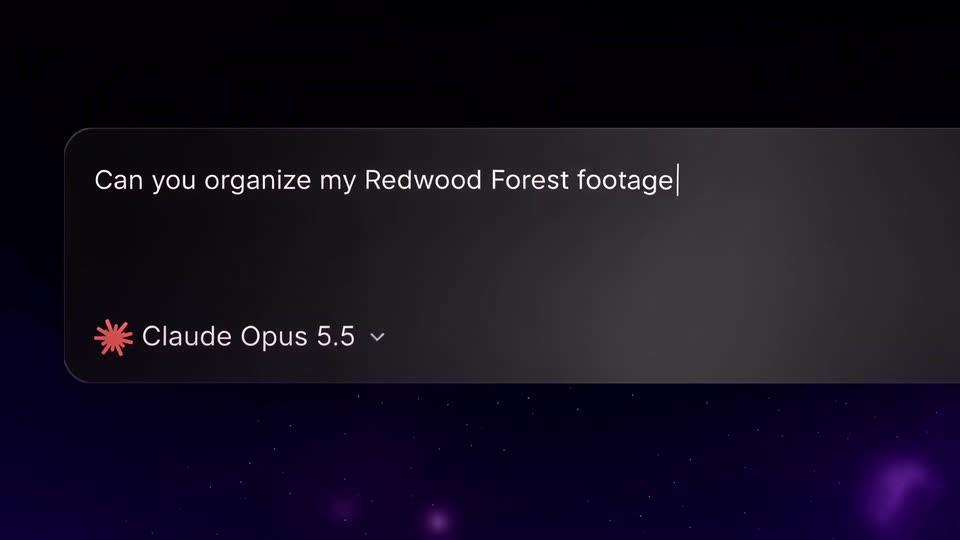
A dark chat input field sits below the white headline “Integrate with any API.” The prompt “Make me a tool for transcribing audio using OpenAI.” types itself out character by character behind a blinking caret, then the field fades into a “bolt Thinking…” state.
On-screen text: “Integrate with any API.”
Camera: Static
A dark chat screen shows the bolt agent typing a response about building an OpenAI transcription tool. The status line morphs from a brain Thinking label to a wrench WebSearch label beneath the static headline.
On-screen text: “Integrate with any API.”
Techniques: Kinetic type, Morph
Camera: Static
A headline fades out as a dark 'Publish your project' panel slides into view, displaying a URL and a blue Update button, while a cursor moves across the interface.
On-screen text: “Integrate with any API.”
Techniques: Cursor demo
Camera: Pan
A dark publish panel sits over a dimmed screen. A cursor clicks the Custom domain row, expanding a submenu that lists Buy a new domain and Add a domain you own.
Techniques: Cursor demo
Camera: Static
A dark domain search view fills the frame, a blue-outlined field holding a typed address above a results table of prices. A cursor hovers over the first blue Buy button.
Techniques: Cursor demo
Camera: Static
A dark analytics dashboard fills the frame, its line charts drawing in across four panels. A cursor hovers over the top pages list as the view scrolls down to reveal the bandwidth bars and the full page list.
Techniques: Cursor demo
Camera: Pan
A dim analytics dashboard, showing a bandwidth bar chart and a top pages list, fades out to black while the white headline holds on the left.
On-screen text: “Built for teams.”
Camera: Static
A dark browser mockup of the product sits on the right while the white headline “Built for teams.” holds on the left. A cursor clicks the account switcher, a team list drops down, and the cursor hovers the highlighted StackBlitz row before the scene fades to black.
On-screen text: “Built for teams.”
Techniques: Cursor demo
Camera: Push in
On a dark frame, the headline 'Built for teams.' sits left of a flat team-switcher dropdown showing a Booking.com account list and a cursor. The dropdown and headline fade out as a new line 'Stop building from' begins to appear, with 'from' in blue.
On-screen text: “Built for teams.”, “Stop building from”
Techniques: Kinetic type
Camera: Static
A black 'b' logo and headline 'Vibe code with your design system' sit centered on a dark field, with a row of design-system controls (checkboxes, toggles, buttons, dropdowns, color cards) below. The underlined word 'your', the top glow, and the controls shift color from blue to green to teal.
On-screen text: “Vibe code with your design system”, “Stop building from scratch. Start building on-brand.”
Camera: Static
The Bolt landing page fades out to a dark blue gradient. The GitHub mark in a white circle and the headline “Collaboration.” hold on the left, while the gray subline “Built in” slips down out of frame.
On-screen text: “Collaboration.”, “Built in”
Camera: Static
A white cat-in-circle logo and the two-line headline sit on the left over a dark-to-blue gradient. On the right, three circular photo avatars and a blue pill button slide in along thin orbit lines, then hold still.
On-screen text: “Collaboration.”, “Built in.”, “Invite teammates”
Camera: Static
A presenter in a black zip top talks to camera in a room with black acoustic foam and a blue LED strip. Bold white captions pop in over his chest, brand progress bars fill on the left, and stat callouts with floating company logos appear on the right.
On-screen text: “available”, “try.”, “Planning”, “Publishing”, “15%”, “Lovable”, “20%”, “25%”, “bolt”, “30% replit 47% bolt 70% Claude Code 80% bolt V2 Highest Completion 20% Lovable 30% replit 70% Claude Code 80% bolt V2 Highest Completion one +72% Fortune 500 +8”
Techniques: Kinetic type
Camera: Pull out
On a black background, the headline 'Try v2 today!' blurs in from a skewed state and settles into a white-to-blue gradient, while the white bolt.new logo sits centered below. The frame is locked off.
On-screen text: “Try v2 today!”, “bolt.new”
Techniques: Kinetic type
Camera: Static