1:34
Claude 3.5 Sonnet for agentic coding
Anthropic · AI · Jun 2024
Anthropic · Mar 2024 · 1:37 · Full motion · AI-annotated
Anthropic’s 1:37 launch film runs 15 scenes, about 6.5 s each. The product is on screen from the first frame, with social proof. The call to action lands at 1:29 (92% in). The video opens and closes on flat terracotta serif title cards, with the middle built as one continuous locked-off screen recording of a medical intake chat, letting typed text, scrolling bubbles and a single drag-and-drop of the medication photo carry the story. Pacing is slow and steady around 80 bpm, with no cuts inside the interface and only gentle fades between the card beats.
Is this your launch? to your site or press kit.
Anthropic · AI · Jun 2024
ZeroEntropy · B2B · Jan 2025
Films whose music sounds like this one, voice left out
OpenAI · Instrumental electronic and cinematic
Harvey · Cinematic
Spline · Instrumental, minimalist, playful
A flat terracotta background holds a centered three-line white serif headline that fades in, holds, then fades out.
On-screen text: “Claude 3 Haiku”, “for instant”, “customer service”
Camera: Static
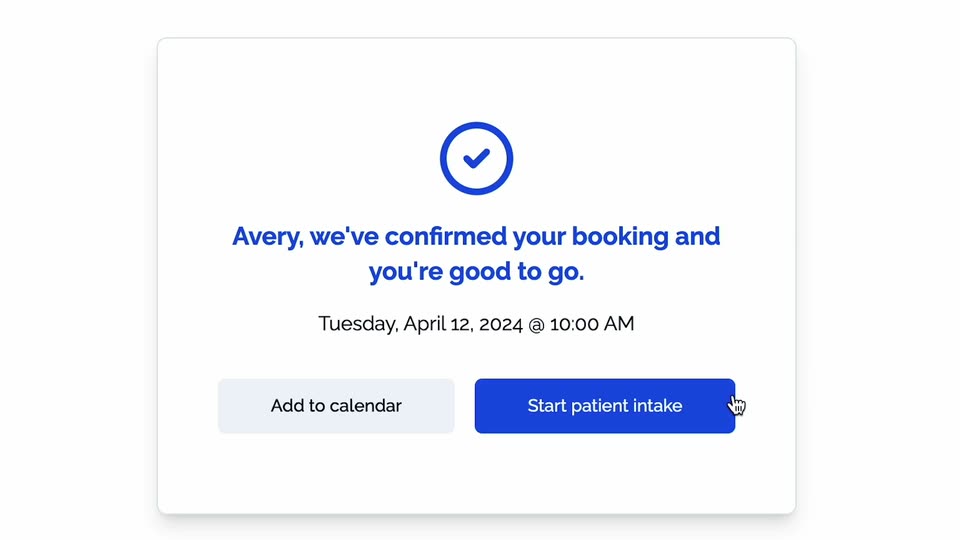
A white confirmation card with a blue check icon and headline sits centered on a pale gray background. A mouse cursor slides in from the right edge and rests on the blue Start patient intake button, switching to a hand pointer. The frame stays locked off.
Techniques: Cursor demo
Camera: Static
A chat interface types a health complaint into the input field, which sends as a blue bubble on the right while the assistant's reply types out word by word on the left. Two more exchanges follow, and the thread scrolls up as new bubbles appear.
On-screen text: “This demo uses synthetic medical data and rights-approved imagery.”
Techniques: Kinetic type
Camera: Pan
A chat interface shows a conversation about headaches. The assistant's question types out letter by letter, the user types a reply in the bottom input box, sends it, and the message appears as a blue bubble while the list scrolls up and a new reply begins.
Techniques: Kinetic type
Camera: Pan
A static white chat view shows a black assistant line typing a medication question. The user's answer is typed letter by letter into the input box, sent as a blue bubble, then a new assistant question types in while the list scrolls up.
Techniques: Cursor demo
Camera: Pan
A flat browser window displays the ant medical chat intake. A cursor drags a small medication photo from a labeled thumbnail on the left into a center drop zone, the chat dims behind an overlay, and the prompt 'Drop the image here' appears.
On-screen text: “medication.jpg”
Techniques: Cursor demo
Camera: Static
A dimmed chat window fills a browser frame. A small file thumbnail labeled medication.jpg drags from the top-left corner down to the message input field, the cursor riding on it. A white caption reads Drop the image here at the center.
On-screen text: “Drop the image here”
Techniques: Cursor demo
Camera: Static
A browser window shows the ant medical chat. A medication photo sits in the input box while text types out and is sent, the photo jumps into the thread as a larger image, and the assistant replies that it looks like Lisinopril 5mg.
Techniques: Cursor demo
Camera: Static
A chat screen scrolls through a medical intake conversation. A photo of a green pill box leads, then black assistant questions type out while blue patient replies pop in, and the bottom input field fills letter by letter before each send.
Techniques: Kinetic type
Camera: Pan
A browser window on a dark brown background shows a medical chat where the assistant types a bulleted summary of symptoms, medications, allergies and family history. A grey serif caption about output speeds sits at the bottom, then the view zooms into the finished summary and input field.
On-screen text: “Output speeds are accurate at the time of recording, but may vary depending on how you access Claude.”
Techniques: UI zoom
Camera: Static
A white medical intake form with bulleted notes and a blue-outlined text field sits on a plain background. A cursor blinks inside the input box, then a white confirmation card reading You're all set fades in over the dimmed form, with a Done button.
Techniques: Cursor demo
Camera: Static
A white rounded modal titled “You're all set” sits centered over a dimmed patient-intake screen, with a blue Done button at its lower right. A mouse cursor drifts slowly downward near the modal's bottom edge.
Camera: Static
A centered block of dark serif text fades in on a plain beige background, stating that Anthropic offers HIPAA compliance options and SOC 2 Type I and II certifications for healthcare applications.
On-screen text: “For healthcare applications, Anthropic offers HIPAA compliance options, and SOC 2 Type I and II certifications.”
Camera: Static
A centered block of black serif text on a plain beige background holds still for most of the clip, then the whole block scrolls upward and exits at the end.
On-screen text: “For healthcare applications, Anthropic offers HIPAA compliance options, and SOC 2 Type I and II certifications.”
Techniques: Kinetic type
Camera: Static
On a flat terracotta background, two centered lines of white serif text, “Learn more at” and “anthropic.com/claude”, fade in near the start, hold steady through the middle of the clip, then fade out to a plain field. Locked-off frame, slow pace.
On-screen text: “Learn more at”, “anthropic.com/claude”
Camera: Static