
0:31
Explore
00:00:00 / 01:34:26
- Length
- 1:34
- Scenes
- 8 · 11.9 s avg
- Product on screen
- 0:00
- Call to action
- 1:30 · 96%
- Voiceover
- Yes
- Views
- 87K on YouTube
as of November 28, 2026
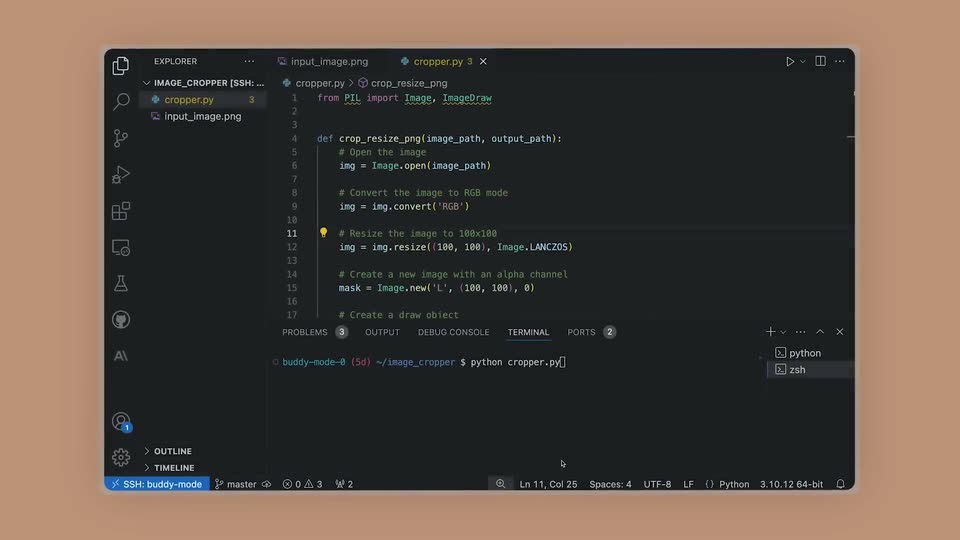
Anthropic’s 1:34 launch film runs 8 scenes, about 12 s each. The product is on screen from the first frame. The call to action lands at 1:30 (96% in), over a voiceover. The video is a long take: a serif title card, then one continuous screen recording of VS Code on a peach backdrop that runs the agentic coding workflow from test writing to bug fix, and a final URL card. Pacing is slow with long static holds, punctuated by slow zooms into the terminal and code, and the only motion is typing and the cursor.
No filming indicatedEstimated needs: 1 capture group — your screens or recordings
Is this your launch? to your site or press kit.
More like this


Similar soundtrack
Films whose music sounds like this one, voice left out
2:10

Welcome to the all new Affinity
Affinity · Upbeat corporate electronic
1:23

Resend - Today, we're open sourcing our email editor. Announcing React Email
Resend · Upbeat electronic
2:22
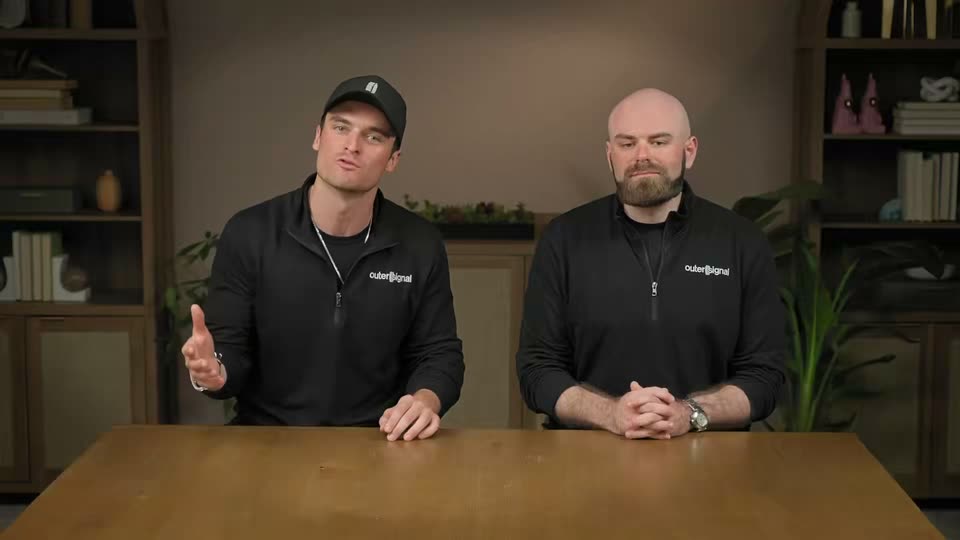

Noah Sanborn Friedman - Thrilled to announce @getOuterSignal has raised a $22M Series A. A
OuterSignal · Electronic
Claude 3.5 Sonnet for agentic coding, scene by scene
· 8 scenes as text
01 · Product intro · 0:00–0:01
A plain dark charcoal background holds a centered serif headline that fades in: the line “Agentic coding with” in light gray sits above “Claude” in a darker gray. The frame stays locked and still throughout.
On-screen text: “Agentic coding with”, “Claude”
Techniques: Kinetic type
Camera: Static
02 · Product intro · 0:01–0:05
A white serif title on a dark navy field, with the orange Claude starburst and wordmark centered below. The wordmark fades from gray to white, then the top line dissolves out word by word.
On-screen text: “Agentic coding with Claude 3.5 Sonnet”
Techniques: Kinetic type
Camera: Static
03 · Product intro · 0:05–0:06
A dark background displays the text 'Claude 3.5 Sonnet' in a large serif font above the Claude logo. The main text fades out, leaving the logo centered on the screen.
On-screen text: “Claude 3.5 Sonnet”, “Claude”
Camera: Static
04 · Demo · 0:06–0:07
A dark code editor window fades in over a solid peach background. The interface shows a Python file in the main panel, a file explorer on the left, and a terminal at the bottom with a typed command. The view is static and centered.
Camera: Static
05 · Demo · 0:07–1:07
A VS Code window on a peach background shows cropper.py while the terminal runs the script, then opens output_image.png, a circular white AI logo. Claude's reply types into the terminal as the view zooms in, and a new cropper_test.py file opens and scrolls.
On-screen text: “Output generation sped up for demo purposes”
Techniques: UI zoom
Camera: Static
06 · Demo · 1:07–1:30
A VS Code window sits on a flat peach backdrop. The Python file rewrites line by line while the terminal streams test results. The view zooms into the code, then a cursor clicks the output file, opening a preview of a white logo on a transparent checkerboard.
Techniques: UI zoom, Cursor demo
Camera: Pull out
07 · Demo · 1:30–1:30
A dark code editor window rests on a flat tan background. The left explorer lists image and Python files, the bottom terminal shows a Python command, and a white AI logomark sits centered in the empty editor pane. A mouse cursor hovers over a file. The frame holds still.
Camera: Static
08 · CTA · 1:30–1:34
A dark navy background holds centered two-line text that fades in from faint to white and remains locked off.
On-screen text: “Learn more at”, “anthropic.com/claude”
Camera: Static