1:07

Introducing Nothing OS 4.0
Nothing · Hardware · Sep 2025
OpenAI · May 2026 · 0:51 · Full motion · AI-annotated
OpenAI’s 0:51 launch film runs 8 scenes, about 6.4 s each. The product is on screen from the first frame and 1 feature is revealed. The call to action lands at 0:44 (86% in). The video alternates plain off-white type cards with full-screen UI demos of a spreadsheet, each card typing its headline in before the demo plays. Signature moves are the letter-by-letter gray-to-black text reveal and the zoom from a tight chat panel out to the full application window.
Is this your launch? to your site or press kit.
Nothing · Hardware · Sep 2025
ElevenLabs · AI · Oct 2026
Films whose music sounds like this one, voice left out
OpenEvidence · Cinematic instrumental
Runway · Modern commercial instrumental
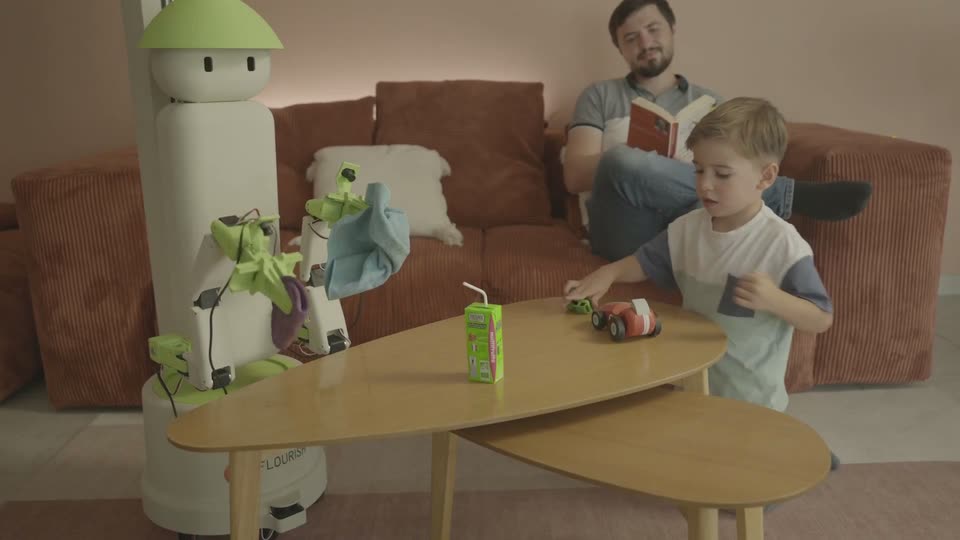
Flourish Robots · Electronic, Orchestral, Cinematic
Plain white background with a two-line headline. The first line types in, then the second line follows, each new character appearing in gray before settling to black. Once complete, the frame holds locked off.
On-screen text: “ChatGPT for Excel and Google Sheets”, “Now available globally for all plans”
Techniques: Kinetic type
Camera: Static
A financial spreadsheet occupies the left while a ChatGPT panel on the right types a prompt, opens an Apps menu, and inserts S&P Global. The view pulls back to the full sheet, then the panel prints updated figures and a bulleted summary. A static title card closes the clip.
On-screen text: “ChatGPT for Excel and Google Sheets”, “Now available globally for all plans”
Techniques: UI zoom
Camera: Pull out
On a plain off-white background, the line Turn raw data into fades in centered, then leadership insights types on letter by letter beneath it, both settling into solid black. The frame stays locked throughout.
On-screen text: “Turn raw data into”, “leadership insights”
Techniques: Kinetic type
Camera: Static
A close-up of a spreadsheet's AI chat panel shows a prompt being typed into the input field. The view then zooms out to reveal the full application window as the AI begins processing the request.
On-screen text: “Create a leadership ready earnings dashboard with scannable key takeaways from the latest print”
Techniques: UI zoom
Camera: Static
A spreadsheet interface displays a financial dashboard on the left and an AI chat panel on the right. The chat panel shows a task status updating to 'Done', followed by a summary of earnings data being typed out, including revenue and EPS figures.
On-screen text: “fedex.com”
Techniques: Split screen, Kinetic type
Camera: Static
A plain white background holds two centered lines of bold sans text. The first line appears in gray then darkens to black, while the second line builds as the word 'Sheets' fades in from gray to black.
On-screen text: “Get started today in”, “Excel or Google Sheets”
Techniques: Kinetic type
Camera: Static
The black ChatGPT wordmark sits centered on a pale off-white field, locked-off. The leading letter caps and the glyphs overlap mid-shift as the mark morphs from lowercase to the standard casing.
On-screen text: “chatGPT”, “ChatGPT”
Techniques: Morph
Camera: Static
A thin black outline logo, a continuous looped knot reading as a G with a small hexagon at its center, sits centered on a plain white background. It eases from a tilted pose into an upright orientation, then holds still on a locked-off frame.
Camera: Static