0:40

The new HomePod mini 2: Rich, room-filling sound in a compact design.
Apple · Hardware · Oct 2026
OpenAI · Nov 2025 · 0:52 · AI-annotated
OpenAI’s 0:52 launch film runs 23 scenes, about 2.3 s each. The product is on screen from the first frame and 2 features are revealed. There is no explicit call to action. The video alternates locked-off typographic title cards with UI mockups that type, scroll, and crossfade on a white field. Signature moves include word-by-word text reveals that settle from gray to black, pill buttons that fill blue on selection, and 3D card flips on a pale blue ground.
Is this your launch? to your site or press kit.
Apple · Hardware · Oct 2026
Raycast · Productivity · Aug 2026
Edgerun · Industrials · Aug 2026
A single line of black sans-serif text types out word by word on a plain off-white background, the newest word rendered in gray. The phrase builds to “ChatGPT is now your” and the next letter wraps onto a second line.
On-screen text: “ChatGPT is now your”
Techniques: Kinetic type
Camera: Static
A centered two-line headline on a plain white background reads “ChatGPT is now your personal shopper.” The phrase holds still while the final word “shopper” eases from light gray to solid black, with a brief horizontal blur as it settles.
On-screen text: “ChatGPT is now your personal shopper”
Camera: Static
A white search bar with a plus button and a black send arrow sits on a plain background. The query “Best TVs for a bright room” is typed letter by letter, then the bar is replaced by a light blue chat bubble in the upper right, and a black dot appears on the left.
Techniques: Kinetic type
Camera: Static
A light blue pill labeled Best TVs for a bright room sits at the top of a white screen. A gray searching line fades in, a paragraph types out word by word, then the view scrolls down to a What to prioritize heading and two bright living room photos.
On-screen text: “Best TVs for a bright room”, “Searching for best TVs for a bright room”, “When your room has a lot of ambient light (sunny windows, overhead lights, etc.) you'll want a TV that meets these key criteria:”, “What to prioritize”, “Brightness: To fight glare, look for at least”
Techniques: Kinetic type
Camera: Pan
A chat interface scrolls upward and settles, leaving a panel-technology bullet and a closing paragraph in view, above a white card holding a blue shopping-bag icon with a magnifying glass.
Camera: Pan
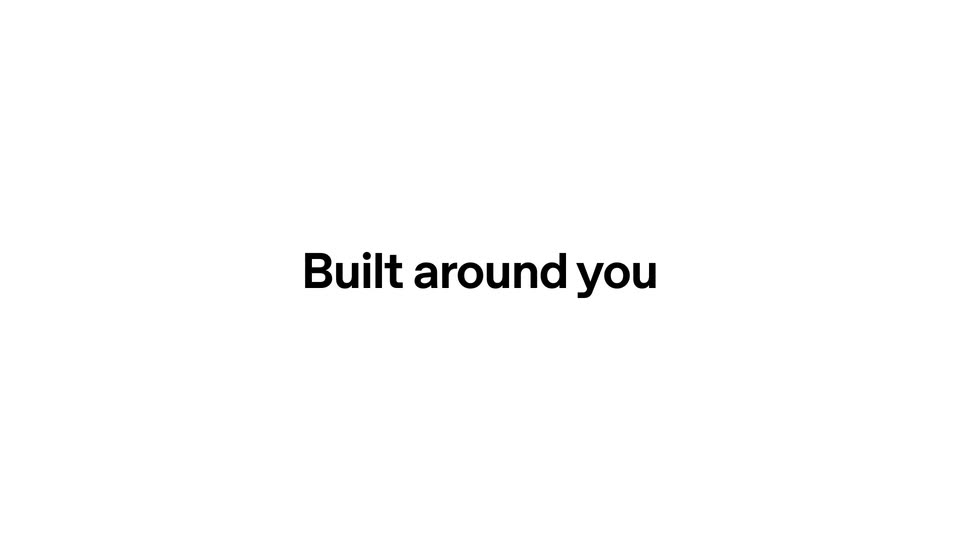
A black tagline, “Built around you,” holds centered on a white background, then crossfades into a product screen asking “What’s your budget?” above four rounded pill buttons with price ranges.
On-screen text: “Built around you”
Camera: Static
A white interface shows the question What's your budget? above four pill buttons. The Up to $1200 button deepens from light to dark blue as it is selected, then the screen switches to a Main usage? list with four options.
Camera: Static
A white screen holds a centered gray heading, Main usage?, above four outlined pill buttons stacked vertically, labeled Movies, Sports, Gaming and All-around. The frame stays locked off with no motion.
Camera: Static
A white interface shows a centered quiz question, Main usage?, above four pill buttons, the bottom one, All-around, filled blue. The whole block crossfades into a second question with four feature options, the layout and centered framing unchanged.
Camera: Static
On a white background, the gray heading 'Desired features?' sits above four pill buttons. The top button fills blue and its text turns white, while the lower three keep black text on white. The top label flickers through an overlap before locking in.
Camera: Static
A white product card for a Mini-LED TV sits centered on a pale blue field, four blue tag pills floating around it. The tags fade out, then the card stack rotates in 3D to flip past a second TV card and a features list panel.
On-screen text: “All-around”, “< $1200”, “High brightness”, “Great reviews”
Techniques: 3D mockup
Camera: Static
A white product card on a light-blue field shows a TV listing with a 'What don't you like about this?' prompt and reason pills; the Style pill fills blue. The card then reveals a second card, a Samsung OLED TV with 'Not interested' and 'More like this' links.
Camera: Static
A plain white frame holds the bold black headline 'Researches products for you'. The trailing words fade from light gray to solid black, locking the line in place on a static centered layout.
On-screen text: “Researches products for you”
Techniques: Kinetic type
Camera: Static
A light blue interface shows a grid of white product cards, each holding a photo, name, price and store. The view scrolls across the grid while a few cards scale up and pop forward at the start.
On-screen text: “Researches products for you”
Camera: Push in
A grid of product cards sits on a light blue background. On the central card, a blue checkmark appears next to a bottom label, and the label text turns blue.
Camera: Static
A single centered line of gray text on a white background reads “Finding more serums like this”. The line reveals from left to right in the first half second, then holds still on a locked-off frame.
On-screen text: “Finding more serums like this”
Techniques: Kinetic type
Camera: Static
A white rounded card centered on a pale background shows a product tube that crossfades from green to orange to white. A blue progress bar below fills left to right. A white circular badge with a black ampersand overlaps the card's lower right corner.
Camera: Static
A blue circular checkmark holds center on a white field while a gray stat line, four pill tags, and a two-tone headline fade in above it, the words daily serums in blue.
Camera: Static
A white summary page scrolls down. The bold black headline and a row of gray filter pills move off the top, the paragraph text passes, and a product card rises into frame holding an orange serum bottle with a white dropper cap over a gray gradient bar.
Camera: Pan
A light review page scrolls vertically. It opens on a Best Overall label above an orange Sephora serum bottle in a bordered card, then moves down past a bulleted list to a How it stacks up comparison table.
Camera: Pan
Under a bold “How it stacks up” heading, a row of skincare product cards pans horizontally across a comparison table, then the page scrolls down to a footer row of small action icons.
Camera: Pan
A white title card holds “Shopping on” in bold black; “ChatGPT” fades in from gray to black at the right. The locked-off line then scales up, the leading S growing large.
On-screen text: “Shopping on ChatGPT”
Techniques: Kinetic type
Camera: Static
A black line-art logo, resembling a stylized knot, sits centered on a plain white background. The logo scales in place.
On-screen text: “S”
Camera: Static